
1. Introduction
This manual provides detailed instructions for the installation, operation, and maintenance of your Tennoz 8MP 4K PoE IP Security Camera, Model IE358. Please read this manual thoroughly before using the product to ensure proper functionality and safety.

Figure 1: Tennoz 8MP 4K PoE IP Security Camera (Model IE358)
2. Package Contents
Verify that all items listed below are included in your package. If any items are missing or damaged, please contact customer support.
- 1 x Tennoz 8MP 4K PoE IP Security Dome Camera (Model IE358)
- Mounting Screws and Wall Plugs
- Waterproof Connector for Ethernet Cable
- Quick Start Guide / User Manual
- Drilling Template
Video 1: Unboxing the Tennoz 4K 8MP IP Security Camera. This video demonstrates the contents of the product package, including the camera unit, mounting accessories, and documentation.

Figure 2: Key components of the Tennoz 8MP PoE Security Camera, including the lens, IR LEDs, microphone, speaker, DC12V power port, and LAN port (PoE).
3. Setup
3.1 Physical Installation
The Tennoz IE358 camera is designed for outdoor wall mounting. Ensure the mounting surface is strong enough to support the camera's weight.
- Choose a Location: Select a suitable outdoor location that provides the desired viewing angle and is within reach of your network cable.
- Prepare the Surface: Use the provided drilling template to mark the screw holes on the wall. Drill pilot holes as necessary.
- Mount the Camera: Secure the camera base to the wall using the provided screws and wall plugs. Adjust the camera's angle for optimal coverage.
3.2 Network Connection (PoE)
This camera supports Power over Ethernet (PoE), allowing both power and data transmission through a single Ethernet cable. A PoE switch or PoE injector (not included) is required.
- Connect Ethernet Cable: Connect one end of an Ethernet cable to the camera's LAN port.
- Apply Waterproof Connector: Use the provided waterproof connector to protect the Ethernet connection from environmental elements.
- Connect to PoE Device: Connect the other end of the Ethernet cable to a PoE port on your PoE switch or PoE injector.
- Connect to NVR/Router: Connect your PoE switch or injector to your Network Video Recorder (NVR) or router.

Figure 3: Connection diagram illustrating how to connect the PoE camera to an NVR system, including router, mouse, monitor, and power supply.
3.3 Initial Configuration
Refer to the included Quick Start Guide for instructions on accessing the camera via a mobile device app or web browser for initial setup and configuration. The camera is compatible with various H.265 PoE NVRs and third-party software like Milestone, Blue Iris, and iSpy.
4. Operation
4.1 Video Quality and Viewing Angle
The camera features 8 Megapixels (3840 x 2160) Ultra HD resolution, providing detailed and clear images. The 110° wide-angle lens covers a broad area.

Figure 4: Overview of key features including 4K Ultra HD resolution, 5X optical zoom, dual light ColorVu, two-way talk, 98ft night vision, 110° wide angle, IP66 waterproof rating, and AI human/vehicle detection.
4.2 5X Optical Zoom
Equipped with a 2.7-13.5mm motorized lens, the camera offers 5X optical zoom. This allows for magnification of images without significant loss of detail, providing a clearer view of distant objects.

Figure 5: Demonstration of the 5X optical zoom capability, showing a magnified view of a vehicle on a street while maintaining image clarity.
4.3 Smart Dual Light Color Night Vision
The camera features smart color night vision. In low-light conditions, it typically operates in IR night vision (black and white). When a person or vehicle is detected, the dual lights activate, switching the video to full-color mode to capture more details. Users can also manually select IR night vision or 24-hour full-color night vision modes.

Figure 6: Comparison of night vision modes: Full-time color night vision (top) and Smart Dual Light Color Night Vision (bottom), showing how the camera switches from IR B&W to warm light color vision upon motion detection.
4.4 Two-Way Talk Function
With a built-in microphone and speaker, the camera supports two-way audio communication. This allows you to speak with individuals near the camera, such as visitors or delivery personnel. The camera can also be configured to emit an audible beep and flash lights upon detection (alarm function is OFF by default).
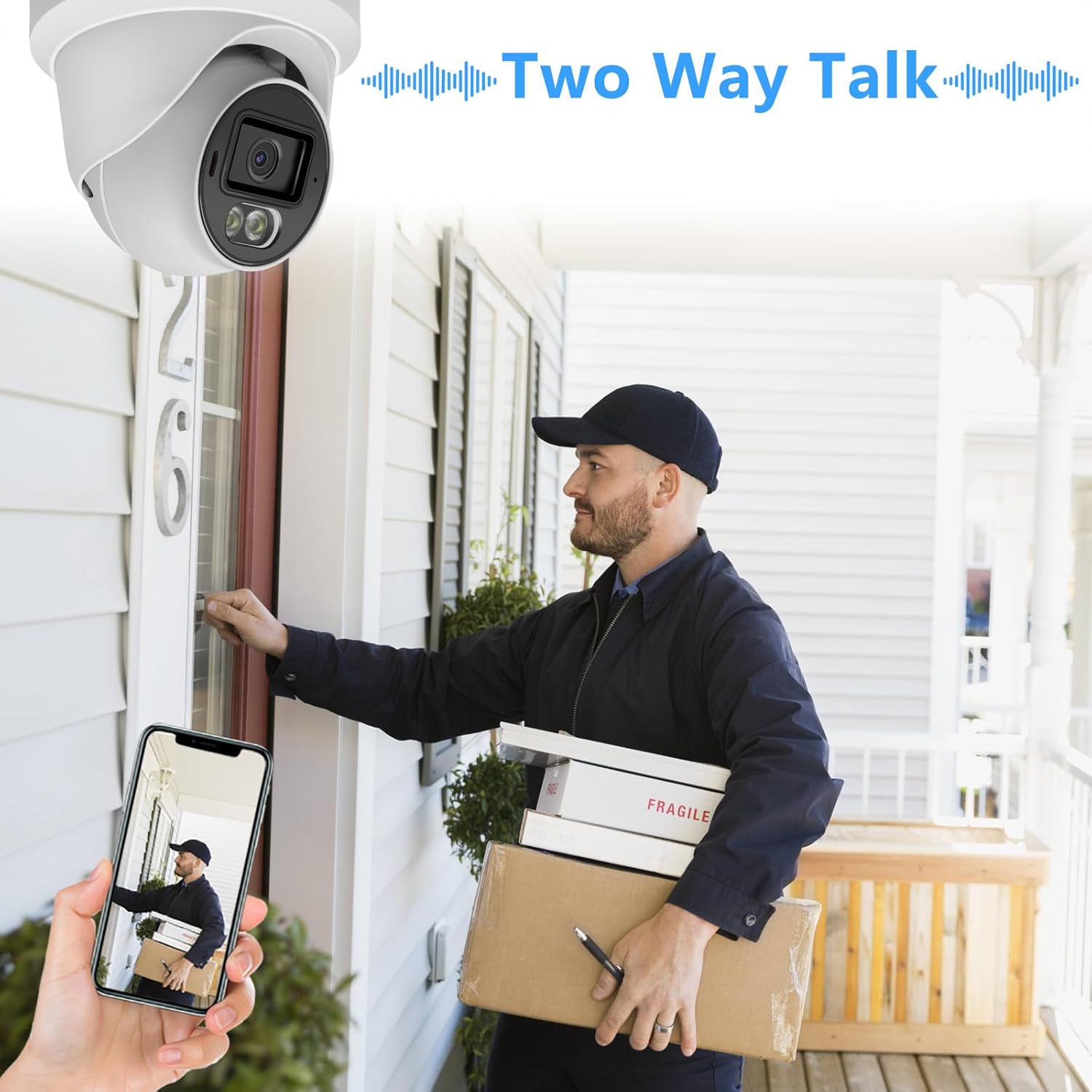
Figure 7: Illustration of the two-way talk function, showing a user communicating with a delivery person via a smartphone app connected to the camera.
4.5 Human/Vehicle Detection
The camera incorporates intelligent detection capabilities to distinguish between human and vehicle movement, reducing false alarms and providing more relevant alerts.

Figure 8: Image demonstrating the camera's ability to detect and highlight both human figures and vehicles within its field of view.
4.6 H.265+ Compression
The camera supports H.265/H.264 compression (default H.265), which optimizes video storage and bandwidth usage while maintaining high video quality. H.265+ offers significant efficiency improvements over H.264.

Figure 9: Comparison illustrating the reduced bandwidth consumption and smoother streaming achieved with H.265+ compression compared to H.264.
5. Maintenance
- Cleaning: Regularly clean the camera lens with a soft, dry cloth to ensure clear image quality. Avoid abrasive cleaners.
- Firmware Updates: Check the manufacturer's website periodically for firmware updates to ensure optimal performance and security.
- Cable Inspection: Periodically inspect all cables and connections for wear or damage, especially the waterproof connector, to maintain reliable operation.
- Environmental Protection: The camera has an IP66 rating, indicating protection against dust and powerful water jets. Ensure proper installation to maintain this protection.
6. Troubleshooting
| Problem | Possible Cause | Solution |
|---|---|---|
| No image/video feed | No power, network issue, incorrect configuration. |
|
| Poor image quality | Dirty lens, low light, incorrect resolution settings. |
|
| Motion detection not working | Incorrect sensitivity settings, detection zone not configured. |
|
| Two-way talk issues | Microphone/speaker disabled, network latency. |
|
If you encounter issues not covered here, please refer to the support section for contact information.
7. Specifications
| Feature | Detail |
|---|---|
| Model Name | IE358 |
| Effective Still Resolution | 8 MP (3840 x 2160) |
| Optical Zoom | 5x (2.7-13.5mm motorized lens) |
| Viewing Angle | 110 Degrees |
| Night Vision Range | 98 Feet |
| Connectivity Technology | Wired (PoE) |
| Connectivity Protocol | Ethernet |
| Wireless Communication Technology | Wi-Fi (for app control, not primary connection) |
| Indoor/Outdoor Usage | Outdoor |
| International Protection Rating | IP66 |
| Power Source | Corded Electric (via PoE or optional DC12V) |
| Controller Type | Iris |
| Mounting Type | Wall Mount |
| Included Components | 1 Dome Camera |
| Alert Type | Motion Only (Human/Vehicle Detection) |
| Video Capture Format | MP4 |
| Compression | H.265/H.264 (Default H.265) |
| Product Dimensions | 4.94 x 4.96 x 4.72 inches |
| Item Weight | 1.52 pounds |
| UPC | 768531904432 |
8. Warranty and Support
The Tennoz 8MP PoE security camera includes a warranty service. For specific warranty terms and conditions, please refer to the documentation included with your purchase or contact Tennoz customer support.
If you encounter any problems with your 4K 8MP security camera or require technical assistance, please contact Tennoz customer support immediately. SDK (Software Development Kit) may also be available upon request for advanced integration.
Contact Information: Please refer to the official Tennoz website or your purchase documentation for the most current customer support contact details.