
Introduction
This manual provides detailed instructions for the proper setup, operation, and maintenance of your WOOPKER AK35 200W Stereo Audio Amplifier. Please read this manual thoroughly before using the product to ensure optimal performance and longevity.
Package Contents
Before proceeding with the setup, please verify that all items listed below are included in your package:
- 1x WOOPKER AK35 Audio Amplifier
- 1x Power Cable
- 1x User Manual (this document)
- 1x Remote Control

Image: Contents of the WOOPKER AK35 package, including the amplifier, power cable, remote control, and user manual.
Setup
1. Amplifier Overview
Familiarize yourself with the front and back panels of the AK35 amplifier to understand its various inputs, outputs, and controls.

Image: Front panel of the AK35 amplifier, showing the power switch, bass and treble knobs, audio input, LED display, function buttons, TF/USB port, and master volume control.

Image: Labeled diagram of the front panel, indicating: 1. Power Switch, 2. Bass Knob, 3. Treble Knob, 4. Audio Input, 5. LED Display, 6. Master Volume, 7. Function Buttons, 8. TF/USB Port.

Image: Back panel of the AK35 amplifier, showing RCA audio input, speaker output jacks, DC power input, AC power input, and FM antenna port.

Image: Labeled diagram of the back panel, indicating: 1. Audio Input Jack, 2. Speaker Output Jack, 3. DC 12V/5A Power, 4. AC 110-240V Power, 5. FM Radio Antenna.
2. Speaker Connection
Follow these steps to connect your passive speakers to the AK35 amplifier:
- Identify the positive and negative terminals of your speakers. The positive terminal is typically marked red, and the negative terminal is black.
- Press the clasp on the back of the AK35 amplifier's speaker output terminal. Insert the bare speaker wires into the corresponding positive (+) and negative (-) terminals. Ensure a secure connection.
- Avoid plugging and unplugging USB drives, SD cards, RCA audio cables, or speaker cables while the amplifier is powered on to prevent damage.

Image: Diagram illustrating how to connect passive speakers to the AK35 amplifier's speaker output terminals using bare wires. Also shows RCA input from a CD or DVD player.
3. Power Connection
Connect the provided power cable to the AC power input on the back of the amplifier, then plug it into a standard wall outlet. Alternatively, if using a DC 12V/5A power source, connect it to the DC input jack.
Operating Instructions
1. Power On/Off
Press the 'POWER' switch on the front panel to turn the amplifier on or off.
2. Input Mode Selection
Use the 'MODE' button on the front panel or the remote control to cycle through available input modes: Bluetooth (BT), AUX, USB, SD Card, and FM Radio.
3. Volume Control
Adjust the 'VOLUME' knob on the front panel to control the master output volume. The remote control also provides volume adjustment buttons.
4. Tone Control
Use the 'BASS' and 'TREBLE' knobs on the front panel to adjust the low and high frequencies of the audio output, respectively.
5. Bluetooth Pairing
- Switch the amplifier to 'BT' mode using the 'MODE' button. The LED display will show 'BT'.
- On your mobile device, enable Bluetooth and search for available devices.
- Select 'AK35' from the list of devices to pair. A confirmation sound will indicate successful pairing.
- The Bluetooth 5.0 chip ensures a stable connection within approximately 30 feet (10 meters).
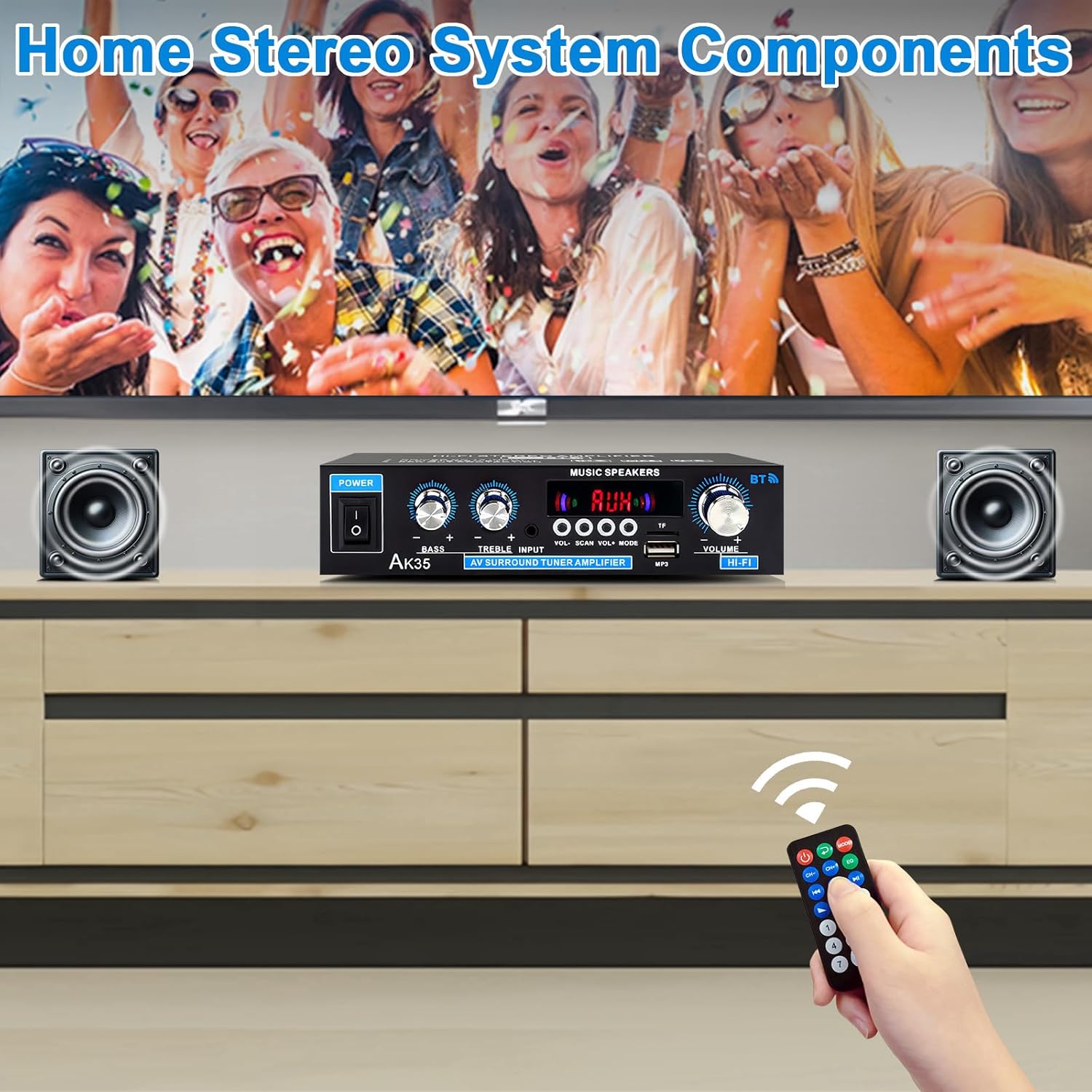
Image: The AK35 amplifier wirelessly streaming music via Bluetooth 5.0 from a smartphone to connected speakers.

Image: A close-up of the AK35 amplifier highlighting the bass and treble control knobs for sound customization.
6. USB/SD Card Playback
Insert a USB flash drive or SD card into the designated port on the front panel. The amplifier will automatically switch to USB/SD mode and begin playing compatible audio files. Use the function buttons (play/pause, next/previous track) on the front panel or remote control to manage playback.
7. Remote Control Operation
The included remote control allows for convenient adjustment of volume, input mode, track selection, and other functions from a distance.

Image: The remote control for the AK35 amplifier, featuring buttons for power, mode, EQ, volume, track control, and number pad.
8. Video Demonstration
Video: A demonstration of the WOOPKER AK35 amplifier in use, showcasing its connection to speakers and a smartphone, and the adjustment of volume and input modes.
Maintenance
To ensure the longevity and optimal performance of your AK35 amplifier, follow these maintenance guidelines:
- Keep the amplifier in a dry, well-ventilated area, away from direct sunlight, heat sources, and moisture.
- Clean the exterior with a soft, dry cloth. Do not use liquid cleaners or abrasive materials.
- Ensure proper ventilation by not blocking the vents on the amplifier.
- Disconnect the power cable from the wall outlet if the unit will not be used for an extended period.
Troubleshooting
If you encounter any issues with your AK35 amplifier, refer to the following common problems and solutions:
| Problem | Possible Cause | Solution |
|---|---|---|
| No sound output |
|
|
| Bluetooth not connecting |
|
|
| USB/SD card not playing |
|
|
| Remote control not working |
|
|
Specifications
The following table outlines the technical specifications for the WOOPKER AK35 Stereo Audio Amplifier:
| Feature | Specification |
|---|---|
| Model Number | AK35 |
| Peak Power Output | 100W + 100W |
| Rated Power Output (RMS) | 30W x 2 |
| Bluetooth Version | 5.0 |
| Bluetooth Range | Up to 30 feet (10 meters) |
| Inputs | AUX (RCA), USB 2.0, SD Card |
| Controls | Bass, Treble, Master Volume, Input Mode |
| Power Supply | AC 110-240V (50-60Hz) or DC 12V/5A |
| Item Weight | 1.28 pounds |
| Package Dimensions | 8.03 x 6.93 x 2.13 inches |
Warranty and Support
WOOPKER products are designed for reliability and performance. This product is covered by a standard manufacturer's warranty against defects in materials and workmanship. For specific warranty details, please refer to the documentation provided at the time of purchase or contact WOOPKER customer support.
If you require technical assistance, have questions about your product, or need to report an issue, please contact WOOPKER customer support through the retailer where the product was purchased or visit the official WOOPKER website for contact information.


