
DD Audio VO-W712-D2
DD Audio VO-W712-D2 12-inch Midwoofer User Manual
Model: VO-W712-D2
Introduction
This manual provides essential information for the proper installation, operation, and maintenance of your DD Audio VO-W712-D2 12-inch Midwoofer. Please read this manual thoroughly before attempting to install or operate the product to ensure optimal performance and safety.
The VO-W712-D2 is designed to bridge the gap between midrange and subwoofer frequencies, offering a balance of clarity and power. Its compact design allows for installation in various vehicle applications where space is limited.
Safety Information
- Always disconnect the vehicle's battery before performing any electrical work.
- Ensure all wiring is properly insulated and secured to prevent short circuits and damage.
- Do not expose the midwoofer to excessive moisture or extreme temperatures.
- Use appropriate personal protective equipment (PPE) during installation, such as safety glasses.
- Consult a professional installer if you are unsure about any part of the installation process.
- Operating audio systems at high volumes for extended periods can cause permanent hearing damage.
Package Contents
Verify that all items are present in the package:
- DD Audio VO-W712-D2 12-inch Midwoofer (1 unit)
- User Manual (this document)
- Mounting Screws (quantity may vary)
Setup and Installation
Proper installation is crucial for the performance and longevity of your midwoofer. Follow these guidelines carefully.
1. Enclosure Design
The VO-W712-D2 is optimized for small vented box designs. Consult the specifications section for recommended enclosure volumes and tuning frequencies. An appropriately designed enclosure will maximize the midwoofer's performance and protect it from damage.
2. Mounting
Ensure the mounting surface is rigid and free from obstructions. Use the provided mounting screws to secure the midwoofer firmly into the enclosure. Refer to the specifications for mounting diameter and depth.
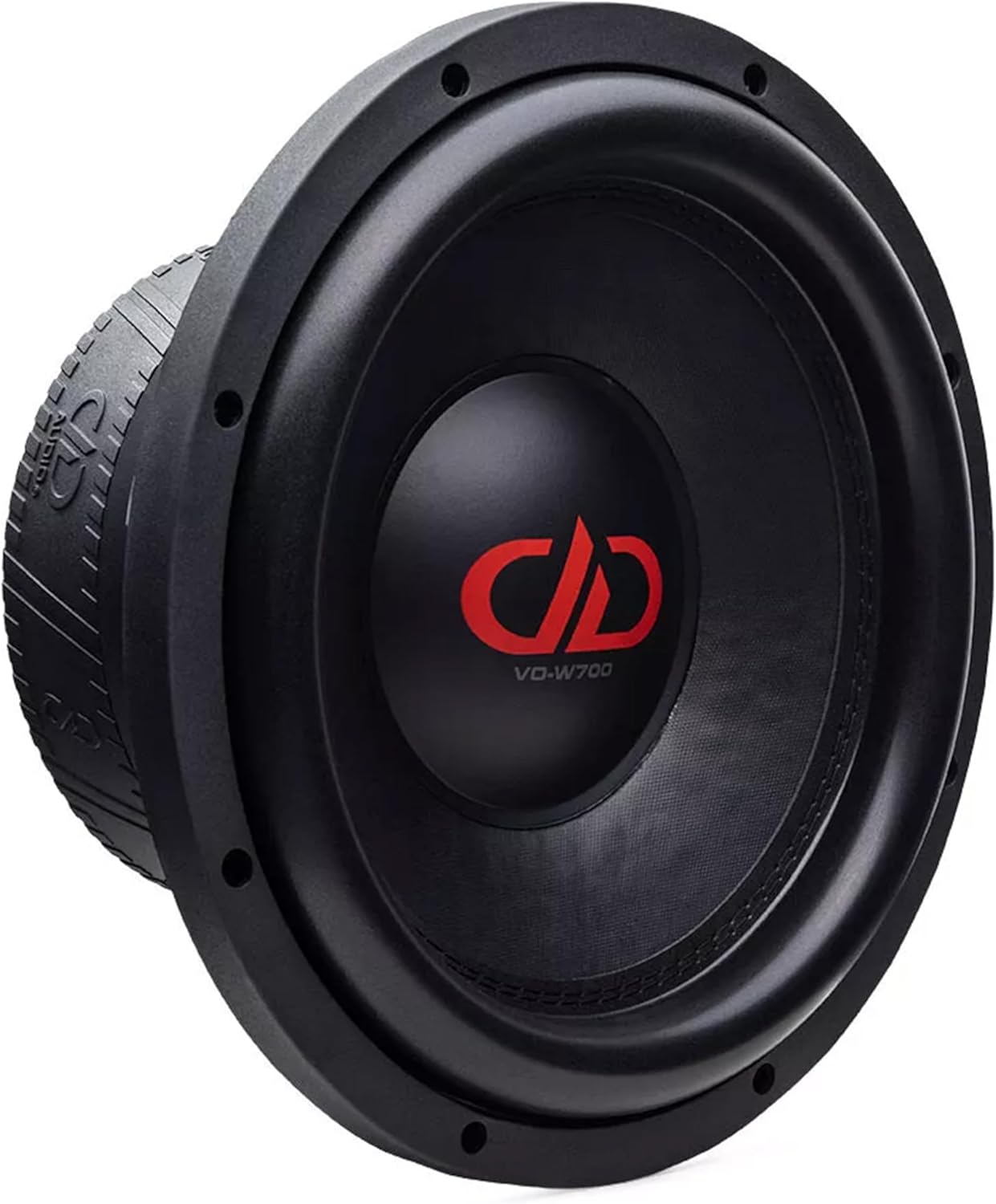
Image 1: Front view of the DD Audio VO-W712-D2 midwoofer, showing the cone and surround. This view highlights the speaker's primary radiating surface and mounting flange.

Image 2: Side view of the DD Audio VO-W712-D2 midwoofer, illustrating its compact cast frame and the depth of the motor structure. This perspective is useful for assessing mounting depth requirements.
3. Wiring
The VO-W712-D2 features a Dual 2-Ohm voice coil. Proper wiring configuration is essential for matching the midwoofer's impedance to your amplifier's capabilities. Refer to your amplifier's manual for compatible load impedances.
- Series Wiring (4 Ohms): Connect the positive terminal of one voice coil to the negative terminal of the other voice coil. Connect the remaining positive and negative terminals to the amplifier.
- Parallel Wiring (1 Ohm): Connect both positive terminals together and both negative terminals together. Connect the combined positive and negative terminals to the amplifier.
Ensure all connections are secure and free from corrosion. Use appropriate gauge speaker wire for the power levels involved.

Image 3: Rear view of the DD Audio VO-W712-D2 midwoofer, highlighting the double magnet motor, voice coil terminals, and the embossed DD Audio logo on the magnet boot. This view is critical for understanding wiring connections.
Operating Instructions
Once installed, follow these steps for initial operation:
- Initial Power-Up: After verifying all connections, turn on your audio system at a low volume.
- Break-in Period: Allow the midwoofer to break in for approximately 10-20 hours of normal listening at moderate volumes. This allows the suspension components to loosen and reach their optimal performance characteristics.
- Setting Amplifier Gains: Carefully adjust your amplifier's gain settings to match the output of your head unit. Avoid setting the gain too high, which can lead to clipping and damage to the midwoofer.
- Crossover Settings: Utilize your amplifier's or head unit's crossover functions to properly filter frequencies. For the VO-W712-D2, a low-pass filter (LPF) is typically used to prevent it from playing frequencies too high, while a high-pass filter (HPF) might be used on other speakers to prevent them from playing frequencies too low. Refer to the specifications for recommended frequency response.
Maintenance
The DD Audio VO-W712-D2 midwoofer requires minimal maintenance to ensure long-term performance.
- Cleaning: Use a soft, dry cloth to gently wipe the cone and surround. Avoid using harsh chemicals or excessive moisture.
- Inspection: Periodically inspect the midwoofer for any signs of damage to the cone, surround, or dust cap. Check wiring connections for tightness and corrosion.
- Environmental Protection: Keep the midwoofer away from direct sunlight, extreme heat, and moisture.
Troubleshooting
If you encounter issues with your midwoofer, refer to the following common problems and solutions:
| Problem | Possible Cause | Solution |
|---|---|---|
| No sound from midwoofer |
|
|
| Distorted sound |
|
|
| Midwoofer gets hot |
|
|
If the problem persists after attempting these solutions, please contact DD Audio customer support.
Specifications
Detailed technical specifications for the DD Audio VO-W712-D2 12-inch Midwoofer:
| Feature | Value |
|---|---|
| Speaker Size | 12 Inches |
| Watts RMS | 1200 Watts |
| Impedance | Dual 2-Ohm (D2) |
| Voice Coil Diameter (VCD) | 3 Inches |
| Piston Diameter | 247.7 MM |
| Frequency Response | 35 - 2k Hz |
| Fs (Resonant Frequency) | 40.85 Hz |
| Qms (Mechanical Q) | 5.807 |
| Qes (Electrical Q) | 0.517 |
| Qts (Total Q) | 0.475 |
| Vas (Equivalent Volume) | 17.57 Liters |
| BL (Motor Strength) | 30 TM |
| Xmech (Mechanical Excursion) | 30 MM |
| Xmax (Linear Excursion) | 12 MM |
| Frame OD w/Gasket | 12.625 Inches |
| Mounting Diameter | 11 3/8 Inches (286 MM) |
| Mounting Depth | 5.125 Inches (130 MM) |
| Magnet Motor | Double Magnet |
| Cooling System | Multi-Vent Free Flow |
| Cone Material | Weather Resistant Pressed Cone |
| Spider | 7.5” Dual Layer Cloth |
| Frame Type | Compact Cast Frame |
| Item Weight | 26 Pounds |
| Audio Driver Type | Dynamic Driver |
Warranty Information
The DD Audio VO-W712-D2 midwoofer comes with a 1 Year Limited Warranty from the date of purchase. This warranty covers defects in materials and workmanship under normal use. It does not cover damage caused by improper installation, abuse, accident, neglect, unauthorized repair, or modification.
Please retain your proof of purchase for warranty claims. For detailed warranty terms and conditions, please visit the official DD Audio website or contact customer support.
Customer Support
For technical assistance, warranty inquiries, or replacement parts, please contact DD Audio customer support:
- Website: ddaudio.com
- Email: Refer to the website for contact forms or email addresses.
- Phone: Refer to the website for current contact numbers.
When contacting support, please have your product model number (VO-W712-D2) and proof of purchase readily available.
Related documentsVO-W712-D2


Ask a question about this manual
Ask about setup, troubleshooting, compatibility, parts, safety, or missing instructions. Manuals+ will review the question and use this page’s manual context to help answer it.