
1. Introduction
This manual provides essential instructions for the safe and efficient operation of your Goshyda MP3 Player. Please read this guide thoroughly before using the device and retain it for future reference. This compact and portable MP3 player features a built-in speaker, long battery life, and expandable memory, designed for various activities including sports, leisure, and office use.
2. Product Overview
The Goshyda MP3 Player is designed for convenient music playback. It includes a built-in speaker for direct listening and a 3.5mm audio jack for headphones. The device supports MP3 audio format and offers expandable storage via a memory card slot.
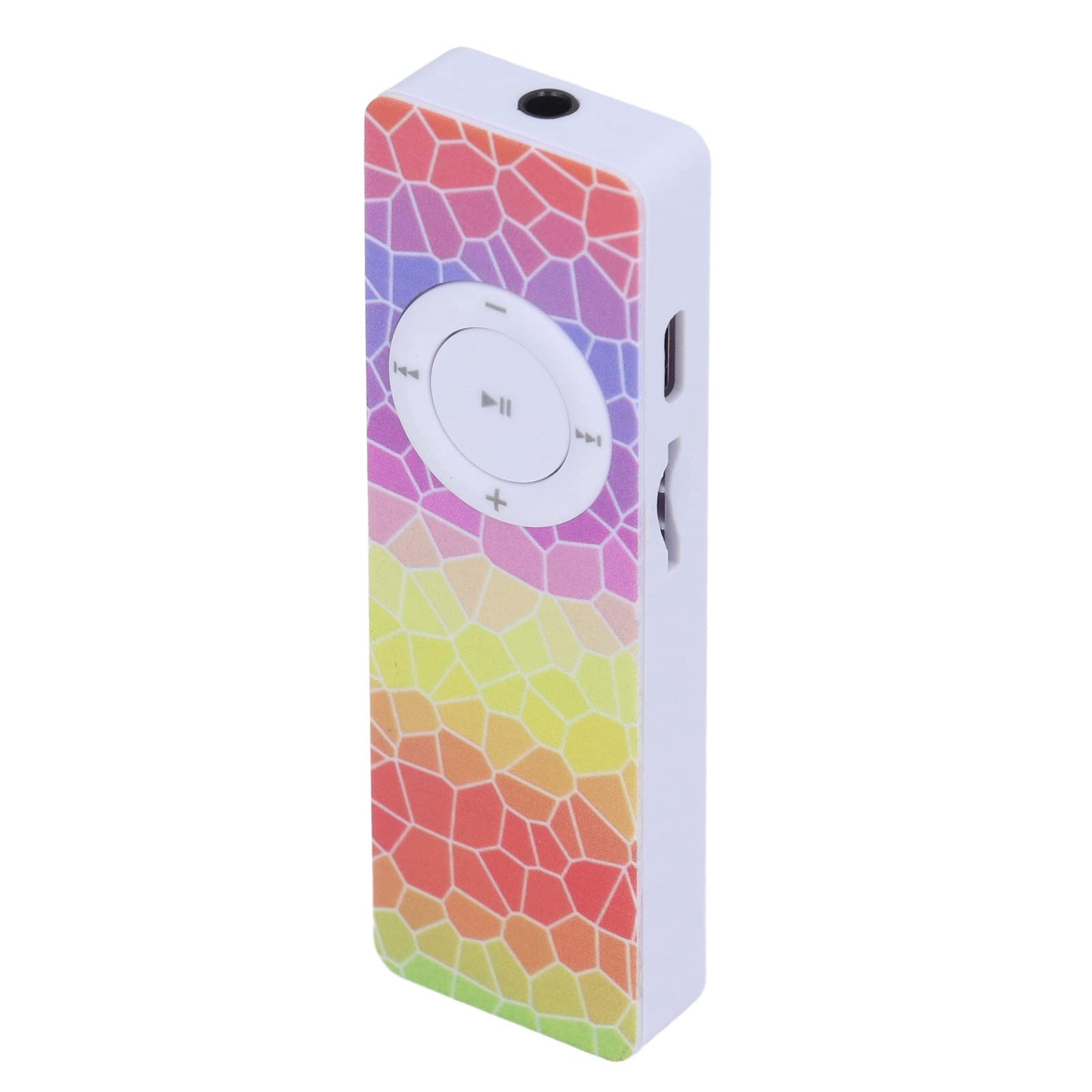
Image: Front view of the Goshyda MP3 Player, showcasing its colorful geometric design and central control wheel.
Key Features:
- Built-in Speaker: Enjoy music without headphones.
- Long Battery Life: Extended playback for continuous listening.
- Expandable Memory: Supports memory cards up to 64GB (card not included).
- Compact and Portable Design: Ideal for on-the-go use.
- HiFi Sound Quality: Optimized sound chamber design for clear audio.
Component Identification:

Image: Side view of the MP3 player, highlighting the Type-C charging port and the memory card slot.
- Control Wheel: Play/Pause, Next/Previous Track, Volume Up/Down.
- 3.5mm Audio Jack: For connecting headphones.
- Type-C Charging Port: For charging the device.
- Memory Card Slot: For inserting a microSD card.
- Power Switch: On/Off.
3. Setup
3.1 Charging the Device
Before first use, fully charge the MP3 player. Connect the provided Type-C USB cable to the charging port on the device and the other end to a USB power adapter (not included) or a computer's USB port.
- A charging indicator light will typically illuminate during charging and turn off or change color when fully charged.
- Charging time may vary.
3.2 Inserting a Memory Card
The device has a built-in memory of 4GB and supports expansion up to 64GB via a microSD card (not included).
- Locate the memory card slot on the side of the MP3 player.
- Gently insert a microSD card into the slot with the gold contacts facing down until it clicks into place.
- To remove, push the card inward until it springs out.
3.3 Loading Music Files
To transfer music files to your MP3 player:
- Ensure the MP3 player is powered on.
- Connect the MP3 player to your computer using the Type-C USB cable.
- The device should appear as a removable disk drive on your computer.
- Drag and drop your MP3 audio files into the device's storage or the inserted memory card.
- Safely eject the device from your computer before disconnecting the cable.
4. Operating Instructions
4.1 Power On/Off
- To power on, slide the power switch to the 'ON' position.
- To power off, slide the power switch to the 'OFF' position.
4.2 Basic Playback Controls

Image: Top-down view of the MP3 player's control wheel, showing buttons for play/pause, skipping tracks, and volume adjustment.
- Play/Pause: Press the central button on the control wheel to play or pause the current track.
- Next Track: Press the right arrow button on the control wheel to skip to the next track.
- Previous Track: Press the left arrow button on the control wheel to go to the previous track.
- Volume Up: Press the '+' button on the control wheel to increase volume.
- Volume Down: Press the '-' button on the control wheel to decrease volume.
4.3 Using Headphones vs. Built-in Speaker
- Headphones: Insert your 3.5mm headphones into the audio jack. Audio will automatically route to the headphones.
- Built-in Speaker: Remove any headphones from the audio jack to enable playback through the built-in speaker.
4.4 Portability and Usage Scenarios
The compact design of the Goshyda MP3 player makes it suitable for various activities:

Image: The MP3 player demonstrated in various portable contexts: held in a hand, placed in a jeans pocket, secured in a sports armband, and stored in a backpack pocket.
- Sports: Lightweight and easy to carry during runs or workouts.
- Leisure: Enjoy music while relaxing at home or outdoors.
- Office: Discreet listening for background music or focus.
5. Maintenance
5.1 Cleaning
- Wipe the device with a soft, dry, lint-free cloth.
- Do not use liquid cleaners, aerosols, or solvents.
5.2 Storage
- Store the device in a cool, dry place away from direct sunlight and extreme temperatures.
- Avoid storing in dusty or humid environments.
5.3 Battery Care
- To prolong battery life, avoid fully discharging the battery frequently.
- Charge the device regularly, even if not in use for extended periods.
6. Troubleshooting
| Problem | Possible Cause | Solution |
|---|---|---|
| Device does not power on. | Battery is depleted. Power switch is off. | Charge the device. Ensure the power switch is in the 'ON' position. |
| No sound from speaker/headphones. | Volume is too low. Headphones not properly connected. Speaker disabled by headphones. Corrupt audio file. | Increase volume. Re-insert headphones firmly. Remove headphones for speaker output. Try a different audio file. |
| Cannot transfer files to device. | Device not properly connected to computer. Driver issue. | Ensure USB cable is securely connected. Try a different USB port or cable. Restart computer and device. |
| Memory card not recognized. | Card not inserted correctly. Card is corrupted or incompatible. | Re-insert the memory card. Try a different, compatible memory card. Ensure card is formatted correctly (e.g., FAT32). |
7. Specifications
| Brand | Goshyda |
| Model Name | Goshydaqpgyf8mc94-13 |
| Connectivity Technology | Auxiliary (3.5mm jack), USB Type-C |
| Internal Memory Storage | 4 GB |
| Expandable Memory | Supports MicroSD card up to 64 GB |
| Supported Audio Formats | MP3 |
| Component Type | Battery, Speaker, Memory |
| Country of Origin | China |
8. Warranty and Support
For warranty information and technical support, please refer to the documentation provided with your purchase or contact Goshyda customer service through their official channels. Keep your proof of purchase for any warranty claims.