
Introduction
This manual provides detailed instructions for the installation, operation, and maintenance of your Hertz DP 2.200 AB-Class Stereo Amplifier. Please read this manual thoroughly before attempting to install or operate the amplifier to ensure proper function and safety. The Hertz DP 2.200 is a high-performance stereo amplifier designed for automotive audio systems, offering robust power output and advanced features for an optimized listening experience.

Figure 1: Top view of the Hertz DP 2.200 AB-Class Stereo Amplifier.

Figure 2: Hi-Res Audio certification logo, indicating high-fidelity sound reproduction.
Safety Information
Always observe the following safety precautions during installation and operation:
- Disconnect the vehicle's battery negative terminal before starting any electrical work.
- Ensure all wiring is properly insulated and secured to prevent short circuits and damage.
- Install the amplifier in a dry, well-ventilated location, away from direct sunlight, heat sources, and moisture.
- Use appropriate gauge wiring for power and ground connections as specified in this manual.
- Do not attempt to open or modify the amplifier. Refer all servicing to qualified personnel.
- Avoid operating the amplifier at excessively high volumes for prolonged periods, as this can damage hearing and speakers.
Package Contents
Verify that all items are present in the package:
- Hertz DP 2.200 AB-Class Stereo Amplifier
- User Manual (this document)
- Mounting hardware (screws, washers)
- Connector plugs (if applicable)
Setup and Installation
1. Mounting the Amplifier
Choose a secure and well-ventilated location for mounting the amplifier. Ensure there is sufficient space around the unit for proper heat dissipation. Use the provided mounting hardware to secure the amplifier firmly to a solid surface in the vehicle.
2. Wiring Connections
Proper wiring is crucial for optimal performance and safety. Refer to the connection diagrams below.
Power and Ground Connections
- Ground (GND): Connect a heavy-gauge wire from the amplifier's GND terminal to a clean, unpainted metal point on the vehicle chassis. The ground point should be as short as possible.
- Remote (REM): Connect a wire from the amplifier's REM terminal to the remote turn-on output of your head unit. This wire turns the amplifier on and off with the head unit.
- +12V Power: Connect a heavy-gauge wire from the amplifier's +12V terminal directly to the positive terminal of the vehicle's battery. Install an appropriate fuse holder with a fuse (20A for DP 2.200) within 18 inches (45 cm) of the battery.
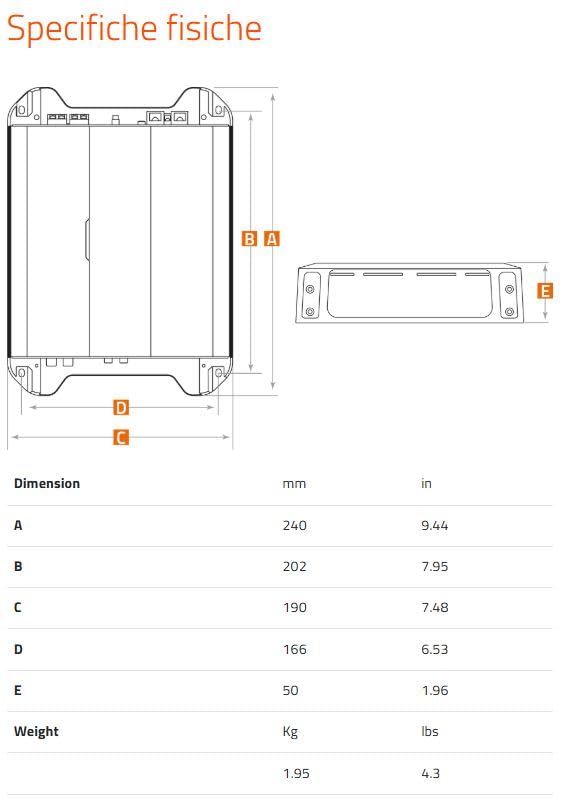
Figure 3: Power, remote, ground, fuse, and speaker output terminals on the Hertz DP 2.200 amplifier.
Audio Input Connections
The DP 2.200 supports both RCA (low-level) and Speaker-In (high-level) inputs.
- RCA Input: Connect RCA cables from your head unit's pre-out outputs to the amplifier's INPUT RCA jacks (L and R).
- Speaker-In Input: If your head unit does not have RCA outputs, connect the speaker wires from the head unit directly to the amplifier's SPK-IN terminals. The amplifier features a Universal Speaker Simulator for compatibility with OEM head units.
Speaker Output Connections
Connect your speakers to the SPEAKER OUT terminals. Ensure correct polarity (+ to + and - to -) for each speaker. The DP 2.200 is a 2-channel amplifier.

Figure 4: Control panel of the Hertz DP 2.200, showing input, level, and filter adjustments.
3. Initial Settings
- AUTO TURN ON: This switch enables or disables the automatic turn-on feature when using Speaker-In inputs. Set to ON for automatic turn-on, OFF for remote turn-on via the REM wire.
- LEVELS (Gain): Adjust the LEVEL control to match the output voltage of your head unit. Start with the control at minimum and slowly increase it until the sound is clear and undistorted at your desired maximum volume.
- FILTER MODE: Select the desired filter mode (FULL, HI, LO) based on your speaker configuration.
- FULL: Full range output, no frequency filtering.
- HI: High-Pass Filter. Allows frequencies above the set point to pass.
- LO: Low-Pass Filter. Allows frequencies below the set point to pass.
- FILTER Frequency: If HI or LO filter mode is selected, adjust the FILTER frequency knob (50 Hz - 4000 Hz) to set the crossover point.
Operating Instructions
Once the amplifier is installed and initial settings are configured, you can begin operating your audio system.
- Turn on your vehicle's ignition and head unit. The amplifier's status LED should illuminate, indicating it is powered on.
- Play audio through your head unit.
- Adjust the volume on your head unit to your preferred listening level. If distortion occurs, reduce the amplifier's LEVEL (gain) setting slightly.
- Fine-tune filter settings as needed to achieve the desired sound balance and speaker integration.
Maintenance
The Hertz DP 2.200 amplifier requires minimal maintenance. Follow these guidelines to ensure longevity:
- Cleaning: Periodically wipe the amplifier's exterior with a soft, dry cloth. Do not use harsh chemicals or abrasive cleaners.
- Ventilation: Ensure that the amplifier's cooling fins are free from dust and obstructions to maintain proper airflow.
- Connections: Occasionally check all wiring connections to ensure they are secure and free from corrosion.
Troubleshooting
If you experience issues with your amplifier, consult the following table before contacting support:
| Problem | Possible Cause | Solution |
|---|---|---|
| No power/Amplifier not turning on |
|
|
| No sound output |
|
|
| Distorted sound |
|
|
| Excessive noise (hiss, hum) |
|
|
Specifications
Technical specifications for the Hertz DP 2.200 AB-Class Stereo Amplifier:
- Model: DP-2.200
- Type: AB-Class Stereo Amplifier
- Output Power (RMS): 110 W x 2 at 2Ω; 80 W x 2 at 4Ω
- Frequency Response: 10 Hz – 50 kHz (Hi-Res Audio Certified)
- THD: 0.01 %
- S/N Ratio: 100 dBA
- Operating Supply Voltage: 9 - 16.5 V (DC)
- Speaker-In Input Sensitivity: 1.6 - 40 Vrms
- Product Dimensions (L x W x H): 9.45 x 7.48 x 1.96 inches (240 x 190 x 50 mm)
- Weight: 4.3 Pounds (1.95 kg)

Figure 5: Side view of the Hertz DP 2.200 amplifier, highlighting its compact form factor.
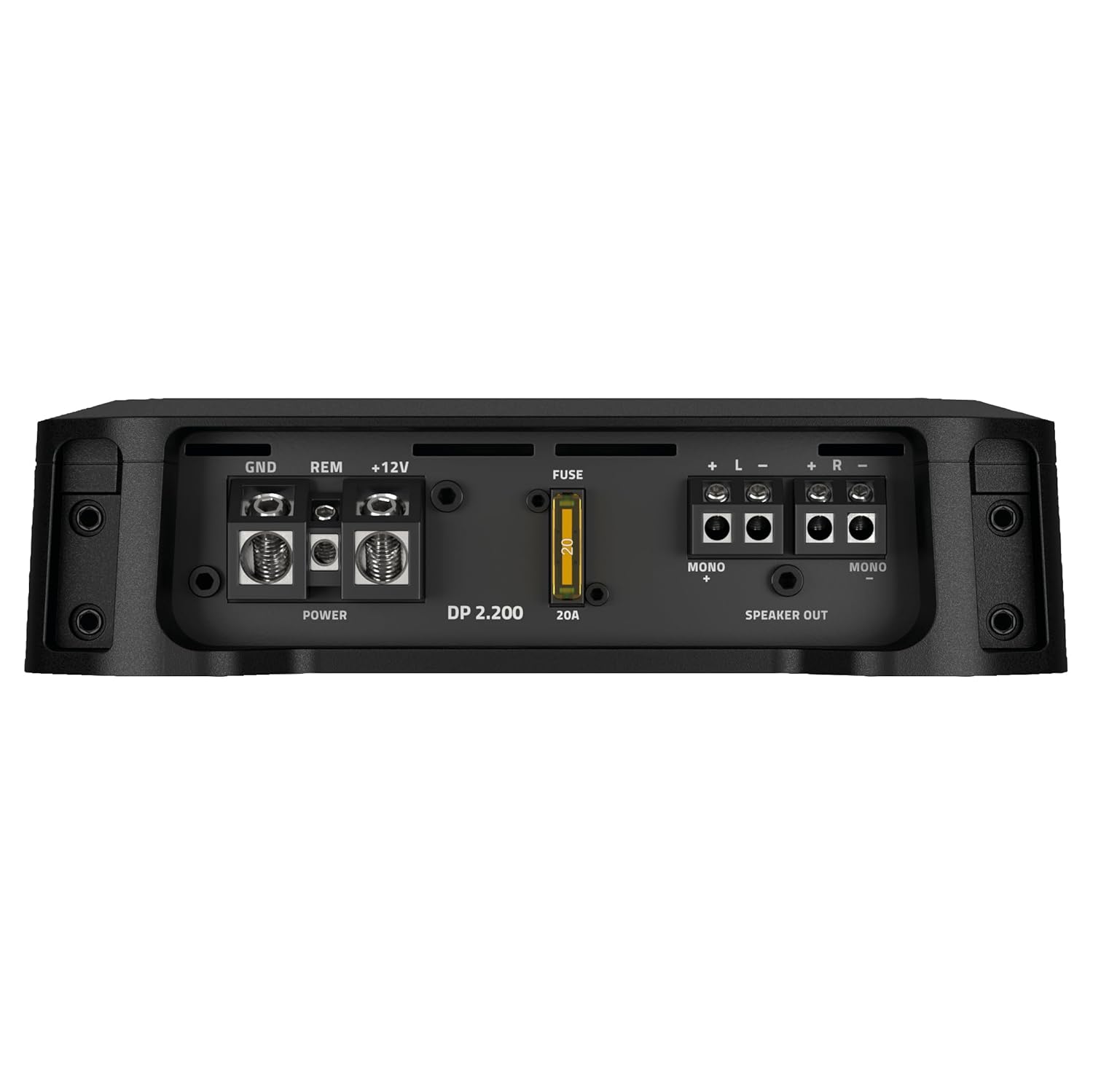
Figure 6: Key technical specifications for the DP 2.200, including output power at 4Ω.

Figure 7: Back view of the Hertz DP 2.200 amplifier.
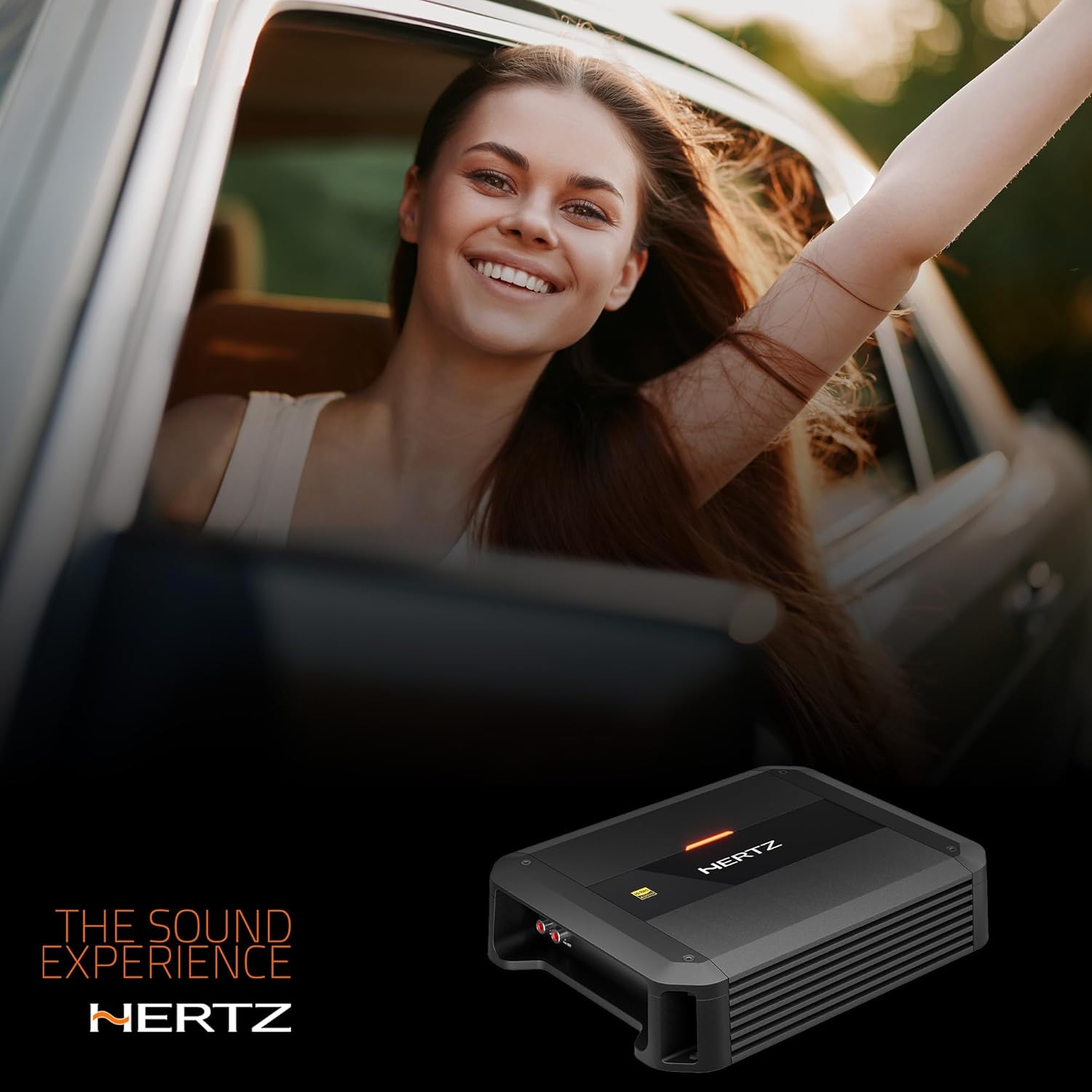
Figure 8: Front view of the Hertz DP 2.200 amplifier.
Warranty Information
HERTZ products are warranted against defects in materials and workmanship under normal use for a period specified by the manufacturer from the date of original purchase. This warranty does not cover damage caused by improper installation, accident, misuse, abuse, neglect, or unauthorized modification. For specific warranty terms and conditions, please refer to the warranty card included with your product or visit the official HERTZ website.
Customer Support
For technical assistance, troubleshooting beyond this manual, or warranty claims, please contact your authorized HERTZ dealer or visit the official HERTZ website for support resources.
- Online Support: www.hertz-audio.com/support/
- Dealer Locator: www.hertz-audio.com/dealer-locator/
