
Introduction
Thank you for choosing the TecTake Lockable Filing Cabinet. This robust steel cabinet is designed to provide secure and organized storage for your documents and office supplies. Featuring two A4-sized drawers and one larger hanging file drawer, smooth telescopic rails, and a central locking system, it offers both functionality and security. The integrated wheels, two of which are lockable, ensure easy mobility and stability.

Image: The TecTake Lockable Filing Cabinet, showcasing its sleek black design, three spacious drawers, and the key mechanism for secure storage. The cabinet is equipped with wheels for easy movement.
Safety Instructions
- Always ensure the cabinet is placed on a level and stable surface.
- Do not overload the drawers. The maximum weight capacity per drawer is 15 kg (33 lbs).
- To prevent tipping, open only one drawer at a time.
- When moving the cabinet, ensure all drawers are closed and locked.
- Engage the wheel brakes when the cabinet is in its desired position to prevent accidental movement.
- Keep keys out of reach of children.
- Avoid placing hot items directly on the cabinet surface.
Package Contents
Please verify that all components are present before beginning assembly:
- 1 x TecTake Filing Cabinet Body
- 3 x Drawers (2 x A4 size, 1 x Hanging File size)
- 4 x Swivel Wheels (2 with locking brakes)
- 1 x Anti-tilt Support Wheel (for bottom drawer)
- 1 x Central Cylinder Lock (pre-installed)
- 2 x Keys
- 1 x Removable Stationery Tray (for top drawer)
- Assembly Hardware (screws, etc.)
- Instruction Manual (this document)
Setup and Assembly
The TecTake Filing Cabinet comes largely pre-assembled. Only the wheels and the anti-tilt support wheel need to be attached.
- Unpacking: Carefully remove all components from the packaging. Inspect for any damage.
- Attaching Wheels:
- Turn the cabinet upside down on a soft, protected surface to avoid scratching the finish.
- Locate the four threaded holes at the bottom corners of the cabinet.
- Screw the four swivel wheels into these holes. Ensure the two wheels with locking brakes are installed at the front of the cabinet for easy access.
- Attaching Anti-tilt Support Wheel:
- Locate the designated attachment point on the underside of the bottom drawer. This wheel provides additional stability when the bottom drawer is fully extended.
- Securely attach the anti-tilt support wheel using the provided hardware.
- Positioning: Carefully turn the cabinet upright. Move it to its desired location.
- Locking Wheels: Engage the brakes on the two front wheels to secure the cabinet in place.
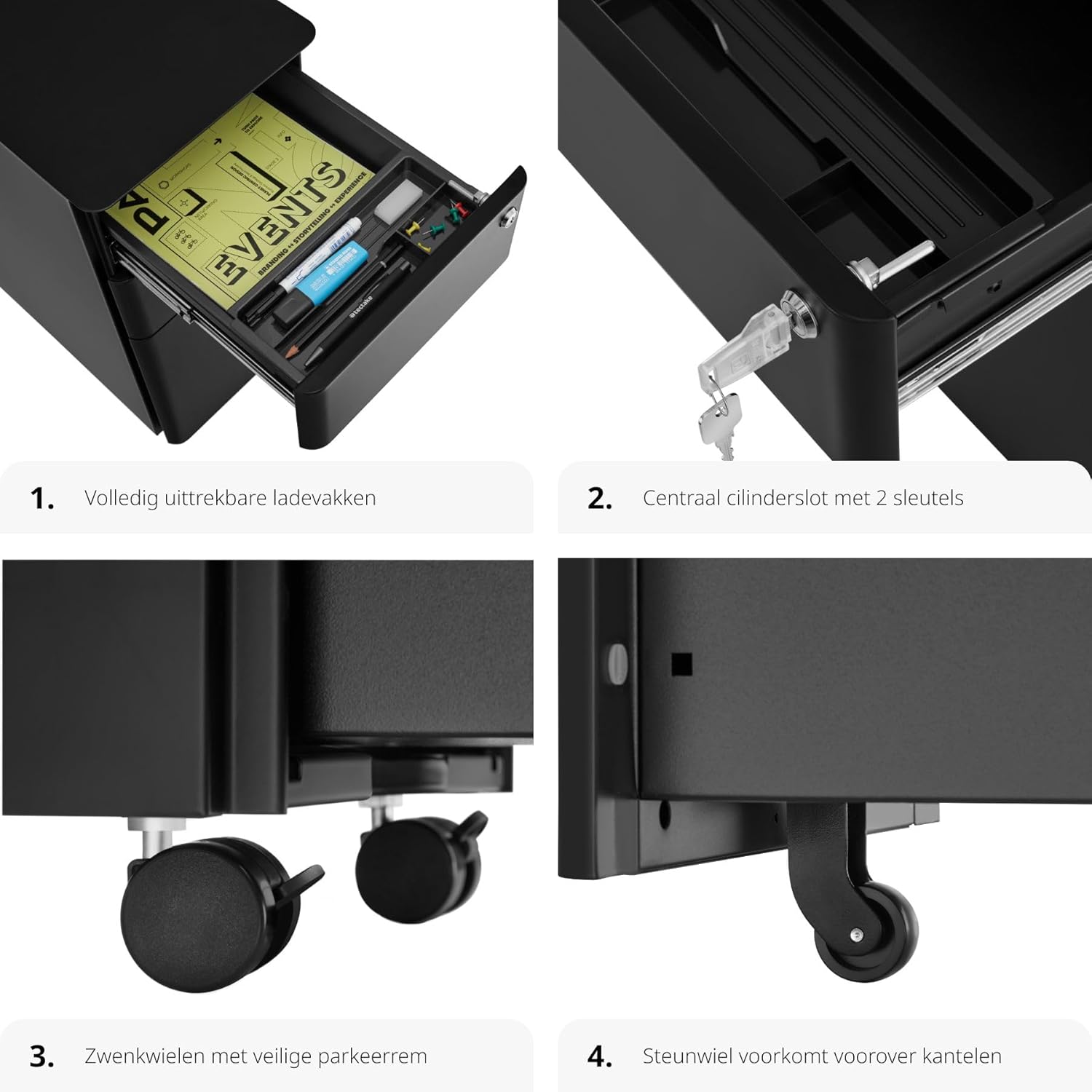
Image: Detail of the cabinet's base, illustrating the installation of the 360° rotating wheels, two with parking brakes, and the crucial extra support wheel designed to prevent tipping when drawers are open.
Operating Instructions
Drawer Usage:
- Opening/Closing Drawers: All three drawers are equipped with smooth-gliding telescopic rails, allowing for full extension. Gently pull the handle to open and push to close.
- Top Drawer (Stationery): This drawer includes a removable tray for organizing pens, clips, and other small office supplies.

Image: The top drawer, fully extended, revealing a practical removable insert designed for organizing writing utensils and small office items.
- Middle Drawer (A4 Documents): Designed for standard A4 documents, notebooks, or other flat items.

Image: The middle drawer, fully extended, providing ample storage space for A4 paper and blocks.
- Bottom Drawer (Hanging Files): This larger drawer is specifically designed to accommodate hanging files, ensuring easy access and organization of important documents.
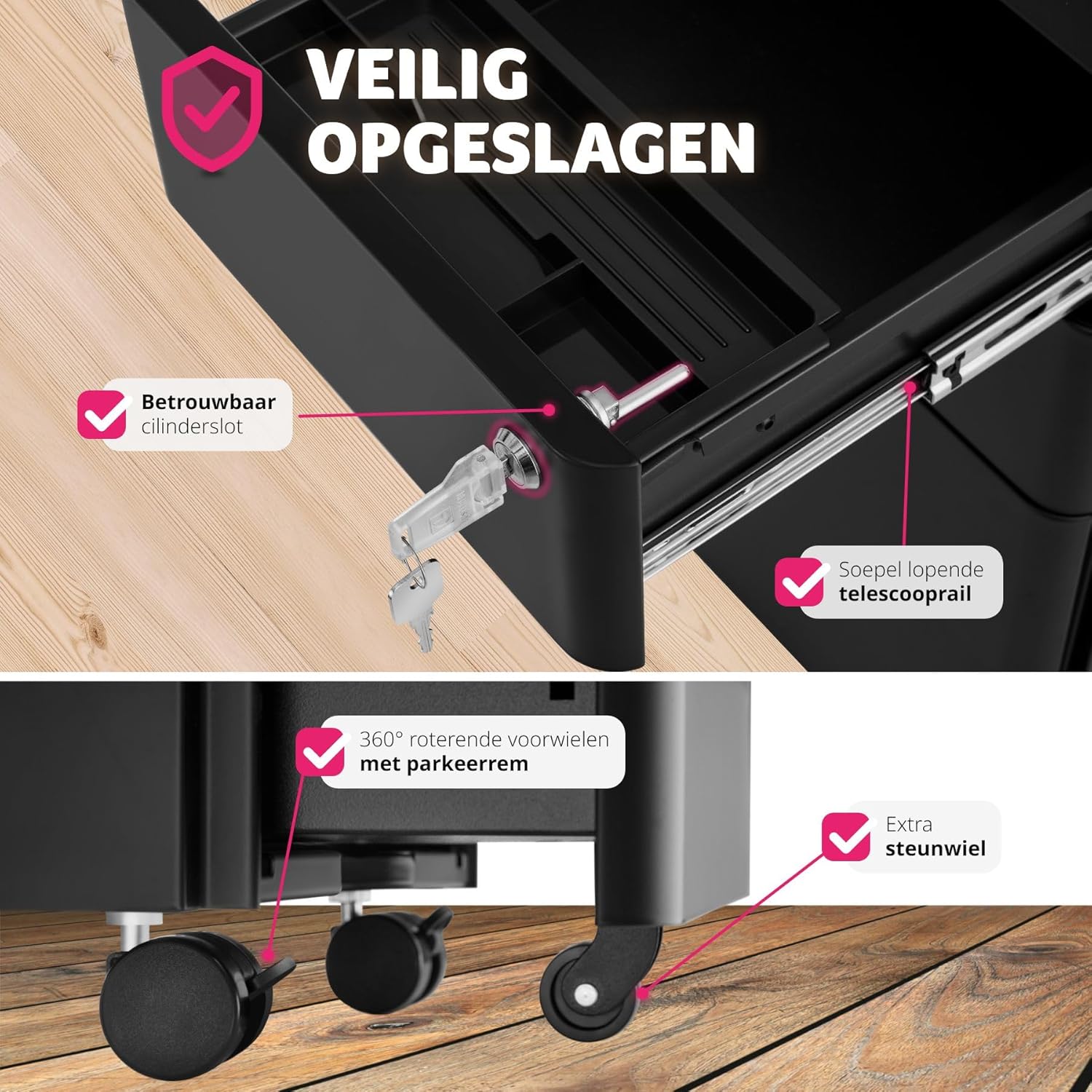
Image: The bottom drawer, fully extended, showcasing its large compartment specifically designed for hanging files and other larger documents.
Locking Mechanism:
- The cabinet features a central cylinder lock located on the top drawer.
- To lock all three drawers, ensure they are fully closed. Insert one of the provided keys into the lock and turn it clockwise until it clicks.
- To unlock, insert the key and turn it counter-clockwise.
- Always remove the key after locking or unlocking to prevent loss or unauthorized access.

Image: A detailed view of the reliable cylinder lock and the smooth-running telescopic rail, highlighting the secure storage features of the cabinet.
Mobility and Stability:
- The four swivel wheels allow for easy movement of the cabinet across various floor surfaces.
- To secure the cabinet in a fixed position, press down on the levers of the two front wheel brakes until they click into place.
- To release the brakes, lift the levers.
- The anti-tilt support wheel under the bottom drawer provides additional stability and prevents the cabinet from tipping forward when the bottom drawer is fully extended and loaded.
Maintenance
- Cleaning: Wipe the cabinet surface with a soft, damp cloth. For stubborn marks, a mild detergent can be used, followed by drying with a clean cloth. Avoid abrasive cleaners or solvents, as they may damage the powder coating.
- Drawer Rails: Periodically check the telescopic rails for smooth operation. If they become stiff, a small amount of silicone-based lubricant can be applied to the moving parts.
- Wheels: Keep the wheels free of dust and debris to ensure smooth rolling.
- Lock: Do not force the key if it feels stiff. A small amount of graphite powder can be used in the keyhole if necessary.
Troubleshooting
| Problem | Possible Cause | Solution |
|---|---|---|
| Drawers are stiff or difficult to open/close. | Overloaded drawer, debris in rails, dry rails. | Reduce load in drawer. Check rails for obstructions and clean. Apply silicone lubricant to rails. |
| Cabinet feels unstable or tips when a drawer is open. | More than one drawer open, anti-tilt wheel not installed/damaged, uneven surface. | Only open one drawer at a time. Ensure anti-tilt support wheel is correctly installed and functioning. Move cabinet to a level surface. |
| Lock is not engaging or key is stiff. | Drawers not fully closed, debris in lock, damaged key. | Ensure all drawers are completely closed. Clean keyhole with compressed air. Try the spare key. If problem persists, contact support. |
| Wheels not rolling smoothly or brakes not holding. | Debris in wheels, brakes worn or misaligned. | Clean wheels of any hair or debris. Check brake mechanism for proper engagement. |
Specifications
| Feature | Detail |
|---|---|
| Brand | TecTake |
| Model Number | 801227 |
| Color | Black |
| Material | Metal (Powder-coated steel) |
| Overall Dimensions (L x W x H) | 50 x 30 x 59.5 cm (19.7 x 11.8 x 23.4 inches) |
| Weight | 17.3 kg (38.1 lbs) |
| Maximum Weight Capacity (per drawer) | 15 kg (33 lbs) |
| Number of Drawers | 3 (2 A4, 1 Hanging File) |
| Lock Type | Central Cylinder Lock with 2 Keys |
| Mobility | 4 Swivel Wheels (2 with brakes), 1 Anti-tilt Support Wheel |

Image: Detailed dimension diagram of the filing cabinet, showing overall measurements (approx. 50x30x59.5 cm) and internal drawer dimensions, along with weight capacity (15 kg per drawer) and total weight (approx. 17.5 kg).
Warranty and Support
TecTake products are manufactured to high quality standards. For information regarding warranty coverage, please refer to the terms and conditions provided at the time of purchase or visit the official TecTake website.
If you encounter any issues not covered in this manual or require further assistance, please contact TecTake customer support through the retailer where you purchased the product or via the contact information available on the official TecTake website.
Please have your model number (801227) and purchase details ready when contacting support.