
NOYAFA NF-821
NOYAFA NF-821 GFCI Outlet Tester User Manual
Model: NF-821
Product Overview
The NOYAFA NF-821 is a high-definition LCD display GFCI outlet tester designed for standard 3-wire 120V electrical receptacles. It provides quick and accurate detection of common wiring issues and verifies GFCI functionality, ensuring electrical safety in residential and commercial settings.
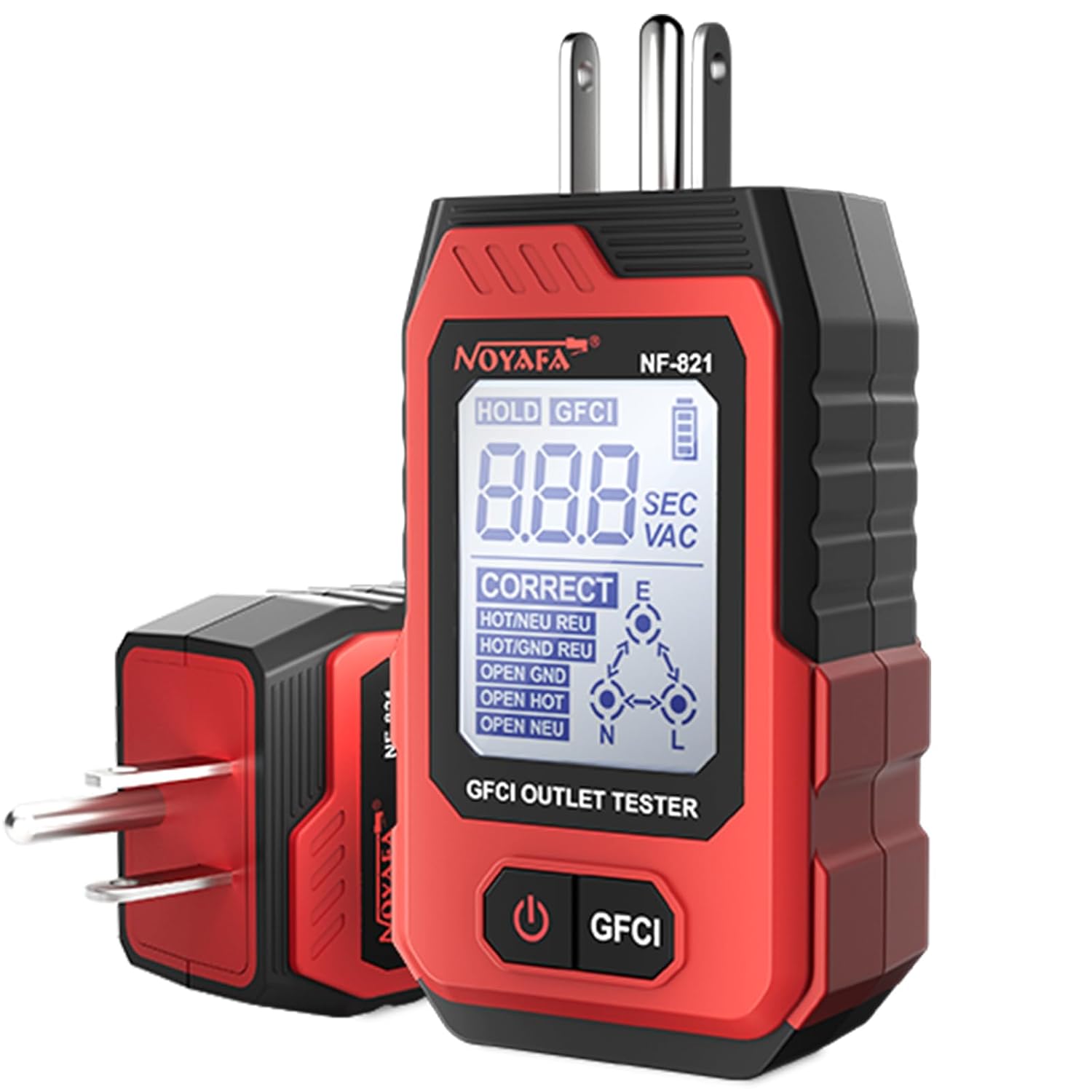
Figure 1: NOYAFA NF-821 GFCI Outlet Tester, front view with display showing "CORRECT" wiring.
Safety Information
- Always ensure the tester is in good working condition before use.
- Do not attempt to test circuits beyond the specified voltage range (120V AC).
- Before testing GFCI functionality, turn off all electrical appliances connected to the circuit to prevent potential damage or data loss.
- This device is intended for testing standard 3-wire 120V AC outlets only.
- Keep the device dry and clean. Do not expose to moisture or extreme temperatures.
Package Contents
- NOYAFA NF-821 GFCI Outlet Tester
- User Manual (this document)
- Note: AAA batteries are required and not included.
Setup
Battery Installation
The NF-821 requires two AAA batteries for operation. These batteries are not included in the package.
- Locate the battery compartment on the back of the device.
- Using a small screwdriver, carefully open the battery compartment cover.
- Insert two AAA batteries, ensuring correct polarity (+ and -).
- Replace the battery compartment cover and secure it with the screw.

Figure 2: Detailed view of the NF-821 showing its components, including the area where the battery compartment is typically located.
Operating Instructions
Basic Outlet Testing
The NF-821 provides immediate feedback on outlet wiring status and voltage.
- Plug the NF-821 tester into the 3-prong 120V AC outlet you wish to test.
- Press and hold the power button (labeled with a power icon) to turn on the device. The LCD display will illuminate.
- Observe the LCD display and the indicator light at the end of the tester.
- The display will show the wiring status (e.g., "CORRECT", "OPEN HOT", "OPEN GROUND") and the detected voltage (e.g., "110 VAC"). The indicator light will be green for correct wiring or red for errors.
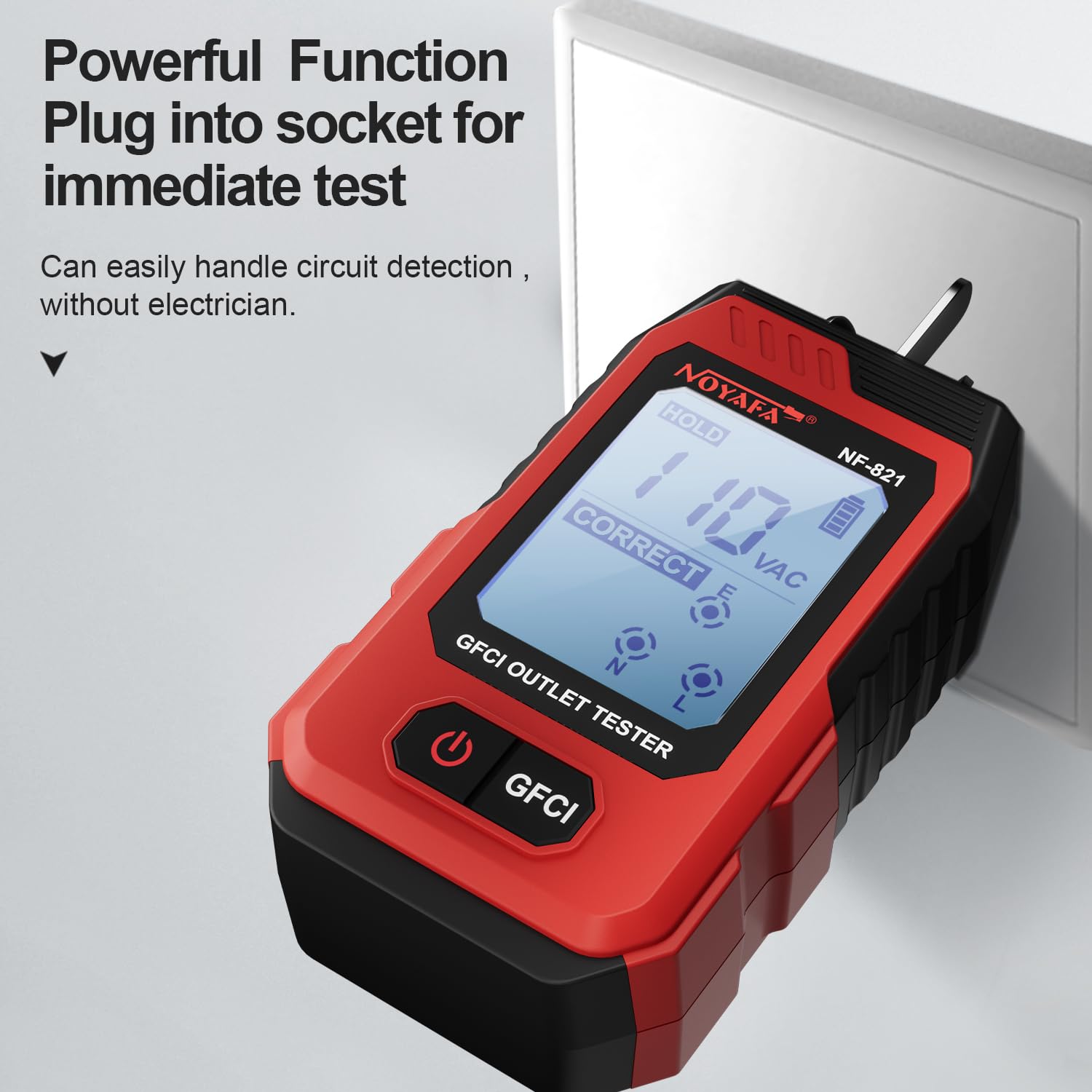
Figure 3: The NF-821 plugged into a wall socket, displaying "CORRECT" wiring and "110 VAC".

Figure 4: Examples of various socket wiring errors detected by the NF-821, including "OPEN HOT", "OPEN GROUND", and "HOT/NEU REV".
GFCI Function Testing
To test the functionality of a Ground Fault Circuit Interrupter (GFCI) outlet:
- Ensure the NF-821 is plugged into a GFCI outlet and displaying "CORRECT" wiring.
- Press the "GFCI" button on the tester.
- A working GFCI outlet should trip, cutting power to the outlet. The tester's display will show the trip time in milliseconds (e.g., "009 SEC" which indicates 9ms). The indicator light will turn red.
- If the GFCI does not trip, it indicates a malfunction and the outlet should be serviced by a qualified electrician.
- To restore power, press the "RESET" button on the GFCI outlet.

Figure 5: The NF-821 illustrating the GFCI trip test, showing the display before and after a successful trip.
Hold Function
The hold function allows you to view the test results after unplugging the device from the outlet.
- While the tester is plugged in and displaying results, briefly press the power button. The display will show "HOLD".
- You can now unplug the tester, and the last measured values will remain on the screen for easier reading or documentation.
- Press the power button again to exit the hold mode.
Maintenance
- Cleaning: Wipe the device with a dry, soft cloth. Do not use abrasive cleaners or solvents.
- Storage: Store the tester in a cool, dry place away from direct sunlight and extreme temperatures. If storing for extended periods, remove the batteries to prevent leakage.
- Battery Replacement: Replace batteries when the battery indicator on the LCD display shows low power.
Troubleshooting
| Problem | Possible Cause | Solution |
|---|---|---|
| Device does not turn on. | Dead or incorrectly installed batteries. | Check battery polarity. Replace with fresh AAA batteries. |
| Display shows "OPEN HOT", "OPEN GROUND", etc. | Wiring error in the outlet. | Consult a qualified electrician to inspect and correct the wiring. |
| GFCI does not trip when tested. | Faulty GFCI outlet or wiring issue. | Ensure all appliances are unplugged. If it still doesn't trip, the GFCI outlet is defective and needs replacement by an electrician. |
| Display is dim or flickering. | Low battery power. | Replace batteries. |
Specifications
- Model: NF-821
- Brand: NOYAFA
- Operating Voltage: 120V AC (Standard 3-wire receptacle)
- Battery Type: 2 x AAA batteries (not included)
- Display: High-Definition LCD
- Dimensions: Approximately 7.01 x 4.13 x 1.97 inches
- Weight: Approximately 4.2 ounces
- Certifications: CE
- UPC: 772093266709
Warranty and Support
Specific warranty information for the NOYAFA NF-821 GFCI Outlet Tester is not provided in this manual. For warranty claims, technical support, or further inquiries, please refer to the product packaging or contact NOYAFA customer service directly through their official website or the retailer from whom the product was purchased.
You can visit the NOYAFA Store on Amazon for more information: NOYAFA Store
Related documentsNF-821

Ask a question about this manual
Ask about setup, troubleshooting, compatibility, parts, safety, or missing instructions. Manuals+ will review the question and use this page’s manual context to help answer it.