
1. Important Safety Instructions
Please read and understand all safety instructions before using this product. Failure to follow these instructions may result in electric shock, fire, or serious injury.
- Do not expose the adapter to rain, moisture, or extreme temperatures.
- Ensure the adapter is used with devices that match its voltage and current specifications.
- Do not disassemble or modify the adapter. There are no user-serviceable parts inside.
- Keep the adapter away from children.
- Unplug the adapter from the power outlet when not in use for extended periods.
- Avoid placing the adapter in poorly ventilated areas or covering it, as this can lead to overheating.
- If the adapter or its cord is damaged, discontinue use immediately and seek a replacement.
2. Product Overview
Features
- World Wide Input Voltage: 100-240VAC 50/60Hz.
- OVP, OCP, SCP Protection: Over Voltage Output Protection, Over Current Output Protection, Short Circuit Output Protection.
- Built-in Dynamic IC, Charger IC & Power fuse for rapid charging and overcharge protection.
- High-quality AC/DC Power Charger for reliable performance.
Package Contents
- 1 x Kircuit 15V AC/DC Adapter

Image 1: Kircuit 15V AC/DC Adapter. Note the input and output specifications on the label.
3. Setup
Connecting the Adapter
- Ensure the power adapter is compatible with your device's voltage and current requirements. This adapter provides 15V DC output.
- Plug the barrel connector of the adapter's output cable into the DC input port of your compatible device (e.g., Tacklife P16 Portable Power Station).
- Insert the AC plug of the adapter into a standard 100-240V AC wall outlet.
- Verify that your device powers on or begins charging, indicating a successful connection.

Image 2: The adapter with its integrated 6.5 ft cord and barrel connector.
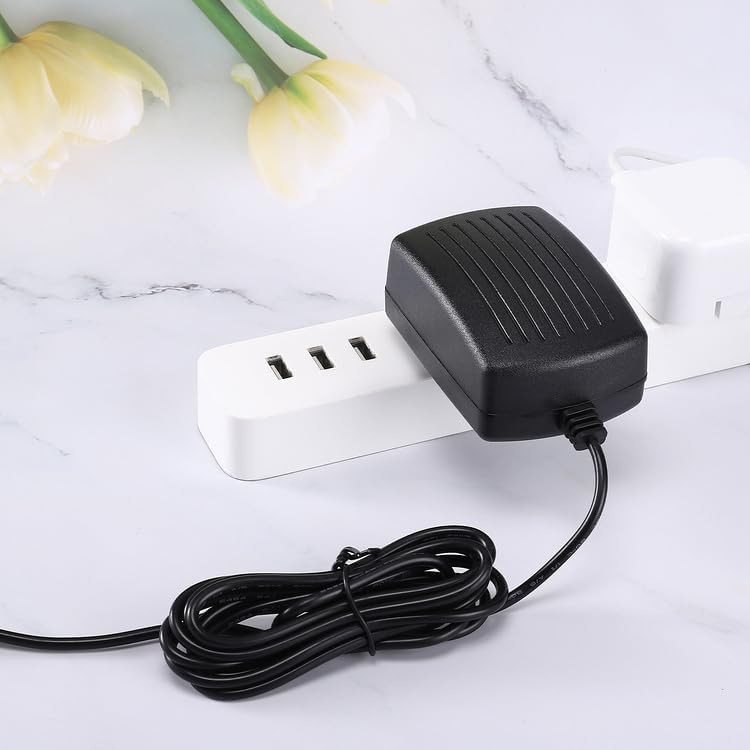
Image 3: The adapter connected to a power strip, ready for use.
4. Operating Instructions
Once the adapter is properly connected to both the power outlet and your device, it will automatically begin supplying power or charging the device's battery.
- Ensure the device is turned off or in charging mode if required by the device manufacturer.
- Monitor the device's charging indicator (if available) to confirm it is receiving power.
- Disconnect the adapter from the device and the wall outlet once charging is complete or when the device is not in use.
5. Maintenance
Cleaning and Storage
- Always unplug the adapter from the power source before cleaning.
- Wipe the adapter with a soft, dry cloth. Do not use liquid cleaners or abrasive materials.
- Store the adapter in a cool, dry place away from direct sunlight and moisture when not in use.
- Avoid wrapping the cord too tightly around the adapter, as this can damage the cable over time.
6. Troubleshooting
Common Issues and Solutions
- Adapter not providing power:
- Ensure the adapter is securely plugged into a working wall outlet.
- Check that the barrel connector is firmly inserted into your device's input port.
- Test the wall outlet with another device to confirm it is functional.
- Inspect the adapter cord for any visible damage. If damaged, discontinue use.
- Device not charging:
- Confirm your device is compatible with a 15V DC power supply.
- Ensure the device's charging port is clean and free of debris.
- If the device has a battery, check its condition.
- Adapter feels warm during use:
- It is normal for power adapters to become warm during operation. However, if it becomes excessively hot or emits a burning smell, unplug it immediately and discontinue use.
- Ensure the adapter is in a well-ventilated area and not covered.
7. Specifications
Technical Data
| Specification | Detail |
|---|---|
| Brand | Kircuit |
| Model | PSAA18U-150-R-C4-ND |
| Connector Type | BARREL |
| Compatible Devices | Tacklife P16 150W Portable Power Station, PSAA18U-150-R-C4-ND |
| Included Components | 1 adapter |
| Input Voltage | 100-240 Volts (AC) |
| Output Voltage | 15 Volts (DC) |
| Power Source | Corded Electric |
8. Warranty and Support
Warranty Information
This Kircuit product comes with a standard manufacturer's warranty. Please refer to your purchase documentation or contact the seller for specific warranty terms and conditions.
Customer Support
For technical assistance, troubleshooting, or warranty claims, please contact the seller or Kircuit customer support through the platform where the product was purchased.