
1. Product Overview
This section provides a general overview of the Inateck FE2024 M.2 NVMe SATA SSD Enclosure.
- High-Speed Data Transfer: Equipped with a USB 3.2 Gen 2 Type-C port, offering theoretical speeds up to 10Gbps.
- Advanced Chipset: Features the RTL9210B chip, supporting UASP and TRIM functions for enhanced performance and SSD lifespan.
- Intelligent RGB Lighting: Includes an RGB light strip that flashes when connected and a blue indicator light for data transfer status.
- Wide Compatibility: Suitable for M.2 NVMe PCIe and SATA M-Key SSDs, supporting sizes 2230, 2242, 2260, and 2280, up to 4TB.
- Efficient Heat Dissipation: Designed with a slim and durable aluminum alloy body and includes a thermal pad.
- Tool-Free Installation: Features a slide-open design for easy, tool-free setup.

Image 1: Inateck M.2 NVMe SATA SSD Enclosure in use, demonstrating its 10Gbps fast transfer capability.
2. Package Contents
Verify that all items are present in the package:
- Inateck FE2024 M.2 NVMe SATA SSD Enclosure
- USB-C to USB-C Cable
- USB-C to USB-A Cable
- Thermal Pad
- User Manual (this document)
3. Setup and Installation
Follow these steps to install your M.2 SSD into the enclosure.
- Open the Enclosure: Gently slide open the enclosure cover.
- Insert SSD: Align your M.2 NVMe or SATA M-Key SSD with the slot inside the enclosure and insert it firmly. Ensure the SSD size is compatible (2230, 2242, 2260, or 2280).
- Secure SSD: Use the provided rubber fastener to secure the SSD in place.
- Apply Thermal Pad: Place the thermal pad onto the SSD chip for optimal heat dissipation.
- Close Enclosure: Slide the cover back until it clicks into place.
- Connect to Device: Use the provided USB-C to USB-C or USB-C to USB-A cable to connect the enclosure to your computer or compatible device.

Image 2: Compatibility details for M.2 SSDs, showing supported key types and sizes.

Image 3: Tool-free installation process, highlighting the slide-open design.

Image 4: Included USB-A/C and C-C cables for broad compatibility.
4. Operating Instructions
Once connected, the enclosure operates as a plug-and-play device.
- Automatic Recognition: Your operating system should automatically detect the enclosure and the installed SSD.
- RGB Indicator: The RGB light strip will flash when connected, providing a visual indication of power and activity. A blue indicator light will be steady when connected and flash during data transfer.
- Data Transfer: You can now transfer files to and from the SSD at speeds up to 10Gbps.
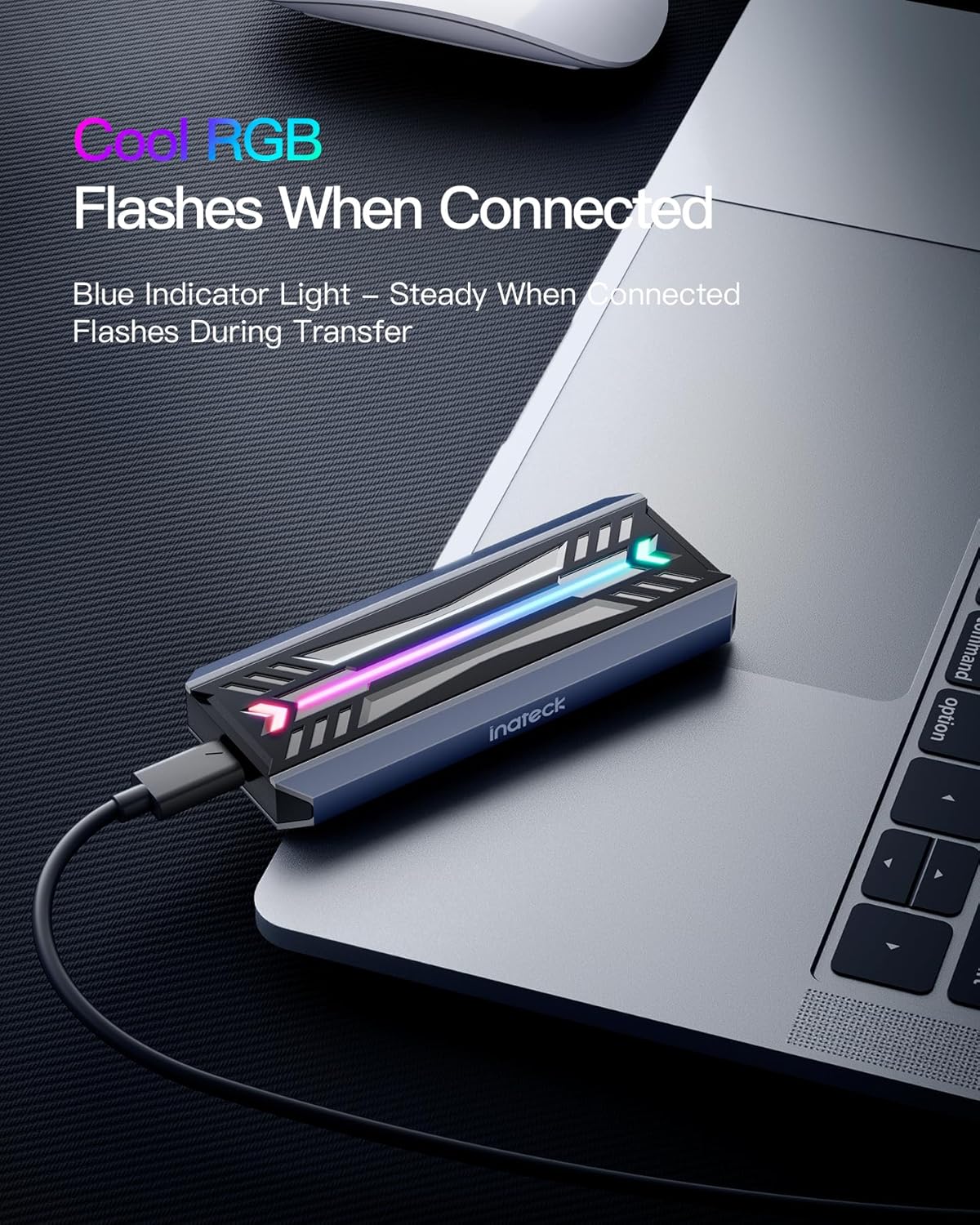
Image 5: The enclosure displaying its intelligent RGB lighting and blue indicator light during operation.
Video 1: Demonstration of the Inateck M.2 NVMe SATA SSD Enclosure's RGB lighting and data transfer capabilities. This video is provided by the seller, TNTonline.
5. Compatibility
The Inateck FE2024 enclosure is designed for broad compatibility:
- SSD Types: M.2 NVMe PCIe and SATA M-Key SSDs.
- SSD Sizes: 2230, 2242, 2260, 2280.
- Operating Systems: Mac OS, Windows, Linux, iOS.
- Maximum Capacity: Up to 4TB.
Note: This enclosure does not support M.2 PCIe AHCI SSDs, M.2 PCIe devices, mSATA SSDs, or non-M.2 SSDs. NVMe and SATA SSDs are not included.

Image 6: Visual representation of the enclosure's wide compatibility across various operating systems.
6. Heat Dissipation
The enclosure features an aluminum alloy body and includes a thermal pad to ensure efficient heat dissipation, maintaining optimal performance and extending the SSD's lifespan.

Image 7: Exploded view demonstrating the efficient heat dissipation design with the aluminum alloy and thermal pad.
7. Maintenance
- Cleaning: Use a soft, dry cloth to clean the exterior of the enclosure. Avoid liquid cleaners.
- Storage: Store the enclosure in a cool, dry place away from direct sunlight and extreme temperatures.
- Handling: Handle the enclosure with care to prevent physical damage.
8. Troubleshooting
| Problem | Possible Cause | Solution |
|---|---|---|
| Enclosure not detected by computer. |
|
|
| Slow data transfer speeds. |
|
|
| Enclosure gets warm during use. |
|
|
9. Specifications
- Model: FE2024
- Interface: USB 3.2 Gen 2 Type-C (10 Gbps)
- Compatible SSDs: M.2 NVMe PCIe and SATA M-Key SSDs
- Supported SSD Sizes: 2230, 2242, 2260, 2280
- Max Capacity: 4 TB
- Chipset: RTL9210B (supports UASP, TRIM)
- Material: Aluminum Alloy
- Dimensions: 4.17 x 1.69 x 0.47 inches
- Item Weight: 1.6 ounces
- Color: Silver
- Compatible OS: Mac OS, Windows, Linux, iOS
10. Warranty and Support
Inateck products come with a standard manufacturer's warranty. For specific warranty details, please refer to the warranty card included in your product packaging or visit the official Inateck website.
For technical support, troubleshooting assistance, or any inquiries regarding your Inateck FE2024 M.2 NVMe SATA SSD Enclosure, please contact Inateck customer service through their official website or the contact information provided in your product documentation.
Online Resources:
