
Introduction
This manual provides detailed instructions for the proper setup, operation, and maintenance of your Insta360 GO 3/GO 3S Pet Harness Mount, Size S. Please read this manual thoroughly before use to ensure optimal performance and safety for your pet.

Image: A Corgi wearing the Insta360 Pet Harness Mount, demonstrating the product in use.
What's Included
Verify that all components are present in your package:
- 1x Pet Harness Mount
- 1x Back 3-Prong Base
- 1x Horizontal Action Mount
- 1x Vertical Action Mount
- 1x Riding Back Extension Support Rod Base
- 2x Thumb Screws
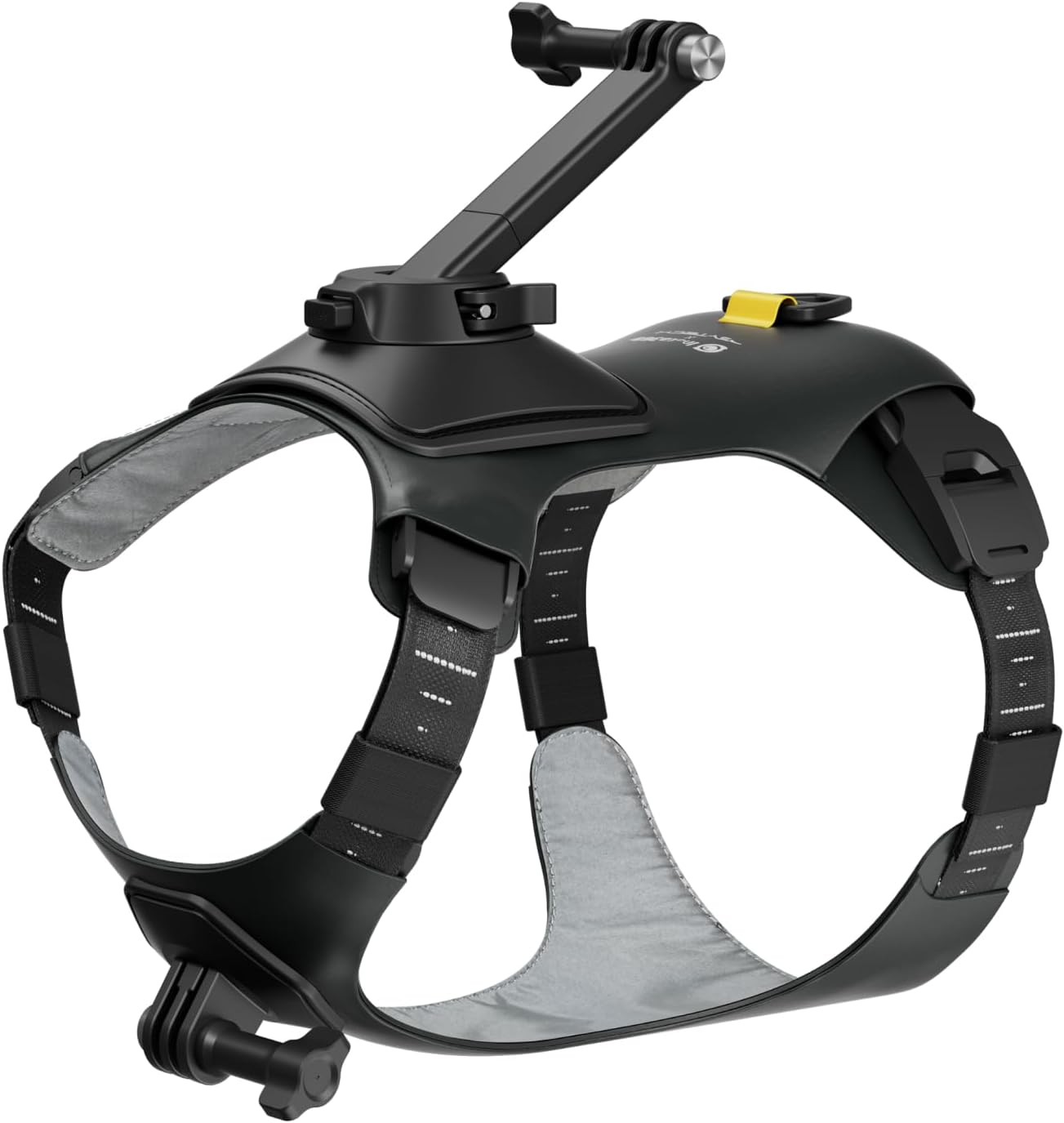
Image: Front view of the Pet Harness Mount, highlighting its structure and mounting points.
Setup and Installation
Follow these steps to properly fit the harness to your pet and attach your Insta360 GO 3/GO 3S camera:
- Prepare the Harness: Open the Neck Clips and adjust the Neck Straps to be wider than your pet's head. Open the Belly Clips and adjust the Belly Straps to an equal length to fit around your pet's belly. Close the clips after adjustment.
- Position on Pet: Unfasten the Belly Buckles and slide the harness over your pet's head.
- Secure the Harness: Wrap the Belly Straps around your pet's belly and fasten the buckles.
- Adjust for Fit: Adjust the Neck Straps according to the measurement marks, ensuring the straps are equal on both sides. Then, close the Neck Clips.
- Manage Excess Straps: Tuck any long, excess straps into the Elastic Bands on either side to prevent snagging or discomfort.
- Attach Camera Mounts: Securely attach the Back 3-Prong Base, Horizontal Action Mount, or Vertical Action Mount to the designated points on the harness using the provided Thumb Screws.
- Mount Camera: Attach your Insta360 GO 3 or GO 3S camera to the desired mount. Ensure it is firmly secured before use.

Image: The Pet Harness Mount with two Insta360 GO cameras attached, illustrating front and back mounting options.
Operating Instructions
The Pet Harness Mount allows for versatile camera placement to capture unique perspectives:
- Back Mounting: Utilize the back 3-prong base for an elevated, over-the-shoulder view of your pet's surroundings. The removable back support bar can be used for a wider field of view.
- Collar/Chest Mounting: Attach the camera to the front mount for a lower, immersive perspective from your pet's point of view.
- Camera Operation: Refer to your Insta360 GO 3 or GO 3S camera's instruction manual for specific camera operation details, including recording, mode changes, and battery management.

Image: A first-person view from a dog wearing the harness, showing the unique perspective it provides.
Product Features
- Dual Mounting Options: Offers both collar (chest) and back mounting positions for diverse filming angles.
- Size Compatibility: Designed to support small or medium-sized pets.
- Easy Installation: Features a snap-in design with adjustable and breathable straps for quick setup and removal.
- Enhanced Field of View: Includes a removable back support bar to achieve a wider camera angle.
- Comfort and Security: Constructed with a lightweight, soft rubber base that conforms to your pet's body while securely holding the camera.
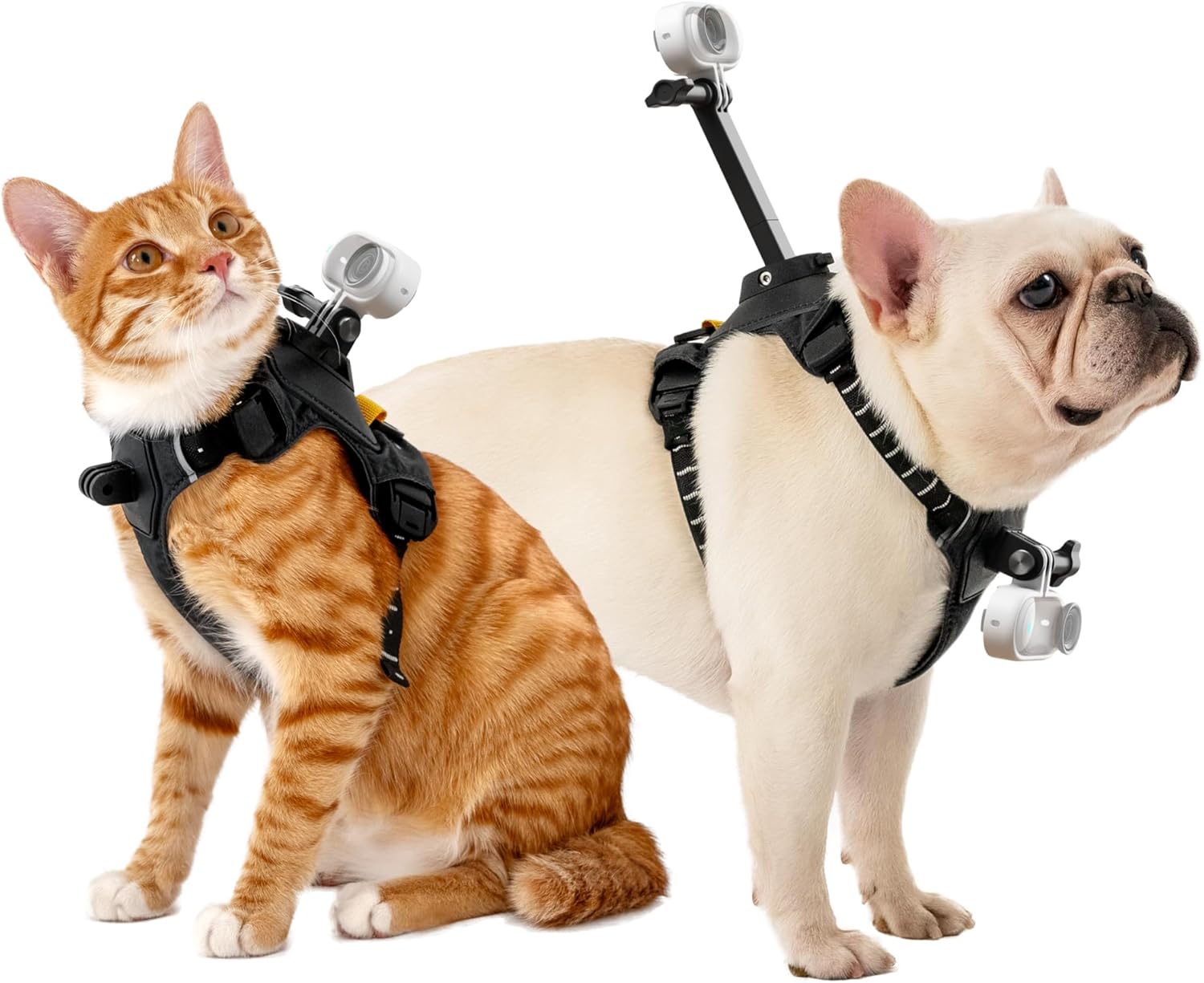
Image: A cat and a French Bulldog wearing the harness, illustrating its fit on small to medium pets.

Image: A dog wearing the harness, with arrows highlighting the breathable design for pet comfort.
Maintenance
To ensure the longevity and hygiene of your Pet Harness Mount:
- Cleaning: Hand wash only. Use cold water and a mild detergent.
- Drying: Air dry completely before storing or re-using. Do not machine dry.
- Storage: Store in a clean, dry place away from direct sunlight.
Specifications
| Brand Name | Insta360 |
| Model Name | CINSBAVW-S |
| Item Model Number | CINSBAVW |
| Color | Black |
| Item Weight | 0.42 Kilograms (14.8 ounces) |
| Closure Type | Buckle |
| Specific Uses for Product | Outdoor |
| Manufacturer | Insta360 |
| Date First Available | June 8, 2024 |
Troubleshooting
If you encounter issues with your Pet Harness Mount, consider the following:
- Harness Fit: Ensure all straps are adjusted correctly and evenly. A harness that is too tight can cause discomfort, while one that is too loose may shift during activity. Refer to the "Setup and Installation" section for proper adjustment.
- Camera Stability: Verify that the camera and its mounts are securely fastened with the thumb screws. Loose connections can lead to unstable footage or camera loss.
- Pet Comfort: Observe your pet's behavior while wearing the harness. If your pet shows signs of discomfort, re-adjust the straps or consider if the harness size is appropriate for their body shape.
Warranty Information
The Insta360 GO 3/GO 3S Pet Harness Mount comes with a 3-month warranty from the date of purchase. This warranty covers manufacturing defects. Please retain your proof of purchase for warranty claims. For full warranty terms and conditions, please visit the official Insta360 website.
Customer Support
For further assistance, technical support, or inquiries regarding your Insta360 GO 3/GO 3S Pet Harness Mount, please contact Insta360 customer service through their official website or the retailer where the product was purchased.
Online Support: www.insta360.com/support