
Walfront PM6508
PM6508 Digital Humidity and Temperature Meter User Manual
Model: PM6508 | Brand: Walfront
Introduction
This user manual provides detailed instructions for the operation and maintenance of the Walfront PM6508 Digital Humidity and Temperature Meter. This device is designed for accurate measurement of ambient temperature, humidity, dew point temperature, and wet bulb temperature. Please read this manual thoroughly before use to ensure proper operation and to prevent damage.
Safety Information
- Do not attempt to disassemble or modify the meter.
- Keep the device away from water and high humidity environments unless specified for such use.
- Avoid exposing the sensor to direct sunlight or extreme temperatures.
- Remove batteries if the device will not be used for an extended period to prevent leakage.
- Dispose of batteries and the device according to local regulations.
Product Overview
The PM6508 is an ergonomic, handheld digital meter featuring a clear LCD backlight display and intuitive button controls.

This image displays the front of the PM6508 meter, highlighting its orange protective casing, the black control panel, and the LCD screen. The screen shows current humidity and temperature readings. Below the screen are the power button, backlight button, unit conversion button (°C/°F), memory button (MEM), data hold button (H), dew point/wet bulb button (DP/WB), MIN/MAX button, and READ button. The sensor probe is visible at the top.
Components:
- LCD Display: Shows humidity, temperature, and other indicators.
- Humidity/Temperature Sensor: Located at the top of the device, protected by a cover.
- Control Buttons:
- Power Button: Turns the device on/off.
- Backlight Button: Activates/deactivates the display backlight.
- °C/°F Button: Toggles between Celsius and Fahrenheit temperature units.
- MEM Button: Accesses stored data records.
- H Button: Data Hold function.
- DP/WB Button: Switches between Dew Point and Wet Bulb temperature display.
- MIN/MAX Button: Displays minimum and maximum recorded values.
- READ Button: Used for reading stored data.
- Battery Compartment: Located on the back of the device.
Setup
Battery Installation:
- Locate the battery compartment cover on the back of the PM6508 meter.
- Slide the cover downwards to open the compartment.
- Insert four (4) AAA dry batteries (24A, LR03) into the compartment, ensuring correct polarity (+/-).
- Close the battery compartment cover by sliding it upwards until it clicks into place.
Note: Batteries are not included with the device. A low battery indicator will appear on the display when battery power is low.

This image provides a dual view of the PM6508 meter, displaying both its front and back. The back view clearly shows the battery compartment cover and a "Q.C. PASSED" sticker, indicating quality control. This view is useful for understanding how to access and install batteries.
Operating Instructions
Power On/Off:
- Press the Power Button to turn the meter on.
- Press and hold the Power Button for approximately 2 seconds to turn the meter off.
- The device has an automatic shutdown function to conserve battery life.
Taking Measurements:
- Once powered on, the meter will immediately begin displaying ambient humidity and temperature readings.
- Ensure the sensor probe at the top of the device is exposed to the environment you wish to measure.
- Allow a few moments for the readings to stabilize, especially when moving between environments with different conditions. The update rate is approximately 400ms.
Changing Temperature Units (°C/°F):
- Press the °C/°F Button to toggle the temperature display between Celsius (°C) and Fahrenheit (°F).
Dew Point and Wet Bulb Temperature:
- Press the DP/WB Button to cycle through the display modes: Ambient Temperature, Dew Point Temperature, and Wet Bulb Temperature.
Data Hold (H):
- Press the H Button to freeze the current readings on the display. The "H" icon will appear.
- Press the H Button again to release the data hold and resume live readings.
Minimum/Maximum Readings (MIN/MAX):
- Press the MIN/MAX Button once to display the maximum recorded values (MAX icon).
- Press the MIN/MAX Button again to display the minimum recorded values (MIN icon).
- Press the MIN/MAX Button a third time to exit MIN/MAX mode and return to live readings.
Memory Storage (MEM) and Recall:
- The meter has a capacity to store up to 99 records.
- To save a current reading, press and hold the MEM Button.
- To recall stored data, press the MEM Button briefly. Use the READ Button or arrow keys (if available, not explicitly shown but implied by "READ") to navigate through the stored records.
Backlight Function:
- Press the Backlight Button to illuminate the LCD display for better visibility in low-light conditions.
- Press the Backlight Button again to turn off the backlight.
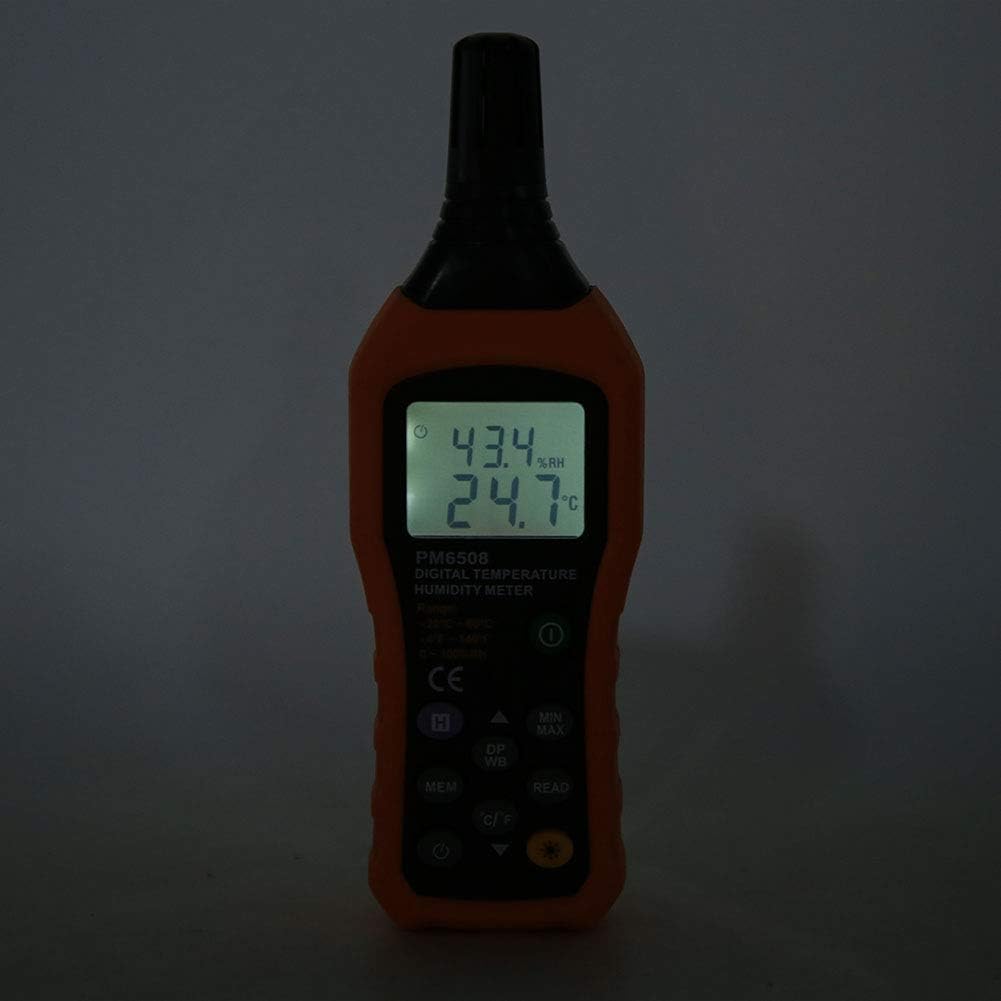
This image shows the PM6508 meter in a dark environment with its LCD backlight turned on. The illuminated display clearly shows the humidity and temperature readings, demonstrating the effectiveness of the backlight feature for use in low-light conditions.
Maintenance
Cleaning:
- Wipe the meter's casing with a soft, damp cloth. Do not use abrasive cleaners or solvents.
- Keep the sensor area clean and free from dust or debris. Do not insert objects into the sensor opening.
Storage:
- Store the meter in a cool, dry place, away from direct sunlight and extreme temperatures.
- If storing for an extended period, remove the batteries to prevent leakage and potential damage to the device.
- Utilize the provided protective holster/bag for storage to prevent physical damage.
Troubleshooting
| Problem | Possible Cause | Solution |
|---|---|---|
| Meter does not power on. | Dead or incorrectly installed batteries. | Check battery polarity. Replace with new AAA batteries. |
| Inaccurate readings. | Sensor obstructed or dirty; rapid environmental changes; device not calibrated. | Clean the sensor. Allow time for readings to stabilize. Ensure sensor is exposed to the correct environment. If issues persist, contact support. |
| Display is dim or flickering. | Low battery. | Replace batteries. |
| Cannot recall stored data. | No data saved; incorrect button sequence. | Ensure data was saved. Refer to "Memory Storage" section for correct recall procedure. |
Specifications
| Parameter | Value |
|---|---|
| Model | PM6508 (Item model number: WALFRONTinpedoqgs5) |
| Ambient Temperature Range | -20 to 60°C (-4 to 140°F) |
| Ambient Temperature Accuracy | ±1.0°C (0 to 45°C), ±1.5°C (-20 to 0°C, 45 to 60°C) |
| Ambient Temperature Resolution | 0.1°C/°F |
| RH Range | 0-100%RH |
| RH Accuracy | ±3.0% RH (20% to 80%), ±4.0% RH (0% to 20%, 80% to 100%) |
| RH Resolution | 0.1% |
| Wet Bulb Temperature Range | -20 to 60°C (-4 to 140°F) |
| Wet Bulb Temperature Accuracy | ±1°C (0 to 45°C), ±1.5°C (-20 to 0°C, 45 to 60°C) |
| Wet Bulb Temperature Resolution | 0.1°C/°F |
| Dew-point Temperature Range | -50 to 60°C (-58 to 140°F) |
| Dew-point Temperature Accuracy | ±1°C (0 to 45°C), ±1.5°C (-50 to 0°C, 45 to 60°C) |
| Dew-point Temperature Resolution | 0.1°C/°F |
| Update Rate | 400ms |
| Number of Storage Records | 99 |
| Power Supply | 4 * AAA dry Batteries (not included) |
| Battery Life | 200 hours |
| Weight | Approx. 261g / 9.2oz |
| Dimensions | Approx. 184 * 60 * 29mm / 7.2 * 2.4 * 1.1in |
| Manufacturer | WALFRONT |
| Country of Origin | China |
Warranty and Support
For product support, technical assistance, or warranty inquiries, please contact Walfront customer service through the retailer where the product was purchased or visit the official Walfront store page on Amazon: Walfront Amazon Store.
Please retain your purchase receipt as proof of purchase for any warranty claims.
Related documentsPM6508


Ask a question about this manual
Ask about setup, troubleshooting, compatibility, parts, safety, or missing instructions. Manuals+ will review the question and use this page’s manual context to help answer it.