
1. Introduction
Thank you for choosing the EasyAcc Dehumidifier Model X2. This manual provides essential information for the safe and efficient operation, maintenance, and troubleshooting of your new dehumidifier. Please read this manual thoroughly before using the appliance and retain it for future reference.
The EasyAcc Model X2 is designed to effectively reduce humidity in various indoor environments, including basements, bedrooms, bathrooms, and RVs, covering areas up to 430 square feet. It features advanced rotary dehumidification technology, offering quiet operation and efficient moisture removal.
2. Safety Instructions
To prevent injury to the user or others and property damage, the following instructions must be followed. Incorrect operation due to ignoring instructions may cause harm or damage.
- Always place the dehumidifier on a flat, stable surface.
- Ensure the power cord is not damaged or pinched. Do not operate the unit with a damaged cord or plug.
- Do not block the air inlet or outlet. Maintain at least 20 cm (8 inches) clearance from walls or other objects.
- Do not insert fingers or foreign objects into the air inlets or outlets.
- Keep the appliance away from heat sources and direct sunlight.
- Do not use the dehumidifier in areas where flammable gases or liquids are stored.
- Unplug the unit before cleaning, moving, or performing any maintenance.
- This appliance is not intended for use by persons (including children) with reduced physical, sensory or mental capabilities, or lack of experience and knowledge, unless they have been given supervision or instruction concerning use of the appliance by a person responsible for their safety.
- Children should be supervised to ensure that they do not play with the appliance.
- The unit is equipped with a tip-over protection feature that will sound an alarm and shut down if the unit is accidentally tipped over.
3. Product Overview
The EasyAcc Dehumidifier Model X2 is a compact and efficient unit designed for optimal moisture removal. Below are its main components and features.
3.1 Components

- Control Panel: Located on the top, for operating various functions.
- Air Inlet/Outlet: Grilles for air circulation.
- Water Tank: Transparent, located at the front bottom, for collecting condensed water.
- Drainage Port: Located at the back for continuous drainage.
- Handle: Integrated for easy portability.
- Filter: Built-in, detachable, and washable for air purification.
3.2 Key Features
- Rotary Dehumidification Technology: Efficient moisture removal up to 3 liters (100 ounces) per day.
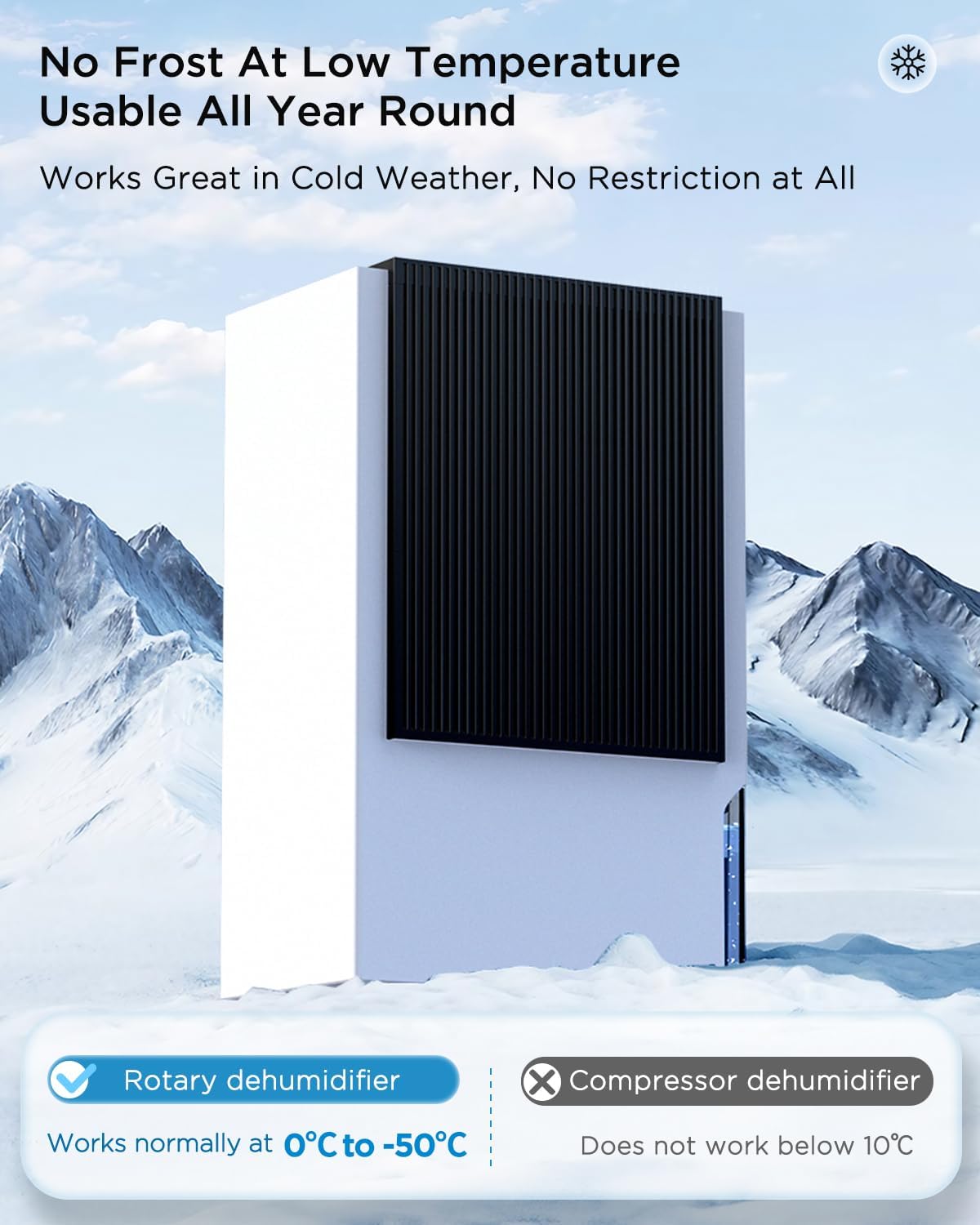
- Wide Operating Temperature Range: Functions effectively in temperatures from -10°C to 40°C, suitable for various climates.
- Two Operating Modes: Strong Mode for rapid dehumidification and Sleep Mode for quiet operation (below 30dB).
- Timer Function: Programmable 2, 4, or 8-hour timer for energy-saving operation.
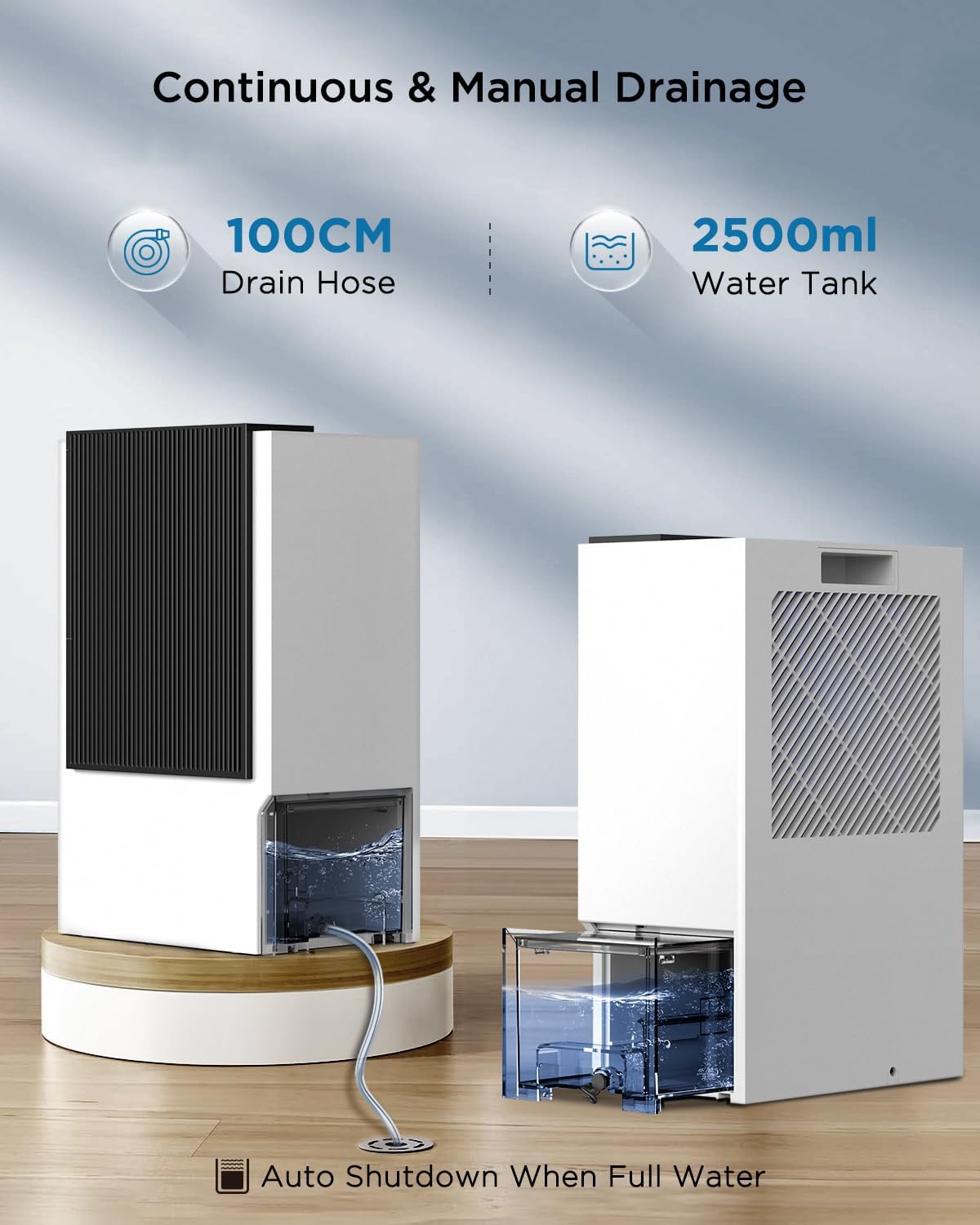
- Large Water Tank: 2.5-liter (85-ounce) capacity with automatic shut-off when full.
- Continuous Drainage Option: Includes a 1.5m drain hose for uninterrupted operation.
- Portable Design: Compact size (17x12x8 inches) and integrated handle for easy movement.
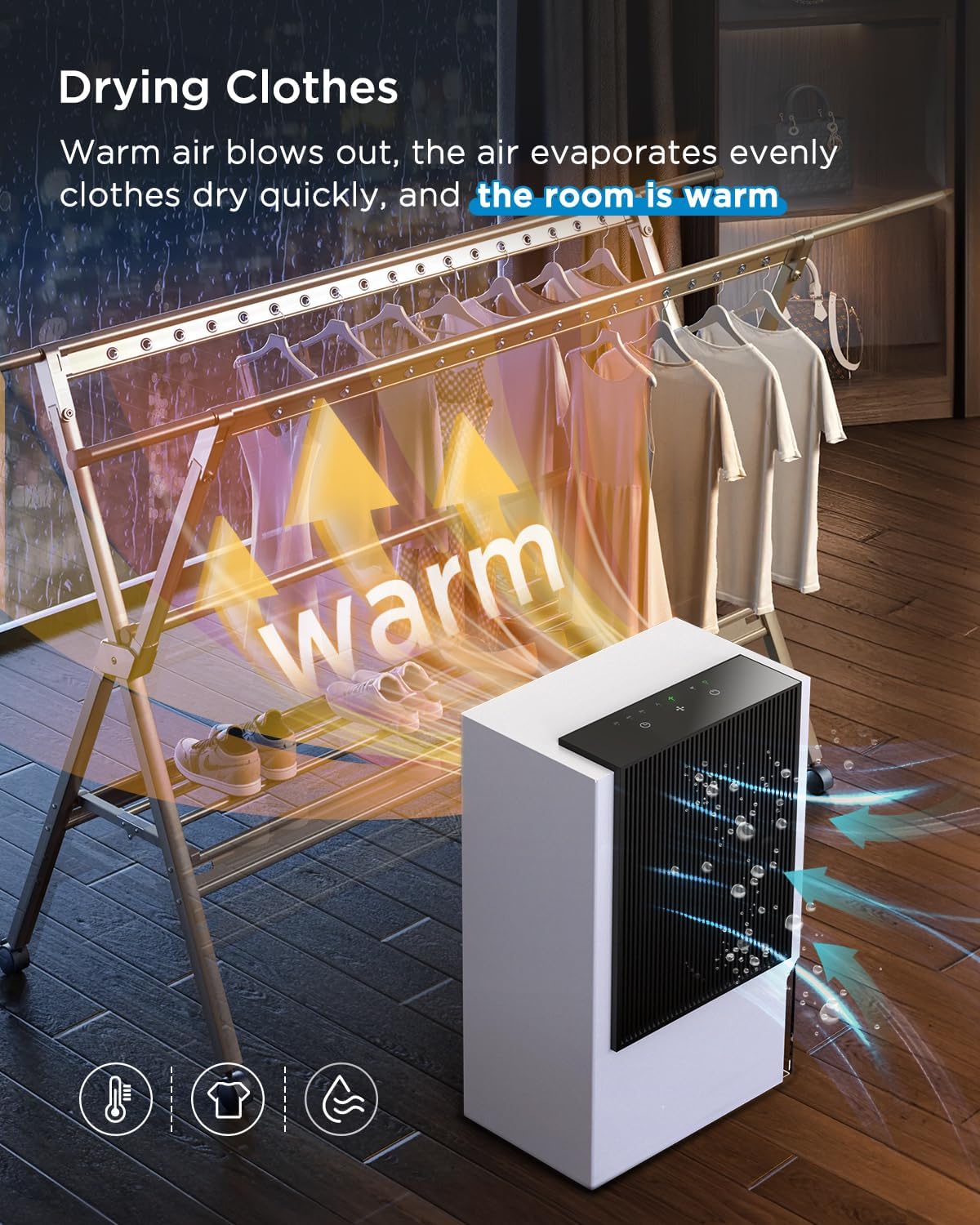
- Air Drying Function: Emits warm air to assist in drying clothes in humid environments.

4. Setup
Follow these steps to set up your EasyAcc Dehumidifier for first use.
- Unpacking: Carefully remove the dehumidifier from its packaging. Retain the packaging materials for future storage or transport.
- Placement: Place the unit upright on a firm, level surface in the desired location. Ensure there is at least 20 cm (8 inches) of clear space around all sides of the dehumidifier to allow for proper airflow. Do not place it against a wall or furniture that could obstruct the air inlets or outlets.
- Power Connection: Plug the power cord into a grounded electrical outlet. Ensure the voltage matches the specifications of the unit.
- Drainage Option (Optional): Decide whether to use manual drainage or continuous drainage.
- Manual Drainage: The unit will collect water in its internal tank. When the tank is full, the unit will automatically shut off, and an indicator light will illuminate.
- Continuous Drainage: For continuous operation without manual emptying, connect the provided 1.5m drain hose to the drainage port at the back of the unit. Ensure the hose is sloped downwards to allow gravity to drain the water into a suitable receptacle or floor drain.
5. Operation
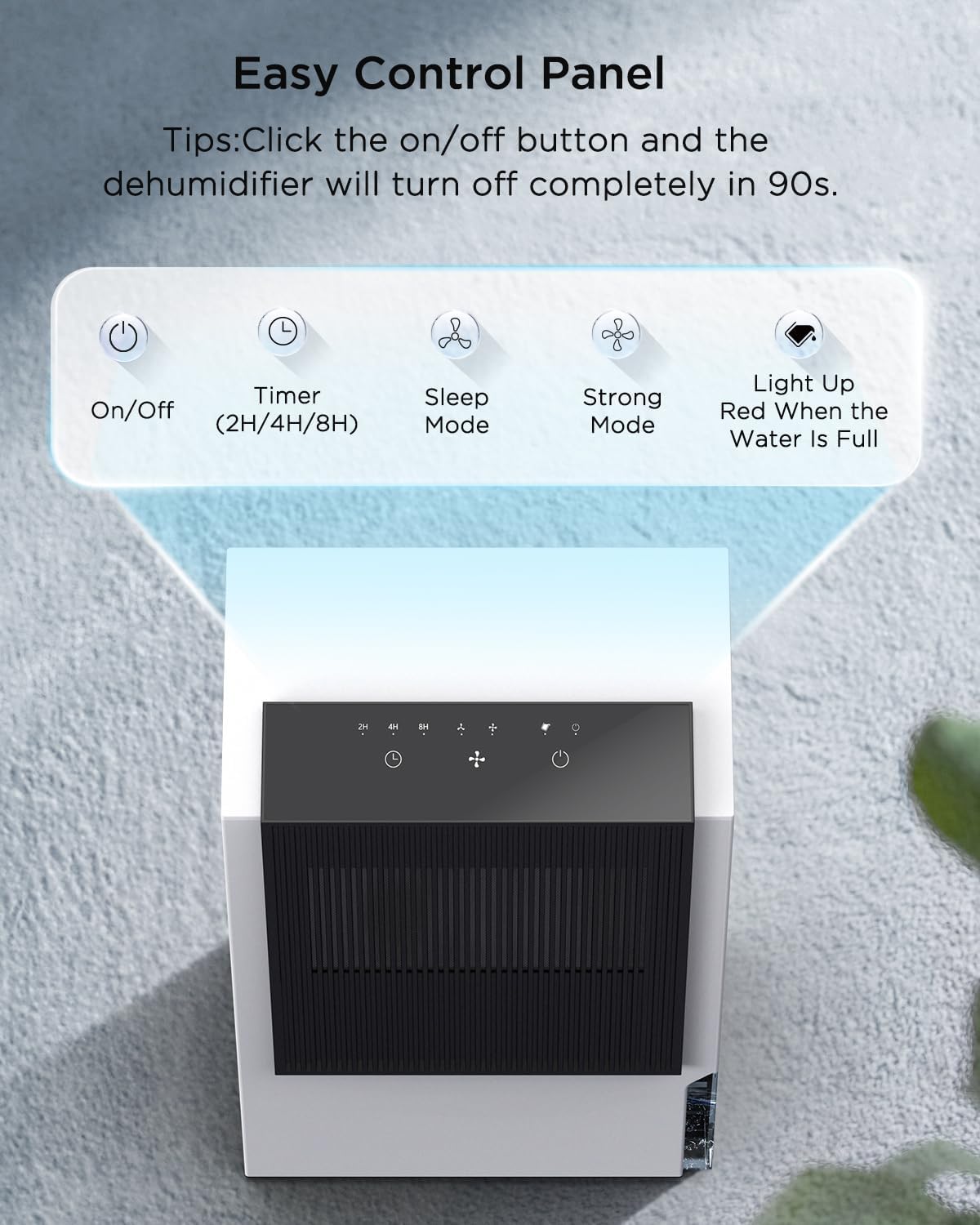
The control panel allows you to manage the dehumidifier's functions. Refer to the control panel diagram for button identification.
5.1 Power On/Off
- Press the On/Off button to turn the unit on or off.
- When turning off, the dehumidifier will enter a 90-second shutdown sequence before powering down completely.
5.2 Operating Modes
The dehumidifier offers two distinct operating modes:
- Strong Mode: Ideal for areas with high humidity, such as basements or bathrooms, requiring faster moisture removal. In this mode, the fan operates at a higher speed (approximately 45dB).
- Sleep Mode: Recommended for bedrooms, nurseries, or other areas where quiet operation is essential. In this mode, the fan operates at a lower speed, producing less than 30dB of noise.

5.3 Timer Function
Use the Timer button to set the dehumidifier to operate for a specific duration:
- Press the Timer button repeatedly to cycle through 2-hour, 4-hour, or 8-hour settings.
- The unit will automatically turn off after the selected time period has elapsed.
5.4 Water Tank Full Indicator & Drainage
- When the 2.5-liter (85-ounce) water tank is full, the unit will automatically shut off, and the indicator light on the control panel will illuminate red.
- Manual Drainage: Carefully remove the water tank from the front of the unit, empty the collected water, and then reinsert the tank securely. The unit will resume operation.
- Continuous Drainage: If you have connected the drain hose, the unit will continuously drain water, eliminating the need for manual emptying. Ensure the hose is properly positioned to prevent leaks.
5.5 Clothes Drying Function
The dehumidifier can assist in drying clothes by emitting warm air. Place the unit near a clothes rack in a well-ventilated room. The warm, dry air helps evaporate moisture from garments more quickly.
6. Maintenance
Regular maintenance ensures optimal performance and extends the lifespan of your dehumidifier.
6.1 Cleaning the Air Filter
The built-in air filter should be cleaned regularly, approximately every two weeks, or more frequently depending on usage and air quality.
- Unplug the dehumidifier from the power outlet.
- Gently pull out the filter from its slot (refer to the product diagram for location).
- Rinse the filter under running water or use a vacuum cleaner to remove dust and debris.
- Allow the filter to air dry completely before reinserting it into the unit. Do not use a dryer or direct heat.
6.2 Cleaning the Water Tank
Clean the water tank periodically to prevent mold or mildew growth.
- Unplug the dehumidifier.
- Remove the water tank.
- Wash the tank with mild soap and warm water. Rinse thoroughly.
- Ensure the tank is completely dry before placing it back into the unit.
6.3 Exterior Cleaning
Wipe the exterior of the dehumidifier with a soft, damp cloth. Do not use abrasive cleaners or solvents, as these can damage the surface.

7. Troubleshooting
If you encounter issues with your dehumidifier, refer to the following common problems and solutions.
| Problem | Possible Cause | Solution |
|---|---|---|
| Dehumidifier does not turn on. | No power supply. Power cord not securely plugged in. | Ensure the unit is properly plugged into a working electrical outlet. Check the circuit breaker. |
| Unit stops working after some time (e.g., 24 hours). | 24-hour shutdown protection activated. Water tank is full. | The unit has a built-in 24-hour shutdown protection device to extend service life. If it stops, simply restart the unit. Check if the water tank is full and empty it if necessary. |
| No water collected or dehumidification is weak. | Room temperature too low. Air filter is clogged. Air inlet/outlet blocked. Humidity level already low. | Ensure room temperature is within the operating range (-10°C to 40°C). Clean the air filter. Ensure proper clearance around the unit. The unit may not collect much water if the ambient humidity is already low. |
| Unit is noisy. | Operating in Strong Mode. Unit not on a level surface. | Switch to Sleep Mode for quieter operation. Ensure the unit is placed on a flat, stable surface. |
| Water leaks from the unit. | Water tank not properly inserted. Continuous drain hose not securely connected or blocked. | Remove and reinsert the water tank, ensuring it is seated correctly. Check the continuous drain hose for secure connection and ensure it is not kinked or blocked. |
| Tip-over alarm sounds. | Unit has been tipped over. | Place the unit upright on a stable surface. The alarm will cease, and the unit can be restarted. |
If the problem persists after attempting these solutions, please contact EasyAcc customer support for assistance.
8. Specifications
| Feature | Specification |
|---|---|
| Brand | EasyAcc |
| Model Name | X2 |
| Dehumidification Capacity | 3 Liters per Day (at 30°C, 80%RH) |
| Coverage Area | Up to 430 sq. ft / 40 m² |
| Water Tank Volume | 2.5 Liters (85 Fluid Ounces) |
| Operating Temperature | -10°C to 40°C |
| Noise Level (Sleep Mode) | ≤30 dB |
| Noise Level (Strong Mode) | Approximately 45 dB |
| Timer Settings | 2H, 4H, 8H |
| Drainage Options | Manual (tank) & Continuous (hose) |
| Drain Hose Length | 1.5 meters (6.6 feet) |
| Product Dimensions | 10"D x 3"W x 8"H (approximate, based on product data) |
| Item Weight | 9.26 pounds |
| Material | Plastic |
| Included Components | Dehumidifier, Hose, User Manual |
9. Warranty and Support
EasyAcc products are manufactured to high-quality standards. For warranty information, please refer to the warranty card included with your purchase or visit the official EasyAcc website. If you have any questions, require technical support, or need assistance with your EasyAcc Dehumidifier Model X2, please contact EasyAcc customer service.
Contact information can typically be found on the product packaging, the EasyAcc website, or through your retailer.
