
1. Introduction
The InAndOn KV-V5 MAX is a sophisticated karaoke system designed for home entertainment. It features an 18.5-inch capacitive touch screen, access to a vast 650,000-song cloud library, and integrated YouTube online play. This manual provides comprehensive instructions for setup, operation, and maintenance to ensure optimal performance.
2. What's in the Box
Please check the contents of your package. The InAndOn KV-V5 MAX system includes:
- 1 x InAndOn KV-V5 MAX Karaoke Machine with 4TB hard drive
- 2 x Wireless Microphones
- 1 x Power Adapter for Karaoke Machine
- 1 x Power Adapter for Touch Screen
- Necessary connection cables (HDMI, RCA, VGA, Network)
3. Setup
Proper connection of your InAndOn KV-V5 MAX system is crucial for optimal performance. The karaoke machine requires connection to an amplifier, microphone, and speakers to function.
3.1. System Overview and Connections
The rear panel of the karaoke machine features various ports for connectivity. Familiarize yourself with these ports before proceeding with connections.

3.2. Connecting the Touch Screen
The touch screen is an integral part of the system, allowing for easy song selection and control. It connects to the main karaoke unit via dedicated cables.
- Connect the touch screen VGA cable to the VGA output port on the karaoke host.
- Connect the touch screen network cable to the TOUCH SCREEN interface on the karaoke host.
- Connect the touchscreen power adapter to the touchscreen's power input.
3.3. Audio and Video Connections
Connect the karaoke machine to your display (TV/projector) and audio system (amplifier/speakers) using the appropriate cables.
- Video Output: Connect an HDMI cable from the 'HD OUT' port on the karaoke machine to an HDMI input on your TV or projector. Alternatively, use a VGA cable from the VGA output to a compatible display.
- Audio Output: Connect RCA red and white cables from the 'AUDIO OUT' ports on the karaoke machine to the audio input of your amplifier or sound system. For digital audio, use an optical cable from the 'OPTICAL' output to a compatible receiver or soundbar.
- Microphone Connection: Connect the RCA red and white cables from the audio output of the microphone host to the AUX IN of the microphone host. The microphone host then connects to the karaoke machine.
- Power: Connect the karaoke machine's power adapter to the DC 12V input on the machine, and then plug it into a power outlet.
4. Operating Instructions
The InAndOn KV-V5 MAX offers a user-friendly interface and multiple ways to select and enjoy your favorite songs.
4.1. Powering On and Initial Setup
- Ensure all connections are secure.
- Press the power button on the karaoke machine to turn it on.
- The system will boot up and display the main interface on the touch screen and connected TV.
- Select your preferred system language from the available options, including Chinese, English, Japanese, Korean, and others.
4.2. Song Selection and Playback
The KV-V5 MAX provides various methods for song selection:
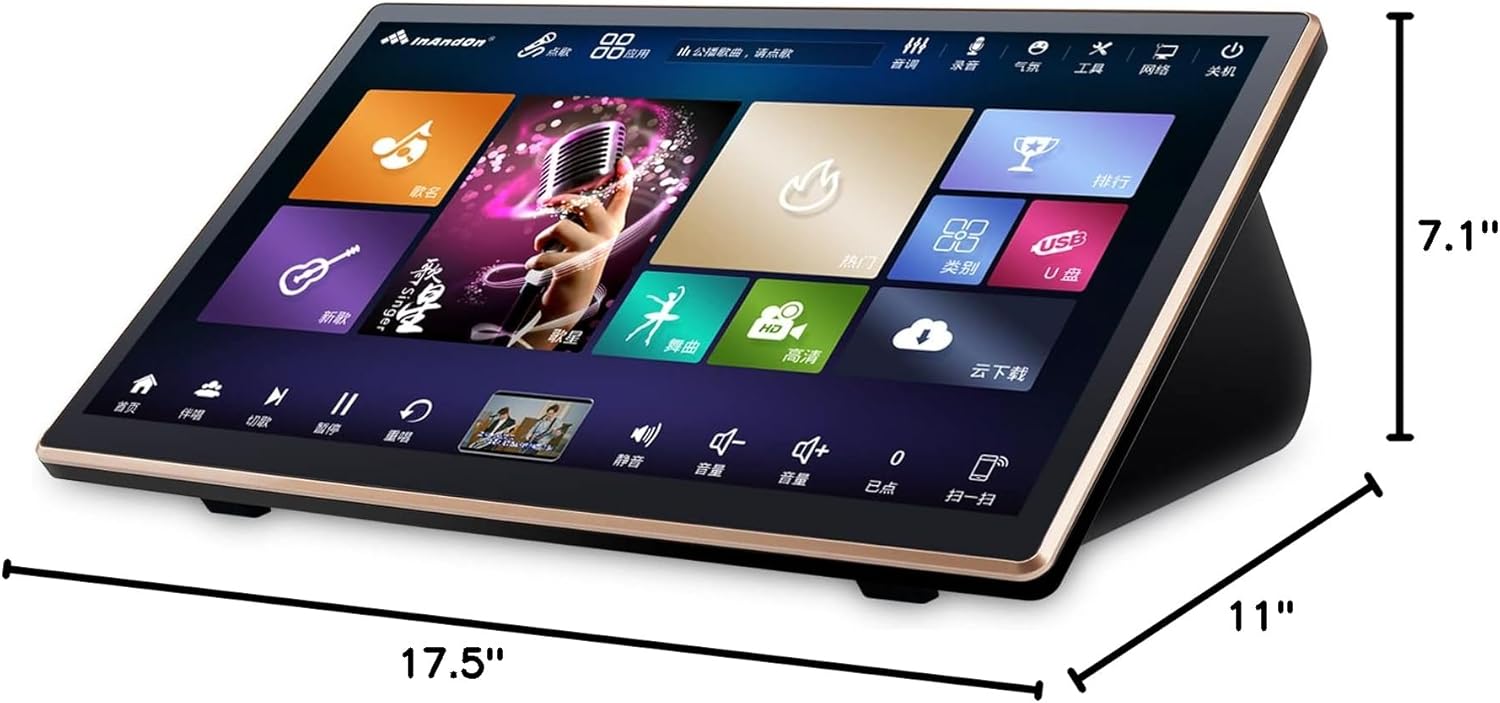
- Touch Screen: Use the 18.5-inch capacitive touch screen to navigate through artists, song titles, genres, and charts.
- Cloud Song Library: Access over 650,000 songs from the cloud library. New songs are updated weekly and can be downloaded for free.
- USB Input: Add songs in batch via a USB drive.
- Smartphone/Tablet Control: Use a dedicated app on your smartphone or tablet as a remote control to select songs and manage the queue.
- AI Voice Recognition: Utilize AI voice recognition for song control (primarily supports Mandarin voice commands).
- YouTube Online Play: Stream songs directly from YouTube via the integrated Android system.


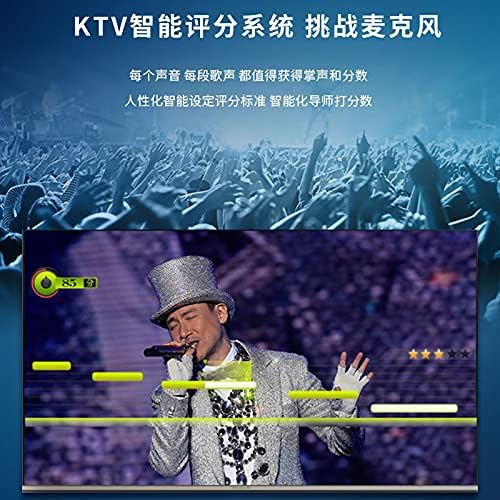
4.3. Advanced Features
- Song Scoring: Engage with the KTV intelligent scoring system to evaluate your singing performance.
- Recording: Utilize the recording feature to capture and review your vocal performances.
- Audio Control: Adjust music volume, treble, mid, bass, microphone volume, and apply effects like echo directly from the touch screen or remote.
- Smart Song Deletion: The system can intelligently delete less frequently played songs based on hard drive capacity.


5. Maintenance
To ensure the longevity and optimal performance of your InAndOn KV-V5 MAX karaoke system, follow these maintenance guidelines:
- Cleaning: Use a soft, dry cloth to clean the touch screen and exterior surfaces. Avoid abrasive cleaners or solvents.
- Ventilation: Ensure adequate ventilation around the karaoke machine to prevent overheating. Do not block any ventilation openings.
- Storage: When not in use for extended periods, store the system in a cool, dry place away from direct sunlight and extreme temperatures.
- Software Updates: Regularly check for and install system software updates to enhance features and improve stability.
6. Troubleshooting
If you encounter any issues with your InAndOn KV-V5 MAX, refer to the following common troubleshooting steps:
- No Power: Check if the power adapter is securely connected to both the machine and a working power outlet. Ensure the power switch on the rear panel is in the 'ON' position.
- No Video Output: Verify that the HDMI or VGA cable is correctly connected to both the karaoke machine and your display. Ensure the correct input source is selected on your TV/projector.
- No Audio Output: Confirm that the RCA or optical audio cables are properly connected to your amplifier/sound system. Check the volume levels on both the karaoke machine and your audio system. Ensure the amplifier/sound system is set to the correct input source.
- Microphone Not Working: Check if the wireless microphones are powered on and paired correctly with the microphone host. Ensure the microphone host is connected to the karaoke machine's audio input. Adjust microphone volume and effects.
- Touch Screen Unresponsive: Restart the karaoke machine. Ensure the touch screen's network and power cables are securely connected.
- Cannot Access Cloud Songs: Verify that the karaoke machine is connected to the internet via Wi-Fi or LAN. Check your internet connection status.
7. Specifications
| Brand | InAndOn |
| Model Name | KV-V5 MAX |
| Special Feature | Touch Screen |
| Color | Black |
| Included Components | Karaoke Machine |
| Recommended Uses | For Home parties |
| Power Source | Plug In Electric |
| Connector Type | HDMI, RCA |
| Connectivity Technology | HDMI, Wi-Fi |
| Media Type | USB |
| Compatible Devices | Amplifier |
| Item Dimensions (D x W x H) | 11"D x 17.5"W x 7.1"H |
| UPC | 755738658954 |
| Manufacturer | CHINA |
8. Warranty
The InAndOn KV-V5 MAX Karaoke System comes with a 1-year warranty from the date of purchase. This warranty covers manufacturing defects and malfunctions under normal use. Please retain your proof of purchase for warranty claims. For detailed terms and conditions, refer to the warranty card included in your package or contact customer support.
9. Customer Support
For any questions, technical assistance, or support regarding your InAndOn KV-V5 MAX Karaoke System, please contact our customer support team:
- Email: support@inandonservice.com
- Website: www.inandonservice.com
- Phone: Refer to the contact information provided in your product packaging.
Please have your model number (KV-V5 MAX) and purchase date ready when contacting support.
