
1. Introduction
Thank you for choosing the OXILAM 6000A Jump Starter. This portable and powerful device is designed to quickly and safely jump start your vehicle's battery, even in extreme temperatures. It also functions as a portable power bank and an emergency LED flashlight, making it an essential tool for any vehicle owner. This manual provides detailed instructions for safe and effective use, maintenance, and troubleshooting.
Key features include a powerful 6000A peak current, compatibility with all gas engines and 12L diesel engines, and multiple safety protections for reliable operation.
2. Safety Information
Please read all safety warnings and instructions before using this product. Failure to follow these instructions may result in electric shock, fire, and/or serious injury.
- Do not operate the jump starter if it has been damaged or modified.
- Do not submerge the unit in water or expose it to excessive moisture.
- Keep out of reach of children.
- Ensure proper ventilation during use and charging.
- The OXILAM jump starter is equipped with 10 intelligent safety protections, including overvoltage, overcharge, overcurrent, overload, short circuit, reverse polarity, low temperature, high temperature, anti-spark, and reverse charging prevention. Always ensure proper connection to utilize these safety features.

Figure 2.1: Comprehensive Safety Protections
The device features a sturdy, waterproof shell and a protective cover to guard against wear and tear, enhancing its durability and safety in various conditions.
3. Package Contents
Verify that all items are present in your package:
- 1 x OXILAM Car Jump Starter
- 1 x User Manual
- 1 x Storage Bag
- 1 x Jumper Cable with Smart Clamps
- 1 x USB Charging Cable
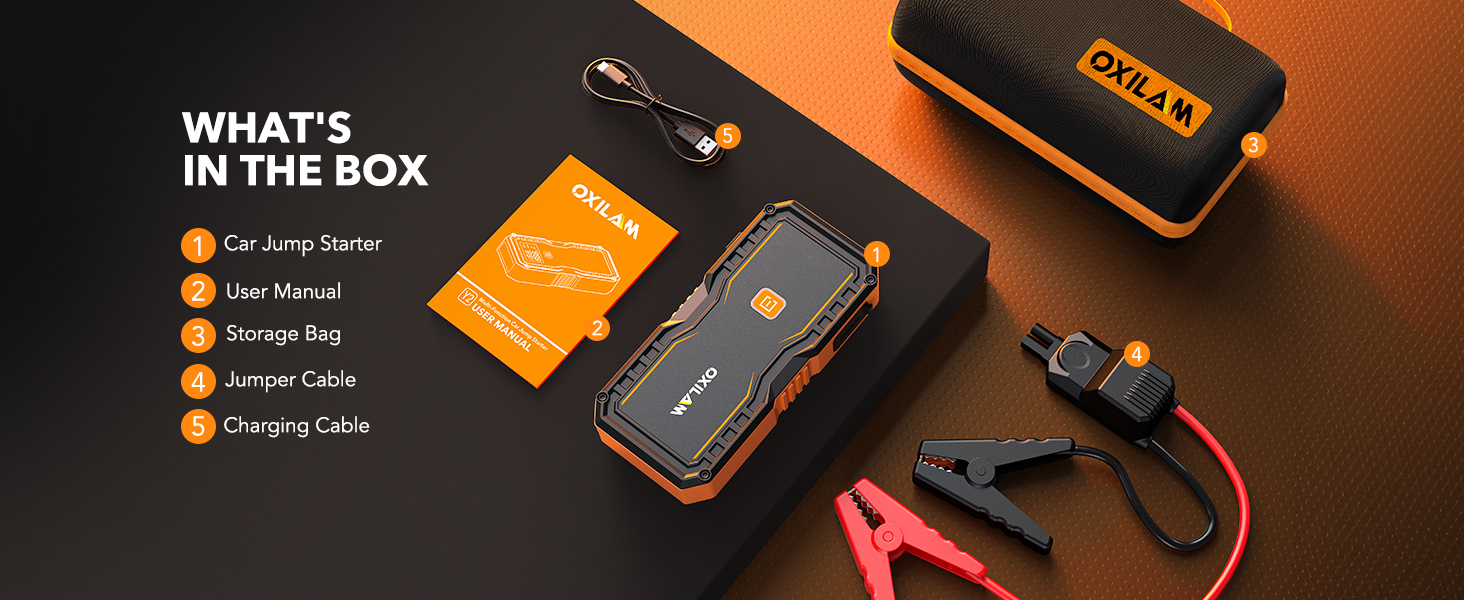
Figure 3.1: What's in the Box
4. Product Overview
Familiarize yourself with the components of your OXILAM Jump Starter:

Figure 4.1: OXILAM 6000A Jump Starter
- EC5 Jump Start Output: Port for connecting the smart jumper cables.
- ON/OFF Button: Powers the unit on/off and controls LED light modes.
- LED Display: Shows battery status, input/output power, and voltage.
- LED Light: Integrated flashlight with multiple modes.
- USB-C Input: For charging the jump starter.
- USB-C Output: For charging external devices.
- USB-A Output: For charging external devices.
- Anti-slip Design: Textured sides for a secure grip.
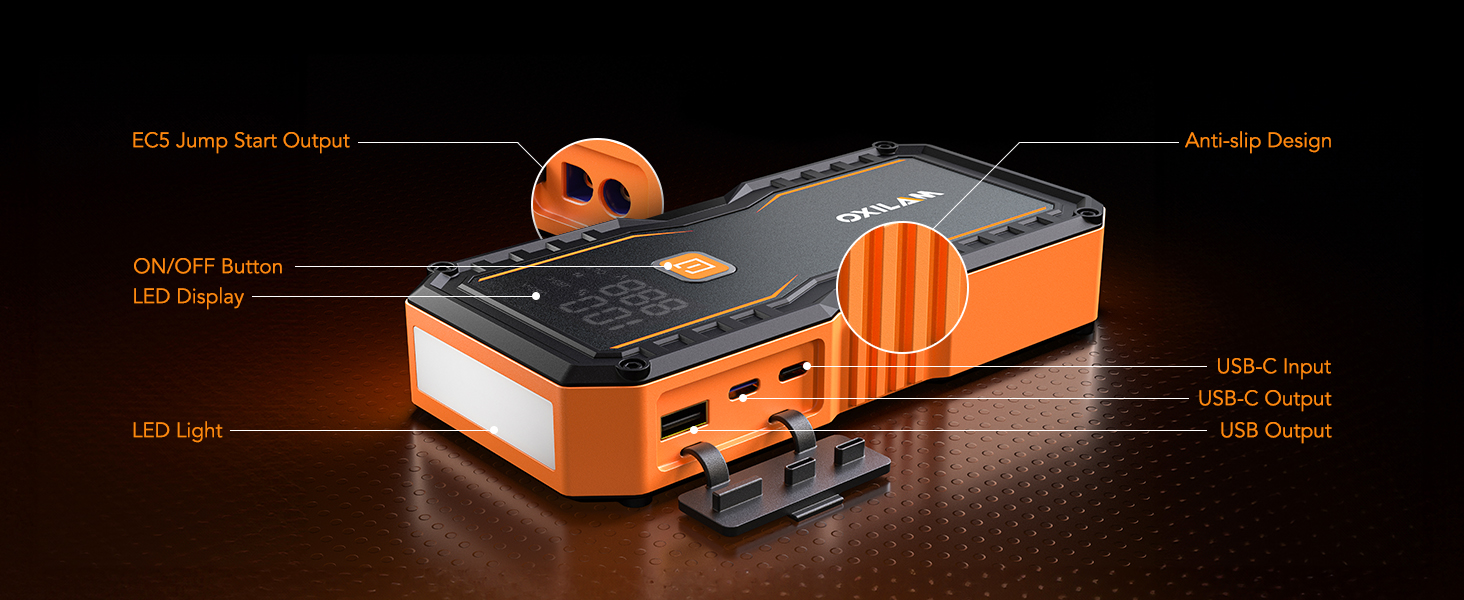
Figure 4.2: Product Features and Ports
5. Charging the Jump Starter
Before first use, fully charge the jump starter. It is recommended to charge the unit every 3 months to maintain battery health, especially if not used for a long time.
- Connect the provided USB charging cable to the Type-C input port on the jump starter.
- Connect the other end of the USB cable to a suitable USB power adapter (not included).
- The LED display will show the charging progress. The unit is fully charged when the display shows 100%.
The upgraded Type-C input port supports faster charging, ensuring your device is ready when you need it.

Figure 5.1: Extended Standby Time
6. Setup & Operation: Jump Starting a Vehicle
The OXILAM 6000A Jump Starter is designed to start all gas engines and 12L diesel engines, including 12V vehicles, motorcycles, pickups, RVs, tractors, trucks, vans, ATVs, snowmobiles, and yachts.
Important: Before attempting to jump start, ensure the jump starter's battery charge is greater than 50%.
- Step 1: Insert the Battery Clamp. Firmly insert the blue end of the smart jumper cables into the EC5 jump start output port on the jump starter. Ensure it is fully seated.
- Step 2: Connect to Car Battery. Attach the red clamp to the positive (+) terminal of your vehicle's battery and the black clamp to the negative (-) terminal. The smart clamps will indicate a solid green light when correctly connected and ready to jump start.
- Step 3: Start the Engine. Return to your vehicle and start the engine. If the vehicle does not start on the first attempt, wait 30 seconds before trying again. If the jump starter times out, disconnect and reconnect the clamps to reset.
- Step 4: Disconnect. Once the vehicle starts, immediately remove the jumper cables from the car battery, then disconnect the cables from the jump starter.

Figure 6.1: High-Performance Jump Starting
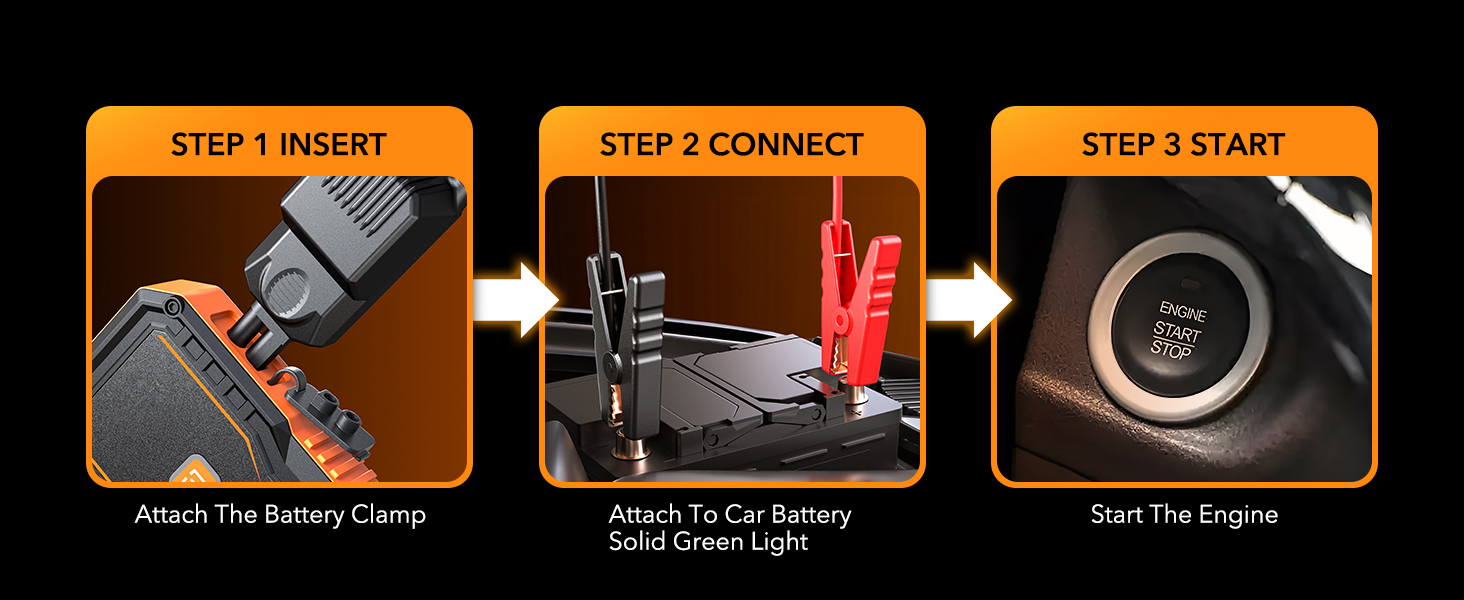
Figure 6.2: Jump Start Steps
Video 6.1: Easy to Use OXILAM Car Battery Jump Starter 6000A. This video demonstrates the simple process of connecting and using the OXILAM jump starter to start a vehicle.
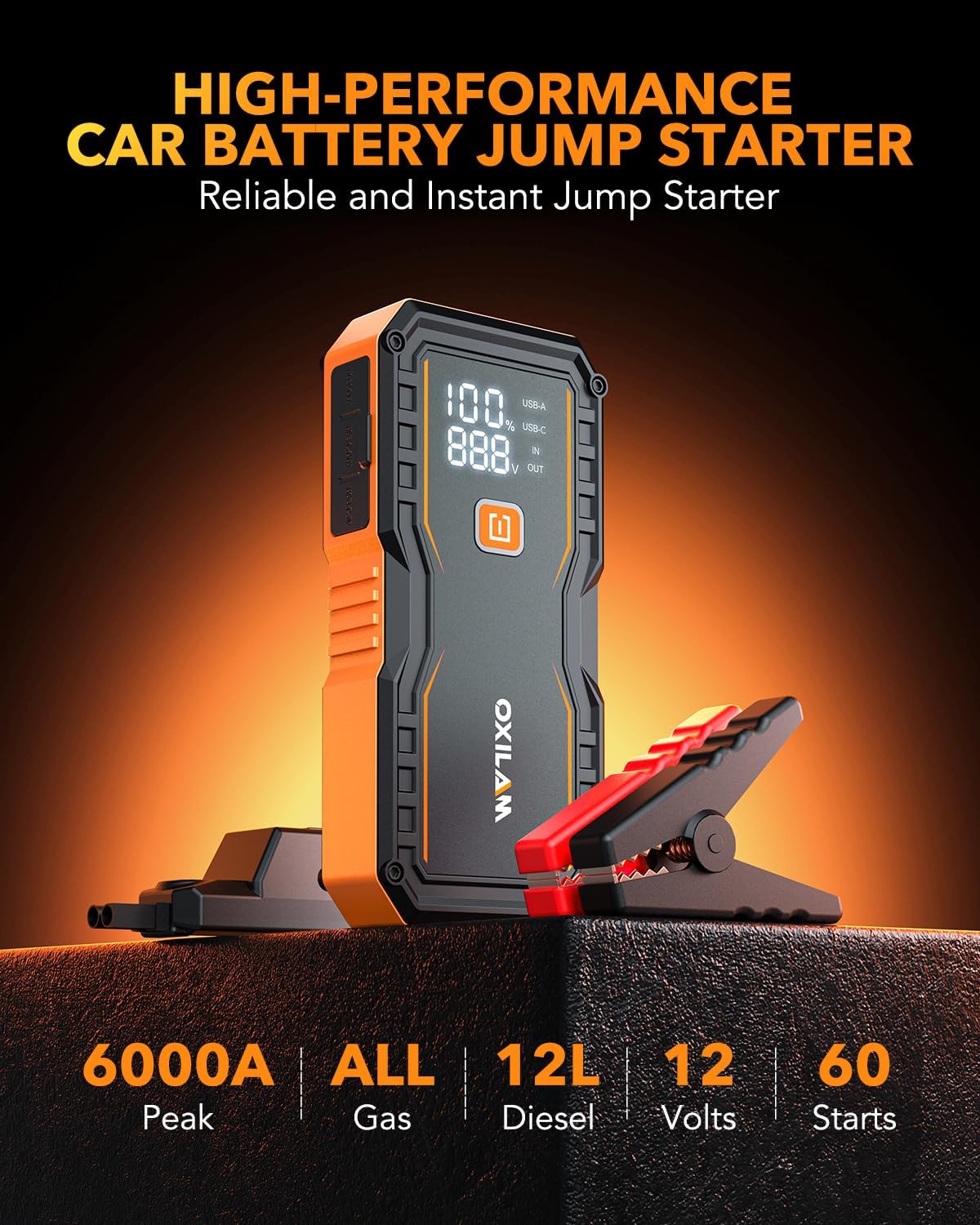
Figure 6.3: Versatile Road Emergency Tool
7. Operating: Power Bank Functionality
The OXILAM Jump Starter doubles as a portable power bank, featuring 2 USB output ports (5V/3A, 9V/2A, 12V/1.5A) for charging your electronic devices.
- Connect your device's charging cable to either the USB-A or USB-C output port on the jump starter.
- The jump starter will automatically begin charging your device.
This feature allows for quick charging of mobile phones, tablets, Kindles, or digital cameras, saving up to 75% charging time.

Figure 7.1: Portable Power Bank Functionality
8. Operating: LED Light Functionality
The integrated 800-lumen LED light provides illumination for various situations.
- Press the ON/OFF button once to turn on the flashlight mode.
- Press the button again to cycle through strobe mode.
- Press the button a third time for SOS mode.
- Press the button a fourth time to turn off the light.
The LED light is useful for outdoor camping, power failures, roadside emergencies, and car repairs.

Figure 8.1: 800 Lumens Emergency Light
9. Maintenance
To ensure the longevity and optimal performance of your OXILAM Jump Starter, follow these maintenance guidelines:
- Charging: If the unit has not been used for a long time, it is recommended to charge it every 3 months to keep the battery in a healthy state.
- Cleaning: Wipe the unit with a dry, soft cloth. Do not use harsh chemicals or abrasive materials.
- Storage: Store the jump starter in its protective cover and storage bag in a cool, dry place away from direct sunlight and extreme temperatures.
- Durability: The sturdy, waterproof shell and non-slip side design are built to withstand various conditions and protect the internal components.
10. Troubleshooting
If you encounter issues with your OXILAM Jump Starter, refer to the following common problems and solutions:
- Unit does not turn on: Ensure the unit is charged. If the battery is completely drained, it may take a few minutes of charging before the display activates.
- Vehicle does not start after connecting:
- Check that the jump starter has at least 50% charge.
- Verify that the smart clamps are correctly connected to the battery terminals (red to positive, black to negative) and show a solid green light.
- If the unit 'times out' (stops providing power), disconnect the clamps from the jump starter and reconnect them to reset the unit before attempting to start the vehicle again.
- Ensure the vehicle's battery terminals are clean and free of corrosion.
- Clamps are too short or small: While the design is compact, some users may find the cables or clamps challenging for certain vehicle battery locations. Ensure you can safely and securely attach the clamps to the battery terminals.
- Device not charging: Ensure the charging cable is properly connected to both the jump starter's Type-C input and the power adapter. Try a different USB power adapter or cable.
For further assistance, please contact OXILAM customer support.
11. Specifications
| Feature | Specification |
|---|---|
| Brand | OXILAM |
| Model | Y2 |
| Product Dimensions | 8.7"D x 4.7"W x 3.5"H |
| Item Weight | 0.21 Pounds (3.36 ounces) |
| Amperage | 6000 Amps |
| Peak Output Current | 6000 Amps |
| Battery Type | 1 Lithium Ion battery (included) |
| Manufacturer Part Number | OXILAM-DY-Y2-CA |
| Date First Available | July 3, 2024 |
12. Warranty and Support
OXILAM provides a 4-year warranty for this portable battery jumper starter. We are committed to offering lifetime reliable Technical Support.
- 4 Years Guaranteed Service: Enjoy peace of mind with our extended warranty.
- 60 Days Free Return and Exchange Service: If you are not satisfied, you can return or exchange the product within 60 days.
- 24/7 Professional After-Sales Team Online: Our dedicated support team is available around the clock to address any questions or concerns you may have.
If you have any questions about your jump start battery pack or require assistance, please do not hesitate to get in touch with our after-sales team for a satisfactory solution.

Figure 12.1: OXILAM Customer Support Offer

