
1. Introduction
Thank you for choosing the TREBLAB HD-360 Pro Ultra High-Tech Bluetooth Speaker. This manual provides essential information for setting up, operating, and maintaining your speaker to ensure optimal performance and longevity. The HD-360 Pro delivers immersive 360° surround sound with a 90W high-powered 5-driver system, subwoofer, and 8 bass radiators, designed for home, party, and outdoor use.
2. What's in the Box
- TREBLAB HD-360 Pro Speaker
- USB-C Charging Cable
- 3.5mm AUX Cable
- Quick Start Guide
- Warranty Card
3. Product Overview
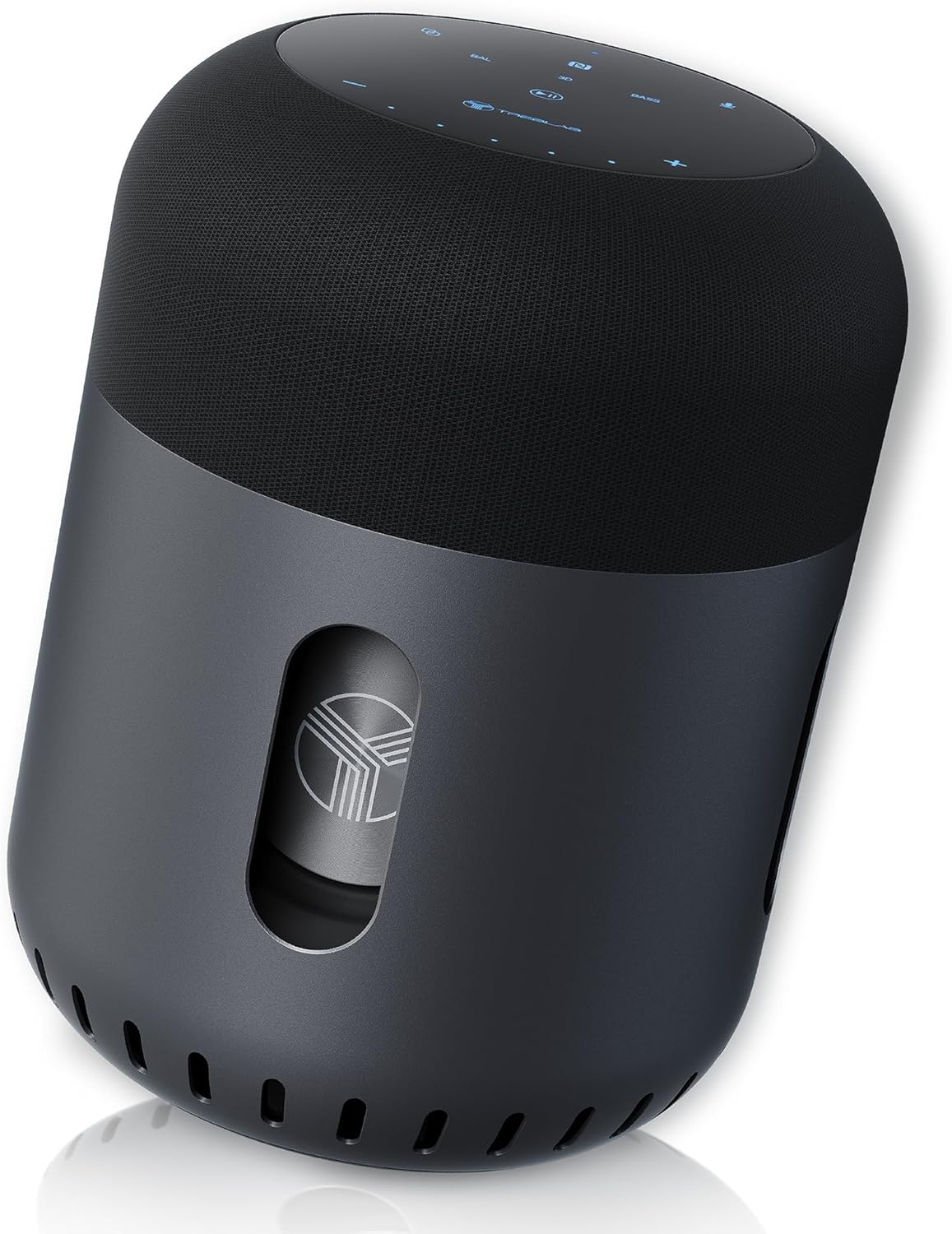
Front view of the TREBLAB HD-360 Pro speaker, showcasing its sleek design and robust build.
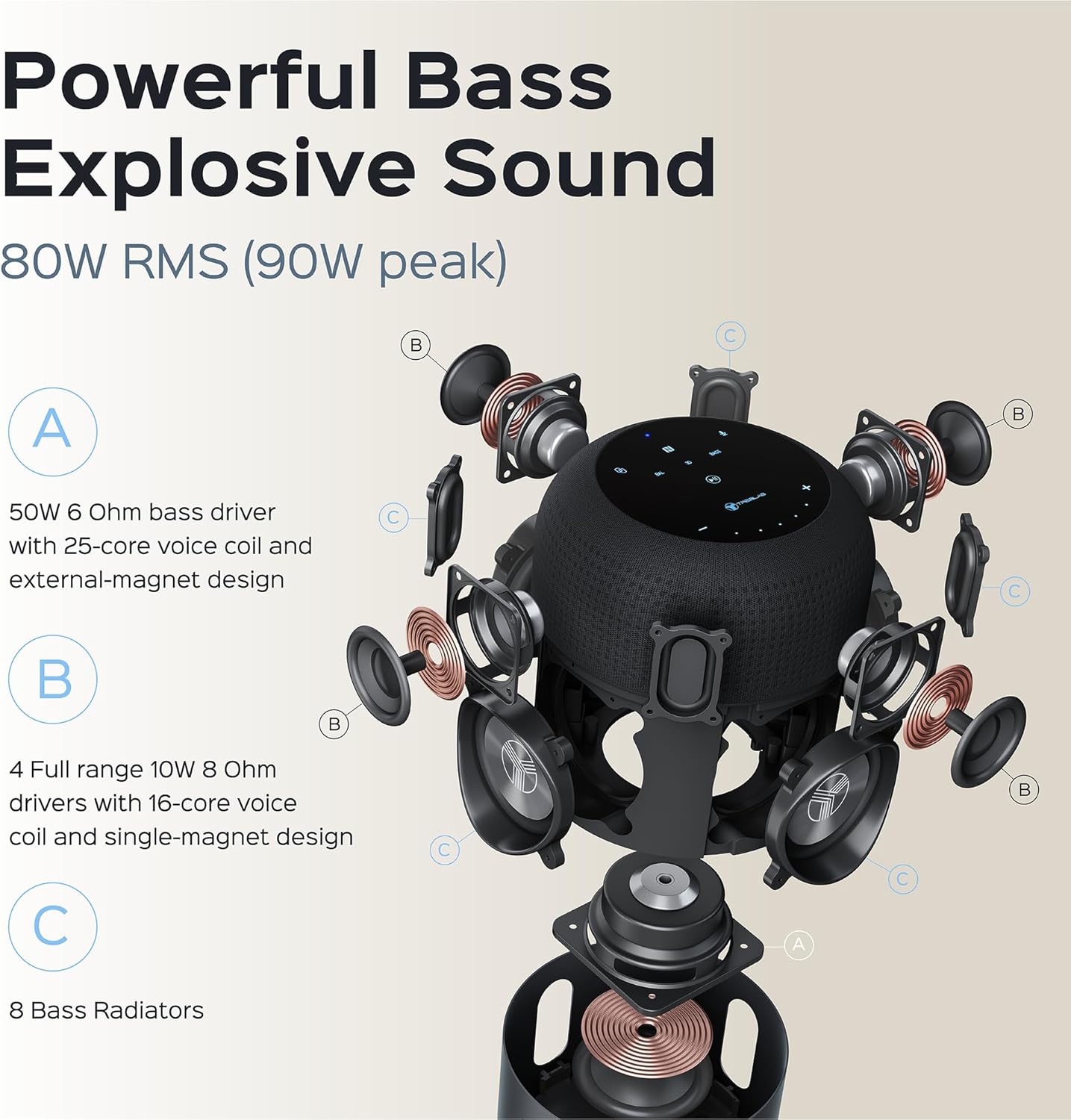
Detailed exploded view illustrating the 5-driver system, subwoofer, and 8 bass radiators for powerful, explosive sound.
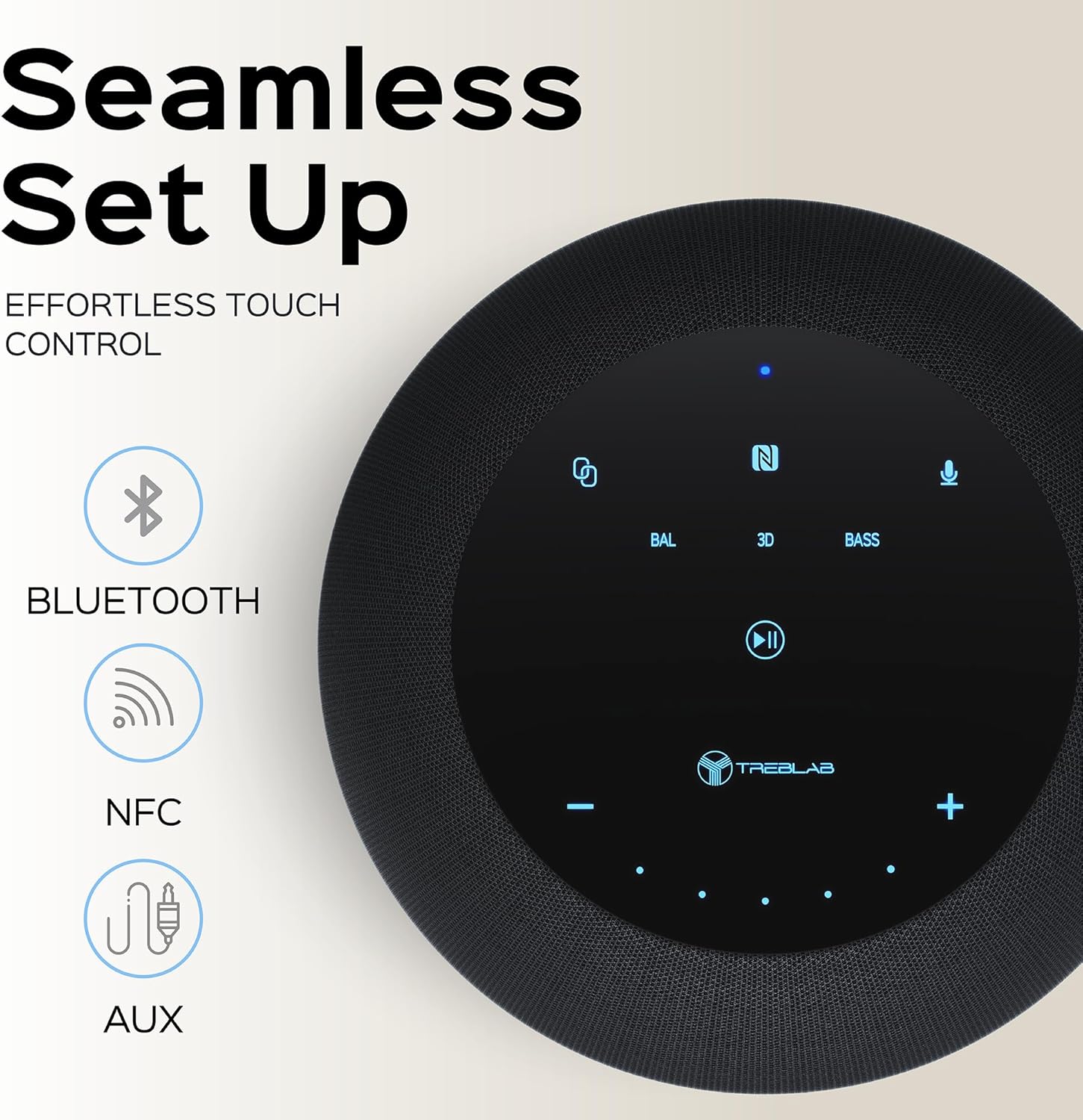
Top panel showing the intuitive touch controls for seamless operation, including Bluetooth, NFC, and AUX input options.

The speaker features an IPX4 waterproof rating, making it resistant to splashes and light rain, suitable for various environments.
4. Setup
4.1 Initial Charging
Before first use, fully charge your TREBLAB HD-360 Pro speaker. Connect the provided USB-C charging cable to the speaker's charging port and a compatible USB power adapter (not included). The charging indicator light will show the charging status. A full charge takes approximately 2 hours.
4.2 Powering On/Off
To power on the speaker, press and hold the Power button on the top panel until you hear an audible prompt and the indicator lights illuminate. To power off, press and hold the Power button again until the lights turn off.
5. Operating Instructions
5.1 Bluetooth Pairing
- Ensure the speaker is powered on and in pairing mode (indicated by a blinking blue light).
- On your device (smartphone, tablet, laptop), enable Bluetooth.
- Search for available Bluetooth devices and select "TREBLAB HD-360 Pro" from the list.
- Once connected, the indicator light will turn solid blue, and you will hear a confirmation sound.
The speaker supports Bluetooth 5.0 for fast and stable connections up to 34 feet (10 meters).
5.2 True Wireless Stereo (TWS) Pairing
For an enhanced stereo experience, you can pair two TREBLAB HD-360 Pro speakers together:
- Ensure both speakers are powered on and not connected to any other Bluetooth devices.
- On one speaker (this will be the primary speaker), press and hold the TWS button until you hear a prompt.
- The speakers will automatically search for and connect to each other. Once paired, you will hear a confirmation sound, and the indicator lights will synchronize.
- Connect your device to the primary speaker via Bluetooth as described in section 5.1.

Illustration of two HD-360 Pro speakers connected via TWS for a doubled audio experience.
5.3 Touch Controls
The HD-360 Pro features intuitive touch controls on its top panel:
- Volume Up/Down: Tap the '+' or '-' icons.
- Play/Pause: Tap the Play/Pause icon.
- Next/Previous Track: Swipe left or right on the touch surface.
- Answer/End Call: Tap the Phone icon.
- Activate Voice Assistant: Tap the Microphone icon.
- Sound Modes: Tap 'BAL' for Balanced, '3D' for 3D Surround, or 'BASS' for Bass Boost mode.
5.4 Making Calls
When connected via Bluetooth, the speaker's built-in microphone allows you to make and receive calls hands-free. Use the Phone icon on the touch panel to manage calls.
6. Charging
The TREBLAB HD-360 Pro is equipped with a 15600 mAh battery, providing up to 22 hours of playtime on a single charge. To charge, use the included USB-C cable. The speaker can be used while charging.

Close-up view of the USB-C charging port and AUX input, protected by a rubber flap.
7. Maintenance & Care
- Cleaning: Wipe the speaker with a soft, dry cloth. Do not use abrasive cleaners or solvents.
- Water Resistance: The speaker has an IPX4 rating, meaning it is splash-proof. Do not submerge the speaker in water. Ensure the charging port cover is securely closed when near water.
- Storage: Store the speaker in a cool, dry place away from extreme temperatures and direct sunlight.
8. Troubleshooting
| Problem | Possible Cause | Solution |
|---|---|---|
| Speaker does not turn on | Low battery; Power button not held long enough | Charge the speaker; Press and hold Power button for 3-5 seconds |
| Cannot pair via Bluetooth | Speaker not in pairing mode; Device Bluetooth off; Speaker already connected to another device | Ensure speaker is blinking blue; Turn on device Bluetooth; Disconnect from other devices |
| No sound | Volume too low; Incorrect input source; Device not connected | Increase volume on speaker and device; Check Bluetooth connection; Ensure AUX cable is fully inserted |
| TWS pairing fails | Speakers too far apart; One speaker already paired to a device | Place speakers closer; Ensure both speakers are disconnected from other devices before TWS pairing |
9. Specifications
| Feature | Detail |
|---|---|
| Model Name | HD-360-Pro |
| Speaker Type | Subwoofer, Portable Bluetooth Speaker |
| Output Power | 90 Watts (Peak) / 80W RMS |
| Connectivity Technology | Bluetooth 5.0, AUX, NFC |
| Wireless Range | Up to 33 feet (10 meters) |
| Battery Life | Up to 22 Hours |
| Battery Capacity | 15600 Milliamp Hours |
| Charging Time | 2 Hours (USB-C Fast Charging) |
| Water Resistance | IPX4 (Splash-proof) |
| Material | Metal (Aluminum), ABS, Fabric |
| Dimensions (D x W x H) | 5.79"D x 7.68"W x 5.79"H |
| Item Weight | 5.2 Pounds (2.36 kg) |
| Microphones | 4 (for calls) |
| Surround Sound Channel | 3.0 |
10. Safety Information
- Do not expose the speaker to extreme temperatures, direct sunlight, or high humidity.
- Avoid dropping or subjecting the speaker to strong impacts.
- Keep out of reach of children.
- Do not attempt to disassemble or modify the speaker. This will void the warranty and may cause damage.
- Use only the provided charging cable.
- Dispose of the battery responsibly according to local regulations.
11. Warranty and Support
The TREBLAB HD-360 Pro comes with a limited warranty. Please refer to the included Warranty Card for details regarding coverage and terms. For technical support, troubleshooting assistance, or warranty claims, please visit the official TREBLAB website or contact their customer service.
You can also find the full User Manual in PDF format here.
Visit the TREBLAB Store for more products and information: TREBLAB Official Store
