
1. Introduction
Thank you for choosing the Gamrombo Wireless Controller. This manual provides detailed instructions for setting up, operating, and maintaining your new controllers. Designed for an immersive gaming experience, these controllers are compatible with Xbox One, Xbox Series S, Xbox Series X, Xbox one S, Xbox one X, Xbox Elite Controller Series, Xbox Core Controller, Steam, and PC Windows 10 and above devices.
2. Package Contents
Please ensure all items are present in your package:
- 2 x Upgraded Gamrombo Wireless Controllers
- 2 x 2.4GHz USB Dongles
- 2 x Type-C Charging Cables
- 1 x Instruction Manual
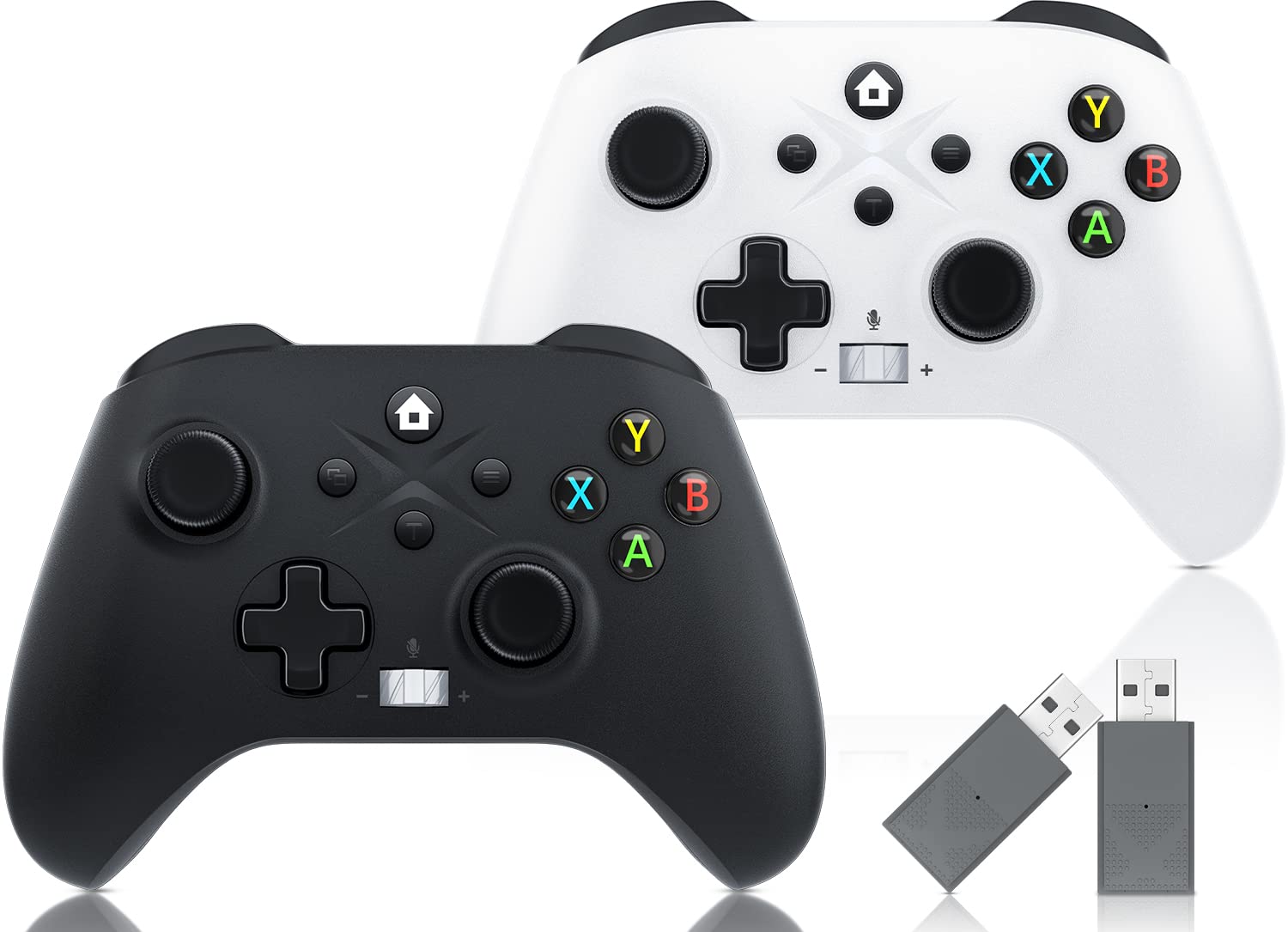
Image: Contents of the Gamrombo Wireless Controller package, including two controllers, two USB dongles, two charging cables, and the manual.
3. Setup Instructions
3.1 Connecting to Xbox Console or PC
The Gamrombo wireless controllers utilize 2.4GHz wireless transmission technology for stable and anti-interference connections. Connection to your Xbox console or PC is achieved via the included USB dongle receiver.
- Insert the 2.4GHz USB dongle into an available USB port on your Xbox console (Xbox One, Series S, Series X) or PC (Windows 10 and above).
- Ensure the controller has sufficient battery charge.
- Press the Home button on the controller to power it on. The controller's indicator light will blink slowly.
- Once the dongle is inserted and the controller is powered on, press the Home button again to make the controller's light blink fast, indicating it is searching for the dongle.
- The controller will automatically pair with the dongle. A solid light on the controller indicates a successful connection.
Note: These controllers only support wireless connection via the included USB receiver; wired connections are not supported.

Image: Visual representation of the 2.4G wireless controller and its multi-platform compatibility.
4. Operating Instructions
4.1 General Controls
The controllers feature a standard Xbox button layout for intuitive gameplay. The sensitive joysticks and enhanced direction keys provide high operating accuracy.
- 360° Control Joysticks: Provide fast response without lag for precise movement.
- Precision Control Buttons: Ensure accurate operating instructions.
- Fast Response Triggers: Designed for a better gaming experience.

Image: Detailed view of the controller's joysticks, buttons, and triggers highlighting their responsiveness and precision.
4.2 Turbo Function
The semi-auto Turbo mode allows you to fight faster and simplify action game controls.
- To Activate: Press and hold the TURBO key (T button) without letting go, then press and hold any function key (e.g., A, B, X, Y, LB, RB, LT, RT). The selected function key will now have the Turbo function enabled.
- To Deactivate: Repeat the same operation (hold TURBO + function key) to close the Turbo function for that specific key.

Image: Illustration of the Turbo function button and its activation process.
4.3 Audio Jack and Volume Control
The upgraded Xbox controller includes a built-in 3.5mm audio jack and volume control buttons.
- Plug any 3.5mm headset into the audio jack for game audio and chat.
- Use the left/right push buttons (next to the audio jack) to adjust volume (VOL-/VOL+).
- Press and hold the middle button to mute the microphone.
5. Features
- Multi-Platform Compatibility: Compatible with all Xbox One models (Xbox One, Xbox Series S, Xbox Series X, Xbox one S, Xbox one X, Xbox Elite Controller Series, Xbox Core Controller), Steam, and PC Windows 10 and above devices.
- 2.4GHz Wireless Technology: Provides a stable connection and strong anti-interference ability, allowing you to play games within a range of 33 feet without disconnections.
- Real Gaming Experience: Features a built-in dual motor for realistic vibration feedback and a 6-axis sensor for enhanced dynamic feeling, including direction control, visual field angle change, and action responsiveness.

Image: Depiction of the dual-motor shock feature, showing different vibration intensities.

Image: Explanation of the 6-axis motion sensor enhancing dynamic feeling in games.
- Ergonomic Design: The gamepad is designed to fit comfortably in your hands, with exquisitely carved anti-slip texture on the grip and well-placed buttons and triggers for enhanced comfort during long gaming sessions.
- Large Battery Capacity: Equipped with a 650mAh battery, providing 8-10 hours of continuous gameplay on a 2-3 hour charge.

Image: Information on the controller's large battery capacity and usage times.
6. Maintenance
To ensure the longevity of your Gamrombo Wireless Controllers, keep them clean and store them in a dry place when not in use. Avoid exposing them to extreme temperatures or direct sunlight.
6.1 Charging the Controller
Use the provided Type-C charging cable to charge the controller. Connect one end to the controller's Type-C port and the other end to a USB power source (e.g., console, PC, USB wall adapter).
- Charging Time: Approximately 2-3 hours.
- Battery Life: 8-10 hours of continuous gameplay.
7. Troubleshooting
7.1 Connection Issues & Technical Upgrades
If you encounter problems with controller connection or require technical upgrades, please follow the steps below:
- Upgrade Program Download: You can download the latest upgrade program from we.tl/t-l78iIsdPhP.
- Upgrade Video Tutorial: A detailed video tutorial for the upgrade process is available at youtu.be/2Q_x2bhtcUU.
Important Tips for Upgrading:
- Turn off the controller when upgrading, or do not install the battery first.
- If the connection is disconnected during the upgrade, try changing the USB port on your computer as the current one might be unstable.
7.2 Official Upgrade Tutorial Video
Watch this official video for a step-by-step guide on upgrading your Xbox controller:
Video: Official tutorial demonstrating the Xbox controller upgrade process.
8. Specifications
| Attribute | Detail |
|---|---|
| ASIN | B0D4DB319L |
| Package Dimensions | 6.75 x 5.5 x 4.9 inches |
| Item Weight | 1.35 pounds |
| Manufacturer | Gamrombo |
| Country of Origin | China |
| Batteries | 1 AA batteries required (included) |
| Date First Available | May 17, 2024 |
9. Warranty and Support
Gamrombo is committed to providing high-quality products. If you have any questions or concerns about your wireless Xbox controllers, please do not hesitate to contact the seller for assistance. We are dedicated to providing a satisfactory solution for any issues you may encounter.


