
Introduction
The imoo Z7 GPS Kids Smartwatch is designed to keep children connected and safe. It features 4G video calling, precise real-time location tracking, dual cameras, and IPX8 water resistance, along with various health and safety functions. This manual will guide you through the setup, operation, and maintenance of your device.
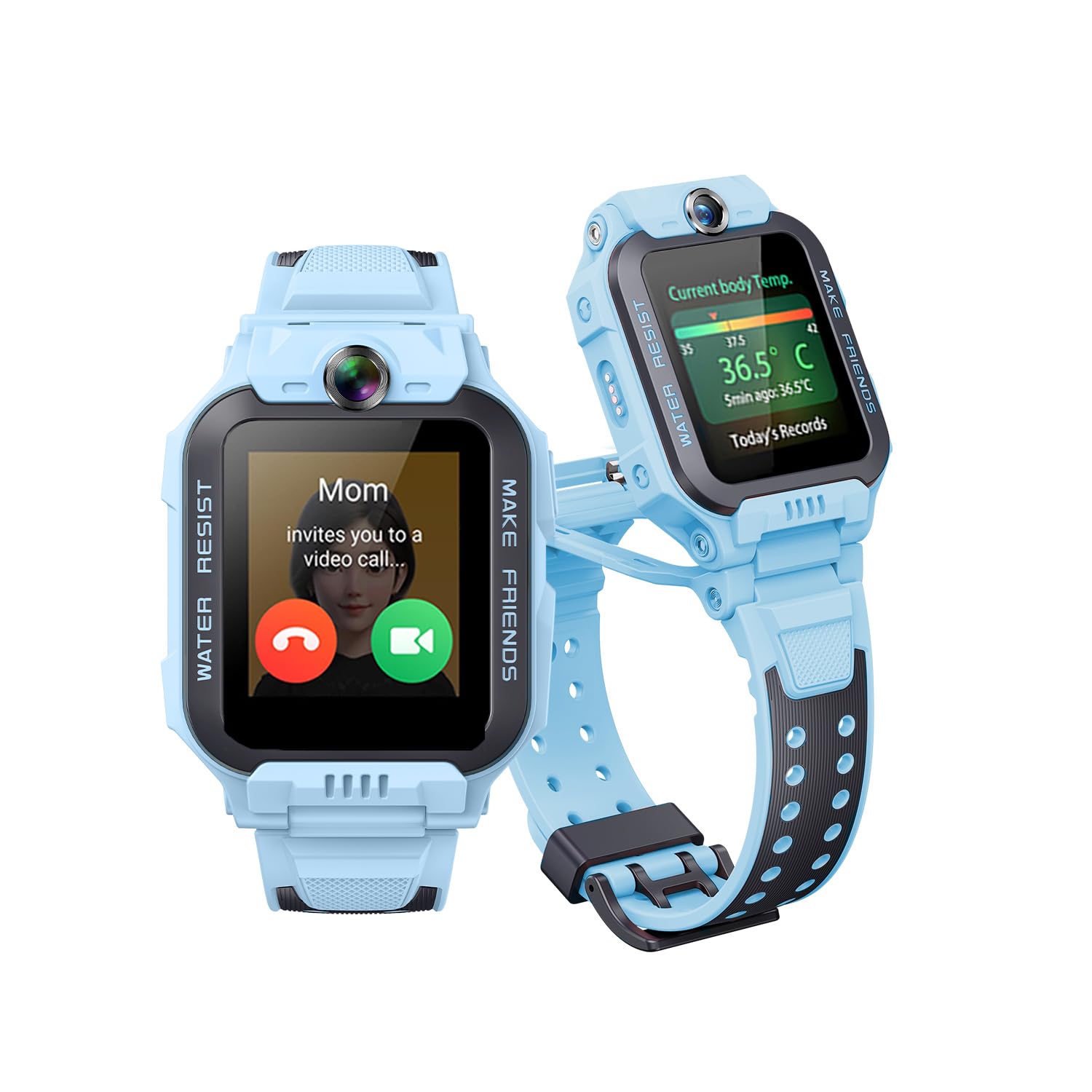
Image: The imoo Z7 GPS Kids Smartwatch in blue, showcasing its design.
What's in the Box
Verify that all items are present in your product package:
- imoo Watch Phone Z7
- Charging Cable
- User Manual
- SIM Card Ejector Tool
Setup Guide
1. SIM Card Installation
The imoo Z7 requires a Nano SIM card for full functionality, including calls and GPS tracking. Micro SIM and standard SIM cards are not compatible. Ensure your Nano SIM card is from a compatible carrier (e.g., Vodafone, O2, Lebara, Jazztel in Spain). Contact your local carrier to confirm compatibility.
- Press the lock button to open the SIM card tray. Use the provided SIM card ejector tool to remove the tray located at the back of the watch.
- Place the Nano SIM card into the tray with the chip facing upwards.
- Insert the SIM card tray back into the watch until it clicks into place.

Image: Visual guide for inserting a Nano SIM card into the imoo Z7.
2. Powering On
To power on the imoo Z7, press and hold the power button for approximately 6 seconds until the screen illuminates.
3. App Download and Pairing
To manage the watch and access its features, download the official imoo app on your smartphone.
- Scan the QR code provided in the watch's packaging or on the watch screen during initial setup.
- Alternatively, search for "imoo Watch Phone" in the Google Play Store (Android) or Apple App Store (iOS) and download the application.
- Open the imoo app, register an account, or log in.
- On the watch, swipe through the interface to find the "Binding Code" or QR code.
- In the app, scan the QR code or manually enter the binding code to pair the watch with your smartphone.
Important Note: If you are in a local area without a SIM card, insert one or connect to Wi-Fi for the watch to download language packs. If connecting to public Wi-Fi, you may need to accept terms in the app. For Wi-Fi with only a password, the watch connects directly.

Image: Example of the imoo app interface for device pairing.
Operating Instructions
1. Video and Voice Calls
The imoo Z7 supports two-way HD video calls and voice calls, allowing communication between the watch and authorized contacts on a smartphone. The watch features dual flip-up cameras for an enhanced calling experience.

Image: The imoo Z7 smartwatch showing an active video call.
2. GPS Tracking and Location History
Utilize the multi-system GPS (GPS, GLONASS, BeiDou, QZSS, Galileo) for precise real-time location tracking of the watch. The imoo app provides access to 14 days of historical tracking data, allowing you to review past movements.

Image: A map interface demonstrating the real-time GPS tracking feature of the imoo Z7.

Image: An illustration of the detailed historical location tracking and geofencing capabilities.
3. Dual Camera Functionality
The imoo Z7 features a unique flip-dual-camera design with a 2MP front camera and a 5MP rear camera. This allows for versatile photo and video capture, including during video calls, by flipping the watch module.

Image: Visual explanation of the imoo Z7's flip-up dual camera system.
4. Communication System
The imoo Z7 facilitates communication between family members and allows children to connect with friends who also have imoo watches.
- Family & Kid Communication: Supports video calls, voice calls, and family chat through the imoo app.
- Watch-to-Watch Communication: Children can add friends by "bumping" their imoo watches together and then engage in video calls, voice calls, and friend chat.

Image: Overview of the imoo communication system for family and friends.
5. IPX8 Water Resistance
The imoo Z7 is IPX8 water-resistant, allowing it to be submerged up to 20 meters. This makes it suitable for swimming and use in rainy conditions. It is not recommended for hot baths or saunas.

Image: A child wearing the imoo Z7 smartwatch while swimming, demonstrating its IPX8 water resistance.
6. Health Monitoring
The watch includes features for monitoring various health metrics:
- Heart Rate Monitoring: Tracks the child's heart rate.
- Body Temperature Monitoring: Provides body temperature readings.
- Blood Oxygen Monitoring (SpO2): Measures blood oxygen levels.

Image: The imoo Z7 smartwatch screen showing heart rate, body temperature, and blood oxygen levels.
7. Class Mode
Activate Class Mode through the imoo app to minimize distractions during school hours. In this mode, watch functions are disabled, only the time is displayed, and incoming calls are automatically rejected, ensuring the child can focus on learning.
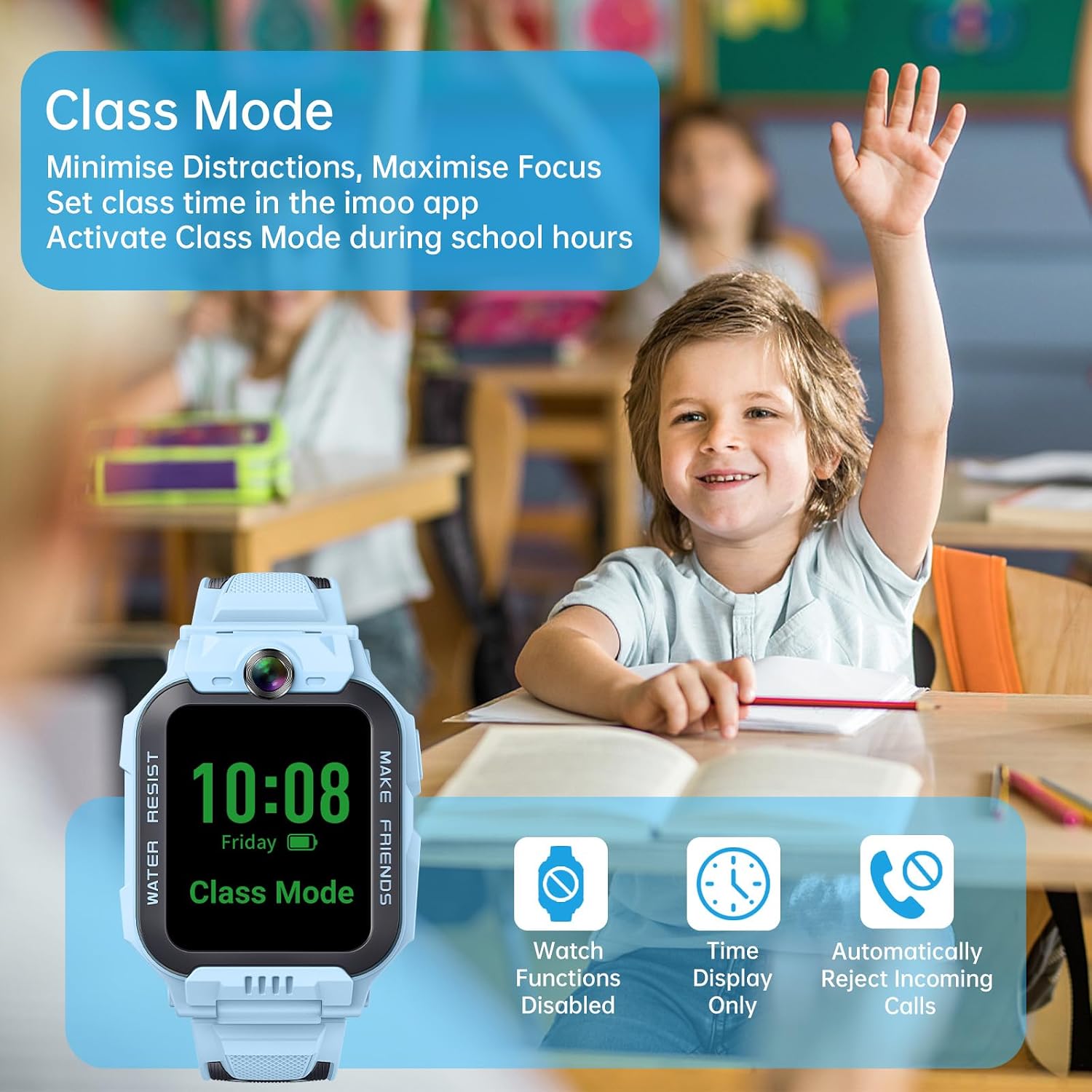
Image: A child in a classroom setting, with the imoo Z7 smartwatch showing "Class Mode" activated.
8. Sports Modes and Activity Tracking
The imoo Z7 includes four integrated sports modes: swimming, running, rope skipping, and sit-ups. It provides professional training data such as calories burned, cadence, and stride. The watch also offers rewards to encourage children to stay active.

Image: A child running, with icons representing different sports modes available on the imoo Z7.

Image: The imoo app showing detailed sports activity data, alongside the watch displaying exercise achievements.
Maintenance
Battery Life
The imoo Z7 features a 740 mAh Lithium Polymer battery, providing an average battery life of up to 14 days depending on usage. Frequent use of video calls, GPS tracking, and other features will reduce battery duration. A power-saving mode activates when the battery reaches 20%, limiting functions to calls and geolocation.
Water Resistance Care
While the watch is IPX8 water-resistant (up to 20 meters), it is important to ensure the SIM card tray is properly sealed after installation. Avoid exposing the watch to hot water, steam, or high-pressure water jets, as this can compromise the seals. The touchscreen may not function optimally when wet; the watch includes a cleaning mode that uses vibration to expel water from the speaker.
Troubleshooting
- SIM Card Not Detected: Ensure the Nano SIM card is correctly inserted and fully seated in the tray. Restart the watch after inserting the SIM card. Verify that your carrier is compatible with the imoo Z7 (e.g., Vodafone, O2, Lebara, Jazztel in Spain). Some carriers, like DIGI, may not be supported.
- GPS Inaccuracy: While the imoo Z7 uses multiple satellite systems for high accuracy, environmental factors (e.g., dense urban areas, indoors) can affect signal strength. Ensure the watch has a clear view of the sky for optimal performance.
- Poor Call Quality: Check the network signal strength on the watch. Ensure the SIM card has an active data plan. If using Wi-Fi, ensure a stable connection.
- Battery Draining Quickly: High usage of video calls, continuous GPS tracking, and frequent app interactions will consume more battery. Adjust settings in the imoo app to optimize battery life, such as reducing tracking frequency or enabling power-saving modes.
- Watch Not Powering On: Ensure the watch is fully charged using the provided charging cable. If the issue persists, contact customer support.
Specifications
| Feature | Detail |
|---|---|
| Model Name | Z7 |
| Dimensions | 5.64 x 4.24 x 1.65 cm |
| Weight | 10.2 Grams |
| Display Size | 1.3 Inches |
| Display Resolution | 240 x 240 |
| Operating System | CaremeOS |
| Memory Storage Capacity | 128 MB |
| RAM Installed Size | 4 GB |
| Battery Capacity | 740 mAh (Lithium Polymer) |
| Average Battery Life | Up to 14 Days |
| Connectivity Technology | Wi-Fi, 4G Cellular, Bluetooth |
| Wireless Communication Standard | 802.11a/b/g/n |
| SIM Card Size | Nano SIM |
| GPS | GPS, GLONASS, BeiDou, QZSS, Galileo |
| Water Resistance Level | IPX8 (up to 20 meters) |
| Cameras | Flip-Dual-Camera (2MP Front, 5MP Rear) |
| Special Features | Video Call, GPS, Multi-sport Tracker, Camera, Personalized Activity Tracking, Phone Call, Heart Rate, Body Temperature, Blood Oxygen Monitoring |
Warranty and Support
The imoo Z7 comes with a product warranty of 365 days. If you encounter any issues or have questions regarding your imoo Z7 smartwatch, please contact imoo customer support. You can often find support contact information on the official imoo website or through the imoo app.
The Amazon return window is 14 days, but this can be extended to 30 days by contacting the seller directly. For any product-related inquiries, you can reach out to the seller at any time.
For more information and support, visit the official imoo website: imoo Official Website

Image: Illustration representing customer support services.


