
hjm VT531
hjm VT531 Ceiling Fan
Instruction Manual
Introduction
Thank you for purchasing the hjm VT531 Ceiling Fan. This manual provides important information regarding the installation, operation, maintenance, and troubleshooting of your new ceiling fan. Please read this manual thoroughly before installation and use, and keep it for future reference.
Safety Information
Always follow basic safety precautions when installing and operating this appliance to reduce the risk of fire, electric shock, and personal injury.
- Ensure the power supply is disconnected before installation or maintenance.
- Installation must be performed by a qualified electrician in accordance with local electrical codes.
- The mounting structure must be capable of supporting the fan's weight (refer to specifications).
- Do not insert objects into the fan blades while the fan is operating.
- Keep children away from the fan during operation.
- Use only the remote control provided with the fan.
Setup and Installation
This section outlines the steps for safely installing your hjm VT531 ceiling fan. Professional installation is recommended.
- Unpack Components: Carefully remove all parts from the packaging. Verify all components are present according to the packing list.
- Mounting Bracket Installation: Securely attach the mounting bracket to a ceiling joist or a fan-rated outlet box. Ensure the bracket can support the fan's weight.
- Wiring Connections: Connect the fan's electrical wires to the household wiring according to the wiring diagram provided in the separate installation guide (not included in this manual). Ensure all connections are secure and insulated.
- Assemble Fan Blades: Attach the three wooden blades to the motor housing using the provided screws. Ensure they are firmly secured.
- Hang Fan Assembly: Carefully lift the fan motor assembly and hang it onto the mounting bracket.
- Secure Canopy: Slide the canopy up to the ceiling and secure it to the mounting bracket, covering the wiring connections.
- Install Light Kit: Connect the LED light kit wires and attach the light kit to the fan motor housing.
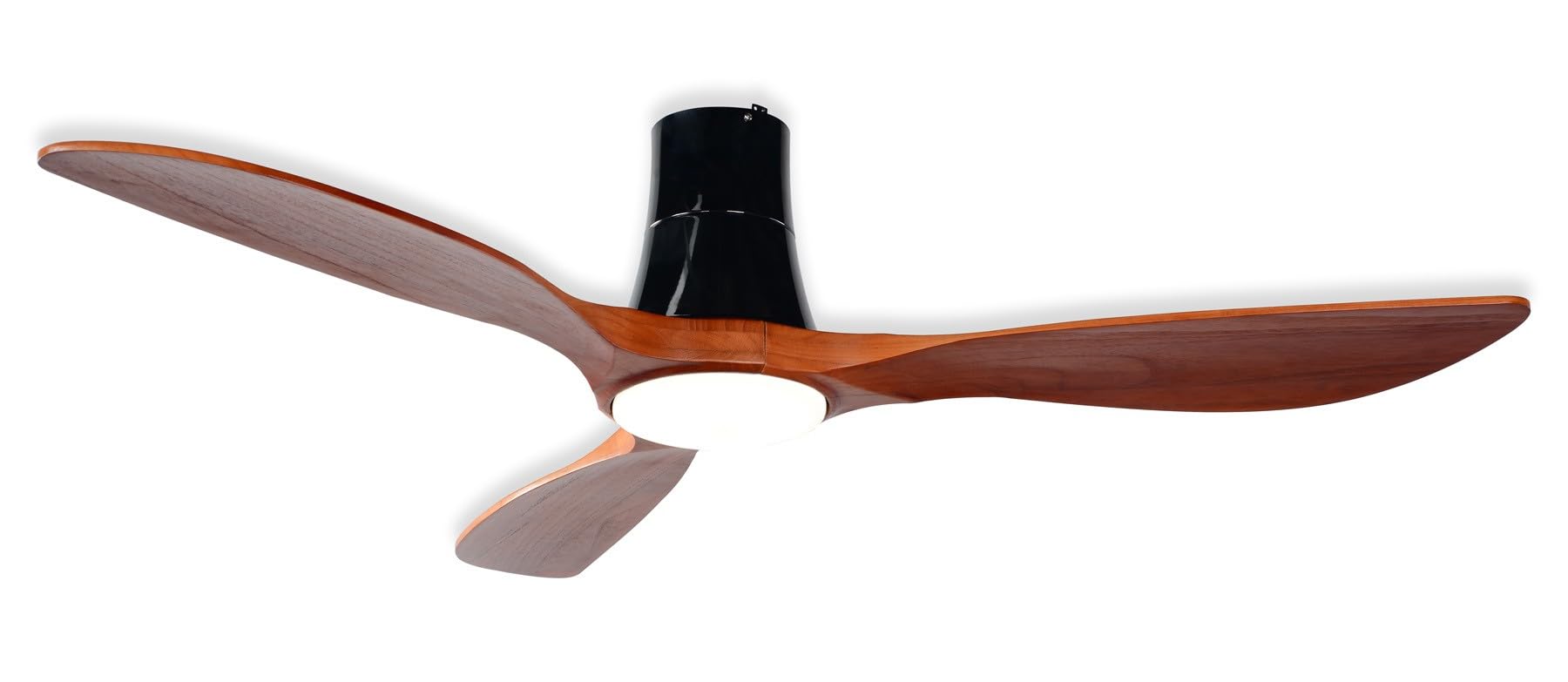
Figure 1: General view of the hjm VT531 Ceiling Fan. This image illustrates the fan's overall design, featuring three wooden blades and an integrated LED light, as it would appear after installation.
Operating Instructions
Your hjm VT531 ceiling fan is operated using the included remote control.
Remote Control Functions:
- Power On/Off: Press the ON/OFF button to turn the fan and light on or off.
- Fan Speed Control: Use the speed buttons (1-6) to adjust the fan speed. There are 6 available speeds.
- Light On/Off: Press the LIGHT button to turn the LED light on or off independently.
- Light Color Temperature: Press the CCT button to cycle through the three light color temperatures: Warm (3000K), Neutral White (4500K), and Cool White (6000K).
- Reversible Function: Press the REVERSE button to change the direction of the fan blades. This function is useful for circulating warm air in winter or cool air in summer.
- Timer Function: Press the TIMER button repeatedly to set the fan to turn off automatically after 2, 4, or 8 hours.
Maintenance
Regular maintenance ensures optimal performance and extends the lifespan of your fan.
- Cleaning: Before cleaning, ensure the power is turned off. Use a soft, damp cloth to wipe down the fan blades and motor housing. Do not use abrasive cleaners or solvents.
- Blade Care: Periodically check the fan blades for dust accumulation. Clean them gently to maintain balance and efficiency.
- Tighten Screws: Check all screws and connections periodically to ensure they are tight. Loose connections can cause noise or malfunction.
Troubleshooting
If you experience issues with your fan, refer to the following common problems and solutions:
| Problem | Possible Cause | Solution |
|---|---|---|
| Fan does not start. | No power supply; loose wiring; remote control battery depleted. | Check circuit breaker; ensure all wires are connected securely; replace remote control batteries. |
| Fan wobbles. | Loose blades; uneven blade installation; loose mounting bracket. | Tighten blade screws; ensure blades are installed evenly; check mounting bracket for secure attachment. |
| Light does not work. | Loose wiring; LED module failure. | Check light kit wiring connections; contact customer support if LED module is faulty. |
| Remote control not working. | Depleted batteries; remote not paired. | Replace batteries; refer to remote control pairing instructions (if applicable, usually automatic). |
Specifications
| Model Name | VT531 |
| Brand | hjm |
| Power | 55 W |
| Noise Level | 45 dB |
| Timer Settings | 2 / 4 / 8 hours |
| Dimensions (Diameter x Height) | 137 cm x 32 cm |
| Fan Design | Ceiling Fan |
| Special Features | Remote Control, Timer, Reversible Function |
| Mounting Type | Ceiling Mount |
| Material | Wood (Blades) |
| Number of Speeds | 6 |
| Number of Blades | 3 |
| Included Components | Remote Control |
| LED Light | 18W Integrated LED, 3 Color Temperatures (3000K, 4500K, 6000K) |
| Smart Home Compatibility | Not compatible |
Warranty and Support
For warranty information or technical support, please refer to the warranty card included with your product or contact hjm customer service directly. Contact details can typically be found on the manufacturer's official website or on the product packaging.
No official product videos were available for embedding in this manual.
Related documentsVT531


Ask a question about this manual
Ask about setup, troubleshooting, compatibility, parts, safety, or missing instructions. Manuals+ will review the question and use this page’s manual context to help answer it.