
1. Product Overview
The YESIDO EP06 Wireless Bluetooth Stereo Music Headphones are designed for children, offering a comfortable and engaging audio experience. Featuring Bluetooth 5.3 for stable connectivity, 40mm titanium-plated speakers for quality sound, and active noise cancellation for immersive listening. These headphones also include colorful RGB lighting effects and support memory card playback. The ergonomic design ensures comfort for extended use.
2. Safety Information
- Do not expose the headphones to extreme temperatures, humidity, or liquids.
- Avoid dropping or subjecting the headphones to strong impacts.
- Keep out of reach of small children to prevent choking hazards from small parts.
- Listen at moderate volume levels to prevent hearing damage, especially for children.
- Do not attempt to disassemble or repair the headphones yourself. Contact qualified service personnel.
- Dispose of the product and battery responsibly according to local regulations.
3. Package Contents
Please check the package for the following items:
- YESIDO EP06 Wireless Headphone
- Power Cable (Type-C)
- User Manual
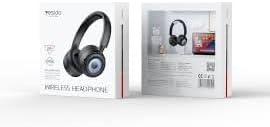
Image: The product packaging for the YESIDO EP06 headphones, displaying the headphones and branding.
4. Controls and Indicators
The headphones feature intuitive controls for easy operation. Specific button functions are detailed below:
- Power Button: Press and hold to power on/off. Short press for play/pause.
- Volume Up/Next Track: Short press for volume up. Long press for next track.
- Volume Down/Previous Track: Short press for volume down. Long press for previous track.
- Mode Button: Press to switch between Bluetooth, TF card, and AUX modes.
- RGB Light Button: Press to cycle through or turn off RGB lighting effects.
- Charging Port (Type-C): For connecting the charging cable.
- 3.5mm Audio Jack: For wired connection using an AUX cable (not included).
- TF Card Slot: Insert a memory card for MP3/WAV/WMA playback.
- LED Indicator: Shows power status, pairing mode, and charging status.

Image: A detailed view of the headphone's side, highlighting the various control buttons, the Type-C charging port, and the TF card slot.
5. Setup
5.1 Charging the Headphones
- Connect the provided Type-C charging cable to the charging port on the headphones.
- Connect the other end of the cable to a USB power adapter (5V/1A recommended) or a computer's USB port.
- The LED indicator will illuminate during charging and turn off when fully charged.
A full charge takes approximately 2 hours. A 10-minute flash charge can provide up to 2 hours of listening time.

Image: Pink headphones positioned near a smartphone, symbolizing the extended battery life and quick charging capability.
5.2 Bluetooth Pairing
- Ensure the headphones are fully charged.
- Press and hold the Power Button for 3-5 seconds until the LED indicator flashes blue and red, indicating pairing mode.
- On your device (smartphone, tablet, etc.), enable Bluetooth and search for available devices.
- Select "YESIDO EP06" from the list of devices.
- Once connected, the LED indicator will flash blue slowly or turn solid blue.
6. Operating Instructions
6.1 Power On/Off
- Power On: Press and hold the Power Button for 3 seconds.
- Power Off: Press and hold the Power Button for 3 seconds.
6.2 Music Playback
- Play/Pause: Short press the Power Button.
- Next Track: Long press the Volume Up button.
- Previous Track: Long press the Volume Down button.
- Volume Up: Short press the Volume Up button.
- Volume Down: Short press the Volume Down button.
6.3 Mode Switching
Press the Mode Button to cycle through Bluetooth, TF card, and AUX modes.
6.4 RGB Lighting Control
Press the RGB Light Button to change the lighting effects or turn them off.
6.5 Active Noise Cancellation (ANC)
The headphones feature Active Noise Cancellation for an immersive listening experience. Refer to the specific button on the headphones for ANC activation/deactivation (usually a dedicated button or a long press on a multi-function button).
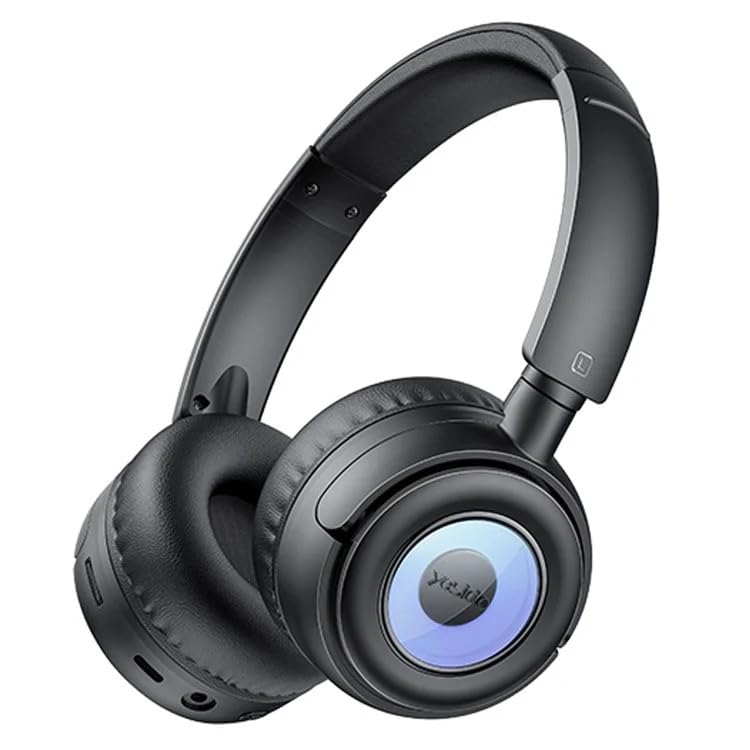
Image: A user wearing the black YESIDO EP06 headphones, engaged in gaming on a laptop, demonstrating the stable and fast Bluetooth 5.3 connectivity.
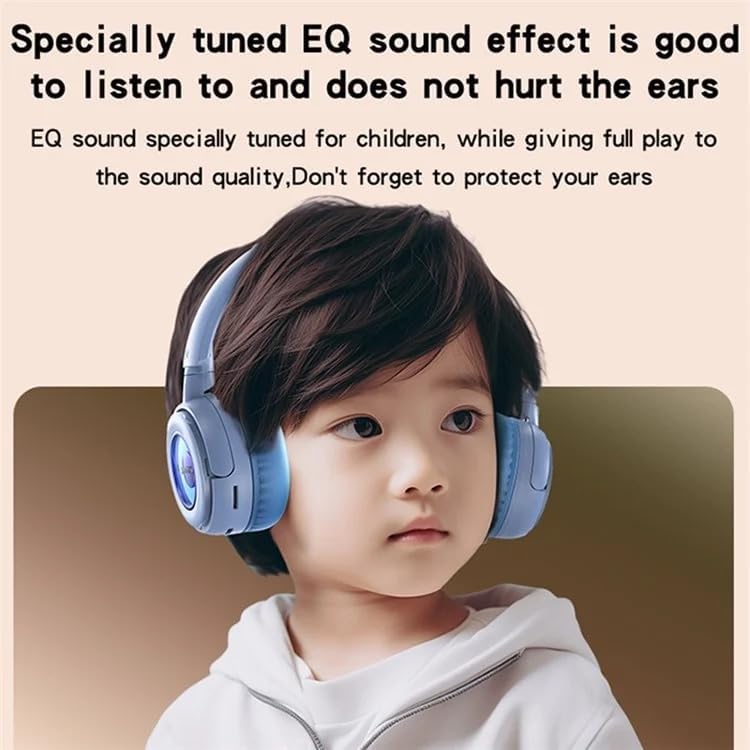
Image: A child wearing the blue YESIDO EP06 headphones, illustrating the specially tuned EQ sound effect designed to be gentle on children's ears.
7. Maintenance
- Clean the headphones regularly with a soft, dry cloth.
- Do not use abrasive cleaners or solvents.
- Store the headphones in a cool, dry place when not in use.
- Avoid prolonged exposure to direct sunlight or high temperatures.
8. Troubleshooting
- No Power: Ensure the headphones are charged.
- Cannot Pair: Ensure headphones are in pairing mode (flashing red/blue). Turn off and on Bluetooth on your device. Move closer to the headphones.
- No Sound: Check volume levels on both headphones and connected device. Ensure the correct mode is selected (Bluetooth, TF card, AUX).
- Poor Sound Quality: Ensure headphones are within Bluetooth range (10m). Check for interference from other devices.
- RGB Lights Not Working: Press the RGB Light Button to activate or cycle through effects.
9. Specifications
| Model Number | EP06 |
| Connectivity | Bluetooth 5.3 |
| Speaker Size | 40mm Titanium-plated |
| Battery Life | Up to 20 hours (12 hours with RGB lights on) |
| Charging Time | Approximately 2 hours |
| Charging Port | Type-C |
| Bluetooth Range | Up to 10 meters |
| Memory Card Support | Up to 32GB (MP3/WAV/WMA formats) |
| Material | ABS plastic + hardware bracket + PU leather earmuffs |
| Features | Active Noise Cancellation, RGB Lighting, Foldable |
10. Warranty and Support
The YESIDO EP06 headphones come with a 6-month warranty from the date of purchase. This warranty covers manufacturing defects. It does not cover damage caused by misuse, accidents, unauthorized modifications, or normal wear and tear.
For warranty claims or technical support, please contact your retailer or the YESIDO customer service department with your proof of purchase.


