
Friedrich UCT14B30A
Friedrich Uni-Fit 14,000 BTU Through-the-Wall Air Conditioner
Model: UCT14B30A
Important Safety Information
Please read all instructions carefully before installing or operating your new air conditioner. Keep this manual for future reference.
- Always ensure the unit is properly grounded.
- Do not operate the unit with a damaged power cord or plug.
- Do not block air inlets or outlets.
- Only use the unit for its intended purpose as an air conditioner.
- Disconnect power before performing any maintenance or cleaning.
Product Overview
The Friedrich Uni-Fit 14,000 BTU Through-the-Wall Air Conditioner is designed for efficient cooling in residential or commercial spaces. It features a universal fit for easy installation into existing wall sleeves and includes built-in Wi-Fi for smart control.

Figure 1: Front view of the Friedrich Uni-Fit air conditioner, showing the control panel and air vents.

Figure 2: Angled view of the Friedrich Uni-Fit air conditioner, highlighting its compact design.
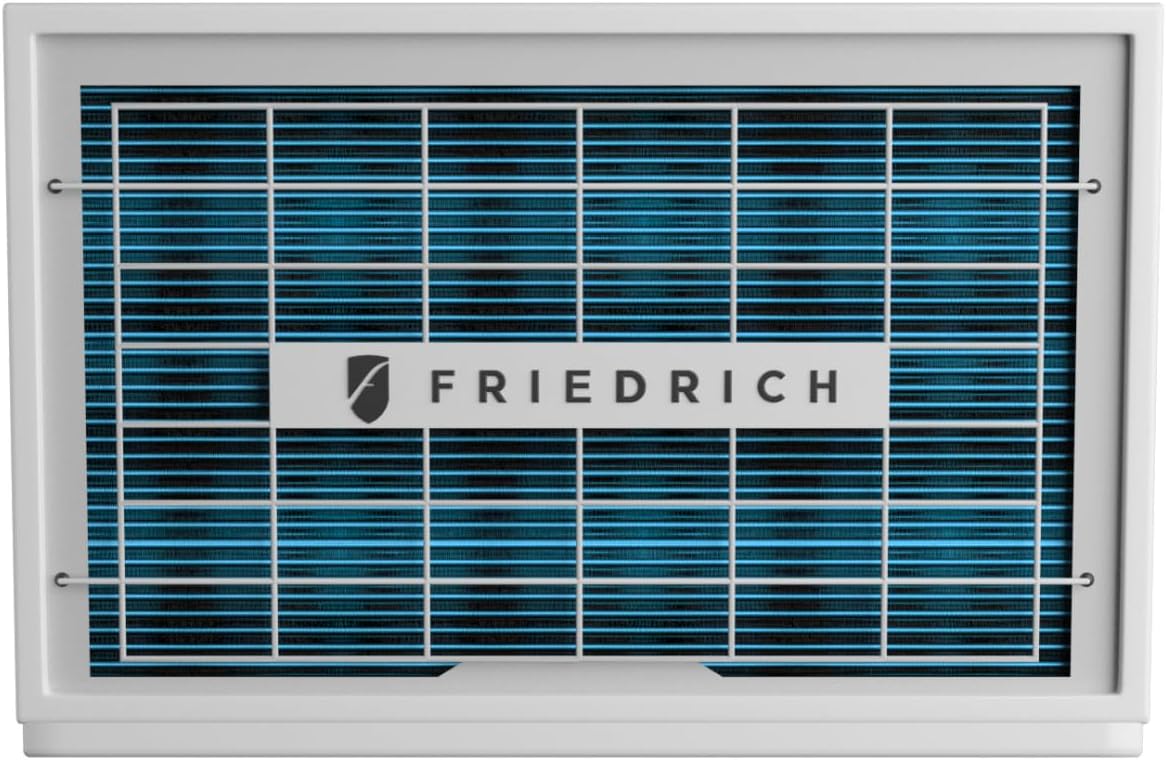
Figure 3: Rear view of the Friedrich Uni-Fit air conditioner, illustrating the washable filter access.
Key Features:
- 14,000 BTU Cooling Capacity
- 230/208v Power Requirement
- Through-the-Wall Installation
- Built-in Wi-Fi Control via FriedrichGo™ app
- QuietMaster® Technology for reduced noise
- Washable Filter for easy maintenance
- Uses R-32 Refrigerant
Setup and Installation
The Uni-Fit series is designed for straightforward installation into existing wall sleeves (24 1/2" - 27"). Professional installation is recommended for optimal performance and safety.
Pre-Installation Checklist:
- Verify power supply matches unit requirements (230/208v).
- Ensure the wall sleeve dimensions are compatible.
- Confirm all packing materials are removed from the unit.
- Gather necessary tools (screwdriver, level, measuring tape, etc.).
Installation Steps:
- Carefully slide the unit into the prepared wall sleeve.
- Secure the unit using the provided mounting hardware.
- Ensure the unit is level to allow for proper condensate drainage.
- Install the front grille and any decorative trim pieces.
- Plug the unit into a dedicated, properly grounded electrical outlet.

Figure 4: The Uni-Fit unit seamlessly integrated into a wall sleeve, illustrating its universal fit capability.
Operating Instructions
Your Friedrich Uni-Fit air conditioner can be operated via the on-unit control panel or through the FriedrichGo™ mobile application.
Control Panel Functions:
- Power Button: Turns the unit on or off.
- Mode Button: Cycles through cooling, fan-only, and dry modes.
- Fan Speed Button: Adjusts fan speed (Low, Medium, High, Auto).
- Temperature Up/Down Arrows: Sets desired temperature.
- Timer Button: Programs delayed start or stop.
- Sleep Button: Activates sleep mode for quiet, energy-efficient operation.
- Filter Button: Illuminates when filter cleaning is required.
Wi-Fi Control (FriedrichGo™ App):
Download the FriedrichGo™ app from your smartphone's app store. Follow the in-app instructions to connect your air conditioner to your home Wi-Fi network. This allows for remote control and scheduling.

Figure 5: Control your Uni-Fit unit remotely using the FriedrichGo™ app on your smartphone.
Energy Saving Tips:
- Set the temperature to a comfortable yet energy-efficient level (e.g., 78°F/26°C).
- Utilize the Timer function to operate the unit only when needed.
- Engage Sleep Mode during nighttime hours.
- Ensure windows and doors are closed when the unit is operating.
- Clean the air filter regularly to maintain efficiency.
Maintenance
Regular maintenance ensures optimal performance and longevity of your air conditioner.
Air Filter Cleaning:
The Uni-Fit unit features a washable air filter. A dirty filter can reduce cooling efficiency and air quality. The "Filter" indicator light will illuminate when cleaning is recommended.
- Disconnect power to the unit before cleaning.
- Locate and remove the air filter (refer to Figure 3 for general location).
- Wash the filter with warm, soapy water. Rinse thoroughly.
- Allow the filter to air dry completely before reinserting.
- Reconnect power. The "Filter" light should reset automatically. If not, press the Filter button to reset.
Coil Cleaning:
Periodically inspect the outdoor coils for dirt and debris. If heavily soiled, professional cleaning may be required.
Seasonal Storage:
If storing the unit for an extended period, clean the filter and ensure the unit is dry. Cover the unit to protect it from dust and debris.
Troubleshooting
Before contacting customer service, please refer to the following common issues and solutions:
| Problem | Possible Cause | Solution |
|---|---|---|
| Unit does not turn on. | No power; tripped circuit breaker; loose plug. | Check power connection; reset circuit breaker; ensure plug is fully inserted. |
| Unit blows warm air. | Dirty air filter; blocked air vents; room too large; low refrigerant. | Clean air filter; clear obstructions; ensure unit capacity matches room size; contact qualified technician for refrigerant issues. |
| Unit is noisy. | Loose parts; unit not level; fan obstruction. | Ensure unit is securely installed and level; check for foreign objects in fan area. |
| Wi-Fi connection issues. | Incorrect Wi-Fi password; router issues; unit too far from router. | Verify password; restart router; move unit closer to router or use a Wi-Fi extender. Note: Unit may not support 5GHz networks. |
If problems persist after attempting these solutions, please contact Friedrich customer support.
Specifications
| Attribute | Value |
|---|---|
| Brand | Friedrich |
| Model Number | UCT14B30A |
| Cooling Capacity | 14,000 BTU |
| Power Requirement | 230/208v |
| Item Weight | 89 pounds |
| Product Dimensions (D x W x H) | 24 x 20 x 15 inches |
| Efficiency | 265 cubic feet per minute per watt |
| Installation Type | Through-the-wall |
| Color | White |
| Refrigerant | R 410A |
| Filter Type | Washable Filter |
| Power Source | Corded Electric |
Warranty and Support
Your Friedrich Uni-Fit air conditioner comes with a Limited Warranty. Please refer to the warranty card included with your product for specific terms and conditions, including coverage duration and what is covered.
Customer Support:
For technical assistance, warranty claims, or to locate an authorized service provider, please contact Friedrich customer support. Have your model number (UCT14B30A) and purchase date ready when contacting support.
Contact information for Friedrich can typically be found on their official website or on the product packaging.
Related documentsUCT14B30A


Ask a question about this manual
Ask about setup, troubleshooting, compatibility, parts, safety, or missing instructions. Manuals+ will review the question and use this page’s manual context to help answer it.