
eKids Pi-B18PK
eKids Wireless Earbuds with Microphone (Pokemon)
Model: Pi-B18PK | Brand: eKids
Introduction
The eKids Wireless Earbuds with Microphone are designed for seamless audio streaming and communication, perfect for school, home, or travel. These Bluetooth earbuds offer high-quality stereo sound for various activities, including listening to music, audiobooks, watching videos, and gaming. Featuring a fun Pokemon design, they provide lasting comfort with their ergonomic shape and included ear cushions.
Enjoy extended use with up to 22 hours of total music playtime, supported by a portable charging case that provides 2.5 extra charges. The built-in microphone allows for clear communication during video calls and online gaming, making them a versatile audio solution for children and adults alike.
What's in the Box
- eKids Pokemon Wireless Earbuds (Left and Right)
- Matching Charging Case with Pikachu design
- USB-C Charging Cable
- Additional Rubber Ear Cushions (3 sizes: Small, Medium, Large)

Image: The eKids Pokemon Wireless Earbuds nestled in their open charging case, showcasing the yellow earbuds with a black lightning bolt design.

Image: A flat lay of all included items: the charging case, two earbuds, a USB-C charging cable, and multiple pairs of yellow ear cushions, with dimensions indicated.
Setup
1. Charging the Earbuds and Case
- Connect the provided USB-C charging cable to the charging port on the back of the earbud case.
- Plug the other end of the USB-C cable into a compatible USB power source (e.g., computer USB port, wall adapter).
- The indicator light on the case will show charging status. Allow approximately 1-2 hours for a full charge.
- Ensure earbuds are placed correctly in the charging case to charge them simultaneously.

Image: A close-up view of the black charging case featuring a Pikachu graphic, highlighting its compact and portable design.
2. Bluetooth Pairing
- Open the charging case and remove both earbuds. They will automatically enter pairing mode.
- On your device (smartphone, tablet, computer), go to the Bluetooth settings.
- Search for available devices and select "eKids Pi-B18PK" (or similar name) from the list.
- Once connected, you will hear an audio confirmation, and the earbuds' indicator lights will change.
- The earbuds will automatically reconnect to the last paired device when removed from the case.

Image: A visual representation of the earbuds' compatibility with multiple devices, including PCs, smartwatches, gaming devices, mobile phones, tablets, and notebooks.
Operating Instructions
Touch Controls
The eKids Wireless Earbuds feature intuitive touch controls for easy management of audio and calls.
- Play/Pause: Single tap on either earbud.
- Next Track: Double tap on the right earbud.
- Previous Track: Double tap on the left earbud.
- Answer/End Call: Single tap on either earbud during an incoming call or active call.
- Reject Call: Press and hold either earbud for 2 seconds during an incoming call.
- Activate Voice Assistant: Triple tap on either earbud (if supported by your device).
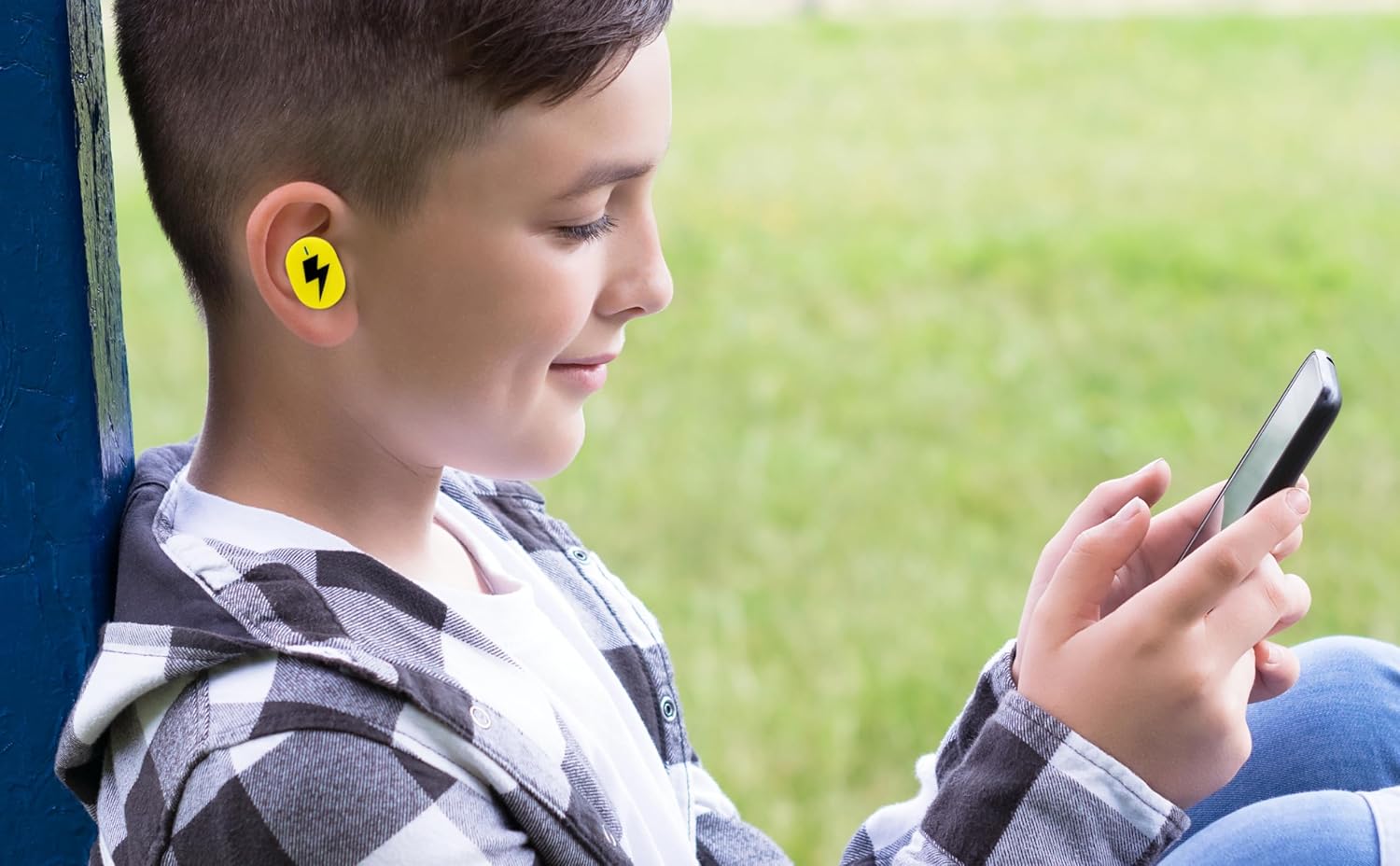
Image: A young person wearing one of the yellow earbuds, demonstrating its comfortable fit while interacting with a mobile device.
Using the Microphone
The built-in microphone allows for hands-free communication. When connected to your device, you can use the earbuds for:
- Phone calls
- Video conferencing
- Online gaming communication
- Voice commands to your device's assistant
Video: An official product video showcasing the eKids Pokemon Pikachu Wireless Earbuds, demonstrating features like wireless audio streaming, charging case, additional ear cushions, 22-hour playtime, and call answering capabilities.
Maintenance
- Cleaning: Gently wipe the earbuds and charging case with a soft, dry, lint-free cloth. Do not use harsh chemicals or abrasive materials.
- Ear Cushions: Remove the ear cushions periodically and clean them with a damp cloth. Ensure they are completely dry before reattaching.
- Storage: When not in use, store the earbuds in their charging case to protect them and keep them charged. Store in a cool, dry place away from direct sunlight and extreme temperatures.
- Water Resistance: These earbuds are not water resistant. Avoid exposure to water, sweat, or high humidity.
Troubleshooting
| Problem | Solution |
|---|---|
| Earbuds not pairing |
|
| No sound from one earbud |
|
| Charging case not charging |
|
| Poor audio quality |
|
Specifications
| Feature | Detail |
|---|---|
| Model Name | Pi-B18PK |
| Connectivity Technology | Wireless (Bluetooth) |
| Bluetooth Version | 5.0 |
| Battery Life | Up to 22 Hours (with charging case) |
| Control Type | Touch Control |
| Material | Plastic |
| Item Weight | 2.46 ounces |
| Package Dimensions | 4.09 x 4.02 x 1.54 inches |
| Manufacturer | KIDdesigns |
| UPC | 092298960531 |
| Ear Placement | In Ear |
| Form Factor | In Ear |
| Impedance | 32 Ohm |
| Noise Control | None |
| Age Range (Description) | Kid |
Warranty and Support
For warranty information and customer support, please refer to the documentation included with your product or visit the official eKids brand website. You can also find additional support and product information on the eKids Brand Store on Amazon.
For technical assistance or inquiries, please contact eKids customer service through their official channels.
Ask a question about this manual
Ask about setup, troubleshooting, compatibility, parts, safety, or missing instructions. Manuals+ will review the question and use this page’s manual context to help answer it.