
Introduction
Thank you for choosing the Bestron APC200B Hot Air Popcorn Machine. This appliance is designed for quick and healthy popcorn preparation using hot air technology, eliminating the need for oil. Please read this manual carefully before first use to ensure safe and efficient operation. Keep these instructions for future reference.
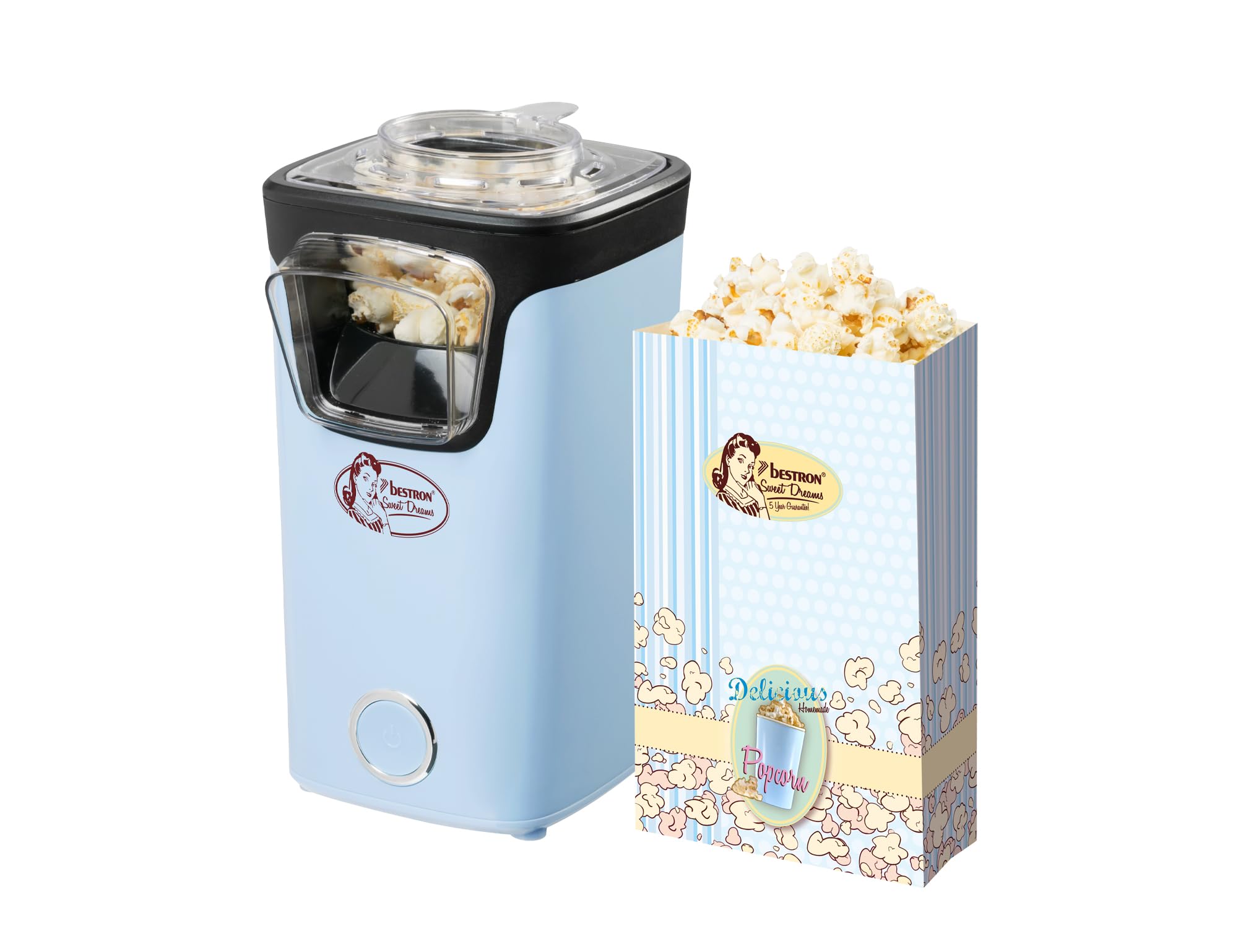
Image: The Bestron APC200B Hot Air Popcorn Machine in blue, showcasing its compact design.
Safety Instructions
Always follow basic safety precautions when using electrical appliances to reduce the risk of fire, electric shock, and injury.
- Read all instructions before operating the appliance.
- Do not touch hot surfaces. Use handles or knobs.
- To protect against electrical hazards, do not immerse the cord, plugs, or appliance in water or other liquid.
- Close supervision is necessary when any appliance is used by or near children.
- Unplug from outlet when not in use and before cleaning. Allow to cool before putting on or taking off parts.
- Do not operate any appliance with a damaged cord or plug, or after the appliance malfunctions or has been damaged in any manner. Contact customer support for examination, repair, or adjustment.
- The use of accessory attachments not recommended by the appliance manufacturer may cause injuries.
- Do not use outdoors.
- Do not let the cord hang over the edge of a table or counter, or touch hot surfaces.
- Do not place on or near a hot gas or electric burner, or in a heated oven.
- Extreme caution must be used when moving an appliance containing hot oil or other hot liquids.
- Always attach plug to appliance first, then plug cord into the wall outlet. To disconnect, turn any control to "off", then remove plug from wall outlet.
- Do not use appliance for other than intended use.
- This appliance has an integrated overheating protection with automatic shut-off. If the unit overheats, it will turn off automatically. Allow it to cool down before resuming use.
- Use a maximum of one measuring cup of popcorn kernels per use. Overfilling can cause malfunction.
Product Overview and Components
The Bestron APC200B Popcorn Machine is designed for ease of use and includes essential accessories for your convenience.

Image: The Bestron APC200B Popcorn Machine, a heart-shaped pile of popcorn, and a stack of 10 cinema-style popcorn bags.
Included Components:
- 1x Bestron Hot Air Popcorn Machine (Model APC200B)
- 1x Measuring Cup (integrated into the lid)
- 10x Cinema-style Popcorn Bags
Key Features:
- Hot-air Technology: For oil-free and healthier popcorn.
- Quick Popping: Popcorn ready in less than 2 minutes without preheating.
- Overheating Protection: Automatic shut-off for safety.
- Easy Operation: Simple on/off button.
- Compact Design: Dimensions of 13L x 24W x 17H cm.

Image: A visual representation of the popcorn machine's features, including hot-air technology, overheating protection, quick preparation time, and ease of cleaning, emphasizing oil-free popcorn.
Setup
- Unpack: Carefully remove the popcorn machine and all accessories from the packaging.
- Inspect: Check the appliance for any damage. Do not use if damaged.
- Clean: Before first use, wipe the exterior of the machine with a damp cloth. Wash the measuring cup and lid with warm, soapy water, then rinse and dry thoroughly.
- Placement: Place the popcorn machine on a stable, flat, heat-resistant surface. Ensure there is adequate ventilation around the unit.
- Power Connection: Ensure the voltage indicated on the appliance matches your local power supply before plugging it in.
Operating Instructions
Follow these steps to make delicious, oil-free popcorn:
- Measure Kernels: Use the integrated measuring cup to add popcorn kernels to the popping chamber. Do not exceed one full measuring cup (approximately 60 grams) per batch. Do not add oil, butter, or any other liquids to the popping chamber.
- Place Lid: Securely place the lid and measuring cup onto the machine. Position a large bowl or one of the included popcorn bags under the chute to collect the popped corn.
- Start Popping: Plug the machine into a suitable electrical outlet. Press the on/off button to start the popping process. The machine will begin to heat up and pop corn almost immediately.
- Collect Popcorn: As the kernels pop, the hot air will force the popcorn out of the chute into your waiting bowl or bag.
- Finish Popping: Once the popping sound stops (typically within 2 minutes), press the on/off button to turn off the machine and unplug it from the outlet.
- Serve: Carefully remove the lid and measuring cup. Season your popcorn as desired.
- Cool Down: Allow the machine to cool for at least 15 minutes between batches to prevent overheating.

Image: A step-by-step illustration showing how to operate the popcorn machine: adding kernels, starting the machine, and collecting the freshly popped corn.
Maintenance and Cleaning
Regular cleaning ensures the longevity and optimal performance of your popcorn machine.
- Unplug and Cool: Always unplug the appliance from the power outlet and allow it to cool completely before cleaning.
- Clean Lid and Measuring Cup: Wash the lid and measuring cup in warm, soapy water. Rinse thoroughly and dry completely. These parts are not dishwasher safe.
- Clean Popping Chamber: Wipe the inside of the popping chamber with a dry cloth to remove any unpopped kernels or debris. Do not use abrasive cleaners or scourers.
- Clean Exterior: Wipe the exterior of the machine with a damp cloth. Do not immerse the main unit in water or any other liquid.
- Storage: Store the cleaned and dried appliance in a cool, dry place.
Troubleshooting
| Problem | Possible Cause | Solution |
|---|---|---|
| Machine does not turn on. | Not plugged in; power outlet malfunction; appliance overheated. | Ensure the machine is securely plugged into a working outlet. Allow the machine to cool down for 15 minutes if it was recently used. |
| Popcorn not popping or very few kernels pop. | Old or dry kernels; insufficient quantity of kernels; machine not fully heated. | Use fresh, high-quality popcorn kernels. Ensure the correct amount of kernels (one measuring cup) is used. Allow the machine to run for a short period to heat up if it's the first batch. |
| Popcorn burns. | Too many kernels; machine not turned off promptly. | Do not exceed one measuring cup of kernels. Turn off the machine immediately once popping stops. |
| Popcorn flies out of the chute before popping. | Too few kernels; machine not level. | Ensure at least one measuring cup of kernels is used. Place the machine on a level surface. |
Specifications
- Model Number: APC200B
- Brand: Bestron
- Type: Hot Air Popcorn Machine
- Color: Blue (as per this model variant)
- Capacity: Approximately 60 grams of popcorn kernels
- Dimensions (L x W x H): 13 cm x 24 cm x 17 cm
- Weight: 1.1 Kilograms
- Material: Metal, Plastic
- Special Features: Lightweight, One-Touch Operation, Quick-Heat Technology, Overheating Protection
- Power: Electrical (specific wattage not provided in data, but implied)
- Cable Length: 90 cm
- Country of Origin: China
- Manufacturing Year: 2024
Warranty and Support
The Bestron APC200B Popcorn Machine comes with a 5-year guarantee. For warranty claims, technical support, or any questions regarding your appliance, please contact Bestron customer service. Keep your proof of purchase for warranty validation.
For more information, you may visit the official Bestron website or contact your local retailer.