
1. Introduction
Thank you for choosing the Casaottima 63 Inch Computer Desk. This manual provides detailed instructions for the assembly, operation, maintenance, and troubleshooting of your new desk. Please read this manual thoroughly before assembly and retain it for future reference.
This versatile desk is designed for various settings, including home offices, study rooms, and bedrooms, offering a spacious and functional workspace. Its robust construction ensures durability and stability for daily use.

Image 1.1: Casaottima 63 Inch Computer Desk in a home office setup.
2. Safety Information
- Always assemble the desk on a soft, clean surface to prevent scratches.
- Ensure all screws and fasteners are securely tightened before use. Periodically check and retighten as necessary.
- Do not overload the desk. Refer to the specifications section for weight capacity.
- Keep small parts away from children during assembly to avoid choking hazards.
- Avoid placing hot items directly on the desktop without protection.
- Do not stand or sit on the desk.
3. Package Contents
Before beginning assembly, verify that all components listed below are present and undamaged. If any parts are missing or damaged, please contact customer support.
- Desktop Panel (Engineered Wood)
- Metal Frame Components (Legs, Support Bars)
- Headphone Hook
- Adjustable Foot Pads
- Assembly Hardware (Screws, Allen Wrench)
- Instruction Manual
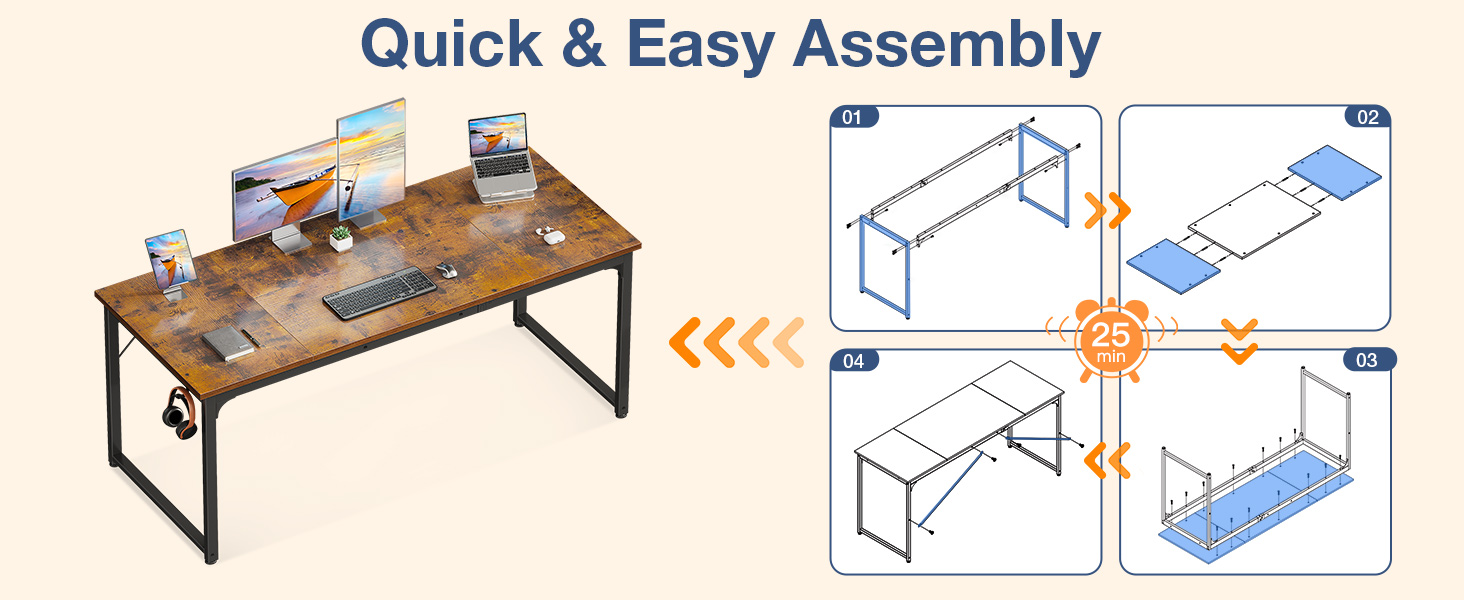
Image 3.1: Visual representation of desk components and assembly steps.
4. Setup (Assembly Instructions)
The Casaottima Computer Desk is designed for quick and effortless assembly, typically taking 20-30 minutes. Follow these steps carefully:
- Unpack and Identify Parts: Lay out all components on a clean, soft surface. Refer to the parts list to ensure everything is present.
- Assemble the Frame: Connect the metal frame components using the provided screws and Allen wrench. Ensure all connections are snug but do not overtighten initially.
- Attach Desktop: Carefully place the desktop panel onto the assembled frame. Align the pre-drilled holes on the desktop with the frame. Secure the desktop to the frame using the appropriate screws.
- Install Headphone Hook: Attach the headphone hook to the desired location on the side of the desk frame.
- Adjust Foot Pads: Screw the adjustable foot pads into the bottom of each leg.
- Final Tightening: Once the desk is fully assembled, go back and securely tighten all screws. Avoid overtightening to prevent damage to the tabletop.

Image 4.1: Product dimensions for planning your space.
Image 4.2: Visual guide for quick and easy assembly.
Video 4.3: Official Casaottima video demonstrating the assembly process for the computer desk.
5. Operating Instructions
Your Casaottima Computer Desk is designed for straightforward use. Here are some key features:
- Adjustable Foot Pads: The desk features adjustable foot pads to ensure stability on uneven floors. Rotate the pads clockwise or counter-clockwise to level the desk.
- Headphone Hook: Utilize the integrated headphone hook to keep your workspace tidy and your headphones easily accessible. It can also be used for bags or other small accessories.
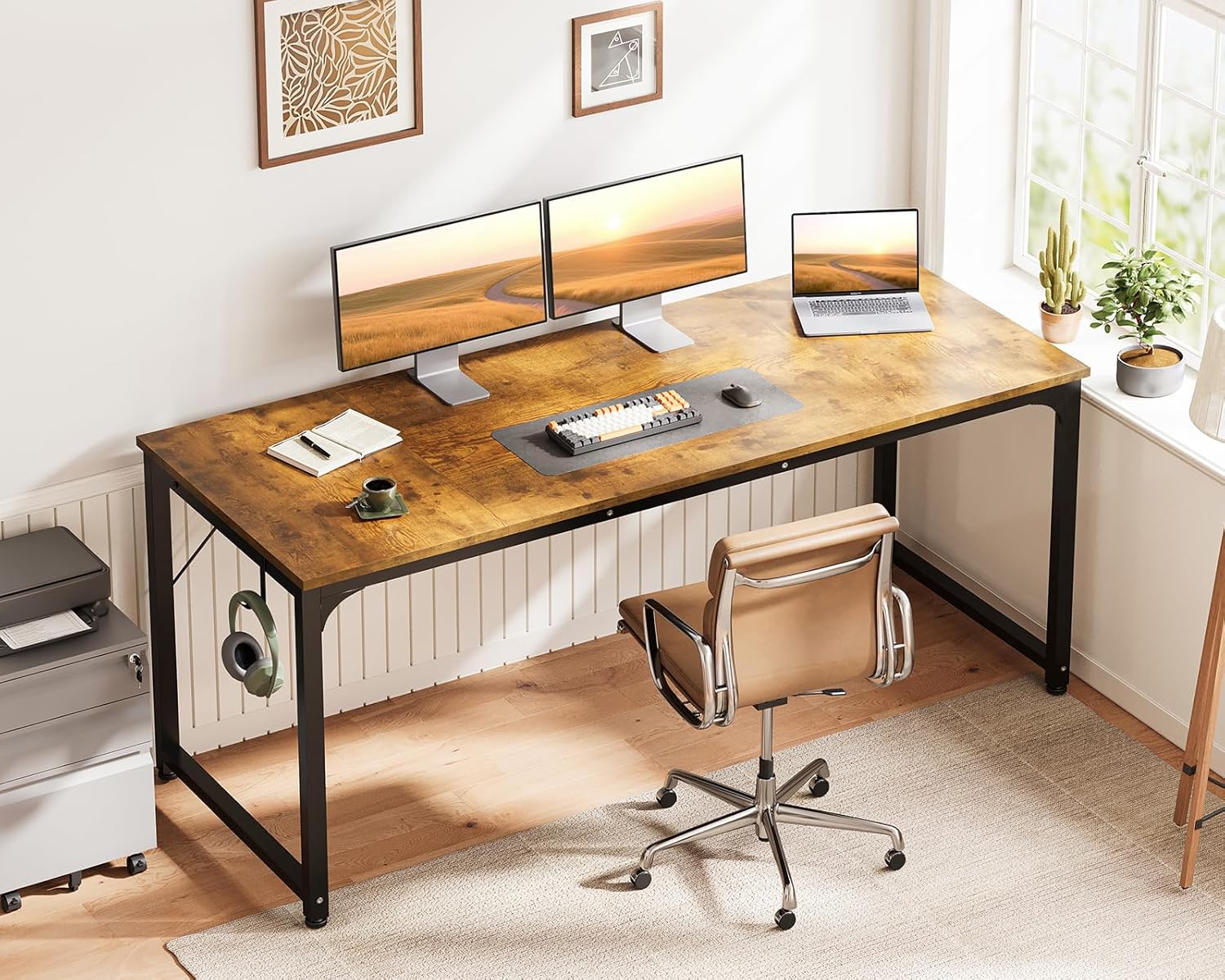
Image 5.1: Detail of the convenient headphone hook.

Image 5.2: Adjustable foot mats for stability.
6. Maintenance
To ensure the longevity and appearance of your Casaottima Computer Desk, follow these maintenance guidelines:
- Cleaning: The desktop is waterproof and scratch-resistant, making it easy to clean. Wipe surfaces with a soft, damp cloth. Avoid harsh chemicals or abrasive cleaners.
- Spills: In case of spills, wipe them immediately to prevent potential damage, although the desktop is designed to resist water.
- Hardware Check: Periodically check all screws and bolts to ensure they remain tight. Retighten if necessary to maintain desk stability.
- Avoid Direct Heat: While durable, prolonged exposure to direct heat can affect the desktop finish. Use coasters or protective pads for hot items.
Video 6.1: Official Casaottima video showcasing the desk's features, including its durable and easy-to-clean surface.
7. Troubleshooting
If you encounter any issues with your desk, refer to the following common problems and solutions:
| Problem | Possible Cause | Solution |
|---|---|---|
| Desk is wobbly | Uneven floor or loose screws | Adjust the foot pads to level the desk. Check and tighten all assembly screws. |
| Parts are missing | Packaging error | Contact Casaottima customer support with your purchase details and the specific missing parts. |
| Difficulty assembling | Incorrect step or misaligned parts | Review the assembly instructions carefully. Ensure parts are oriented correctly before tightening screws. Do not force components. |
| Desktop scratched during assembly | Assembly on a hard or rough surface | Always assemble on a soft, protective surface. For minor scratches, consider using furniture repair markers. |
8. Specifications
| Feature | Detail |
|---|---|
| Brand | Casaottima |
| Model Number | B01011169USANCASAOTTIMA |
| Product Dimensions (D x W x H) | 21.7" x 63" x 29" |
| Item Weight | 29.3 Pounds |
| Color | Rustic Brown |
| Top Material Type | Engineered Wood |
| Base Material | Metal |
| Finish Type | Lacquered, Powder Coating |
| Special Features | Lightweight, Headphone Hook, Adjustable Foot Pads |
| Assembly Required | Yes (Approx. 20-30 minutes) |
| Included Components | Headphone Hook, Assembly Tools |
9. Warranty & Support
The Casaottima 63 Inch Computer Desk comes with a limited warranty. Please refer to your purchase documentation for specific warranty terms and conditions. For any questions, missing parts, or support needs, please contact Casaottima customer service through the retailer where you purchased the product or visit the official Casaottima store online.
We are committed to providing high-quality products and excellent customer service.