
1. Introduction
This manual provides detailed instructions for the safe and efficient operation of your HANLIM Portable CD Player, Model HL-108. Please read this manual thoroughly before using the product and retain it for future reference.

Figure 1: Front view of the HANLIM Portable CD Player HL-108. This image displays the main unit with its control panel, LCD screen, and integrated handle.
2. Safety Instructions
- Do not expose the unit to rain, moisture, or extreme temperatures.
- Avoid placing the unit near heat sources or in direct sunlight.
- Do not open the casing; refer all servicing to qualified personnel.
- Keep the unit away from strong magnetic fields.
- Use only the provided power cable.
- Ensure proper ventilation to prevent overheating.
3. Package Contents
Please check that all items are present:
- HANLIM Portable CD Player HL-108
- Power cable (1.2m)
- Remote control (batteries not included)
- User Manual

Figure 2: The HANLIM Portable CD Player HL-108 shown with its included accessories: the power cable, remote control, and user manual.
4. Product Overview
The HANLIM Portable CD Player HL-108 features a compact design with multiple playback options and connectivity ports.
4.1 Front Panel Controls
- LCD Display: Shows current mode, track information, and FM frequency.
- MODE Button: Switches between CD, FM, Bluetooth, USB, and AUX modes.
- STANDBY Button: Powers the unit on or off.
- Play/Pause/Scan Button: Plays/pauses media or scans FM radio stations.
- Previous/CH- Button: Skips to previous track/station.
- Next/CH+ Button: Skips to next track/station.
- Volume Knob: Adjusts audio volume.
- USB Port: For USB drive playback.
- Headphone Jack (3.5mm): For private listening.
4.2 Rear Panel Connections
- AUX IN (3.5mm): Connect external audio devices.
- MIC Port: Connect a microphone for singing.
- AC Power Input: Connect the power cable for charging or continuous power.
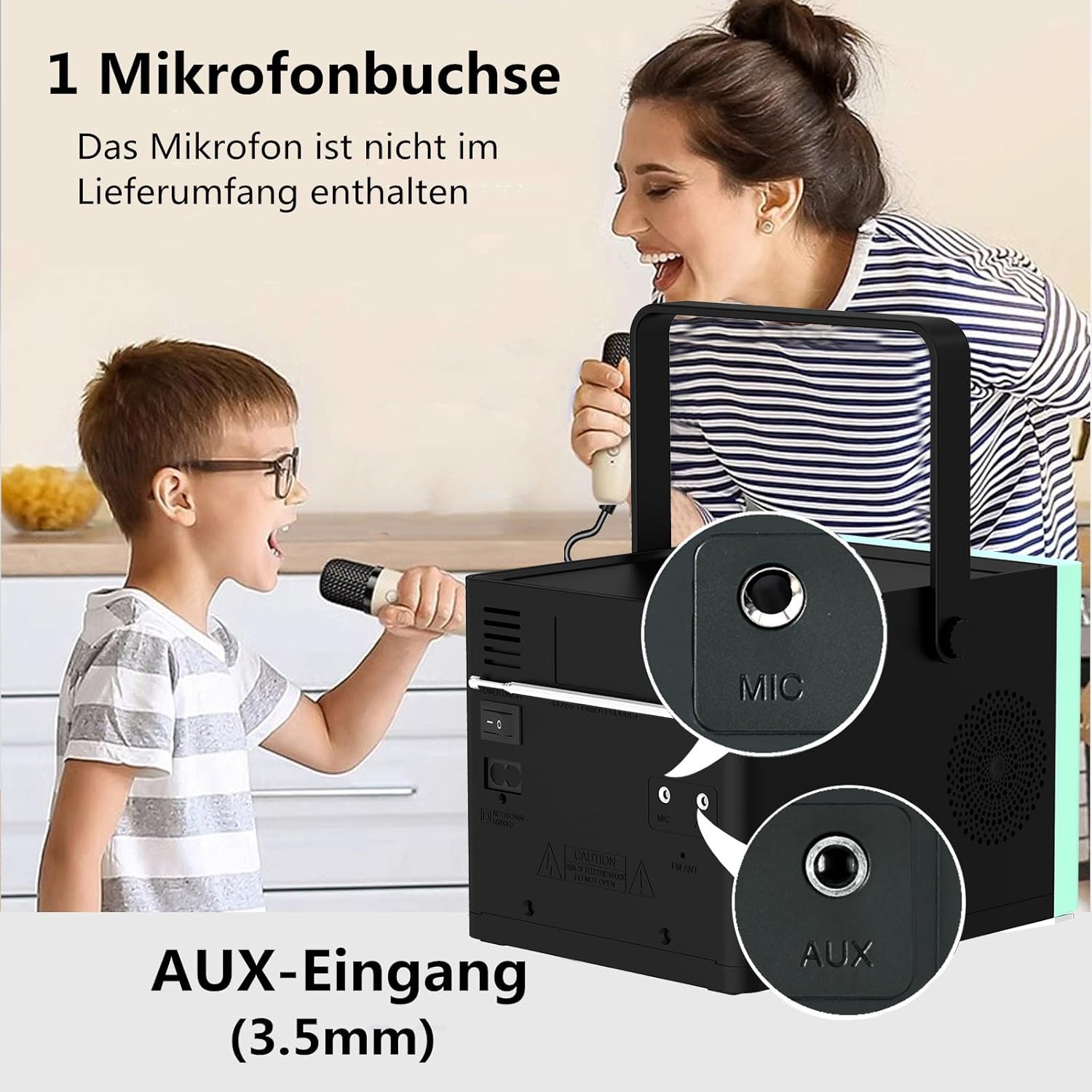
Figure 3: Rear view of the HANLIM Portable CD Player HL-108, highlighting the microphone input and AUX input ports.
5. Setup
5.1 Powering On and Charging
- Connect the provided power cable to the AC power input on the rear of the unit and plug it into a wall outlet.
- The built-in 2000mAh battery will begin charging automatically. A full charge provides approximately 4.5 to 5 hours of playback at maximum volume.
- Press the STANDBY button to power on the unit.
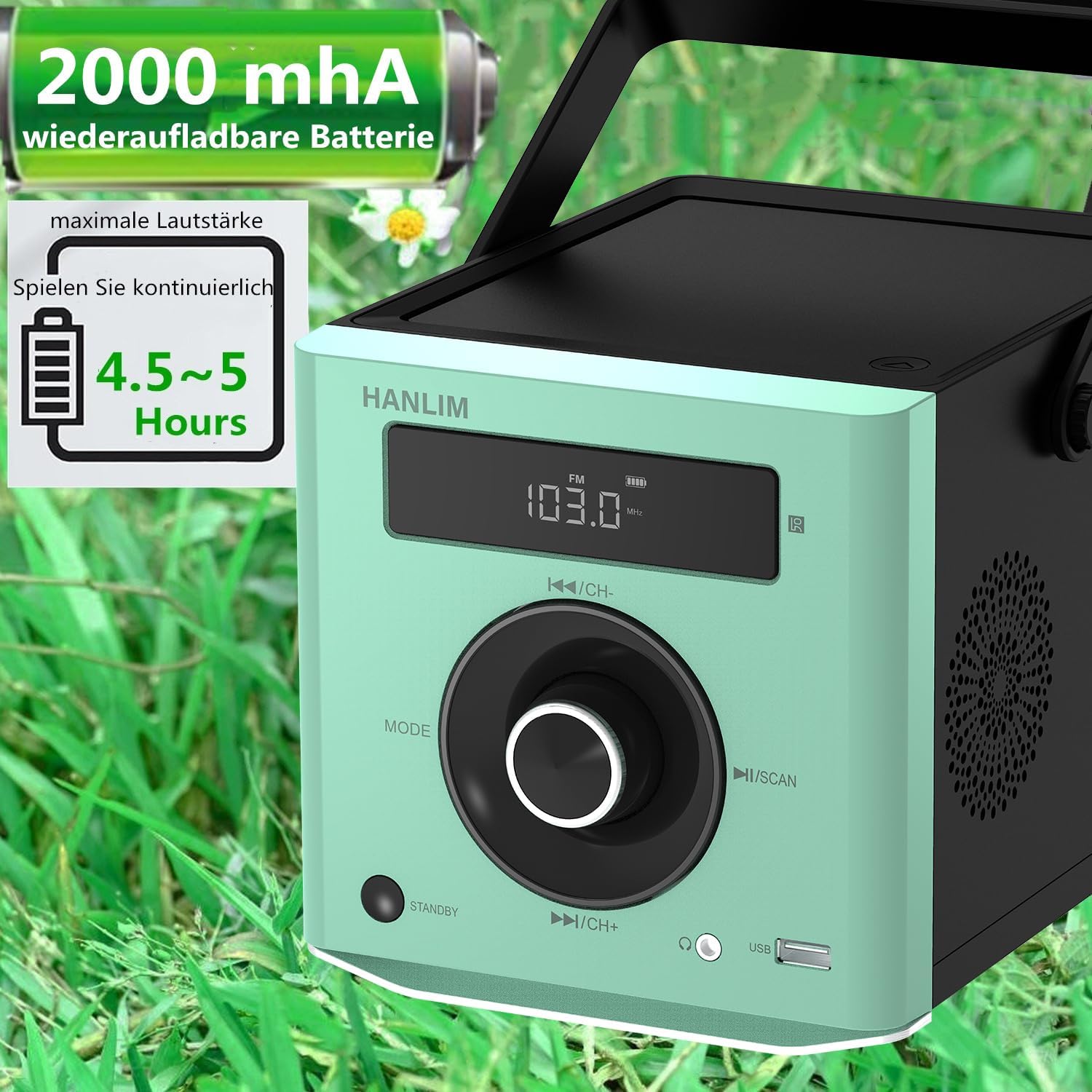
Figure 4: The HANLIM Portable CD Player HL-108 displaying battery charge status and indicating 4.5-5 hours of continuous playback.
6. Operating Instructions
6.1 CD Playback
- Open the CD compartment lid.
- Place a CD (CD/CD-R/CD-RW/MP3 format) onto the spindle, label side up.
- Close the CD compartment lid.
- Press the MODE button until "CD" is displayed.
- Press the Play/Pause button to start playback.
- Use the Previous/Next buttons to skip tracks.
- Repeat Function: Press the repeat button on the remote control to cycle through repeat one, repeat all, or random play.
- Continue Playback: The unit will resume playback from where it was last stopped, useful for language learning.
6.2 FM Radio
- Press the MODE button until "FM" is displayed.
- Press and hold the Scan button to automatically scan and store available FM stations (87.5-108MHz). Up to 20 stations can be stored.
- Use the CH- and CH+ buttons to navigate through stored stations.

Figure 5: The HANLIM Portable CD Player HL-108 showing the FM radio frequency on its display.
6.3 Bluetooth Connection
- Press the MODE button until "Bluetooth" is displayed. The unit will enter pairing mode.
- On your device (phone, tablet, computer), enable Bluetooth and search for "HANLIM HL-108".
- Select the device to pair. Once connected, you will hear a confirmation sound.
- Note: Bluetooth headphones are not supported for connection to this CD player.

Figure 6: The HANLIM Portable CD Player HL-108 illustrating its Bluetooth connectivity, USB port, and headphone jack.
6.4 USB Playback
- Insert a USB flash drive (up to 32GB, supporting MP3/WMA formats) into the USB port.
- Press the MODE button until "USB" is displayed.
- Playback will start automatically. Use the Previous/Next buttons to navigate tracks.
6.5 AUX Input
- Connect an external audio device (e.g., phone, computer) to the AUX IN port using a 3.5mm audio cable (not included).
- Press the MODE button until "AUX" is displayed.
- Control playback from your connected device.
6.6 Headphone Jack
For private listening, connect 3.5mm headphones to the headphone jack on the front panel.
6.7 Microphone Port
Connect a microphone (not included) to the MIC port on the rear panel for singing along to music.
6.8 Sound Settings (Equalizer)
The unit offers 5 sound qualities: Pop, Jazz, Rock, Classical, and Flat. Use the EQ button on the remote control to cycle through these modes and adjust the audio output to your preference.
7. Maintenance
- Cleaning: Wipe the unit with a soft, dry cloth. Do not use abrasive cleaners or solvents.
- CD Care: Handle CDs by their edges. Clean dirty CDs with a soft, lint-free cloth, wiping from the center outwards.
- Battery Care: For optimal battery life, avoid fully discharging the battery frequently. If storing for extended periods, charge the battery to about 50% every few months.
8. Troubleshooting
| Problem | Possible Cause | Solution |
|---|---|---|
| Unit does not power on. | Battery is depleted or power cable is not connected. | Connect the power cable and allow the battery to charge, or operate directly from AC power. |
| No sound. | Volume is too low, headphones connected, or incorrect mode selected. | Increase volume, disconnect headphones, or ensure the correct input mode (CD, FM, BT, USB, AUX) is selected. |
| CD does not play or skips. | CD is dirty, scratched, or inserted incorrectly. | Clean the CD, try a different CD, or reinsert the CD correctly. Ensure the CD compartment is fully closed. |
| Bluetooth pairing fails. | Device is too far, Bluetooth is off on the device, or unit is not in pairing mode. | Ensure the unit is in Bluetooth mode, your device's Bluetooth is on, and they are within range. Try restarting both devices. |
| FM radio reception is poor. | Weak signal or antenna position. | Adjust the unit's position or extend the antenna for better reception. |
9. Specifications
| Feature | Specification |
|---|---|
| Brand | HANLIM |
| Model | HL-108 |
| Product Dimensions | 15.5 x 20.5 x 16 cm (6.1 x 8.1 x 6.3 inches) |
| Item Weight | 1.7 kg (3.75 lbs) |
| Power Output | 20W |
| Battery | Built-in 2000mAh rechargeable Lithium Ion |
| Battery Life | Up to 5 hours (at maximum volume) |
| Supported CD Formats | CD, CD-R, CD-RW, MP3 |
| FM Radio Frequency | 87.5-108 MHz |
| USB Support | Up to 32GB, MP3/WMA formats |
| Connectivity | Bluetooth, USB, AUX (3.5mm), Headphone Jack (3.5mm), Microphone Port |
| Display Type | LCD |
| Special Features | Bluetooth, CD-R/RW Compatible, Equalizer, Portable, Rechargeable |
10. Warranty and Support
This HANLIM product comes with a one-year warranty from the date of purchase. This warranty covers manufacturing defects and workmanship under normal use.
For technical support, warranty claims, or service inquiries, please contact your retailer or the HANLIM customer service department through the contact information provided at the point of purchase.