
1. Introduction
Thank you for choosing the Beeasy AW02 Digital Sports Watch. This ultra-thin, lightweight, and multi-functional digital watch is designed for both men and women, combining modern minimalism with high functionality. It is ideal for various activities including gym workouts, running, school, and daily wear. This manual provides detailed instructions to help you set up and operate your watch effectively.
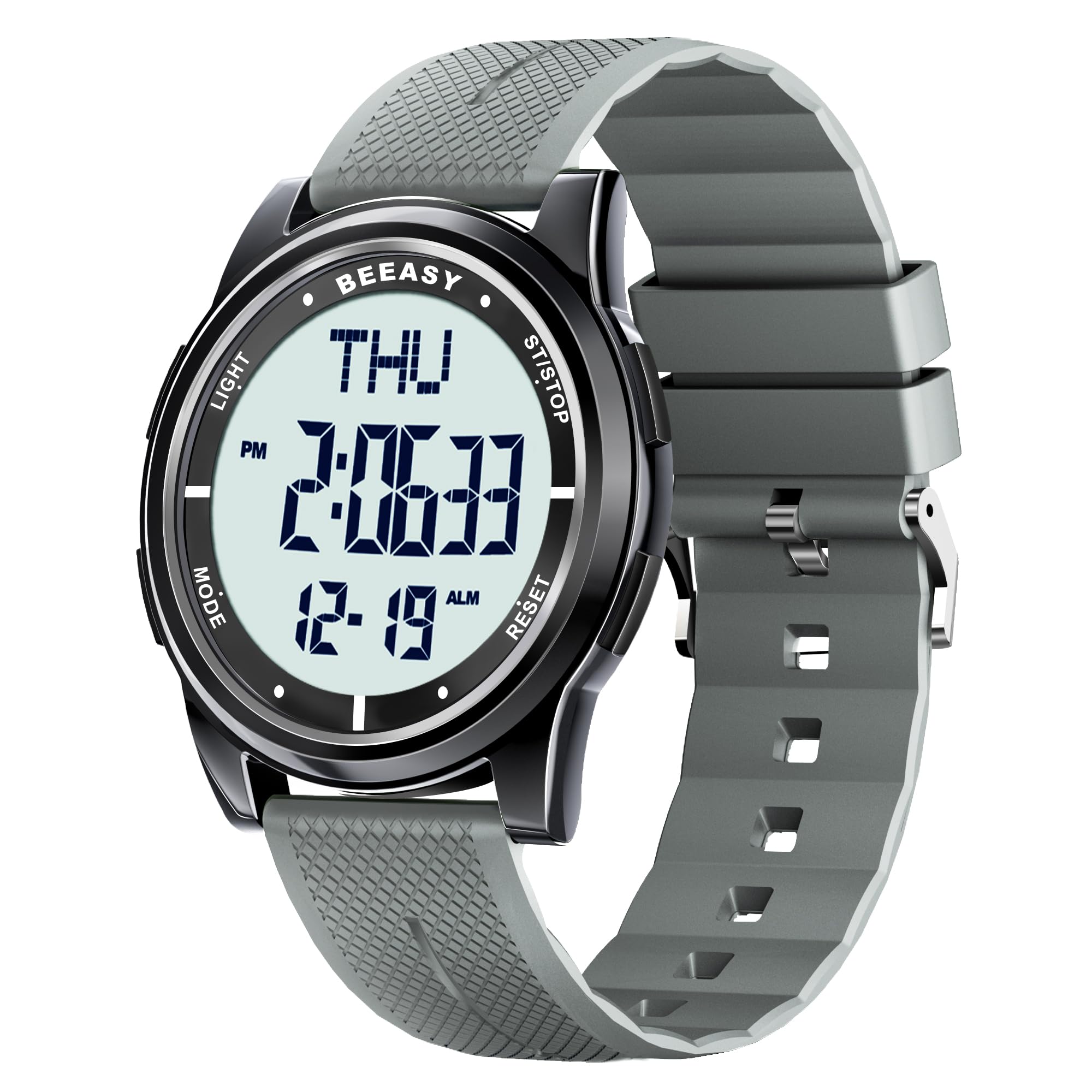
Image: Beeasy AW02 Digital Sports Watch in Gray(White) color, showcasing its sleek design.
2. Key Features
- Ultra-Thin Design: With a case thickness of 6.6mm (0.26 inches), this watch offers a sleek and comfortable fit.
- 50M Water Resistance: Suitable for swimming, showering, and rainy weather, waterproof up to 164ft (50m).
- Crystal-Clear EL Backlight Display: Ensures effortless readability in low-light conditions.
- Multi-Functionality: Includes 12/24-hour time format, date & day display, alarm, stopwatch, countdown timer, and dual time zone support.
- Durable & Comfortable: Features a scratch-resistant screen and a flexible textured silicone band for long-lasting wear.

Image: The Beeasy AW02 watch face showing various function icons like 5ATM waterproof, 12/24 hour, calendar, alarm, EL light, stopwatch, dual time, and timer.

Image: A close-up side view of the Beeasy AW02 watch, emphasizing its ultra-thin profile with a case thickness of 6.6mm.
3. Setup: Setting Date and Time
Follow these steps to set the correct date and time on your Beeasy AW02 watch:
- From the normal time display, press and hold the RESET button for 3 seconds until the seconds begin to flash.
- Press the MODE button repeatedly to cycle through the settings: seconds, hours, minutes, year, month, and date. The currently adjustable value will flash.
- Use the ST/STOP button to adjust the flashing value. For example, to set the year, press MODE until the year flashes, then press ST/STOP to increment the year. If the current year is exceeded, press ST/STOP to set it to 99, then continue adjusting to the present year.
- Once all values are set, press the RESET button to save and exit the setting mode.

Image: A visual guide illustrating the four steps to set the year, month, and date on the Beeasy AW02 watch using the MODE, ST/STOP, and RESET buttons.
Video: A demonstration on how to set the correct date and time on the Beeasy Digital Watch, showing button presses and display changes.
4. Operating Modes
The Beeasy AW02 watch features several operating modes. Press the MODE button to cycle through them:
- Time Display Mode: Shows current time, day of the week, and date.
- Alarm Mode: Set daily alarms. Press ST/STOP to adjust the alarm time. Press RESET to toggle alarm ON/OFF.
- Stopwatch Mode: Use for timing events. Press ST/STOP to start/stop, and RESET to reset.
- Dual Time Mode: Set and view a second time zone. Useful for travelers.
- Countdown Timer Mode: Set a countdown for specific durations. Press ST/STOP to start/stop, and RESET to reset.
Video: An overview of the Beeasy Digital Waterproof Watch, highlighting its alarm and countdown timer functions.
5. Water Resistance Guidelines
The Beeasy AW02 watch is rated for 50 meters (5 ATM) water resistance. This means it is suitable for:
- Daily use and light water activities.
- Showering and bathing (avoid hot water or steam).
- Swimming in shallow water.
Important: Do not press any buttons while the watch is submerged in water, as this can compromise the water seal.

Image: The Beeasy AW02 watch with water splashing around it, visually representing its 50M water resistance suitable for swimming, raining, and bathing.
Video: A water resistance test of the Beeasy Digital Watch, demonstrating its ability to function while submerged.
6. Specifications
| Feature | Detail |
|---|---|
| Model Number | AW02 |
| Product Dimensions | 9.65 x 1.73 x 0.26 inches |
| Item Weight | 3.53 ounces (0.1 Kilograms) |
| Case Diameter | 44 Millimeters |
| Case Thickness | 7 Millimeters |
| Band Material Type | Silicone |
| Water Resistance Depth | 50 Meters (164 Feet) |
| Watch Movement Type | Japanese Quartz |
| Display Type | Digital |
| Additional Features | EL Backlight, Alarm, Stopwatch, Countdown Timer, Dual Time |

Image: The Beeasy AW02 watch displaying its 44mm case size and wrist girth range of 160-225mm (6.5-9.25 inches).
7. Maintenance and Care
- Cleaning: Wipe the watch with a soft, dry cloth. For stubborn dirt, use a slightly damp cloth and mild soap, then rinse and dry thoroughly.
- Avoid Chemicals: Do not expose the watch to strong chemicals, solvents, or detergents, as these can damage the case, band, or seals.
- Temperature Extremes: Avoid exposing the watch to extreme temperatures (hot or cold) for prolonged periods.
- Impact: While durable, avoid strong impacts or dropping the watch to prevent damage to internal components or the display.
- Battery Replacement: When the display dims or functions become erratic, it may be time to replace the battery. It is recommended to have this done by a professional to ensure the water resistance seal is maintained.
8. Troubleshooting
- Display is Blank: Check if the battery needs replacement. If recently replaced, ensure it was installed correctly.
- Buttons Unresponsive: Ensure the watch is not in a locked mode (if applicable, refer to specific mode instructions). If submerged, do not press buttons. If the issue persists, a reset may be needed (consult support).
- Time is Incorrect: Follow the 'Setting Date and Time' instructions in Section 3 to re-adjust the time.
- Water Inside Display: If condensation or water appears inside the watch, stop using it immediately and contact customer support. This indicates a compromised water seal.
9. Warranty and Support
Your Beeasy AW02 Digital Sports Watch comes with a Limited Warranty. Please refer to the warranty card included in your packaging for specific terms and conditions.
For any questions, technical assistance, or warranty claims, please contact Beeasy Customer Service. Our team is available to assist you with product inquiries, setup issues, or any concerns you may have.

Image: A customer service representative ready to provide online support.