
1. Introduction
This manual provides detailed instructions for the assembly, operation, and maintenance of your AODK Electric L Shaped Standing Desk. This desk is designed to offer a versatile and ergonomic workspace with adjustable height settings and integrated power solutions. Please read this manual thoroughly before assembly and use to ensure proper function and safety.
2. Safety Information
- This product is designed for indoor use only.
- Do not exceed the maximum weight capacity of the desk.
- Ensure that all screws and bolts are tightened properly during assembly and periodically checked for tightness.
- Do not use the desk if any parts are damaged or missing.
- Keep the desk away from water sources and liquids.
- Unplug the desk when not in use.
- Always use the electric height adjustment feature responsibly and be aware of your surroundings while the desk is in motion.
- Children should not be allowed to play with the desk or its controls.
3. Package Contents
Verify that all components are present before beginning assembly. If any parts are missing or damaged, please contact customer support.
- Main Desktop Panels (L-shaped sections)
- Monitor Stand Panels
- Desk Legs and Feet
- Electric Lift System (Motor, Control Panel, Power Adapter)
- Built-in Power Strip (with AC outlets, USB, and Type-C ports)
- Assembly Hardware (screws, bolts, Allen wrench)
- Instruction Manual
4. Assembly Instructions
Follow these steps carefully to assemble your AODK Electric L Shaped Standing Desk. It is recommended to have two people for certain steps, especially when handling large desktop panels.
4.1 Unpacking and Part Identification
Carefully unpack all components and lay them out on a soft, clean surface to prevent scratches. Identify each part using the provided parts list in your physical manual.
4.2 Frame Assembly
Assemble the desk frame by attaching the legs to the crossbars. Ensure all connections are secure but do not fully tighten screws until the desktop is in place.
4.3 Desktop Attachment and Reversible Design
Place the desktop panels onto the assembled frame. The L-shape design is reversible, allowing you to install the sub-table panel on either the left or right side to suit your workspace configuration. Secure the desktop panels to the frame using the provided hardware. Once the desktop is in place, fully tighten all screws on the frame.

Image: Two assembly options for the L-shaped desk, demonstrating the reversible design.
4.4 Power Strip and Monitor Stand Installation
Install the built-in power strip into its designated slot on the desktop. Position the monitor stand panels on the desktop as desired. Connect the power adapter to the desk's control box and plug it into a wall outlet.

Image: Close-up of the built-in power strip with 3 AC outlets, 1 USB, and 1 Type-C port.

Image: View of the full-sized monitor stand providing elevated display space.
5. Operating Instructions
5.1 Electric Height Adjustment
The desk features an electric lift system allowing height adjustment from 28.3 inches to 47.2 inches. Use the up and down arrow buttons on the control panel to manually adjust the desk height.

Image: Multi-function control panel with LED display and buttons.
5.2 Memory Presets
The control panel includes three memory preset buttons (1, 2, 3) to save your preferred sitting and standing heights. To set a memory position:
- Adjust the desk to your desired height using the up/down arrows.
- Press the 'S' (Set) button.
- Immediately press one of the number buttons (1, 2, or 3) to save the current height to that preset.
To recall a saved height, simply press the corresponding number button (1, 2, or 3).

Image: Desk adjusting between minimum and maximum heights.
5.3 Using the Built-in Power Outlets
The integrated power strip provides convenient access to power for your devices. It includes 3 standard AC outlets, 1 USB-A port (5V/2A), and 1 USB-C port (5V/2A). Simply plug your devices into the appropriate ports.
6. Features Overview
- Electric Height Adjustment: Customize workspace height from 28.3" to 47.2" with 3 programmable preset buttons.
- Upgraded Power Motor: Smooth and quiet operation (45-55 dB) with a service life of over 20,000 cycles.
- Large-sized Monitor Shelf: Ergonomic design to reduce neck and back strain, providing additional storage space.
- Reversible L-shape Design: Flexible configuration to fit various room layouts.
- Built-in Power Outlets: Equipped with 3 AC outlets, 1 USB-A port, and 1 Type-C port for convenient device charging.
- Sturdy Construction: Frame made of industrial-grade steel for durability and stability.
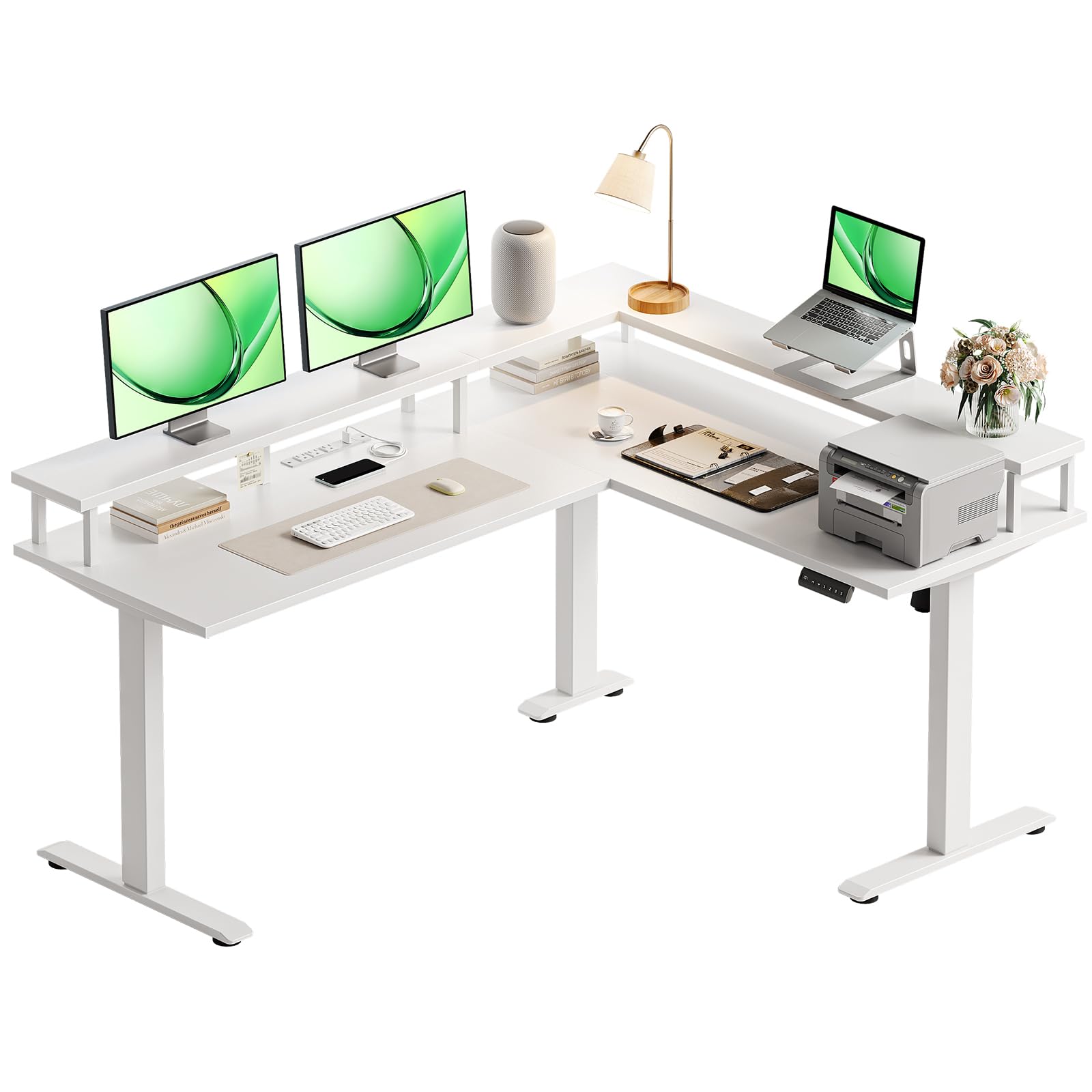
Image: AODK Electric L Shaped Standing Desk in a home office setting.
7. Maintenance
To ensure the longevity and optimal performance of your AODK Electric L Shaped Standing Desk, follow these maintenance guidelines:
- Cleaning: Wipe the desk surfaces with a soft, damp cloth. Avoid harsh chemicals or abrasive cleaners that could damage the finish.
- Tightness Check: Periodically check all screws and bolts to ensure they remain tight. Retighten if necessary to maintain stability.
- Cable Management: Keep power cords and other cables organized to prevent entanglement and damage, especially during height adjustments.
- Liquid Spills: In case of liquid spills, immediately wipe them dry to prevent damage to the desktop and electrical components.
8. Troubleshooting
If you encounter any issues with your desk, refer to the following common troubleshooting tips:
- Desk Not Moving: Check all power connections. Ensure the power adapter is securely plugged into both the desk and a working wall outlet.
- Uneven Movement: Ensure the desk is placed on a level surface. Check that all leg components are correctly assembled and tightened.
- Control Panel Not Responding: Unplug the desk from the power outlet for 10-15 seconds, then plug it back in to reset the system.
- Unusual Noises: While the motor is designed for quiet operation, minor sounds during adjustment are normal. If you hear loud or grinding noises, stop operation and check for any obstructions or loose parts.
If problems persist after attempting these steps, please contact customer support.
9. Specifications
| Feature | Specification |
|---|---|
| Brand | AODK |
| Model Number | L Shaped Standing Desk |
| Shape | L-Shape |
| Desk Design | Standing Desk |
| Product Dimensions (D x W x H) | 47"D x 59"W x 31"H |
| Color | White |
| Style | Modern |
| Base Material | Metal |
| Top Material Type | Engineered Wood |
| Special Feature | Power Outlets |
| Included Components | Built-in Outlet, Built-in USB Port |
| Minimum Height | 28.3 Inches |
| Maximum Height | 47.2 Inches |
| Item Weight | 78.04 Pounds |
| UPC | 850064516036 |
| Required Assembly | Yes |

Image: Detailed desk dimensions for planning your space.
10. Warranty and Support
The AODK Electric L Shaped Standing Desk comes with a limited warranty. For specific details regarding warranty coverage and duration, please refer to the warranty information included with your purchase or contact AODK customer support directly.
For technical assistance, missing parts, or any other inquiries, please reach out to AODK customer service through the contact information provided in your product packaging or on the official AODK website.