
LIORQUE K2
LIORQUE Sunrise Alarm Clock User Manual
Model: K2
1. Product Overview
The LIORQUE Sunrise Alarm Clock is designed to enhance your daily wake-up and sleep routines through light and sound. It combines a sunrise simulation for gentle awakening, a sunset simulation for peaceful sleep, various lighting modes, natural sounds, FM radio, and Bluetooth connectivity.

Figure 1.1: Front view of the LIORQUE Sunrise Alarm Clock with its display and light.
2. Package Contents
Please check the package for the following items:
- 1 x LIORQUE Sunrise Alarm Clock (Model: K2)
- 1 x Power Adapter
- 1 x Power Cord (USB cable)
- 1 x User Manual (this document)

Figure 2.1: Included components: the alarm clock, power adapter, and power cord.
3. Setup Guide
3.1 Initial Power On
- Connect the power cord to the USB port on the back of the alarm clock.
- Plug the power adapter into a standard electrical outlet.
- The clock display will illuminate, indicating it is powered on.
3.2 Setting Time and Date
Upon first power-on or after a power interruption, you may need to set the current time and date. Refer to the physical buttons on the device for time setting controls, typically labeled with clock or settings icons. Some models support automatic time syncing via Bluetooth connection to a mobile phone.
3.3 Adjusting Display Brightness
The brightness of the time display can be adjusted to suit your preference, especially for night-time use. This feature ensures the display does not disturb your sleep.
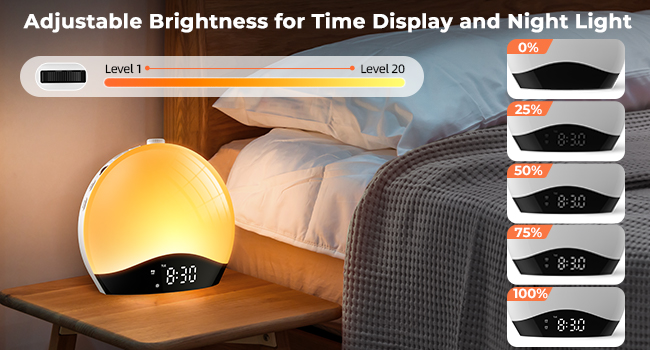
Figure 3.1: The display brightness can be adjusted from Level 1 to Level 20.
4. Operating Instructions
4.1 Sunrise and Sunset Simulation
The clock features a sunrise simulation to gently wake you up and a sunset simulation to help you fall asleep.
- Sunrise Simulation: Set an alarm time, and the light will gradually increase from 0% to 100% brightness over a set duration (e.g., 10-60 minutes before the alarm).
- Sunset Simulation: When activating fall asleep mode, the light will gradually dim from full brightness to 0% over a maximum duration of 480 minutes.

Figure 4.1: The sunrise simulation gently wakes you up with natural light.

Figure 4.2: In fall asleep mode, the light and music gradually diminish over time.
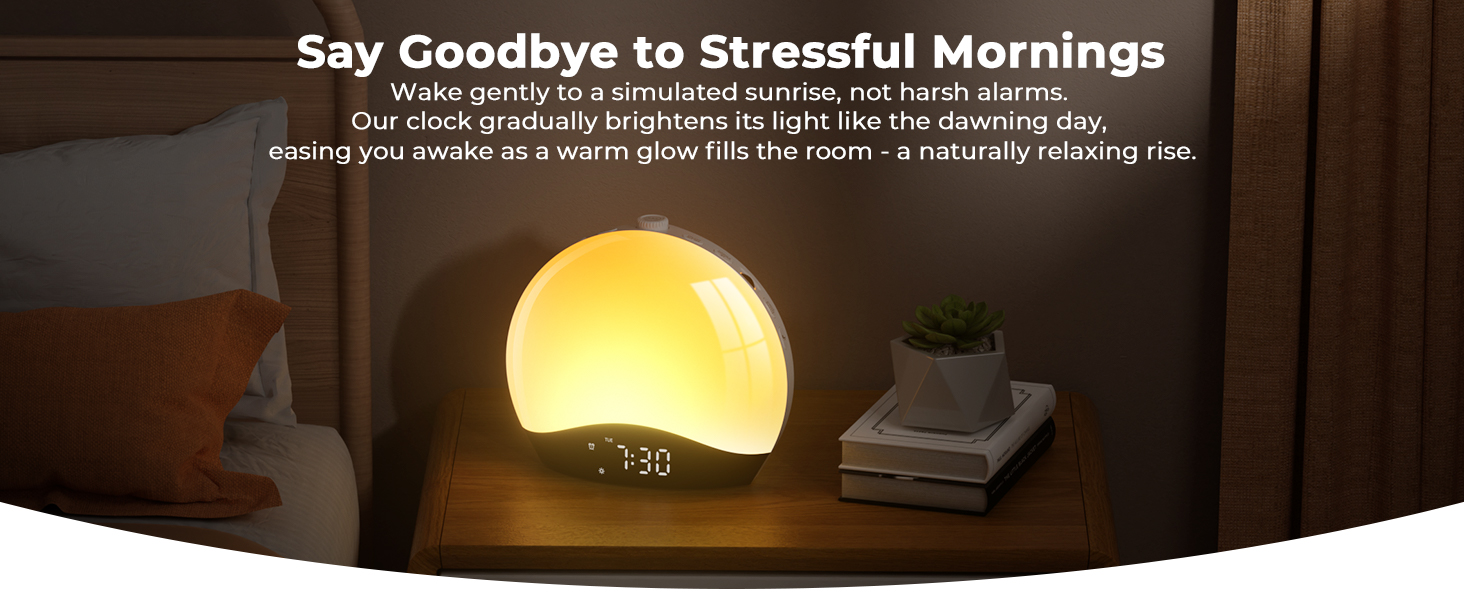
Figure 4.3: The clock gradually brightens its light like the dawning day, easing you awake.
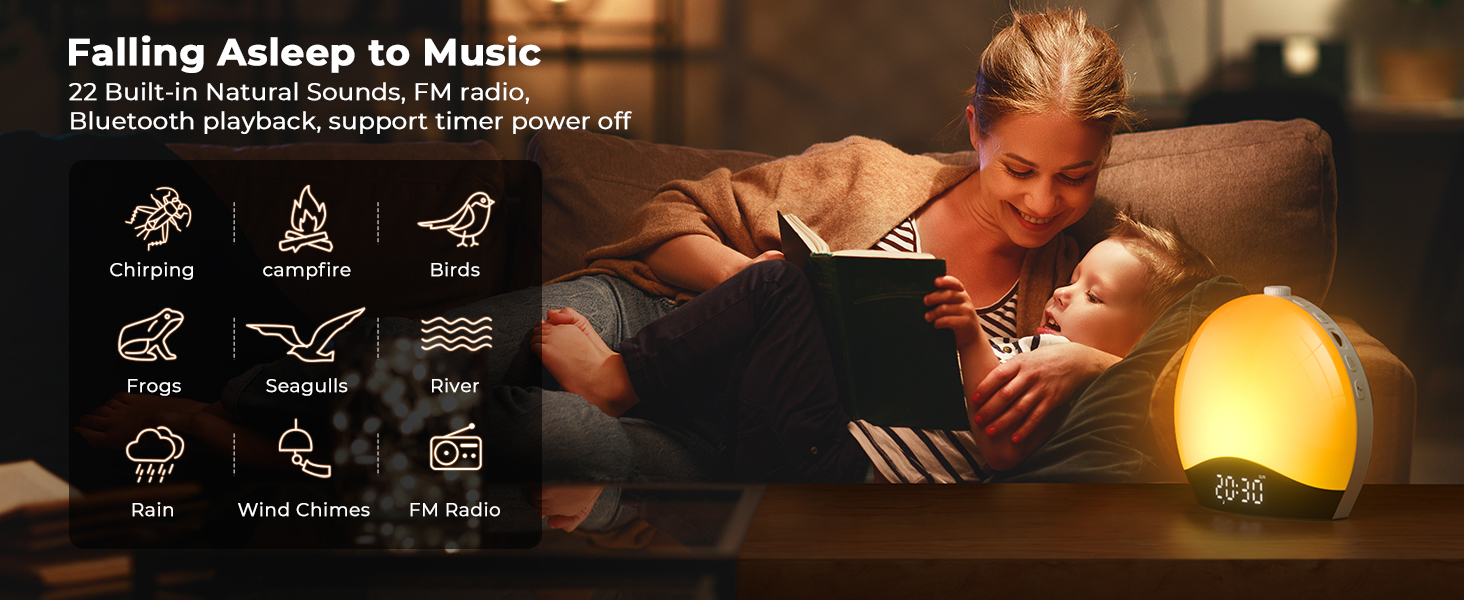
Figure 4.4: Falling asleep to music with 22 built-in natural sounds, FM radio, or Bluetooth playback.
4.2 Lighting Modes
The alarm clock offers a variety of lighting options:
- 8 Colorful Lights: Pink, Green, Blue, Indigo, Purple, Grey, Red, and Orange.
- 9 Dynamic RGB Atmosphere Lights: These modes provide a changing color experience.
- 20 Levels of Brightness: Adjust the intensity of the light to suit your environment and mood.

Figure 4.5: The clock features 9 dynamic lighting modes and 20-level brightness adjustment.

Figure 4.6: Overview of features including dynamic color lighting and brightness adjustment.
4.3 Bluetooth (BT) Connection
The integrated Bluetooth function allows for seamless connectivity:
- Automatic Time Syncing: Connect to your phone to automatically synchronize the clock's time.
- Music Playback: Enjoy high-quality music by streaming audio from your Bluetooth-enabled device.

Figure 4.7: Connect to your phone for automatic time syncing and to play music via Bluetooth.
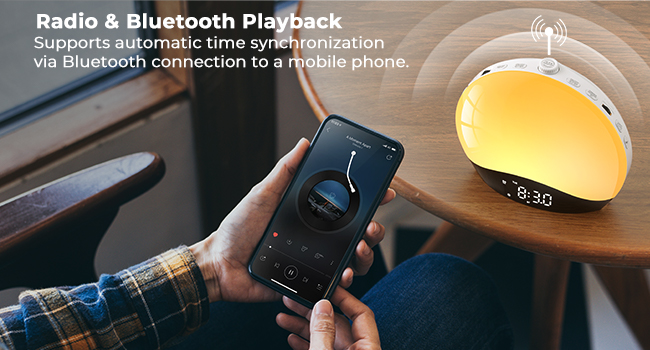
Figure 4.8: Supports automatic time synchronization via Bluetooth connection to a mobile phone.
4.4 FM Radio
Tune into your favorite radio stations with the built-in FM radio:
- Frequency Range: Supports 76-108MHz.
- Automatic Station Memory: The clock can automatically scan and store radio stations.

Figure 4.9: Enjoy your favorite radio station with the built-in FM radio.
4.5 White Noise Function
The alarm clock includes a white noise function to aid sleep:
- Fall asleep with relaxing white noise sounds.
- The light and music will gradually dim over time, ensuring a peaceful sleep environment.
4.6 Dual Alarms & Weekend Mode
Configure your alarms for different schedules:
- Dual Alarms: Set two independent alarms for different wake-up times.
- Weekend Mode: Activate a specific mode to prevent alarms from disturbing your rest on weekends.

Figure 4.10: You can snooze the alarm or set two separate alarms.

Figure 4.11: You can set the alarm to work only on weekdays or only on weekends.
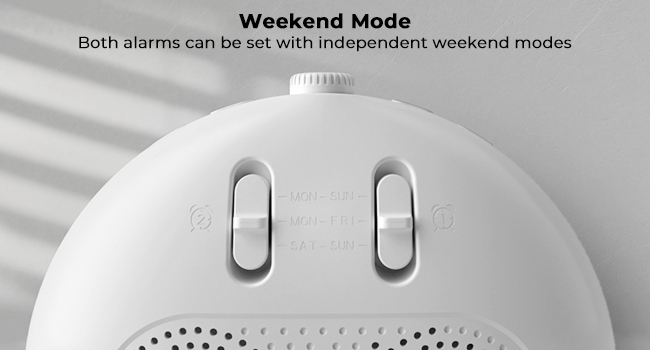
Figure 4.12: Both alarms can be set with independent weekend modes.
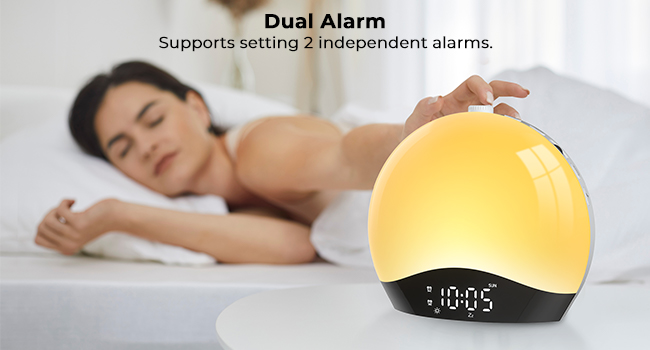
Figure 4.13: Supports setting 2 independent alarms.
4.7 Snooze Function
When an alarm sounds, press the Snooze button to temporarily silence the alarm for an additional 9 minutes of sleep.
5. Maintenance
To ensure the longevity and optimal performance of your LIORQUE Sunrise Alarm Clock, please follow these maintenance guidelines:
- Cleaning: Use a soft, dry cloth to wipe the surface of the clock. Do not use abrasive cleaners, solvents, or strong chemicals, as these may damage the finish.
- Placement: Place the clock on a stable, flat surface away from direct sunlight, excessive heat, or moisture.
- Power: Always use the provided power adapter and cord. Do not attempt to use unapproved power sources.
- Storage: If storing the device for an extended period, unplug it from the power source and store it in a cool, dry place.
6. Troubleshooting
If you encounter issues with your LIORQUE Sunrise Alarm Clock, please refer to the following common solutions:
- Clock not powering on: Ensure the power adapter is securely connected to both the clock and the electrical outlet. Try a different outlet to rule out power supply issues.
- Alarm not sounding/light not activating: Check that the alarm is enabled and set correctly. Verify the volume level for the alarm sound and the brightness level for the light simulation. Ensure weekend mode is not active if you intend for the alarm to sound on a weekend.
- FM Radio reception poor: Extend the antenna fully. Reposition the clock to improve signal reception.
- Bluetooth connection issues: Ensure Bluetooth is enabled on your mobile device and the clock is in pairing mode. Try unpairing and re-pairing the devices.
- Sound quality/volume too loud: Adjust the volume settings on the device. If the lowest volume is still too loud, consider placing the clock further away or using a soft barrier to dampen the sound.
- Difficulty with initial setup: Carefully re-read the relevant sections of this manual, paying close attention to button functions and sequence. Practice setting functions when not under pressure.
If the problem persists after attempting these solutions, please contact LIORQUE customer support for further assistance.
7. Specifications
| Feature | Specification |
|---|---|
| Brand | LIORQUE |
| Model Number | K2 |
| Product Dimensions | 19 x 17.5 x 9 cm |
| Item Weight | 440 g |
| Material | Acrylonitrile Butadiene Styrene |
| Colour | Black |
| Voltage | 2.3E+2 Volts |
| Luminous Flux | 50 Lumen |
| Type of Bulb | LED |
| Batteries | 1 CR5 batteries required (included) |
| Special Features | Colour Changing, Sleep Aid, Sunlight Therapy |
| Power Source | Corded Electric |
8. Warranty and Support
LIORQUE products are manufactured with quality and reliability in mind. For any warranty claims, technical support, or inquiries regarding your LIORQUE Sunrise Alarm Clock, please contact the manufacturer directly through their official channels or the retailer from whom you purchased the product.
Please retain your proof of purchase for warranty purposes.
Related documentsK2


Ask a question about this manual
Ask about setup, troubleshooting, compatibility, parts, safety, or missing instructions. Manuals+ will review the question and use this page’s manual context to help answer it.