
1. Introduction
Thank you for choosing the Baideluo Dash Cam. This device is designed to provide reliable video recording of your journeys, enhancing safety and providing crucial evidence in case of incidents. Featuring 1080P HD video, an ultra-wide-angle lens, and essential functions like G-sensor and loop recording, this dash cam is a valuable companion for any vehicle. Please read this manual thoroughly before operation to ensure proper use and optimal performance.
2. What's in the Box
- Baideluo Dash Cam (Car Logger Y05BM)
- Car Mount
- User Manual
- Charging Cable
- 32GB Memory Card
3. Product Overview & Features
The Baideluo Dash Cam is equipped with advanced features to ensure comprehensive road surveillance.

Image: Baideluo Dash Cam, showing the main unit, a 32GB memory card, and the suction cup mount.
- 1080P HD Video Recording: Captures crisp, detailed footage at 30 frames per second, ensuring clear visibility of license plates and road signs.
- Ultra Wide Angle Lens: Provides an expansive field of view to record more of the road ahead.
- HD Night Vision: Enhances recording clarity in low-light conditions.
- G-Sensor (Automatic Incident Detection): Automatically detects sudden shakes or collisions and locks the current video footage to prevent it from being overwritten, providing crucial evidence.
- Loop Recording: Continuously records by overwriting the oldest unlocked files when the memory card is full, ensuring uninterrupted recording.
- 3-inch HD Display: Allows for real-time viewing and playback of recorded footage directly on the device.
- Compact and Rugged Design: Built to withstand vehicle vibrations and varying temperatures, designed to be discreet on your windshield.
- Easy Installation: Simple, tool-free setup on your windshield or dashboard.
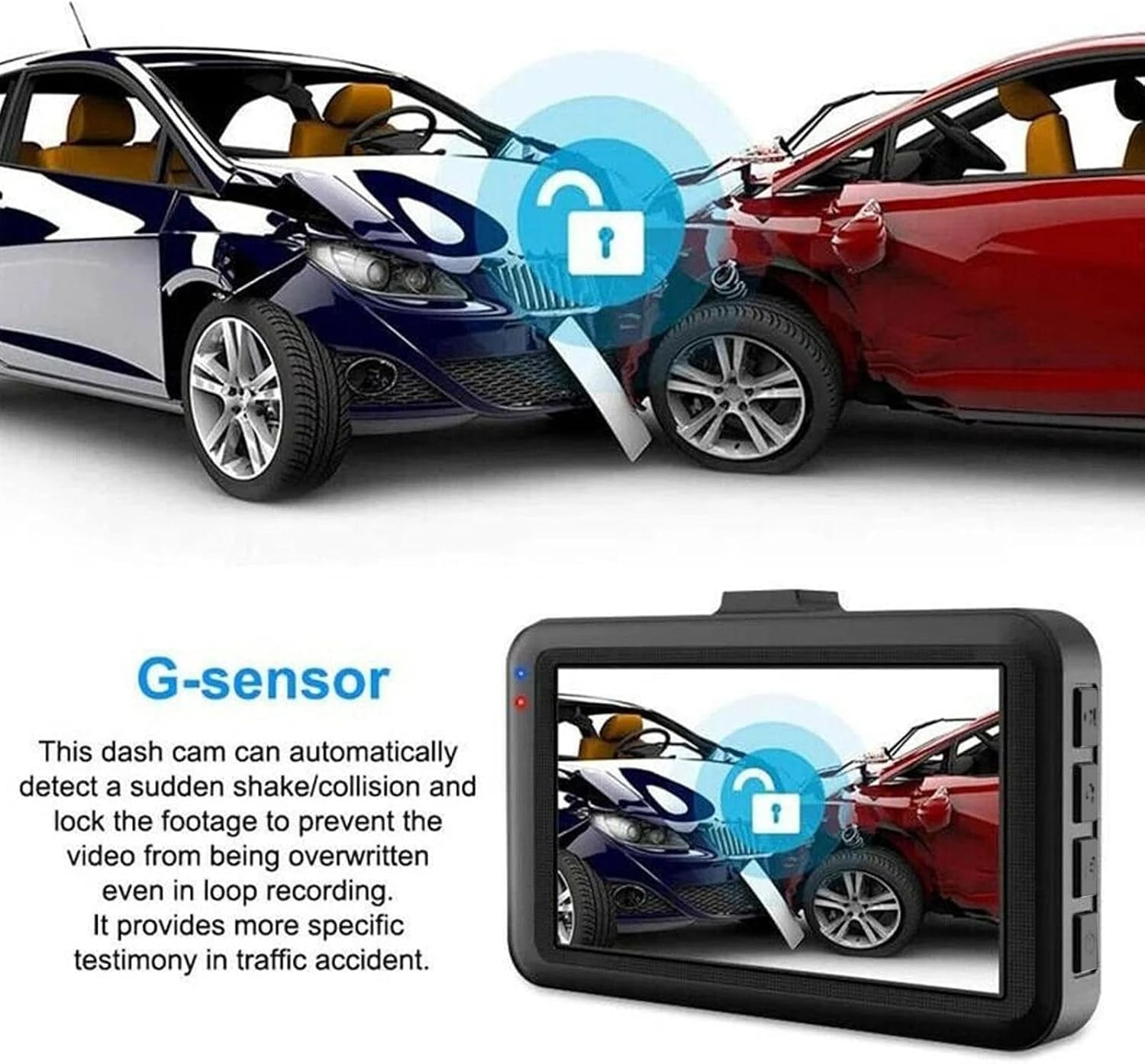
Image: Illustration of the G-sensor feature, showing how the dash cam locks footage during an impact.

Image: Visual explanation of loop recording, showing how the camera continuously records and manages file storage.
4. Setup
- Insert Memory Card: Gently insert the provided 32GB microSD card into the memory card slot until it clicks into place. Ensure the card is inserted correctly to avoid damage.
- Mount the Dash Cam: Attach the suction cup mount to a clean, dry area on your windshield, ensuring it does not obstruct your view of the road. Secure the dash cam onto the mount.
- Connect Power: Connect the charging cable to the dash cam's power cord socket and plug the other end into your vehicle's 12-24V cigarette lighter socket. The dash cam requires continuous power to operate; the built-in battery is only for time updates.
- Adjust Angle: Adjust the camera lens angle to ensure it captures the desired view of the road ahead.
5. Operating Instructions
Familiarize yourself with the buttons and ports on your dash cam for optimal control.

Image: Labeled diagram of the dash cam's buttons and ports.
- Power On/Off Button: Long press to turn the device on or off.
- File Lock Button: Press this button to lock the current video file, preventing it from being overwritten by loop recording. A key icon will appear on the screen when locked. Press again to unlock. Locked files will remain on the memory card unless manually deleted.
- Camera Button: Short press once to enter photo mode. In photo mode, short press again to take a picture.
- Video Recording Button: Short press once to start recording. Short press again to pause recording. This button also functions as the confirmation button within the menu.
- Power Cord Socket: Connect the provided power cord here. The dash cam requires continuous power from a 12-24V car cigarette lighter socket to operate. The internal battery is solely for maintaining time settings.
- Rear Camera Interface: (If applicable) Connect a compatible rear camera here. Ensure any additional camera is adapted for this model.
- Memory Card Slot: Insert the high-speed 32GB memory card here. Replace the memory card periodically as prolonged use can cause damage.
- Up Key: Used for navigating up through options in the menu.
- Menu Button: To access the menu, first pause any ongoing video recording. Then, short press the Menu button. Use the Up/Down keys to navigate options and the Video Recording button to confirm selections. Short press the Menu button again to exit the menu.
- Down Key: Used for navigating down through options in the menu.
6. Maintenance
- Cleaning: Use a soft, dry cloth to clean the dash cam's lens and screen. Avoid using abrasive cleaners or solvents.
- Memory Card: Periodically format the memory card (at least once a month) within the dash cam's settings to maintain optimal performance and prevent data corruption. Back up any important files before formatting.
- Temperature: Avoid exposing the dash cam to extreme temperatures for prolonged periods. While designed to be rugged, excessive heat or cold can affect its lifespan.
- Firmware Updates: Check the manufacturer's website periodically for any available firmware updates to ensure your device has the latest features and bug fixes.
7. Troubleshooting
| Problem | Possible Cause | Solution |
|---|---|---|
| Dash cam does not power on. | No power supply; loose connection; faulty power adapter. | Ensure the charging cable is securely connected to both the dash cam and the car's cigarette lighter. Check if the car's cigarette lighter socket is working. Confirm the vehicle's ignition is on. |
| Recording stops unexpectedly. | Memory card full; memory card error; power interruption. | Format the memory card. Use a high-speed (Class 10 or higher) memory card. Ensure continuous power supply. |
| Video footage is blurry or unclear. | Protective film on lens; dirty lens; improper focus. | Remove any protective film from the lens. Clean the lens with a soft cloth. Ensure the dash cam is securely mounted and not vibrating excessively. |
| G-sensor is too sensitive/not sensitive enough. | G-sensor sensitivity setting. | Adjust the G-sensor sensitivity level in the dash cam's settings menu. |
| Loop recording is not working. | Memory card full of locked files; memory card error. | Manually delete unnecessary locked files. Format the memory card. |
8. Specifications
| Feature | Detail |
|---|---|
| Model Name | Car Logger Y05BM |
| Product Dimensions | 1.3 x 3.45 x 2 inches |
| Item Weight | 3.6 ounces |
| Video Capture Resolution | 1080p |
| Connectivity Technology | USB |
| Special Features | Loop Recording, Built-In Speaker, G-Sensor, Built-In Display, Automatic Incident Detection |
| Mounting Type | Windshield Mount |
| Color | Black |
| Batteries | 1 Lithium Polymer battery (included, for time updates only) |
| Manufacturer | Shenzhen DISDA Technology Co. |
| Country of Origin | China |
9. Warranty and Support
For warranty information and technical support, please refer to the contact details provided on the product packaging or the official Baideluo website. Keep your purchase receipt as proof of purchase for any warranty claims.