1. Introduction
This manual provides comprehensive instructions for the VINABTY GZ-12A-E1 replacement remote control. Designed for ease of use, this remote is compatible with various YORK Split and Portable AC units, offering convenient control over your air conditioning system.
Compatible YORK AC Models:
- YJDC09FS-AAA
- YJJC07FS-AAA
- YJJC09FS-AAA
- YJDC12FS-AAA
- YJJC12FS-AAA
- YJDC18FS-AAA
- YJJC18FS-AAA
- YJJC24FS-AAA
- GZ-12B-E1
- YJKEC07FS-AAA
- YJKC07FS-AAA
- YJKEC12FS-AAA
- YJKC12FS-AAA
- YJKEC09FS-AAA
- YJKC09FS-AAA
- YJKC18FS-AAA
- YJKC24FS-AAA
- YJDC07FS-AAA
2. Setup
2.1 Battery Installation
The VINABTY GZ-12A-E1 remote control requires two AAA batteries (not included) for operation. Follow these steps to install the batteries:
- Locate the battery compartment cover on the back of the remote control.
- Slide the cover downwards or press the latch and lift to open the compartment.
- Insert two new AAA batteries, ensuring the positive (+) and negative (-) terminals match the diagrams inside the compartment.
- Replace the battery compartment cover by sliding it back into place until it clicks securely.
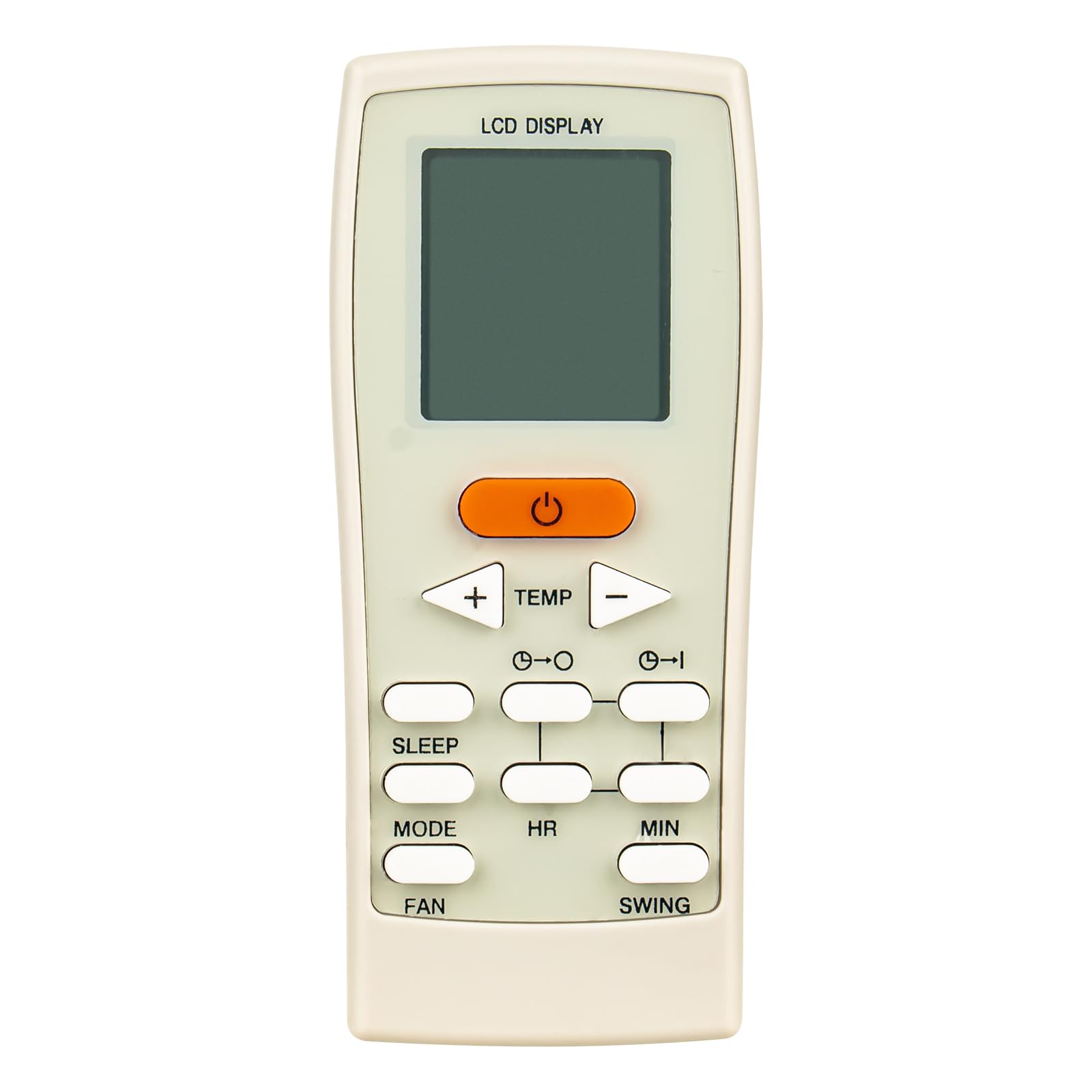
Figure 1: Front view of the VINABTY GZ-12A-E1 remote control, showing its ergonomic design and button layout.
3. Operating Instructions
Point the remote control directly at the indoor unit of your AC system. Ensure there are no obstructions between the remote and the AC unit.
3.1 Basic Functions
- POWER Button: Press to turn the AC unit ON or OFF.
- MODE Button: Cycles through available operating modes: Auto, Cool, Dry, Fan, Heat (if supported by your AC unit).
- TEMP ▲/▼ Buttons: Adjusts the desired temperature setting. Press ▲ to increase and ▼ to decrease the temperature.
- FAN Button: Selects the fan speed: Auto, Low, Medium, High.
- SWING Button: Activates or deactivates the louver swing function for air direction control.
3.2 Advanced Functions
- TIMER Button: Sets the timer for automatic ON/OFF operation. Refer to your AC unit's manual for specific timer programming details.
- SLEEP Button: Activates the sleep mode, which adjusts temperature and fan speed for comfortable sleep and energy saving.
- LIGHT/LED Button: Turns the display light on the indoor unit ON or OFF.
- TURBO/JET Button: Activates maximum cooling or heating for rapid temperature change.
4. Maintenance
4.1 Battery Replacement
Replace batteries when the remote control's response becomes sluggish or the display dims. Always replace both batteries simultaneously with new AAA batteries. Do not mix old and new batteries, or different types of batteries.
4.2 Cleaning the Remote Control
To clean the remote control, wipe it gently with a soft, dry cloth. Do not use liquid cleaners, abrasive materials, or chemical solvents, as these can damage the remote's surface or internal components.
5. Troubleshooting
- Remote not responding:
- Check if the batteries are correctly installed with the correct polarity.
- Replace old batteries with new AAA batteries.
- Ensure there are no obstructions between the remote and the AC unit's receiver.
- Confirm the remote is pointed directly at the AC unit.
- AC unit not receiving signal:
- Verify that the AC unit is powered on.
- Check if the remote control's infrared emitter is clean and unobstructed.
- Test the remote from a closer distance to the AC unit.
6. Specifications
| Brand | VINABTY |
| Model Number | GZ-12A-E1 |
| Manufacturer | VINABTY Inc |
| Product Dimensions | 12.7 x 5.08 x 1.78 cm (5 x 2 x 0.7 inches) |
| Item Weight | 56.7 grams (2 ounces) |
| Color | White |
| Key Feature | Ergonomic Design |
| Compatible Devices | Air Conditioners (YORK Split and Portable AC Units) |
| Battery Type | 2 x AAA (not included) |
7. Warranty and Support
For warranty information or technical support regarding your VINABTY GZ-12A-E1 remote control, please refer to the documentation provided by your retailer or contact the seller directly. Specific warranty terms and support channels may vary depending on your region and point of purchase.


