
1. Introduction
The MLAY T3 IPL Hair Removal Device is designed for at-home use, offering salon-quality treatment for long-lasting smooth skin. This device utilizes Intense Pulsed Light (IPL) technology to target melanin in hair follicles, effectively stopping hair growth and preventing regrowth. Beyond hair removal, the T3 model also supports skin rejuvenation and acne treatment with its interchangeable lamp heads. With 500,000 flashes, this device is engineered for durability and consistent performance, providing visible hair reduction in as little as 4 weeks.
2. Safety Information
Please read all safety instructions carefully before using the MLAY T3 device. Failure to follow these instructions may result in injury or device damage.
- This device is intended for external use only.
- Recommended for adults aged 18 years and above.
- Do not use on irritated, damaged, or recently tanned skin.
- Avoid direct eye exposure to the light pulse. Always wear the provided protective sunglasses during operation.
- The device is not water-resistant. Do not use it in wet environments or immerse it in water.
- Consult a physician before use if you have any underlying skin conditions or are taking photosensitizing medications.
- Keep out of reach of children.
3. Package Contents
Verify that all items are present in the package:
- MLAY T3 IPL Hair Removal Device (Rose Gold)
- Body Hair Removal Lens (pre-installed or separate)
- Power Adapter
- Cleaning Cotton Swabs
- User Manual
- Protective Sunglasses
- Additional Lenses (Face Lens, Bikini Lens - if included in your specific package)
4. Product Overview
Familiarize yourself with the components of your MLAY T3 device.
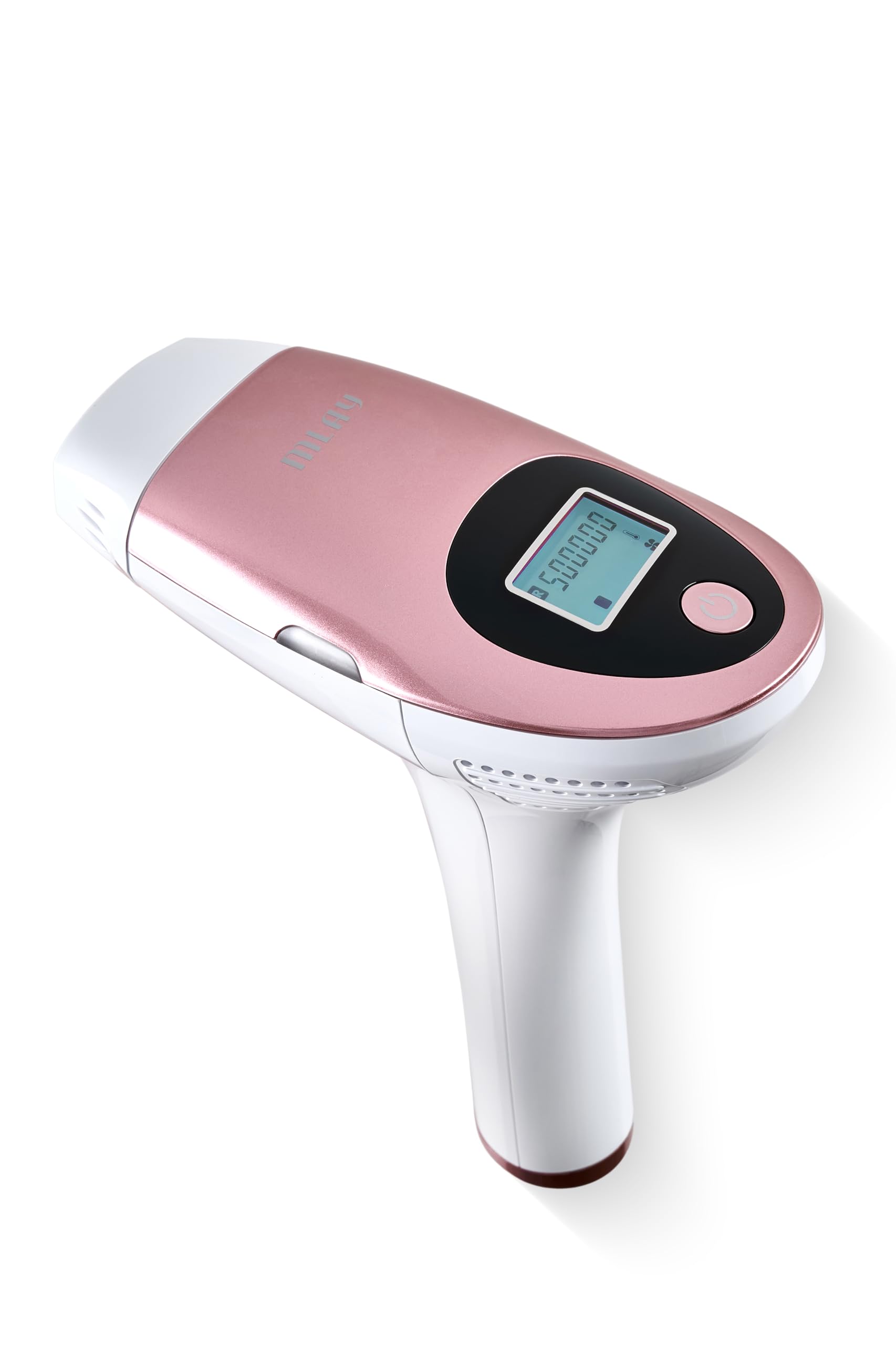

- Flash Window: Emits the IPL light pulses.
- Control Panel/Display: Shows energy level, flash count, and mode.
- Power Button: Turns the device on/off and adjusts energy levels.
- Flash Button: Activates the light pulse.
- Interchangeable Lamp Heads: For different treatment areas (e.g., face, body, bikini) and functions (hair removal, skin rejuvenation, acne treatment).
- Power Port: Connects to the power adapter.
5. Setup
Before your first treatment, ensure proper setup of the device.
- Prepare Skin: Ensure the treatment area is clean, dry, and free of any lotions, creams, or deodorants. Shave the hair in the treatment area if performing hair removal.
- Select Lamp Head: Choose the appropriate lamp head for your desired treatment (hair removal, skin rejuvenation, or acne treatment) and the specific body area. Attach it securely to the device.
- Connect Power: Plug the power adapter into the device's power port, then plug the adapter into an electrical outlet.
- Wear Protective Eyewear: Always wear the provided protective sunglasses before turning on the device to shield your eyes from the intense light.
6. Operating Instructions
Follow these steps for safe and effective use of your MLAY T3 device.
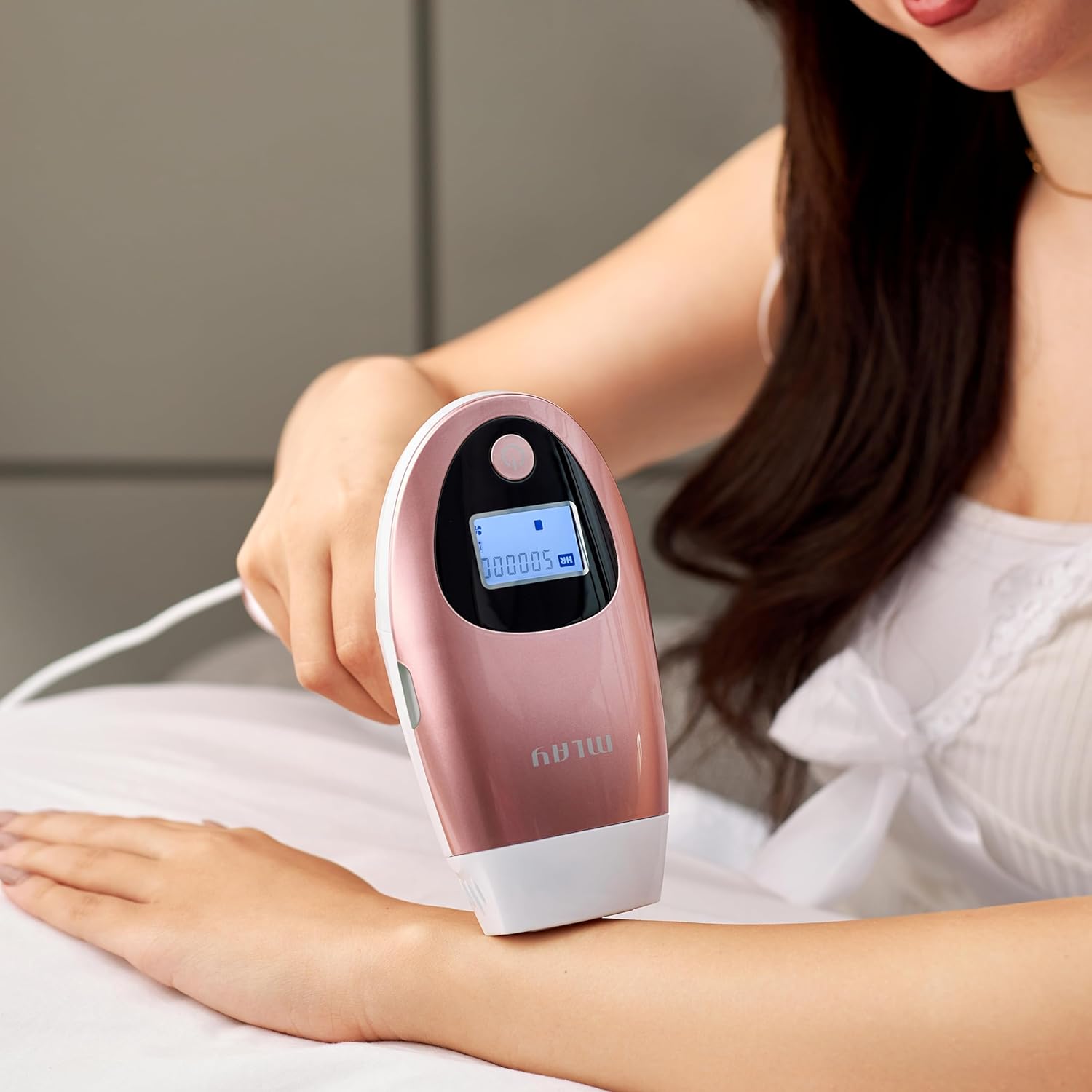
- Power On: Press and hold the Power Button to turn on the device. The display will illuminate.
- Adjust Energy Level: Press the Power Button repeatedly to cycle through the 5 available energy levels. Start with the lowest level (Level 1) and gradually increase it based on your skin sensitivity and hair thickness. The recommended energy range is 12.0 ~ 18.0 J/cm².
- Skin Contact: Place the flash window firmly against the skin of the treatment area. Ensure full contact for the device to activate.
- Apply Flash: Once the device is in full contact with the skin, press the Flash Button to emit a light pulse. You will see a flash and feel a mild sensation.
- Move and Repeat: After each flash, lift the device slightly and move it to the next adjacent area. For hair removal, move in the direction of hair growth. Repeat the process for the entire desired area. Avoid flashing the same spot multiple times in one session.
- Treatment Schedule: For optimal hair removal results, use the device every two weeks for the first month. After the initial month, reduce usage to once a month for maintenance.
- Power Off: After completing your session, press and hold the Power Button to turn off the device. Unplug the power adapter.
Skin and Hair Type Compatibility
IPL technology is most effective on lighter skin tones with darker hair. It is generally not recommended for very dark skin tones or very light (blonde, red, grey) hair, as the melanin target is insufficient. Refer to the skin tone chart in the full user manual for detailed compatibility information.
7. Maintenance
Proper maintenance ensures the longevity and performance of your device.
- Cleaning: After each use, ensure the device is turned off and unplugged. Use the provided cleaning cotton swabs or a soft, dry cloth to gently wipe the flash window and the device surface. Do not use abrasive cleaners or immerse the device in liquids.
- Storage: Store the device in a cool, dry place, away from direct sunlight and moisture. Keep it in its original packaging or a protective case to prevent damage.
- Lens Care: Handle interchangeable lenses with care. Clean them gently and store them in their protective covers when not in use.
8. Troubleshooting
If you encounter any issues, refer to the following common troubleshooting tips:
| Problem | Possible Cause | Solution |
|---|---|---|
| Device does not turn on | Not properly plugged in; Power adapter issue; Device malfunction. | Check power connection. Try a different outlet. Contact customer support if issue persists. |
| No flash emitted | Flash window not in full contact with skin; Device is in standby mode; Flash count depleted. | Ensure full skin contact. Press the power button briefly to exit standby. Check remaining flashes on display. |
| Skin irritation after use | Energy level too high; Skin not properly prepared; Sensitive skin reaction. | Reduce energy level for next session. Ensure skin is clean and dry. Apply a soothing gel if needed. Consult a doctor if irritation is severe or persistent. |
| Uneven hair removal | Inconsistent application; Missed spots. | Ensure even coverage by overlapping treatment areas slightly. Pay attention to the direction of hair growth. |
For issues not listed here, or if troubleshooting steps do not resolve the problem, please contact MLAY customer support.
9. Specifications
Technical details for the MLAY T3 IPL Hair Removal Device.
| Feature | Detail |
|---|---|
| Model Number | T3 |
| Brand | MLAY |
| Color | Rose Gold |
| Power Source | Corded Electric |
| Voltage | 240 Volts |
| Item Weight | 1.8 Kilograms |
| Product Dimensions (L x W x H) | 18 x 15 x 0.1 cm |
| Flash Count | Up to 500,000 flashes |
| Energy Levels | 5 adjustable levels |
| Energy Range | 12.0 ~ 18.0 J/cm² |
| Treatment Window Size | 3.9 cm² |
| Operating Time | 20 minutes (per session, approximate) |
| Water Resistance Level | Not Water Resistant |
10. Warranty and Support
For warranty information, product support, or service inquiries, please refer to the warranty card included in your package or visit the official MLAY website. Keep your purchase receipt as proof of purchase for warranty claims.
- Customer Support: For technical assistance or questions regarding your device, please contact MLAY customer service.
- Online Resources: Additional information, FAQs, and video tutorials may be available on the MLAY official website.


