
1. Product Overview
The IMILAB SC730-D is a wired outdoor security camera featuring dual 3K+3K lenses for comprehensive surveillance. It offers 360° rotation, color night vision, advanced motion detection, a built-in spotlight and siren for deterrence, and two-way audio communication. The camera supports 24/7 continuous recording and can be controlled via the Imilab Life app, with compatibility for Google Assistant and Amazon Alexa.
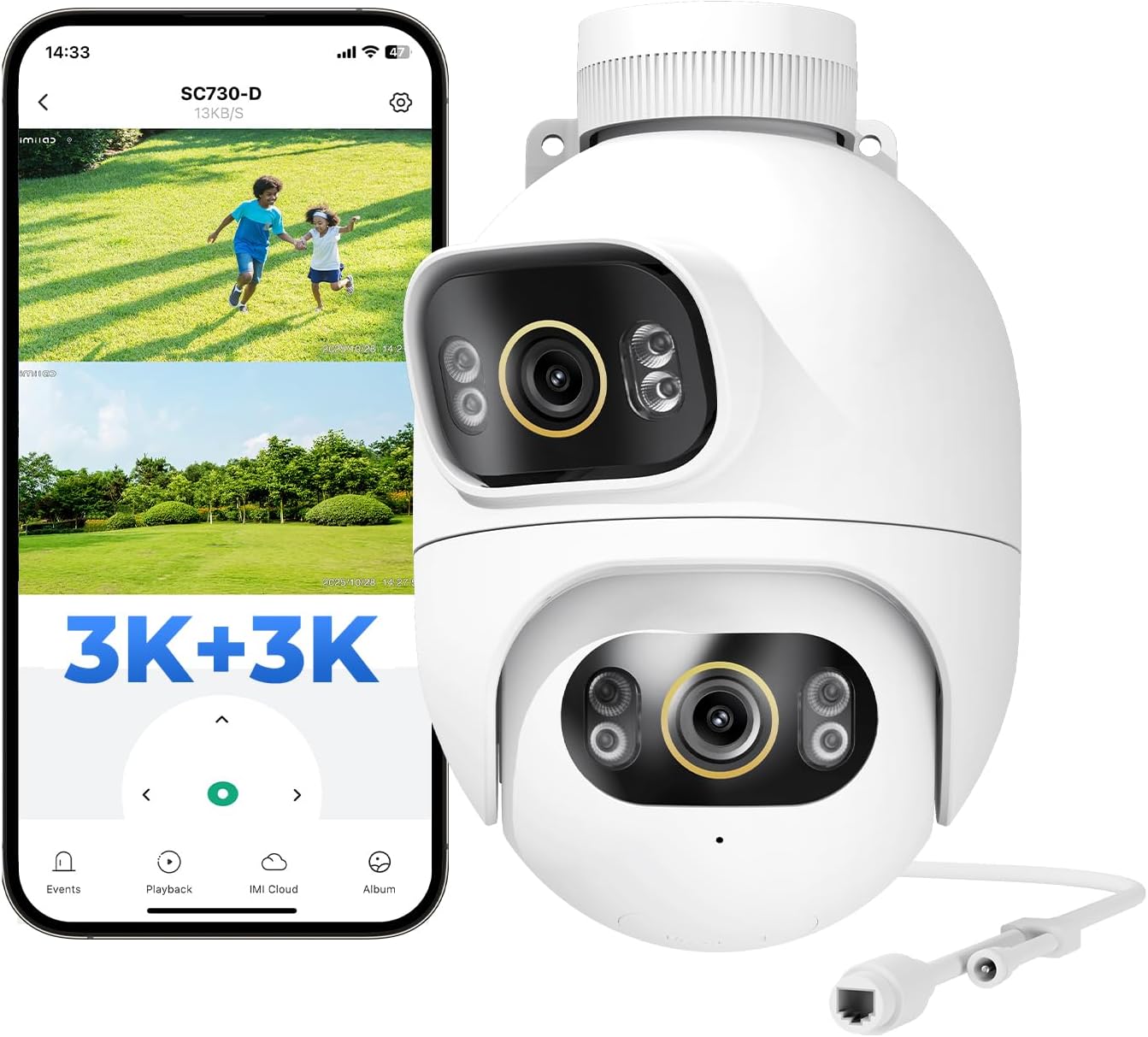
The IMILAB SC730-D 3K+3K Outdoor Security Camera, a white dual-lens device designed for comprehensive outdoor surveillance.
2. Package Contents
Verify that all the following items are included in your package:
- IMILAB SC730-D 3K+3K Camera
- Power Adapter
- Screw Set
- Waterproof Kit
- Warning Sticker
- Mounting Sticker
- User Manual

This image displays all items included in the IMILAB SC730-D package: the camera unit, power adapter, screw set, waterproof kit, warning sticker, mounting sticker, and the user manual.
3. Setup
3.1 Initial Connection
- Download the App: Search for and download the 'IMILAB LIFE' application from your smartphone's app store.
- Power On: Connect the camera to a power source using the provided adapter.
- Network Connection: Open the IMILAB LIFE app and follow the on-screen instructions to connect the camera to your network. The camera supports both 2.4 GHz Wi-Fi and LAN connections.

A visual guide outlining the three simple steps to connect the SC730-D camera: download the IMILAB LIFE app, power on and connect to your network, and complete the setup via the app.
3.2 Physical Installation
The IMILAB SC730-D camera is designed for flexible outdoor installation on walls, ceilings, or poles. Use the provided screw set and mounting sticker for secure attachment. Ensure the installation location provides a clear field of view and stable power supply.

The IMILAB SC730-D camera can be mounted on various outdoor surfaces like walls, ceilings, or poles for optimal surveillance coverage.
4. Operating the Camera
4.1 Live View and Dual Coverage
Access the live feed through the IMILAB LIFE app. The dual lenses provide simultaneous views, allowing you to monitor two different angles at once for comprehensive 360° coverage.
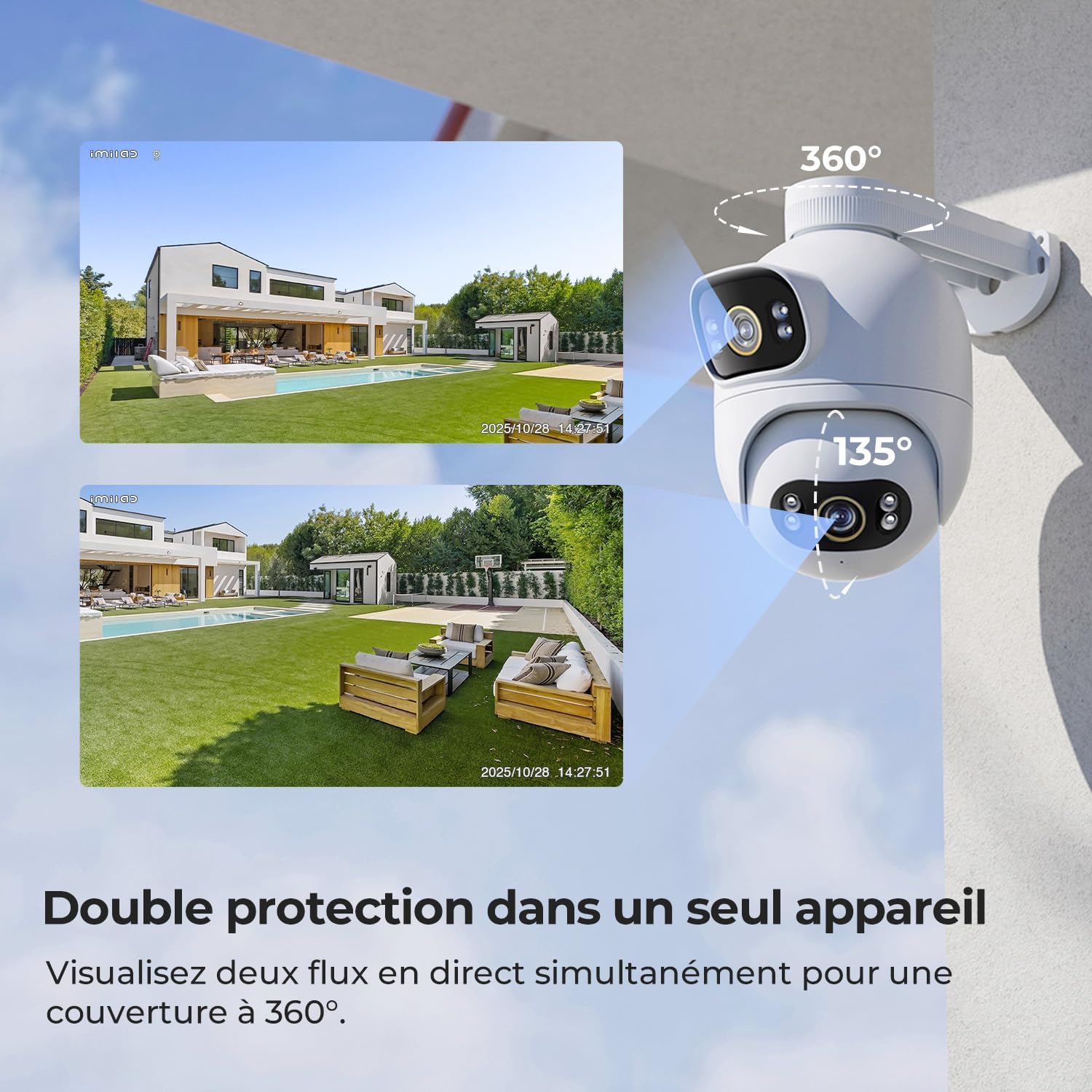
The camera's dual-lens system provides two simultaneous live views, offering comprehensive 360-degree coverage of an outdoor area, as shown on a split screen.
4.2 Night Vision Modes
The camera features advanced night vision capabilities, including:
- Black and White Night Vision: Standard infrared night vision.
- Color Night Vision: Utilizes ambient light to provide color images in low-light conditions.
- Smart Color Night Vision: Automatically switches to color night vision upon detection of a person, enhancing detail and clarity.

This visual comparison illustrates the camera's advanced night vision capabilities, transitioning from standard black and white to full-color and smart color night vision for enhanced clarity and detail after dark.
4.3 Motion Detection and Deterrence
The camera uses AI to detect motion, distinguishing between people, vehicles, and other movements. Upon detection, it can trigger a siren, activate the 800 lm spotlight, or play a pre-recorded voice message to deter intruders. You will receive instant notifications on your smartphone.

The image highlights the camera's AI security, featuring free AI detection for various objects, point-to-PTZ tracking, and smart deterrence with a spotlight and siren to ward off potential threats.
4.4 Two-Way Audio
Utilize the built-in microphone and speaker for two-way audio communication. This allows you to speak to visitors or deter unwanted individuals directly through the camera.

This image demonstrates the camera's ultra-clear 3K/5MP resolution, showing a person at a door with the live feed on a smartphone, highlighting the two-way audio feature for real-time communication.
4.5 App Features and Smart Home Integration
The IMILAB LIFE app provides comprehensive control over your camera, including:
- Live viewing and video playback.
- Configuration of detection zones and privacy zones.
- Instant notifications for detected events.
- PTZ (Pan-Tilt-Zoom) control for adjusting camera angles (120° manual pivot, 10° upper lens tilt).
The camera is compatible with Amazon Alexa and Google Assistant, allowing for voice control and integration into your smart home ecosystem.

A smartphone screen displays the intuitive IMILAB Life app, offering features like virtual fencing, privacy protection, automatic detection, and instant notifications for comprehensive home security management.

A smart display shows the camera's live feed, demonstrating seamless integration with Google Assistant and Amazon Alexa for convenient voice-controlled monitoring.
5. Storage Options
The IMILAB SC730-D offers flexible storage solutions for your video recordings:
- Local Storage: Supports MicroSD cards up to 256GB (not included) for 24/7 continuous recording.
- Cloud Storage: Optional cloud storage based on motion detection is available via subscription. New users may receive a free trial period.

This image illustrates the camera's flexible storage solutions, including optional cloud storage and support for MicroSD cards up to 256GB, enabling 24/7 continuous recording, with a timeline view on the app.

The camera features a MicroSD card slot, supporting up to 256GB for local storage of video recordings.
6. Maintenance
6.1 Cleaning the Camera
To ensure optimal performance, regularly clean the camera lenses and housing. Use a soft, damp cloth to wipe away dust and dirt. Avoid using harsh chemicals or abrasive materials that could damage the lenses or finish.
6.2 Firmware Updates
Periodically check the IMILAB LIFE app for available firmware updates. Keeping your camera's firmware up-to-date ensures you have the latest features, security enhancements, and bug fixes.
6.3 MicroSD Card Management
If using a MicroSD card for local storage, ensure it is properly inserted and formatted through the app. Regularly review and manage stored footage to prevent the card from becoming full, which could interrupt recording.
7. Troubleshooting
7.1 Connectivity Issues
- Camera Offline: Check power connection and Wi-Fi signal strength. Ensure the camera is within range of your 2.4 GHz Wi-Fi network.
- Failed to Connect to App: Restart the camera and your router. Re-attempt the connection process in the IMILAB LIFE app.
7.2 Image Quality Problems
- Blurry Image: Clean the camera lenses. Ensure there are no obstructions in front of the camera.
- Poor Night Vision: Check if the infrared lights or spotlight are obstructed. Ensure the camera is not pointing directly at a strong light source.
7.3 Motion Detection Not Working
- No Notifications: Verify that motion detection and notification settings are enabled in the IMILAB LIFE app. Check your phone's notification settings.
- False Alarms: Adjust the detection sensitivity and configure specific detection zones within the app to minimize unwanted alerts.
8. Specifications
| Feature | Specification |
|---|---|
| Model Name | SC730-D |
| Connectivity Technology | 10m cable with AC adapter, 2.4 GHz WiFi connection |
| Special Features | Dual lens (3K+3K), Plug-in, 24/7 local recording, 800 lm adjustable lights, WiFi/LAN, 360° PTZ, 6X zoom |
| Indoor/Outdoor Use | Outdoor |
| Compatible Devices | Smartphones, laptops, desktops, tablets |
| Power Source | Electric cable (12V, 12W) |
| Connectivity Protocol | Wi-Fi |
| Controller Type | Amazon Alexa, Application |
| Mount Type | Ceiling mount, pole mount, wall mount |
| Color | White |
| Form Factor | Dome |
| Water Resistance Level | Waterproof (IP66) |
| Alert Type | Audio and motion |
| Light Source Type | 4 LED lights + 4 infrared lights |
| Effective Capture Resolution | 5 Megapixels (3K+3K) |
| Video Encoding | H.265 |
| Video Capture Format | MP4 |
| Frame Rate | 20 frames per second |
| Night Vision Range | 3 Meters |
| Night Vision Type | Smart Color Night Vision |
| Max. Supported Flash Memory | 256 GB (Micro SD) |
| View Angle | 360 Degrees |
| Optical Zoom | 3x |
| Item Dimensions | 12 x 20 x 27 centimeters |
9. Product Videos
Video demonstrating the IMILAB SC730-D outdoor security camera's features, including its waterproof design, easy installation, dual lenses, 2K resolution, color night vision, motion detection, two-way audio, smart home integration, and local storage.
Video footage from the IMILAB SC730-D camera showing a car driving through a snowy residential street, demonstrating the camera's wide field of view and recording quality in outdoor conditions.
This video highlights the key functionalities of the IMILAB EC6 Dual camera, which shares many features with the SC730-D. It demonstrates dual-angle surveillance, color night vision, intelligent deterrence mechanisms, instant push notifications, flexible video storage options, and seamless integration with smart home assistants.
10. Warranty and Support
IMILAB products come with a standard manufacturer's warranty. For specific warranty details, please refer to the warranty card included in your package or visit the official IMILAB website. For technical support, troubleshooting assistance, or any product-related inquiries, please contact IMILAB customer service through their official channels.


