
Introduction
The Sonodyne Antara is a 40W wireless portable Bluetooth speaker designed to deliver high-quality stereo sound. It features a robust design with IP65 water and dust resistance, making it suitable for various environments. This manual provides essential information for setting up, operating, maintaining, and troubleshooting your Antara speaker.
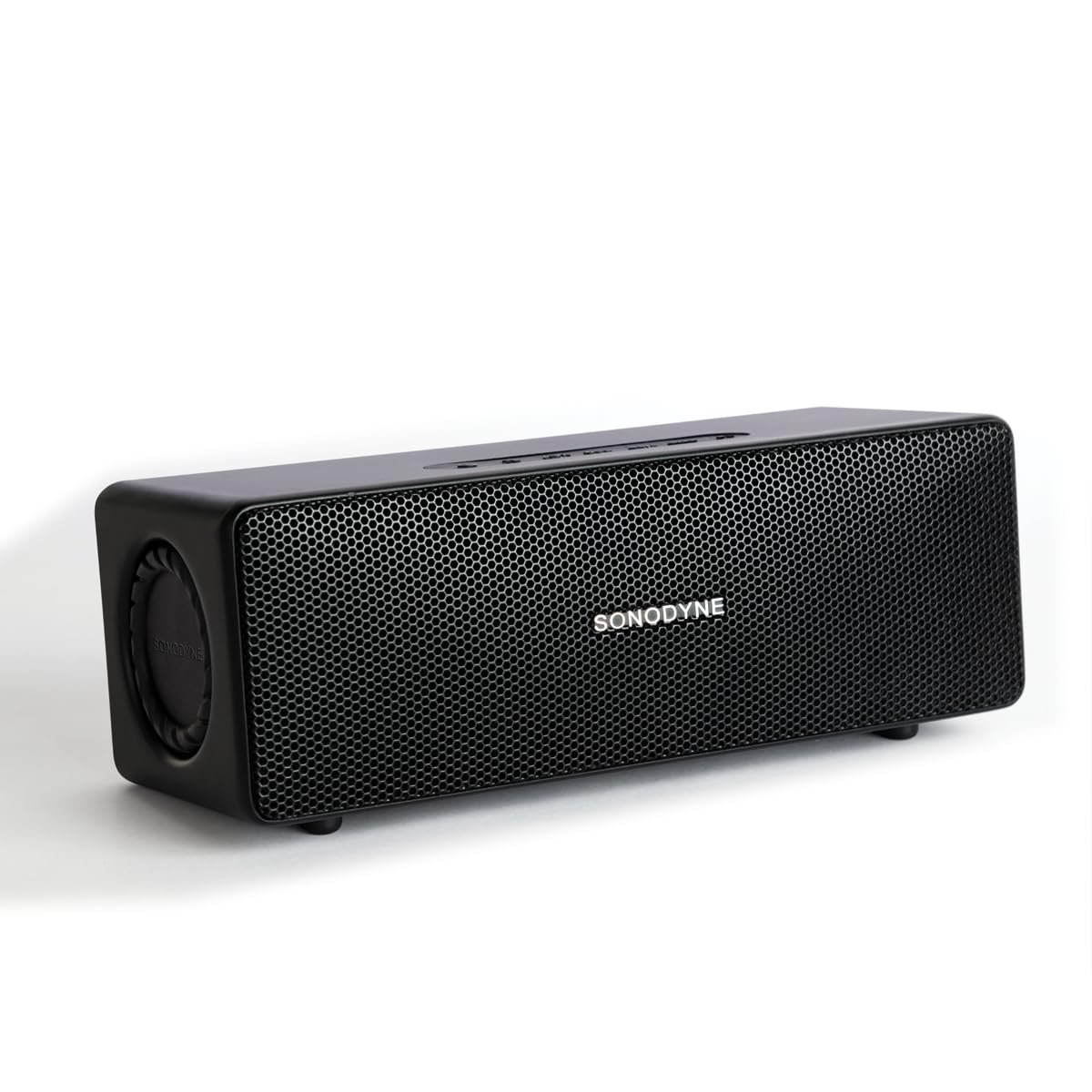
Figure 1: Sonodyne Antara Speaker - Front View
Video 1: Sonodyne Antara Bluetooth Speaker Overview. This video provides a general introduction to the speaker's features and design.
What's in the Box
Carefully unpack your Sonodyne Antara speaker and ensure all items are present:
- Sonodyne Antara Speaker
- Type-C Charging Cable
- High Current Charger
- User Manual (this document)
Product Overview
Controls and Indicators

Figure 2: Top Panel Controls
The top panel features soft-touch controls for easy operation:
- Power Button: Press and hold to power on/off.
- Volume Up/Down: Adjust playback volume.
- Play/Pause Button: Control media playback.
- Bluetooth Pairing Button: Initiate Bluetooth pairing mode.
- Mode Button: Switch between input sources (Bluetooth, Aux-in, USB).
Rear Panel Ports

Figure 3: Rear Panel Ports
The rear panel provides various connectivity options:
- USB Port: For playing audio files from a USB drive.
- PRE OUT: Audio output for connecting to a powered subwoofer.
- AUX IN: 3.5mm analog line input for wired connections.
- DC IN 5V: Type-C charging port.
Setup
Charging the Speaker
- Connect the provided Type-C charging cable to the DC IN 5V port on the speaker's rear panel.
- Connect the other end of the cable to the Sonodyne high current USB charger.
- Plug the charger into a power outlet.
- The charging indicator will illuminate. The speaker is fully charged when the indicator changes color or turns off (refer to specific indicator behavior in the quick start guide). A full charge takes approximately 4.5 hours and provides up to 12 hours of playtime.
Power On/Off
- To Power On: Press and hold the Power button on the top panel until the indicator light illuminates.
- To Power Off: Press and hold the Power button again until the indicator light turns off.
Bluetooth Pairing

Figure 4: Connectivity Features
- Ensure the speaker is powered on.
- Press the Bluetooth Pairing button on the top panel. The Bluetooth indicator will flash, indicating it's in pairing mode.
- On your smartphone or other Bluetooth-enabled device, go to the Bluetooth settings and search for available devices.
- Select "Sonodyne Antara" from the list.
- Once connected, the Bluetooth indicator on the speaker will stop flashing and remain solid.
Aux-in Connection
- Connect a 3.5mm audio cable (not included) from your audio source to the AUX IN port on the speaker's rear panel.
- Press the Mode button on the top panel to switch to Aux-in mode.
USB Playback
- Insert a USB drive containing audio files into the USB port on the speaker's rear panel.
- Press the Mode button on the top panel to switch to USB mode. The speaker will automatically begin playing audio files from the drive.
Duet Mode (True Stereo Pairing)

Figure 5: Duet Mode Feature
To pair two Antara speakers for a true stereo experience:
- Ensure both Antara speakers are powered on and not connected to any Bluetooth device.
- On one speaker (this will be the primary speaker), press and hold the Bluetooth Pairing button until you hear a confirmation tone.
- Repeat the same step on the second speaker (secondary speaker).
- The speakers will automatically search and connect to each other. Once connected, the primary speaker's Bluetooth indicator will flash slowly, and the secondary speaker's indicator will be solid.
- Now, connect your device to the primary speaker via Bluetooth as described in the "Bluetooth Pairing" section. Audio will play in true stereo across both speakers.
Operating Instructions
Basic Playback Controls
- Play/Pause: Press the Play/Pause button once.
- Volume Up: Press the Volume Up button.
- Volume Down: Press the Volume Down button.
- Next Track: Press and hold the Volume Up button (or double-press, refer to quick start guide for exact behavior).
- Previous Track: Press and hold the Volume Down button (or triple-press, refer to quick start guide for exact behavior).
Call Management (when connected via Bluetooth)
- Answer Call: Press the Play/Pause button once.
- End Call: Press the Play/Pause button once during a call.
- Reject Call: Press and hold the Play/Pause button.
Maintenance
Cleaning
- Wipe the speaker with a soft, dry, lint-free cloth.
- Do not use abrasive cleaners, alcohol, benzene, or other chemical solvents, as these may damage the surface.
Storage
- Store the speaker in a cool, dry place away from direct sunlight and extreme temperatures.
- If storing for an extended period, charge the battery to approximately 50% every few months to prolong battery life.
Water and Dust Resistance (IP65)
The Sonodyne Antara speaker is rated IP65, meaning it is protected against dust ingress and low-pressure water jets from any direction. This makes it suitable for outdoor use in light rain or dusty conditions.
- Do not immerse the speaker in water.
- Avoid exposing the speaker to powerful water jets.
- Ensure all port covers are securely closed before exposing the speaker to water or dust.
- If the speaker gets wet, wipe it dry with a soft cloth before charging or using it again.
Troubleshooting
| Problem | Possible Cause | Solution |
|---|---|---|
| Speaker does not power on. | Low battery. | Charge the speaker using the provided charger and Type-C cable. |
| Cannot pair via Bluetooth. | Speaker not in pairing mode; device too far; previously paired device connected. | Ensure speaker is in pairing mode (flashing indicator). Move device closer. Disconnect from other devices or reset speaker's Bluetooth. |
| No sound. | Volume too low; incorrect input source; device not playing. | Increase speaker and device volume. Press Mode button to select correct input (Bluetooth, Aux, USB). Ensure audio is playing on your source device. |
| Poor sound quality/distortion. | Source audio quality; speaker too far from source (Bluetooth); interference. | Try a different audio source. Move Bluetooth device closer to the speaker. Avoid obstacles between speaker and device. |
| Duet Mode not working. | Speakers not properly paired in Duet Mode. | Ensure both speakers are disconnected from other devices before initiating Duet Mode pairing. Follow Duet Mode instructions carefully. |
Specifications
| Feature | Detail |
|---|---|
| Brand | Sonodyne |
| Model Name | Antara |
| Speaker Type | Stereo, Portable Bluetooth Speaker |
| Speaker Maximum Output Power | 40 Watts |
| Audio Output Mode | Stereo (2.0 Channels) |
| Connectivity Technology | Bluetooth 5.4, Aux-in (3.5mm), USB |
| Audio Driver Type | Dynamic Driver (4 transducers, 2 passive radiators) |
| Woofer Driver Diameter | 2.5 Inches |
| Tweeter Driver Diameter | 0.5 Inches |
| Signal-to-Noise Ratio | 85 dB |
| Frequency Response | Up to 20 KHz (typical range for full-range speakers) |
| Power Source | Battery Powered (1 Lithium Ion battery included) |
| Battery Capacity | 3350 mAh |
| Battery Average Life | Up to 12 Hours |
| Battery Charge Time | 4.5 Hours |
| Control Method | Touch Control |
| Water Resistance Level | IP65 (Water Resistant, Dustproof) |
| Enclosure Material | Acrylonitrile Butadiene Styrene (ABS) |
| Item Dimensions (D x W x H) | 9.8D x 25W x 8.6H Centimeters |
| Item Weight | 1.5 Kilograms |
Warranty and Support
Manufacturer's Warranty
The Sonodyne Antara speaker comes with a 2-Year Manufacturer's Limited Warranty. This warranty covers defects in materials and workmanship under normal use. Please retain your proof of purchase for warranty claims.
Customer Support
For technical assistance, warranty claims, or any other inquiries, please contact Sonodyne customer support:
- Manufacturer Contact Information: Sonodyne Technologies Pvt. Ltd. 98 NB Block E New Alipore, Kolkata 700053
- Refer to the official Sonodyne website or your purchase documentation for the most current contact details and support options.