
Introduction
This manual provides detailed instructions for the setup, operation, maintenance, and troubleshooting of your AFEXOA MX 1 Sunrise Simulation Wake-Up Light. Please read this manual thoroughly before using the product to ensure proper function and longevity.
Setup
1. Package Contents
Verify that all components are present:
- AFEXOA MX 1 Sunrise Simulation Wake-Up Light (1 unit)
- User Manual (1 unit)
- Power Adapter (1 unit)
2. Power Connection
Connect the provided power adapter to the device and plug it into a standard electrical outlet. The device will power on automatically.
3. Battery Installation (Backup)
The device includes a CR2032 battery for time and setting backup during power outages. Locate the battery compartment, insert the CR2032 battery with the correct polarity, and close the compartment.
4. Initial Time Setting
Upon first power-up or after a prolonged power loss without backup battery, you may need to set the current time. Refer to the "Operating Instructions" section for detailed time setting procedures.

Image: The AFEXOA MX 1 Wake-Up Light displaying different light colors and its control panel.
Operating Instructions
1. Setting the Time
Press the Time Set button (refer to diagram in manual for exact button location). Use the +/- buttons to adjust hours and minutes. Press Time Set again to confirm.
2. Sunrise Simulation Alarm
The sunrise simulation feature gradually brightens the light before your set alarm time, mimicking a natural sunrise.
- Setting Alarm Time: Press the Alarm Set button. Use +/- to set the desired wake-up time. Press Alarm Set to confirm.
- Sunrise Duration: The light will begin to brighten 5 to 90 minutes before the set alarm time. This duration can typically be adjusted in the settings menu. The light transitions from a soft red to a warm white.
- Alarm Sound: Choose from 7 pre-set alarm sounds, including gentle music and natural sounds. Volume is adjustable from 1 to 15 levels (up to 110 dB). An "OFF" option allows for light-only wake-up.

Image: A person waking up in a bedroom, illuminated by the gradual brightening of the AFEXOA MX 1 Wake-Up Light, demonstrating the sunrise simulation feature.
3. Snooze Function
When the alarm sounds, press the central button on the top of the device to activate the snooze function. This provides an additional 9 minutes of sleep. The snooze can be activated multiple times.
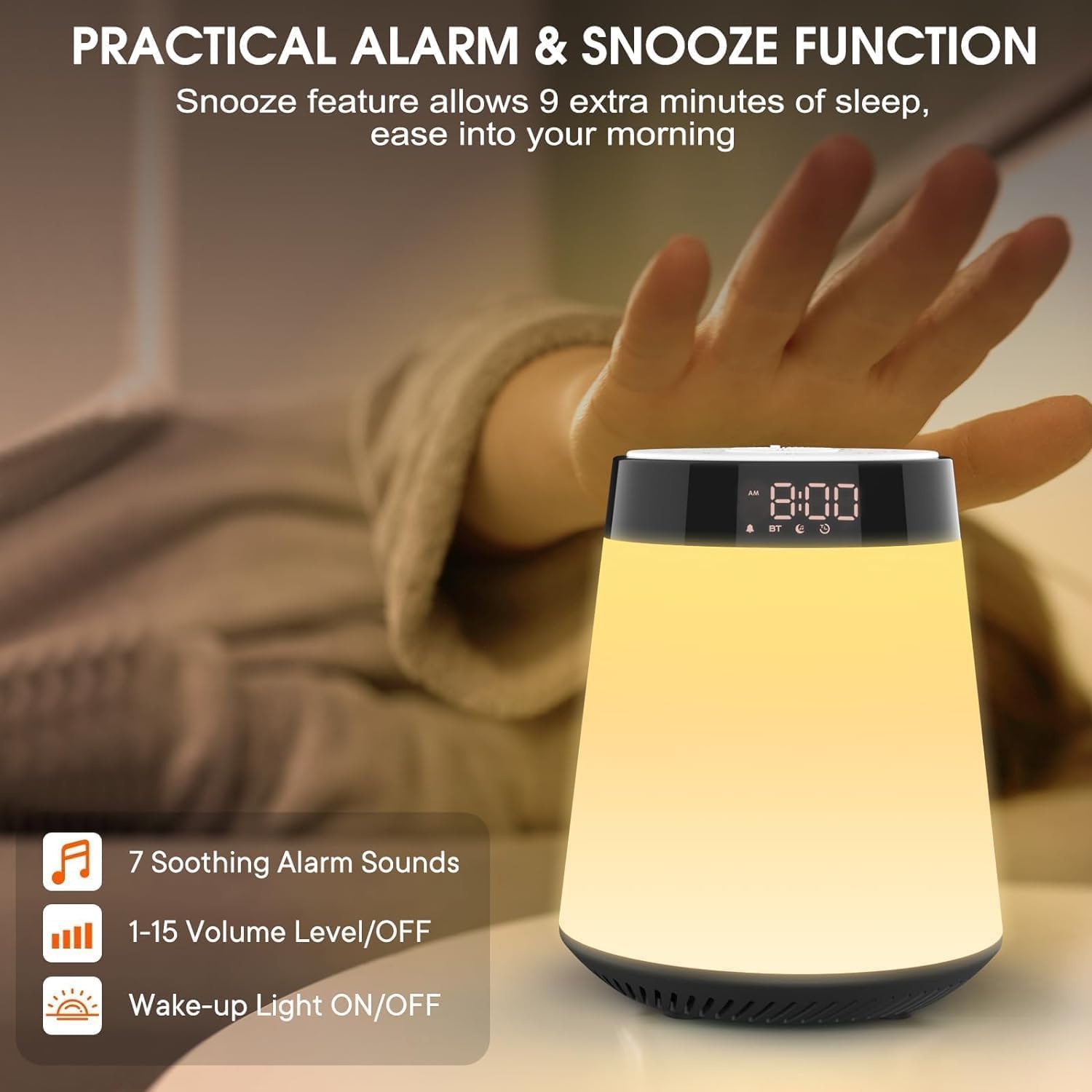
Image: A hand reaching to press the top button of the AFEXOA MX 1 Wake-Up Light, illustrating the snooze function.
4. White Noise Machine & Sleep Timer
The device offers a white noise machine with a sleep timer to aid relaxation and sleep.
- Sound Selection: Choose from 16 soothing sounds, including various white noises, natural sounds (e.g., insect, water flow, fire, bird, waves, raining, wind), and lullabies.
- Sleep Timer: Set a timer for 15, 30, 60, 90, or 120 minutes. The selected sounds and lights will automatically turn off once the timer expires.

Image: The AFEXOA MX 1 Wake-Up Light on a nightstand, with graphics illustrating the 16 soothing sounds and sleep timer durations available.
5. Colored Lights (RGB & Night Light)
The device offers various lighting options for ambiance and night light functionality.
- RGB Dynamic Mode: Activate this mode for a continuous cycle through various color combinations, offering up to 6 types of ambient light effects.
- Monochromatic Night Light: Select from 8 distinct colors to suit your mood or preference.
- Brightness Adjustment: Rotate the central knob on the top of the device to adjust the light brightness from 0% to 100%.

Image: Several AFEXOA MX 1 Wake-Up Lights arranged to show the range of RGB dynamic color ambient lights.

Image: A hand adjusting the brightness knob on the AFEXOA MX 1 Wake-Up Light, with a visual representation of 8 monochromatic light color options.
6. Bluetooth Speaker Functionality
The device can function as a Bluetooth speaker for audio playback.
- Pairing Mode: Press the Bluetooth button (indicated by a 'BT' icon) to enter pairing mode. The 'BT' indicator on the display will flash.
- Connect Device: On your smartphone or other Bluetooth-enabled device, search for "AFEXOA MX 1" (or similar name) in the Bluetooth settings and select it to pair.
- Audio Playback: Once paired, audio from your connected device will play through the wake-up light's speaker.

Image: The AFEXOA MX 1 Wake-Up Light on a desk, wirelessly connected to a smartphone via Bluetooth, demonstrating its speaker functionality.
Maintenance
1. Cleaning
Wipe the device with a soft, dry cloth. Do not use abrasive cleaners, solvents, or immerse the device in water. Ensure the device is unplugged before cleaning.
2. Battery Replacement
If the time and settings are lost frequently during power outages, the CR2032 backup battery may need replacement. Follow the battery installation steps in the "Setup" section.
Troubleshooting
- Device does not power on:
- Ensure the power adapter is securely connected to both the device and a working electrical outlet.
- Check if the outlet is functional by plugging in another device.
- Alarm does not sound or light up:
- Verify that the alarm time is correctly set and activated.
- Check the alarm volume settings; ensure it is not set to "OFF" if you desire sound.
- Ensure the light intensity is not set to 0%.
- Bluetooth connection issues:
- Ensure the device is in Bluetooth pairing mode (flashing 'BT' icon).
- Make sure Bluetooth is enabled on your external device and it is within range.
- Try unpairing and re-pairing the device.
- Ensure no other devices are currently connected to the wake-up light.
- Time/settings are lost after power outage:
- The CR2032 backup battery may be depleted. Replace it as described in the "Maintenance" section.
Specifications
| Brand | AFEXOA |
| Model Number | MX 1 |
| Dimensions (L x W x H) | 10 x 10 x 15 cm |
| Weight | 660 g |
| Material | Acrylonitrile Butadiene Styrene (ABS), Plastic |
| Light Source Type | LED |
| Power Source | Corded Electric |
| Backup Battery | 1 x CR2032 (included) |
| Special Features | Loud Alarm/Snooze/Sunrise Simulation/Bluetooth Speaker/White Noise Machine/Sleep Timer/Ambient Light/Adjustable Brightness/Adjustable Volume |
| Energy Efficiency Rating | F |
| EPREL QR Code | View EPREL Information |

Image: The EU Energy Label for the AFEXOA MX1, indicating its energy efficiency rating.
Warranty Information
This product is covered by a manufacturer's warranty. Please refer to the warranty card included in your package or contact AFEXOA customer support for specific details regarding warranty duration and terms.
Customer Support
For technical assistance, troubleshooting not covered in this manual, or warranty claims, please contact AFEXOA customer support. Contact details can typically be found on the product packaging, the official AFEXOA website, or through your retailer.