
Introduction
Thank you for choosing the Moondrop U2 Hi-Fi Earbuds. This manual provides essential information for the proper setup, operation, and maintenance of your new audio device. Please read it thoroughly before use to ensure optimal performance and longevity.

Image: Moondrop U-2 Hi-Fidelity Earbuds, a modern iteration of classic earbud design.
Package Contents
Please verify that all items listed below are included in your package:
- Earphone (1 unit)
- Storage bag (1 unit)
- Instruction manual (1 unit)
- Certificate (1 unit)
- Service card (1 unit)
Setup
- Unpacking: Carefully remove the earbuds and accessories from the packaging.
- Cable Connection: The Moondrop U2 features a twisted silver-plated cable with a 3.5mm standard single-ended plug. Connect the 3.5mm plug securely into the audio jack of your compatible device (e.g., cellphone, laptop, desktop).
- Wearing the Earbuds: Gently insert the earbuds into your ears. The U-shaped brass tube design is intended for comfortable and stable wear. Adjust for a snug fit to optimize sound quality and comfort.
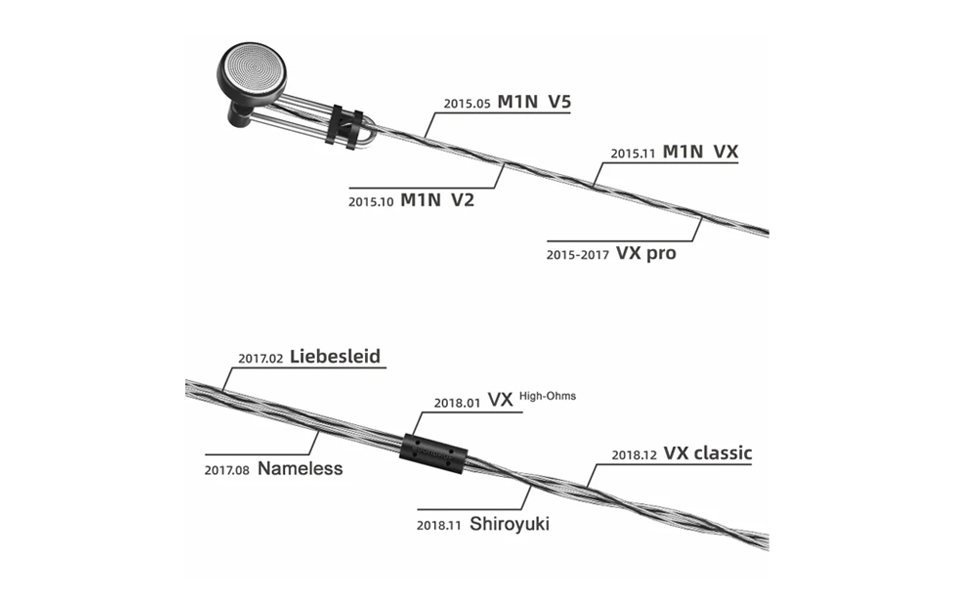
Image: Moondrop U2 earbuds featuring the 3.5mm standard single-ended plug and twisted silver-plated cable.
Operating Instructions
The Moondrop U2 earbuds are designed for straightforward operation via your connected device.
- Audio Playback: Once connected, initiate audio playback from your device.
- Volume Control: Adjust the volume directly from your connected device.
- Call Management: The earbuds feature a remote control method. For call functions, refer to your device's specific instructions for wired earbud control.
Video: An official product video demonstrating the Moondrop U2 Hi-Fi Dynamic Driver Earbuds in use, highlighting their design and functionality.
Maintenance
- Cleaning: Regularly wipe the earbuds and cable with a soft, dry cloth. Avoid using harsh chemicals or abrasive materials.
- Storage: When not in use, store the earbuds in the provided storage bag to protect them from dust and damage.
- Cable Care: Handle the twisted silver-plated cable gently to prevent tangling or damage. Avoid sharp bends or excessive pulling.
Troubleshooting
| Problem | Possible Cause | Solution |
|---|---|---|
| No sound or low volume | Incorrect connection, low device volume, damaged cable. | Ensure 3.5mm plug is fully inserted. Increase device volume. Test with another audio source/cable if possible. |
| Poor sound quality (distortion, static) | Damaged cable, dirty audio jack, incompatible audio source. | Check cable for damage. Clean device's audio jack. Try a different audio source. |
| Earbuds fall out easily or are uncomfortable | Improper fit. | Adjust the earbuds for a more secure and comfortable fit. Ensure the U-shaped design is correctly positioned. |
Specifications
| Feature | Detail |
|---|---|
| Model Name | U-2 |
| Brand | Moondrop |
| Audio Driver Type | Dynamic Driver |
| Audio Driver Size | 14.8 Millimeters |
| Impedance | 300 Ohms |
| Frequency Response | 20000 Hz |
| Headphones Jack | 3.5 mm Jack |
| Connectivity Technology | Wired |
| Material | Acrylonitrile Butadiene Styrene (ABS) |
| Item Weight | 0.09 Kilograms (3.2 ounces) |
| Water Resistance Level | Not Water Resistant |
| Control Method | Remote |
| Compatible Devices | Cellphones, Laptops, Desktops |
Warranty
Moondrop products are covered by a limited warranty against defects in materials and workmanship. Please refer to the included service card or visit the official Moondrop website for detailed warranty terms and conditions.
Support
For further assistance, technical support, or customer service, please contact Moondrop through the following channels:
- Official Website: Visit the Moondrop Store on Amazon for product information and support resources.
- Email Support: Refer to your service card for specific contact email addresses.
