
ALPONO ALPONO-A11
ALPONO Electric Spin Scrubber User Manual
Brand: ALPONO | Model: ALPONO-A11
1. Introduction and Overview
The ALPONO Electric Spin Scrubber is engineered to provide an effortless and efficient cleaning experience for various surfaces in your home. Its cordless design and powerful motor make tackling tough grime and dirt simpler than ever, reducing the need for strenuous bending or scrubbing. This manual provides comprehensive instructions for setup, operation, maintenance, and troubleshooting to ensure optimal performance and longevity of your device.
Key Features:
- Versatile Performance: Equipped with 7 interchangeable brush heads for cleaning tubs, tiles, floors, windows, and more.
- Long Handle Design: Extendable up to 54 inches, allowing easy access to hard-to-reach areas without bending or stretching.
- Efficient and Effective: Features 2 adjustable speeds for powerful rotating heads, saving time and effort on stubborn stains.
- Cordless Convenience: Provides freedom of movement without tangled wires or the need for a nearby power outlet.
- Long-lasting Battery: Ensures uninterrupted cleaning sessions with extended battery life.
2. Product Components
Your ALPONO Electric Spin Scrubber package includes the following components:
| Component | Description |
|---|---|
| Electric Spin Scrubber Unit | Main handheld unit with motor and digital display. |
| 7 Brush Heads | Assorted brushes for various cleaning tasks (e.g., Big Flat, Corner, Small Flat, Sponge, Fiber, Cloth, Imitation Wool). |
| Telescope Handle | Extendable handle for reaching high or low areas. |
| Type-C Cable | Charging cable for the scrubber unit. |
| User Manual | This instruction guide. |

The complete ALPONO Electric Spin Scrubber set, including the main unit, extendable handle, and all 7 interchangeable brush heads.

Close-up of the digital display on the scrubber unit, indicating battery status and current spinning speed (High/Low).
A selection of the 7 interchangeable brush heads, including flat brushes, a corner brush, and various pads for different cleaning needs.
3. Setup
3.1 Assembling the Handle
- Unpack the main scrubber unit and the telescope handle from the box.
- Align the connection point on the main scrubber unit with the top end of the telescope handle.
- Twist clockwise until the handle is securely locked into place. Ensure it clicks or feels firm to prevent detachment during use.
- To extend the handle, twist the locking collars on the handle counter-clockwise to loosen, pull the sections to your desired length, and then twist clockwise to lock them securely.
3.2 Attaching Brush Heads
- Select the appropriate brush head for your cleaning task.
- Align the brush head with the rotating base of the scrubber unit (or the end of the handle if attached).
- Push the brush head firmly onto the base until it clicks into place. Ensure it is securely fastened.
- To remove a brush head, simply pull it off the base.
Official ALPONO video demonstrating the assembly of the electric spin scrubber and attachment of various brush heads for different cleaning tasks.
4. Operating Instructions
4.1 Powering On/Off
- Press and hold the power button on the scrubber unit for 2-3 seconds to turn it ON. The digital display will light up.
- To turn it OFF, press and hold the power button again for 2-3 seconds.
4.2 Adjusting Speed
- Once powered ON, the scrubber will default to a low-speed setting (280 RPM).
- Press the power button briefly to switch to the high-speed setting (360 RPM).
- Press the button again to toggle back to the low-speed setting. The digital display will indicate the current speed.
4.3 Cleaning Tips
- For best results, apply your preferred cleaning solution directly to the surface or the brush head before activating the scrubber.
- Start with the low-speed setting for general cleaning and switch to high speed for stubborn stains or tougher grime.
- Use the long handle for floors, high walls, or deep tubs to avoid bending and stretching.
- For detailed cleaning around faucets or in tight corners, detach the handle and use the scrubber as a handheld unit with a smaller brush head.

A user demonstrating the extended 55-inch handle for comfortable floor cleaning, eliminating the need for bending over.

Visual comparison highlighting how the ALPONO scrubber saves back and knee strain compared to traditional manual cleaning methods.

Diagram illustrating the extendable long handle, adjustable to different heights for various cleaning demands, from handheld to full extension.
5. Maintenance
5.1 Cleaning Brush Heads
- After each use, remove the brush head from the scrubber unit.
- Rinse the brush head thoroughly under running water to remove any dirt, soap residue, or debris.
- For stubborn grime on the brush bristles, use a mild soap and a small brush to clean them.
- Allow the brush heads to air dry completely before storing them to prevent mildew or odor.
5.2 Charging the Scrubber
- The scrubber unit is powered by 1 Lithium Ion battery (included).
- When the digital display shows low battery (flashing 10%), connect the Type-C charging cable to the charging port on the scrubber unit.
- Plug the other end of the cable into a compatible USB power adapter (not included).
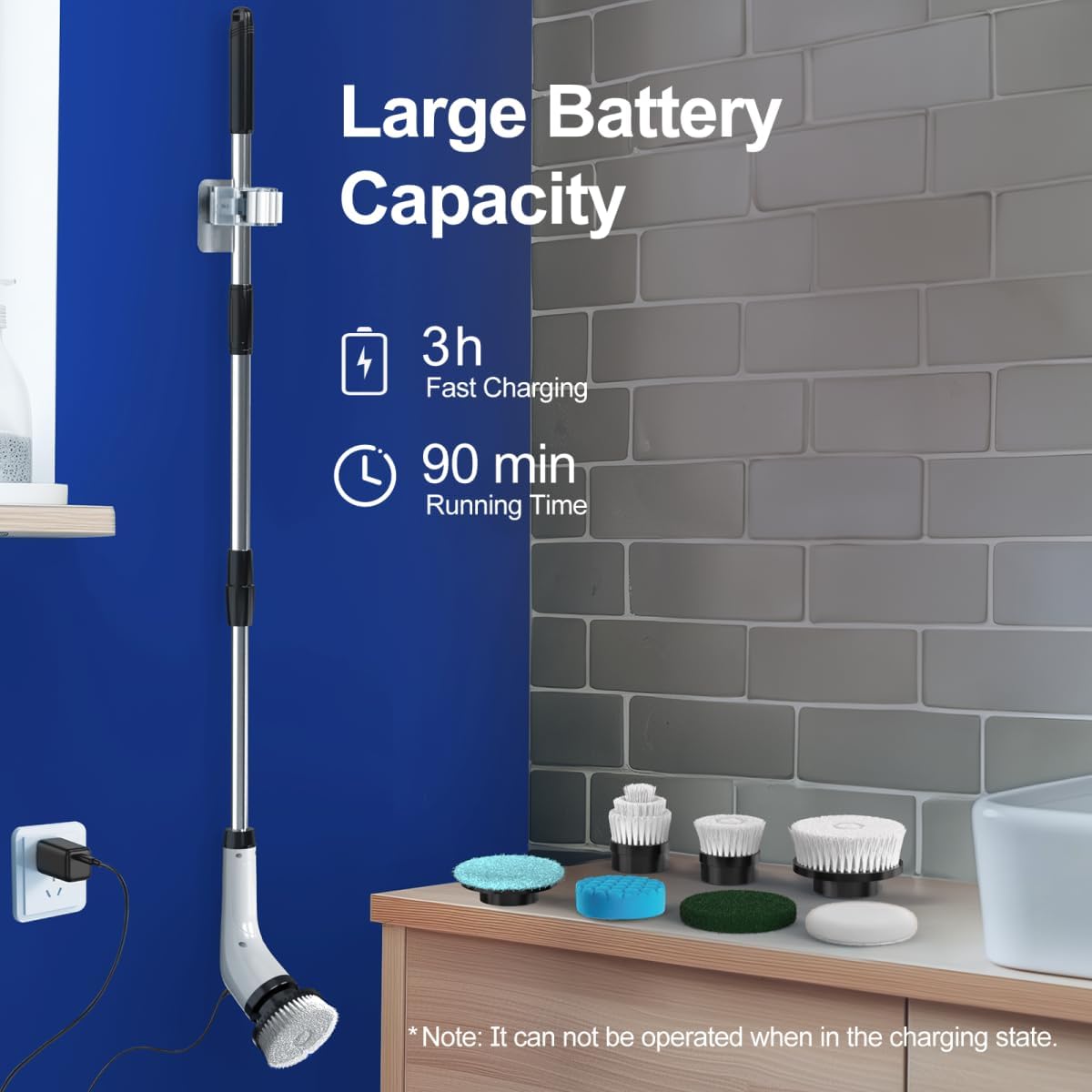
- A full charge takes approximately 3 hours. The digital display will indicate charging progress.
- The scrubber provides up to 90 minutes of running time on a full charge.
- Note: The scrubber cannot be operated while it is in the charging state.
5.3 Storage
- Store the scrubber unit and brush heads in a dry, cool place away from direct sunlight.
- Ensure all components are clean and dry before storage.
- The extendable handle can be collapsed for compact storage.

The scrubber unit charging via its Type-C cable, indicating its large battery capacity and fast charging capability.
6. Troubleshooting
If you encounter any issues with your ALPONO Electric Spin Scrubber, please refer to the following common problems and solutions:
| Problem | Possible Cause | Solution |
|---|---|---|
| Scrubber does not turn on. | Low battery or unit not charged. | Charge the scrubber unit fully (approx. 3 hours). |
| Brush head stops spinning or spins slowly. | Low battery, excessive pressure applied, or debris caught in bristles. | Recharge the unit. Reduce pressure during cleaning. Clean brush head thoroughly. |
| Brush head detaches during use. | Brush head not securely attached. | Ensure brush head clicks firmly into place when attaching. |
| Digital display is not working. | Unit is off or battery is completely drained. | Press power button to turn on. Charge the unit. |
If the problem persists after trying these solutions, please contact customer support for further assistance.
7. Specifications
| Specification | Value |
|---|---|
| Brand | ALPONO |
| Model Number | ALPONO-A11 |
| Color | Black |
| Handle Material | Stainless Steel |
| Product Dimensions | 2.16"L x 2.16"W x 9.8"H |
| Item Weight | 2.5 Pounds |
| Material | Stainless Steel, Plastic |
| Special Feature | Long Handle, Portable, Extendable, Cordless |
| Included Components | 1*Electric Spin Scrubber, 7*Brushes, 1*Telescope Handle, 1*Type-C Cable, 1*Manual |
| Battery Type | 1 Lithium Ion battery (included) |
| Battery Life | Up to 90 minutes running time |
| Charging Time | Approx. 3 hours |
| Speed Settings | 2 adjustable speeds (280 RPM Low, 360 RPM High) |
| Waterproof Rating | IPX6 (from video, not explicitly in specs but implied by use) |
| UPC | 794414690734, 794414690826 |
8. Warranty and Support
For warranty information, product registration, or technical support, please refer to the warranty card included in your product packaging or visit the official ALPONO website. You may also contact ALPONO customer service directly via the contact information provided in the product documentation.
Ask a question about this manual
Ask about setup, troubleshooting, compatibility, parts, safety, or missing instructions. Manuals+ will review the question and use this page’s manual context to help answer it.