
Introduction
Thank you for choosing the Triumphkey Electric Height Adjustable Standing Desk. This manual provides essential information for the safe and efficient use of your new desk. Please read these instructions carefully before assembly and operation, and retain them for future reference.
Product Overview
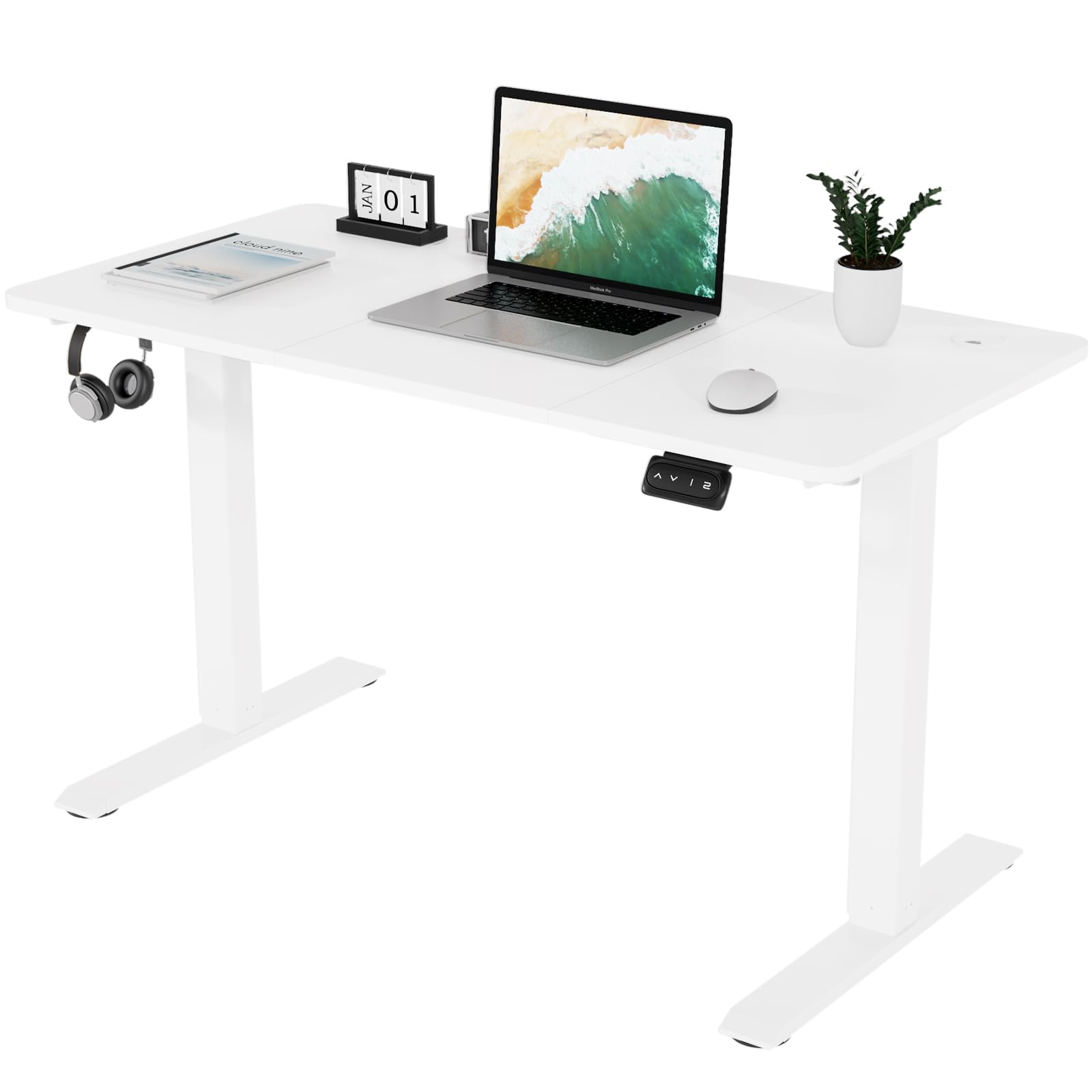
The Triumphkey Electric Height Adjustable Standing Desk is designed to offer a versatile workspace, allowing seamless transitions between sitting and standing positions. It features an electric motor for smooth height adjustments, memory presets for convenience, and a spacious desktop with integrated cable management. The desk is constructed with a sturdy frame and thoughtful design elements for enhanced stability and user comfort.
Safety Warnings
- Do not exceed the maximum recommended weight limit of 60 kg (132 lbs) on the desktop.
- Ensure all components are correctly assembled and tightened before use to guarantee stability and safety.
- Keep children and pets away from the desk during height adjustment to prevent injury.
- Avoid placing liquids directly on the control panel or motor components.
- Do not disassemble or modify the desk's electrical components. Contact customer support for service.
Package Contents
Before beginning assembly, please verify that all parts listed below are present and undamaged. If any parts are missing or damaged, please contact Triumphkey customer support.
- Desktop Panel (120x60cm, White)
- Electric Lifting Columns (2)
- Desk Feet (2)
- Control Box
- Handset/Keypad
- Power Adapter and Cable
- Headphone Hanger (1)
- Cable Hole Cover (1)
- Assembly Hardware (screws, Allen keys, etc. - all coded for easy identification)
- Instruction Manual
Setup and Assembly
The Triumphkey Electric Height Adjustable Standing Desk is designed for easy installation. Detailed instructions and coded screws are provided to simplify the process. It is recommended to assemble the desk on a soft, clean surface to prevent scratches.
Assembly Steps
- Unpack Components: Carefully remove all parts from the packaging and lay them out on a protected surface. Refer to the parts list to ensure everything is present.
- Attach Lifting Columns to Desktop: Position the desktop upside down. Attach the electric lifting columns to the designated mounting points on the desktop using the provided screws. Ensure the columns are oriented correctly.
- Install Desk Feet: Secure the desk feet to the bottom of the lifting columns using the appropriate hardware.
- Mount Control Box and Handset: Attach the control box to the underside of the desktop. Connect the lifting columns and handset to the control box as indicated in the detailed assembly guide.
- Connect Power: Plug the power adapter into the control box, then connect it to a power outlet.
- Install Accessories: Attach the headphone hanger and insert the cable hole cover into the desktop.
- Cable Management: Route all cables neatly using the integrated cable holes to maintain a tidy workspace.

Operating Instructions
The electric height adjustment system allows for easy customization of your workspace.
Height Adjustment
- Raise Desk: Press and hold the Up (↑) button on the keypad to raise the desk. Release the button when the desired height is reached.
- Lower Desk: Press and hold the Down (↓) button on the keypad to lower the desk. Release the button when the desired height is reached.

Memory Presets
The desk features two memory modes to store your preferred sitting and standing heights.
- Set a Memory Height: Adjust the desk to your desired height using the Up or Down buttons. Press the Memory (M) button, then immediately press either 1 or 2. The display will confirm the height has been saved.
- Recall a Memory Height: Simply press the 1 or 2 button to automatically move the desk to the corresponding saved height.


Maintenance
Regular maintenance ensures the longevity and optimal performance of your desk.
- Cleaning: Wipe the desktop and frame with a soft, damp cloth. Avoid abrasive cleaners or harsh chemicals that could damage the surface.
- Check Connections: Periodically inspect all screws and connections to ensure they are tight. Retighten if necessary.
- Cable Management: Ensure cables are not pinched or tangled, which could affect desk movement or cause damage.
- Motor Care: The electric motor is maintenance-free. Do not attempt to lubricate or open the motor housing.
Troubleshooting
If you encounter any issues with your Triumphkey desk, refer to the following common problems and solutions:
| Problem | Possible Cause | Solution |
|---|---|---|
| Desk does not move | Power cable disconnected; Overload; Motor error | Check power connection; Reduce weight on desk; Unplug for 10 seconds and replug. |
| Uneven height adjustment | Obstruction; Uneven weight distribution | Remove any obstructions; Redistribute weight evenly on the desktop. |
| Memory presets not working | Not properly saved | Re-save the memory presets following the operating instructions. |
If the problem persists after attempting these solutions, please contact Triumphkey customer support for further assistance.
Specifications
Detailed technical specifications for the Triumphkey Electric Height Adjustable Standing Desk.
- Brand: TRIUMPHKEY
- Model Number: 6bb6aa63-dad3-4103-a2c1-a3c8df448056
- Color: White
- Product Dimensions (L x W x H): 120 x 60 x 71-119 cm (47.2 x 23.6 x 28-46.9 inches)
- Height Adjustment Range: 71 cm to 119 cm (28 inches to 46.9 inches)
- Item Weight: 19.2 Kilograms (42.3 lbs)
- Maximum Weight Capacity: 60 Kilograms (132 lbs)
- Desktop Material: Melamine
- Base Material: Wood
- Special Feature: Adjustable Height, Memory Presets, Cable Management Hole, Headphone Hanger, Rounded Corners
- Form Factor: Rectangular
- Style: Modern
- Country of Origin: China

Warranty and Support
Triumphkey is committed to providing high-quality products and customer satisfaction.
Warranty Information
Specific warranty details may vary by region and retailer. Please refer to the warranty card included with your product or contact your point of purchase for detailed warranty terms and conditions.
Customer Support
For any questions, technical assistance, or to report missing/damaged parts, please contact Triumphkey customer support. You can typically find contact information on the product packaging, the retailer's website, or the official Triumphkey brand store.
We recommend having your model number (6bb6aa63-dad3-4103-a2c1-a3c8df448056) and purchase date available when contacting support.
