
SUNLIN 9 LEDs
SUNLIN Light Up Dance Mat User Manual
Model: 9 LEDs
Introduction
The SUNLIN Light Up Dance Mat provides an engaging and interactive experience for children aged 3 and up. Featuring 9 light-up pads, multiple built-in music tracks, and Bluetooth connectivity, this dance mat encourages active play, coordination, and rhythm development through various game modes. This manual provides essential information for the safe and effective use of your dance mat.
Safety Information
Please read all safety instructions before using the product. Failure to follow these instructions may result in injury or damage to the product.
- This product is intended for children aged 3 years and up. Adult supervision is recommended.
- Ensure the dance mat is placed on a flat, non-slip surface to prevent falls.
- Do not use the mat near water or in wet conditions.
- Keep the mat away from heat sources and direct sunlight.
- Only use the recommended battery type (3 x AA batteries, not included).
- Do not mix old and new batteries, or different types of batteries.
- Remove batteries if the product will not be used for an extended period.
- The product complies with CPSIA and ASTM standards, ensuring safety during play.

Image: The SUNLIN dance mat with a child playing, alongside certifications for safety and durability, including ASTM and CPSIA standards. This illustrates the product's adherence to safety regulations.
Package Contents
Verify that all items are present in the package:
- 1 x SUNLIN Light Up Dance Mat
- 1 x Instruction Manual (this document)
Setup
1. Battery Installation
- Locate the battery compartment on the underside of the control unit.
- Using a Phillips head screwdriver, unscrew the battery compartment cover.
- Insert 3 x AA batteries (not included) into the compartment, ensuring correct polarity (+/-).
- Replace the cover and secure it with the screw.

Image: A close-up view of the battery compartment on the underside of the dance mat's control unit, showing where three AA batteries are inserted. This illustrates the battery installation process.
2. Unfolding the Mat
Carefully unfold the dance mat and lay it flat on a clean, dry, and level surface. Ensure there are no wrinkles or creases that could impede play or cause tripping.

Image: The SUNLIN Light Up Dance Mat unfolded and laid flat, showcasing its 9 light-up pads and central control unit. This provides a clear view of the product ready for use.
Operating Instructions

Image: A detailed diagram of the SUNLIN dance mat, highlighting its dimensions (37.4" x 37.4") and key features such as the speaker, power on/off switch, volume control, Bluetooth button, and game mode selectors (Follow-the-Lights, Piano Mode, Simon Game). This image serves as a visual guide to the mat's functionalities.
1. Power On/Off
Locate the ON/OFF switch on the side of the control unit. Slide the switch to 'ON' to power on the mat. Slide it to 'OFF' to power off.
2. Volume Control
Use the volume control buttons (Volume Up and Volume Down) on the control unit to adjust the sound level to your preference.

Image: A close-up of the blue circular buttons for volume control on the dance mat, showing the 'volume up' and 'volume down' icons. This visually explains how to adjust the sound.
3. Game Modes
The SUNLIN Dance Mat features 4 engaging game modes:
- Mode 1: Free Dancing - Dance freely to the built-in music or your own via Bluetooth.
- Mode 2: Follow-the-Lights - Step on the pads as they light up, following the sequence.
- Mode 3: Simon Game - A memory game where you repeat sequences of lights and sounds.
- Mode 4: Piano Mode - Each pad plays a different musical note, allowing for creative melodies.

Image: A family interacting with the SUNLIN dance mat, with overlaid text indicating the four game modes: Free Dancing, Follow-The-Lights, Simon Game, and Piano Mode. This visually explains the different play options available.
4. Bluetooth Connectivity
Connect your mobile device via Bluetooth to play your favorite music through the dance mat's speakers.
- Ensure the dance mat is powered on.
- Activate Bluetooth on your mobile device.
- Search for available devices and select "SUNLIN Dance Mat" (or similar name).
- Once connected, you can play music from your device, and the lights on the mat will respond to the beat.
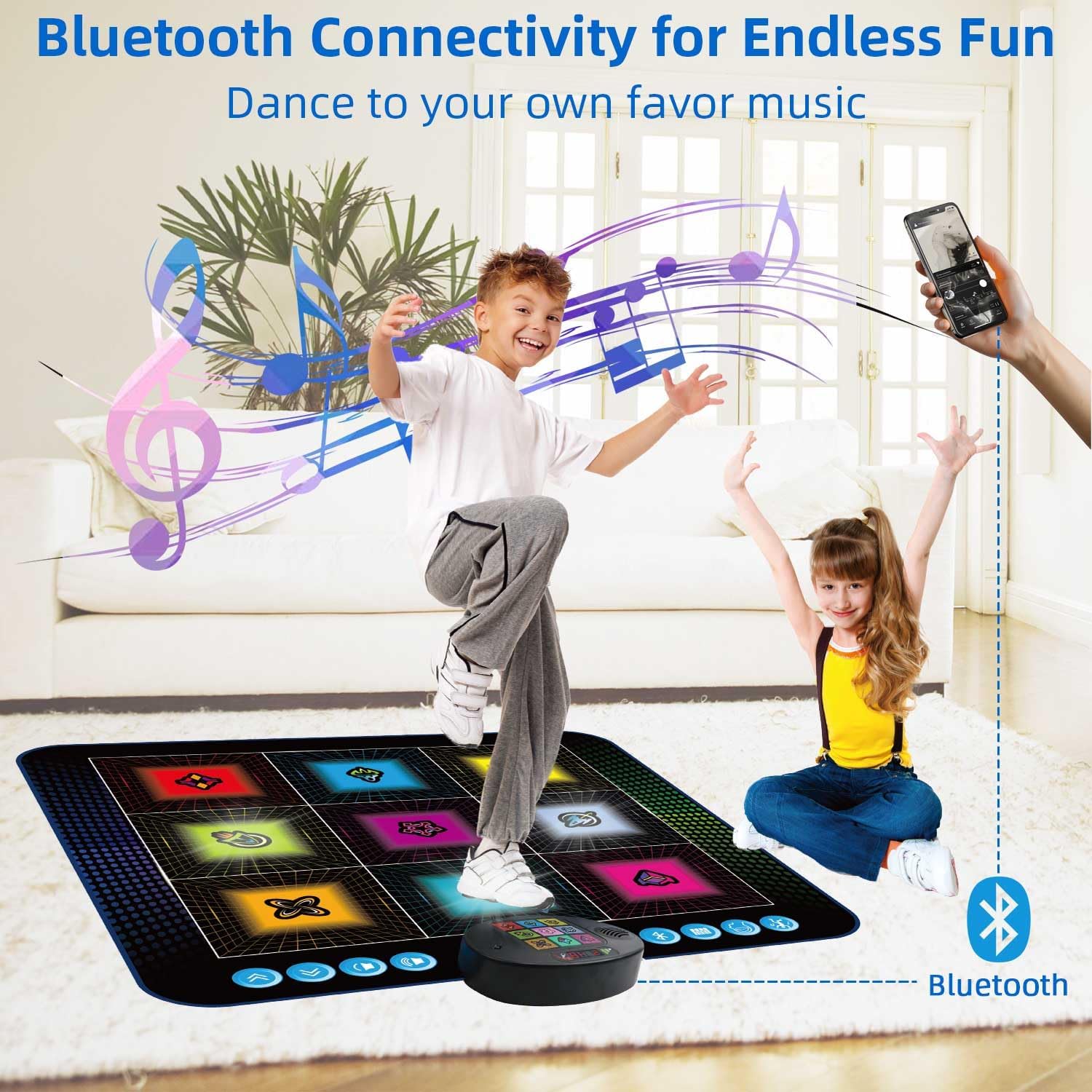
Image: A child enthusiastically dancing on the SUNLIN Light Up Dance Mat, with a hand holding a smartphone connected via Bluetooth, illustrating the wireless music streaming capability. This shows how users can play their own music.
Maintenance
1. Cleaning
To clean the dance mat, gently wipe the surface with a soft, damp cloth. Do not use harsh chemicals or abrasive cleaners. Ensure the mat is completely dry before storing.
2. Storage
The SUNLIN Dance Mat is designed for easy storage. Fold the mat neatly and store it in a cool, dry place away from direct sunlight and moisture. Its compact folded size allows for storage in closets or under beds.

Image: The SUNLIN dance mat folded into a compact size (13"x13"x3.15"), demonstrating its portability and ease of storage, fitting into a backpack or small space. This highlights the convenience of the product's design.
Troubleshooting
| Problem | Possible Cause | Solution |
|---|---|---|
| Mat does not power on. | Batteries are low or incorrectly installed. | Replace with new AA batteries, ensuring correct polarity. |
| Lights are not responding. | Low battery or connection issue. | Check batteries. Ensure mat is on a flat surface and connections are secure. |
| No sound or low sound. | Volume is too low or muted. | Adjust the volume using the volume control buttons. Check battery level. |
| Bluetooth connection fails. | Device is out of range or Bluetooth is not enabled. | Ensure Bluetooth is enabled on your device and it is within range. Try restarting both devices. |
Specifications
- Product Dimensions: 37.4 x 37.4 x 2 inches
- Item Weight: 2.77 pounds
- Recommended Age: 3 years and up
- Power Source: 3 x AA Batteries (not included)
- Connectivity: Bluetooth
- Features: 9 Light-Up Pads, 4 Game Modes, Volume Control
Warranty and Support
For warranty information or technical support, please refer to the contact details provided on the product packaging or visit the official SUNLIN website. Keep your purchase receipt for any warranty claims.
Related documents9 LEDs

Ask a question about this manual
Ask about setup, troubleshooting, compatibility, parts, safety, or missing instructions. Manuals+ will review the question and use this page’s manual context to help answer it.