
Dracast X Series M80 Bi-Color LED 3 Light Kit User Manual
Model: DRXM80BX3S
Introduction
This manual provides comprehensive instructions for the setup, operation, maintenance, and troubleshooting of your Dracast X Series M80 Bi-Color LED 3 Light Kit. Please read this manual thoroughly before using the product to ensure proper and safe operation.
Package Contents
The Dracast X Series M80 Bi-Color LED 3 Light Kit includes the following components:
- 3 x Dracast X Series M80 Bi-Color LED Video Lights
- 3 x Reflector Dishes
- 3 x Diffusion Panels (pre-installed)
- 3 x Mounting Hardware (yoke with 5/8" baby pin adapter)
- 3 x AC Power Adapters
- 3 x Light Stands
- 3 x V-Mount Battery Plate Accessories (batteries sold separately)
- 3 x Individual Soft Carrying Cases
- 3 x Handle Grip Accessories
- 1 x Nylon Padded Travel Case with zipper close and velcro handle

Product Overview
The Dracast X Series M80 Bi-Color LED light features a robust design and intuitive controls for versatile lighting applications.
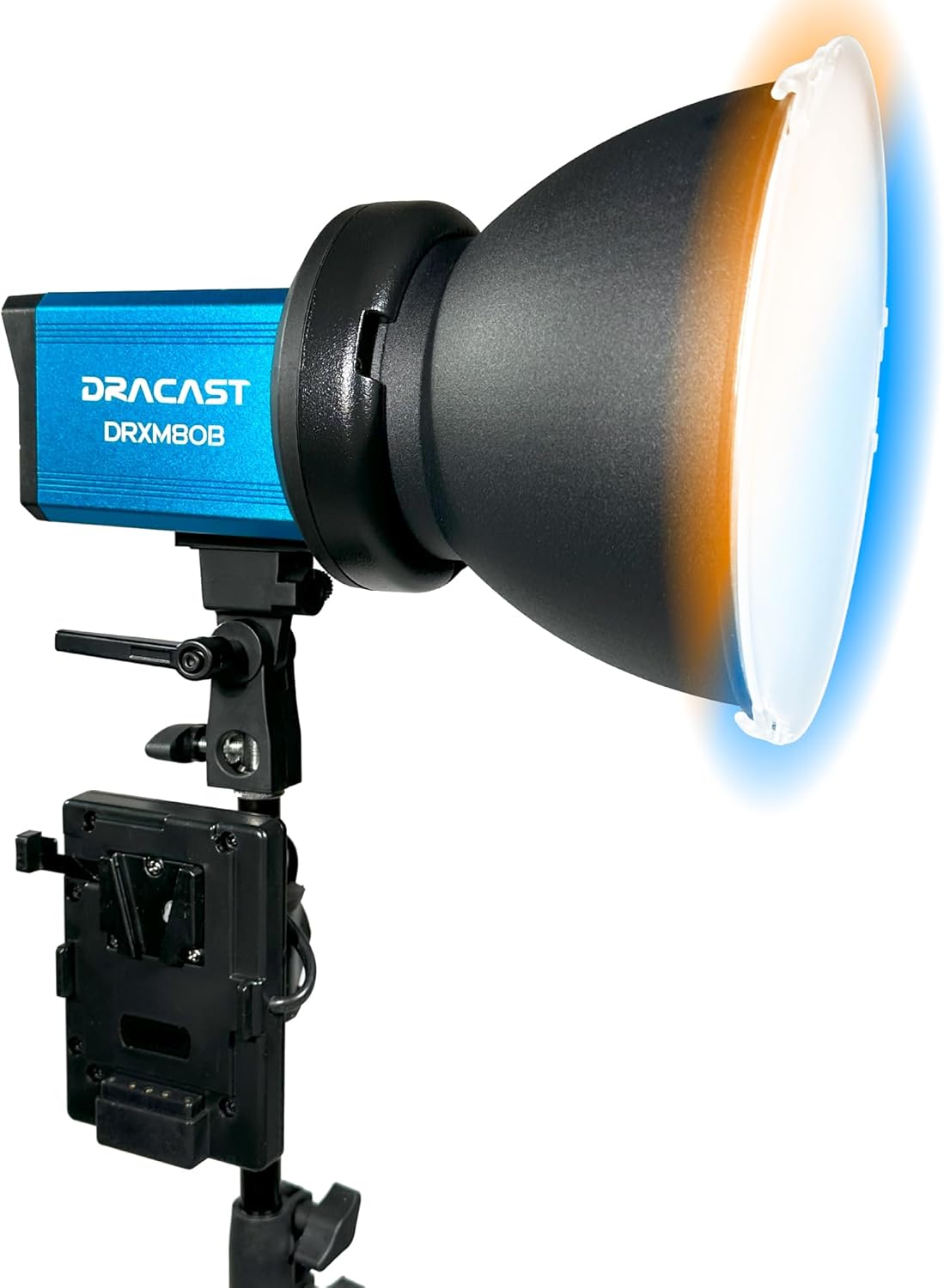
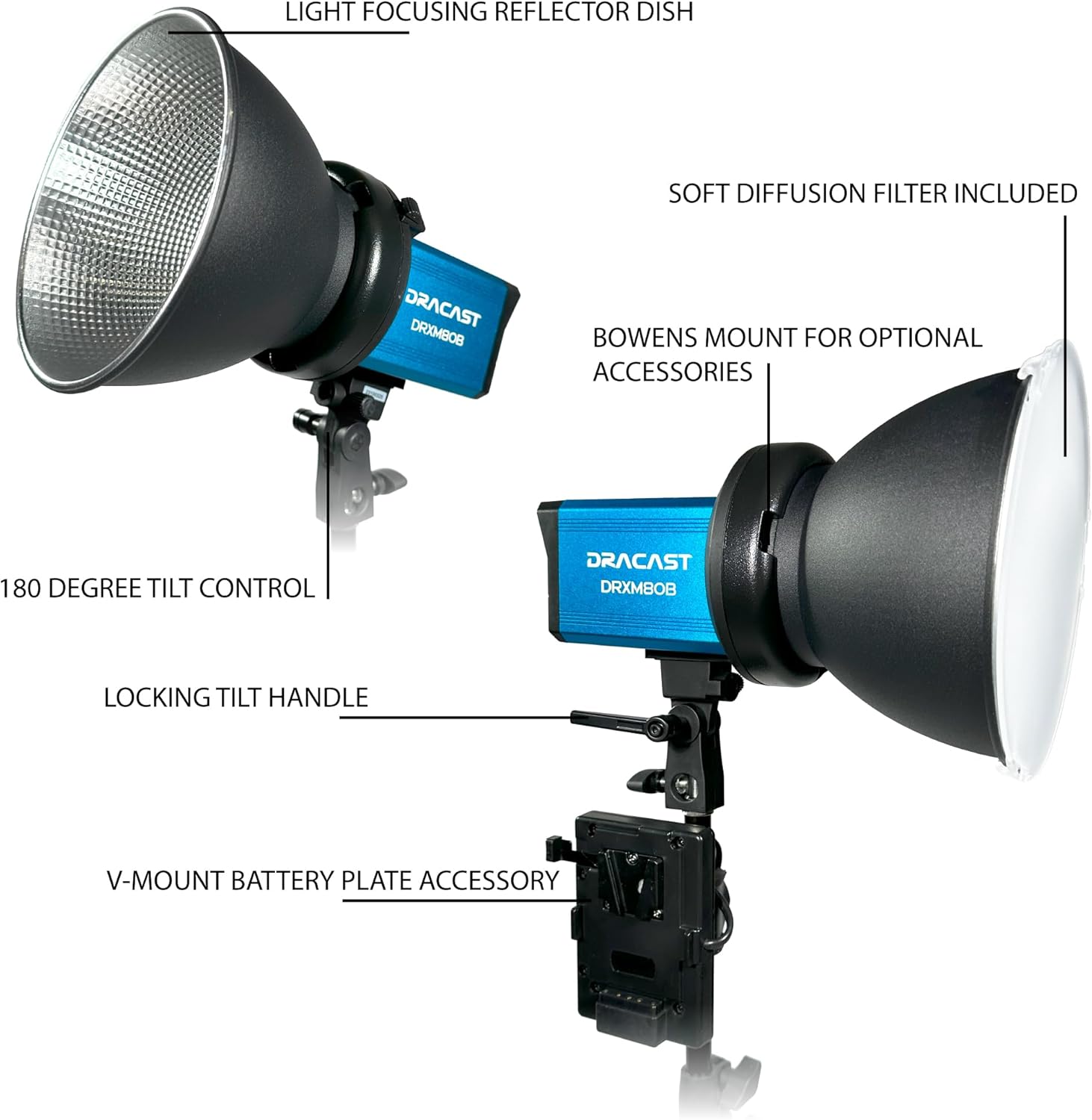

Setup
1. Assembling the Light Stands
- Unfold the legs of the light stand until they are fully extended and stable.
- Extend the telescopic sections of the stand to the desired height and secure them using the locking knobs.
2. Mounting the LED Light
- Attach the Dracast X Series M80 light unit to the 5/8" baby pin adapter on top of the light stand.
- Tighten the locking knob on the light's mounting yoke to secure it to the stand.
- Adjust the tilt angle of the light using the locking tilt handle.

3. Powering the Light
- AC Power: Connect the included AC power adapter to the "AC Power In" port on the light unit and plug it into a standard wall outlet.
- DC Power (Battery): For portable operation, attach a compatible V-Mount style battery (sold separately) to the V-Mount battery plate accessory. Ensure the battery is securely locked into place.
4. Attaching Accessories
- Reflector Dish: Align the reflector dish with the Bowens mount on the front of the light and twist clockwise until it locks into place.
- Diffusion Panel: The diffusion panel is pre-installed for soft, even lighting.

Operating Instructions
1. Power On/Off
Locate the power switch on the control panel (refer to Figure 4) and toggle it to the "ON" position to power on the light. Toggle to "OFF" to power off.
2. Adjusting Color Temperature (CCT)
The Dracast X Series M80 is a bi-color LED light, allowing adjustment of color temperature from 3200K (warm) to 5600K (cool). Use the value increase/decrease buttons on the control panel to adjust the CCT. The current setting will be displayed on the LCD.
3. Adjusting Dimming (Brightness)
Brightness can be adjusted from 0% to 100%. Use the value increase/decrease buttons to set the desired dimming level. The LCD will show the current brightness percentage.
4. Using the Dracast DRX App (Remote Control)
For advanced control, download the Dracast DRX App for iOS and Android devices. The app allows control of one or multiple lights simultaneously from over 100 feet via Bluetooth.
- Pairing: Follow the in-app instructions to pair your lights with your mobile device.
- Group Control: Assign lights to groups for synchronized control.
- Color Control: Adjust CCT, or use HSI sliders or an RGB color wheel for precise color selection (if applicable to the specific mode).
- Gel Presets & Special Effects: Quickly select and apply various color gel presets and special effects such as Police Car, Fireworks, Candlelight, Strobe, and TV Screen.
- Dimming: Adjust dimming from 0% – 100% directly within the app.
The light offers 96+ CRI and TLCI for excellent color rendition, making it suitable for interview lighting, portrait lighting, and matching existing light sources.
Maintenance
Proper maintenance ensures the longevity and optimal performance of your Dracast X Series M80 lights.
- Cleaning: Use a soft, dry cloth to clean the exterior of the light. Avoid using abrasive cleaners or solvents.
- Storage: When not in use, store the lights and accessories in the provided nylon padded travel case or individual soft carrying cases in a cool, dry place.
- Durability: The anodized aluminum metal housing is built for excellent durability. Avoid dropping or subjecting the lights to excessive impact.
Troubleshooting
| Problem | Possible Cause | Solution |
|---|---|---|
| Light does not power on. | No power supply; power switch off; faulty cable. | Ensure AC adapter is securely connected and plugged into a live outlet, or V-mount battery is charged and properly attached. Check power switch position. Try a different power cable if available. |
| Cannot connect to Dracast DRX App. | Bluetooth off; light not in pairing mode; app issue. | Ensure Bluetooth is enabled on your mobile device. Restart the light and the app. Make sure the light is within range (100 feet). |
| Light output is inconsistent or flickering. | Loose connection; power fluctuation; internal issue. | Check all power connections. Try a different power source. If the issue persists, contact Dracast customer support. |
Specifications
| Feature | Detail |
|---|---|
| Model Number | DRXM80BX3S |
| Product Dimensions | 12 x 12 x 24 inches (Kit) |
| Item Weight | 32.7 pounds (Kit) |
| Color Temperature | 3200K – 5600K (Bi-Color Adjustable) |
| Color Rendition | 96+ CRI and TLCI |
| Dimming | 0% – 100% |
| Control | Manual (on-board), Dracast DRX App (Bluetooth) |
| Power Options | AC / DC (V-Mount battery compatible) |
| Mounting | 5/8" Baby Pin Adapter, Bowens Mount (for accessories) |
| Housing Material | Anodized Aluminum Metal |

Warranty and Support
For warranty information and technical support, please refer to the official Dracast website or contact their customer service department. Keep your purchase receipt as proof of purchase for any warranty claims.
For additional resources and product updates, visit the Dracast Store on Amazon.


