
Introduction
Thank you for choosing the LocoLee LED Light Kit for your LEGO NASA Artemis Space Launch System 10341. This kit is designed to enhance your model with vibrant lighting, bringing it to life. This manual provides essential information for the setup, operation, maintenance, and troubleshooting of your light kit. Please read these instructions carefully before installation and use.
Note: This product is an LED light kit only. The LEGO NASA Artemis Space Launch System 10341 building model is not included and must be purchased separately or already owned.
Safety Information
- Keep small parts away from children to prevent accidental ingestion.
- The light kit operates on low voltage (less than 5V). Do not connect to higher voltage power sources.
- Handle wires and components gently. Do not pull wires too hard to avoid damage.
- Ensure all connections are secure before powering on the kit.
- Do not modify the components of the light kit. Unauthorized modifications may void the warranty and pose safety risks.
Package Contents
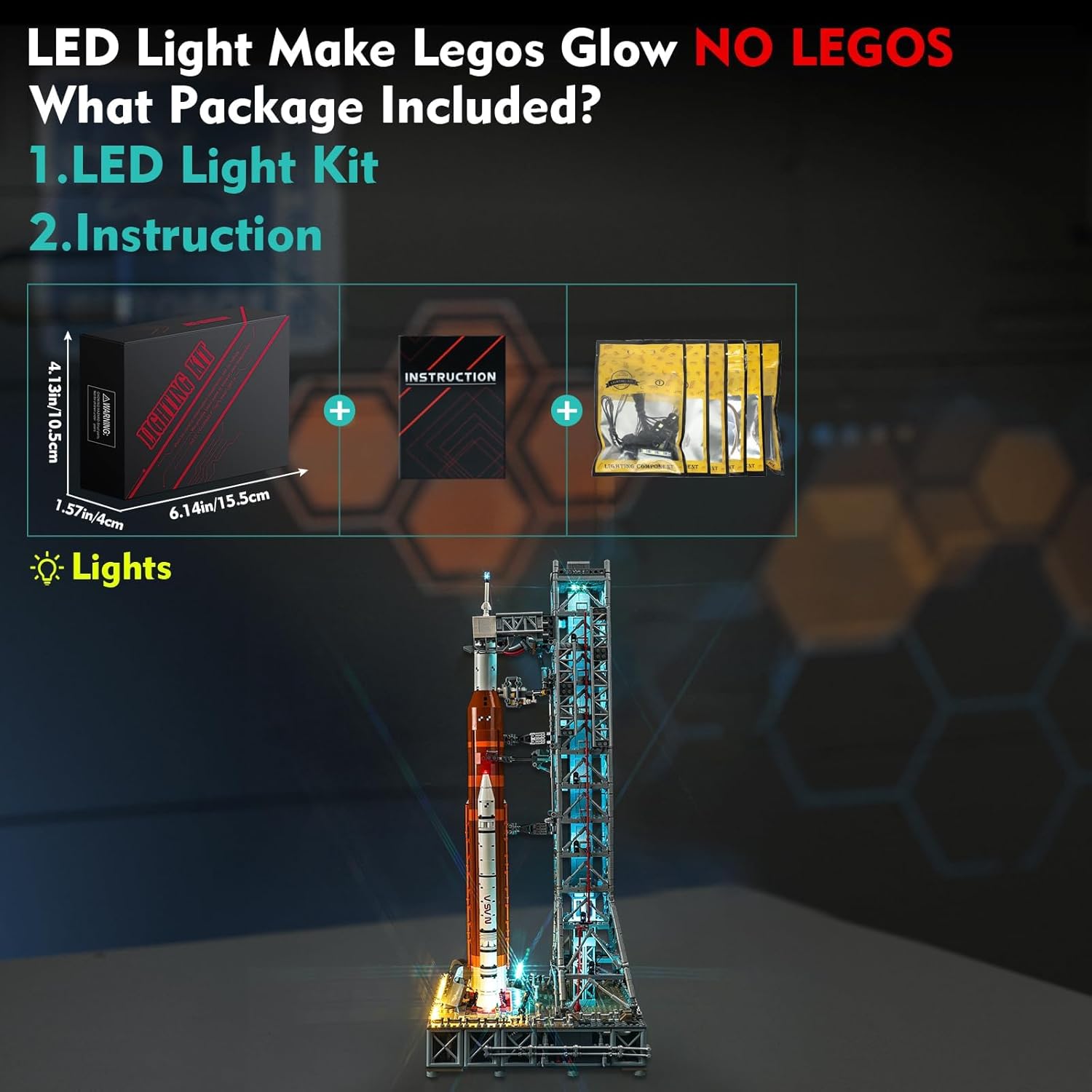
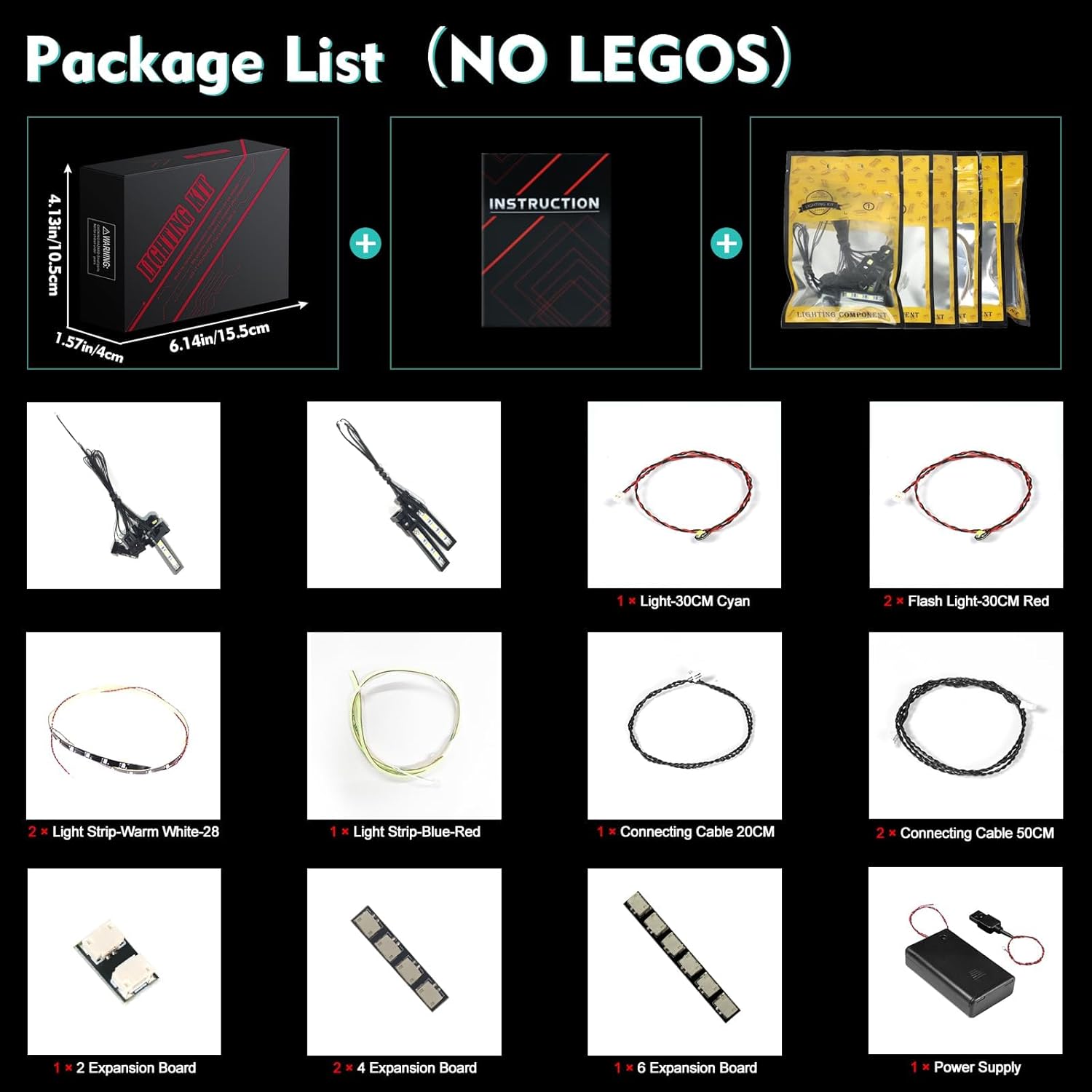
The LocoLee LED Light Kit for LEGO NASA Artemis Space Launch System 10341 (Standard Version) includes the following components:
- LED Light Kit components (various lights, connecting cables, expansion boards)
- Instruction Manual (online access via QR code/website)
- Power Supply (USB cable, battery box - batteries not included)
Setup and Installation
The installation process involves integrating the LED components into your LEGO model. Detailed step-by-step instructions are provided online to guide you through the process.
- Access Instructions: Locate the QR code or website address provided in the booklet included with your kit. Scan the QR code or visit the website.
- Enter Model Number: Input the LEGO serial number (10341) or the code found on the packing box to access the specific instructions for your model.
- Follow Guide: Choose between video or PDF installation instructions. Follow the steps carefully. The instructions are designed to show you how to disassemble minimal bricks for light placement.
- Test Components: Before fully assembling, it is recommended to test each light part to ensure it is functioning correctly.
- Connect Power: Once all lights are installed, connect the power supply (USB or battery box). The lights will be brighter when powered by USB.

Important Installation Tips:
- Parts are small and not fragile, but avoid pulling wires too hard.
- Ensure wires are neatly tucked and hidden to maintain the aesthetic of your model.
- The light kit is designed to be compatible with LEGO blocks, allowing for perfect concealment.
Operating Instructions
Once the LocoLee LED Light Kit is installed and connected to a power source, the lights will illuminate, bringing your LEGO NASA Artemis Space Launch System 10341 to life. This standard version typically operates by simply connecting to power.
Powering the Light Kit:
- USB Power: Connect the provided USB cable to a USB power adapter (not included) or a USB port on a computer/power bank. Ensure the voltage is less than 5V. USB power generally provides brighter illumination.
- Battery Box Power: Insert the required batteries (not included) into the battery box and connect it to the light kit.


Visual Enhancement:
The light kit illuminates various parts of the model, including the launch pad, rocket engines, and tower structure, creating a vivid and dynamic display.


Demonstration Videos:
Below are videos demonstrating the light kit's effects and installation process. Please note that some videos may feature the RC (Remote Control) version, which offers additional control features not present in the Standard Version Light Kit.
Video: Demonstration of the LED Light Kit for LEGO NASA Artemis Space Launch System, showcasing the illuminated model.
Video: Light My Brick demonstration for the LEGO NASA Artemis Space Launch System 10341.
Video: BrickBling Lighting demonstration for the RC Version Light Kit for LEGO Artemis Space Launch System. Note: This video features the Remote Control version.
Video: BRIKSMAX LED Lighting Kit for LEGO 10341 NASA Artemis Space Launch System, showing installation and effects.
Video: GEAMENT Light Kit for LEGO NASA Artemis Space Launch System 10341 demonstration.
Video: LIGHTAILING Light for LEGO 10341 NASA Artemis Space Launch System Display Video.
Maintenance
- Cleaning: Use a soft, dry cloth to gently wipe dust from the LED components and wires. Avoid using liquids or abrasive cleaners.
- Storage: If storing the model for an extended period, disconnect the power supply. If using a battery box, remove the batteries to prevent leakage.
- Handling: Always handle the illuminated model with care to avoid dislodging or damaging the delicate wiring and LED components.
Troubleshooting
If your LocoLee LED Light Kit is not functioning as expected, please refer to the following common issues and solutions:
- Lights do not turn on:
- Check the power source: Ensure the USB cable is securely connected to a working USB port or adapter, or that fresh batteries are correctly installed in the battery box.
- Verify all connections: Make sure all light components are properly plugged into the expansion boards and that the expansion boards are connected to the main power cable.
- Inspect for damage: Carefully check for any broken wires or damaged LED components. If a single strip or light is not working, it may indicate a faulty component or connection.
- Lights are dim:
- Ensure you are using a stable power source. USB power typically provides brighter illumination than batteries.
- Check battery levels if using a battery box. Replace with fresh batteries if needed.
- Flickering lights:
- Check all connections for looseness. Secure any loose plugs.
- Ensure the power source is stable and providing consistent voltage.
If you continue to experience issues after following these steps, please contact customer support for further assistance.
Specifications
| Feature | Detail |
|---|---|
| Product Dimensions | 6.06 x 3.98 x 1.26 inches |
| Item Weight | 4.6 ounces |
| Item Model Number | 10341 |
| Manufacturer Recommended Age | 16 years and up |
| Power Input | USB (Voltage less than 5V) or Battery Box (batteries not included) |
| Material | High-quality copper lines and ABS plastic |
Warranty and Quality Guarantee
LocoLee is committed to providing high-quality products. This LED Light Kit is made of high-quality copper lines and ABS plastic, ensuring durability and perfect compatibility with LEGO blocks. We conduct thorough quality checks to ensure product performance.
If you encounter any issues with your product, please contact our customer support team. We are dedicated to improving our service and providing the best lighting kit experience.
Customer Support
For any questions, concerns, or assistance with your LocoLee LED Light Kit, please do not hesitate to contact us. Our support team is available to help you.
Contact Method: Please send us an email anytime through the platform where you purchased the product.