
1. Introduction
This manual provides essential instructions for the safe and effective use of your Fujifilm X-S20 Mirrorless Digital Camera, equipped with the XF16-50mmF2.8-4.8 R LM WR lens. The X-S20 is designed for both still photography and video creation, featuring a 26.1-megapixel X-Trans CMOS 4 sensor and X-Processor 5 imaging engine. It supports video recording up to 6.2K and uncropped still images at up to 20 frames-per-second. Key features include a powerful in-body image stabilizer (IBIS) offering up to seven stops of compensation, extended battery life, and dedicated Vlog mode for simplified video capture. The camera also incorporates Fujifilm's 19 unique Film Simulation modes for diverse creative expression.
2. Safety Information
- Battery Safety: Use only genuine Fujifilm batteries and chargers. Do not expose batteries to excessive heat, fire, or water. Improper handling can lead to fire, explosion, or leakage.
- Water and Moisture: While the XF16-50mmF2.8-4.8 R LM WR lens offers weather resistance, the camera body itself is not fully weather-sealed. Avoid exposing the camera to rain, snow, or high humidity to prevent damage.
- Lens Care: Do not touch the lens surface directly. Use a soft, clean cloth for cleaning. Avoid strong impacts to the lens.
- Operating Environment: Operate the camera within specified temperature and humidity ranges. Avoid extreme temperatures.
- Children: Keep the camera and accessories out of reach of small children to prevent accidents.
3. Setup Guide
3.1. Unboxing and Package Contents
Verify that all items are present in the package:
- Fujifilm X-S20 Camera Body
- Fujinon XF16-50mmF2.8-4.8 R LM WR Lens
- Rechargeable Lithium-Ion Battery
- Battery Charger
- Shoulder Strap
- Body Cap
- Lens Caps (front and rear)
3.2. Battery Installation and Charging

Figure 3.2.1: Battery and Memory Card Compartment
- Open the battery compartment cover located on the bottom of the camera (refer to Figure 3.2.1).
- Insert the rechargeable battery with the contacts facing the correct direction, as indicated inside the compartment. Push until it clicks into place.
- Close the battery compartment cover securely.
- To charge the battery, insert it into the provided battery charger and connect the charger to a power outlet. The charging indicator will show the charging status.
3.3. Memory Card Insertion
The camera uses SD, SDHC, or SDXC memory cards.
- Open the battery/memory card compartment cover (refer to Figure 3.2.1).
- Insert the memory card into the slot with the label facing the front of the camera, until it clicks into place.
- Close the compartment cover.
3.4. Lens Attachment

Figure 3.4.1: Fujifilm X-S20 with XF16-50mm Lens
- Remove the body cap from the camera and the rear cap from the lens.
- Align the white mounting mark on the lens with the white mounting mark on the camera body.
- Mount the lens by rotating it clockwise until it clicks into place.
3.5. Initial Power On and Basic Settings
After installing the battery and memory card, turn the camera on using the power switch. Follow the on-screen prompts to set the date, time, and language.
4. Operating the Camera
4.1. Camera Layout and Controls

Figure 4.1.1: Top View Controls

Figure 4.1.2: Rear View Controls
Familiarize yourself with the camera's dials and buttons. The mode dial (Figure 4.1.1) allows selection of various shooting modes, including Program (P), Aperture Priority (A), Shutter Priority (S), Manual (M), and dedicated Auto and Vlog modes. The rear LCD screen (Figure 4.1.2) provides access to menus and live view.
4.2. Photography Modes
- Program (P): Camera sets aperture and shutter speed for optimal exposure.
- Aperture Priority (A): You set the aperture, camera sets shutter speed. Ideal for controlling depth of field.
- Shutter Priority (S): You set the shutter speed, camera sets aperture. Ideal for controlling motion blur.
- Manual (M): You control both aperture and shutter speed.
- Auto Mode: The camera automatically detects the scene and applies optimal settings.
4.3. Image Stabilization (IBIS)

Figure 4.3.1: Camera with Flipped Screen for Stable Shooting
The X-S20 features a 5-axis in-body image stabilization (IBIS) system, providing up to 7 stops of compensation. This helps reduce camera shake, especially in low light or when using longer focal lengths, resulting in sharper images and smoother video footage.
4.4. Autofocus System

Figure 4.4.1: Eye-Detection Autofocus
The camera utilizes an advanced autofocus system powered by the X-Trans CMOS 4 sensor and X-Processor 5. It offers high-speed and accurate focusing, including subject detection capabilities for improved tracking of faces and eyes (Figure 4.4.1).
4.5. Video Recording
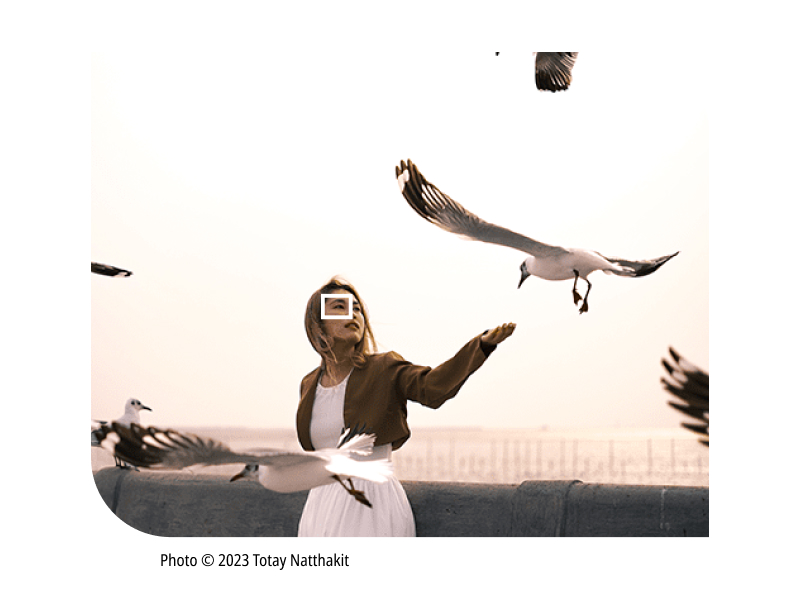
Figure 4.5.1: Vlogging Setup with X-S20
The X-S20 supports high-resolution video recording, including 6.2K/30P and 4K/60P 4:2:2 10-bit internal recording. A dedicated Vlog mode simplifies video capture, making it suitable for content creators (Figure 4.5.1). The camera also features a 3.5mm microphone/headphone jack for external audio devices.
4.6. Film Simulations
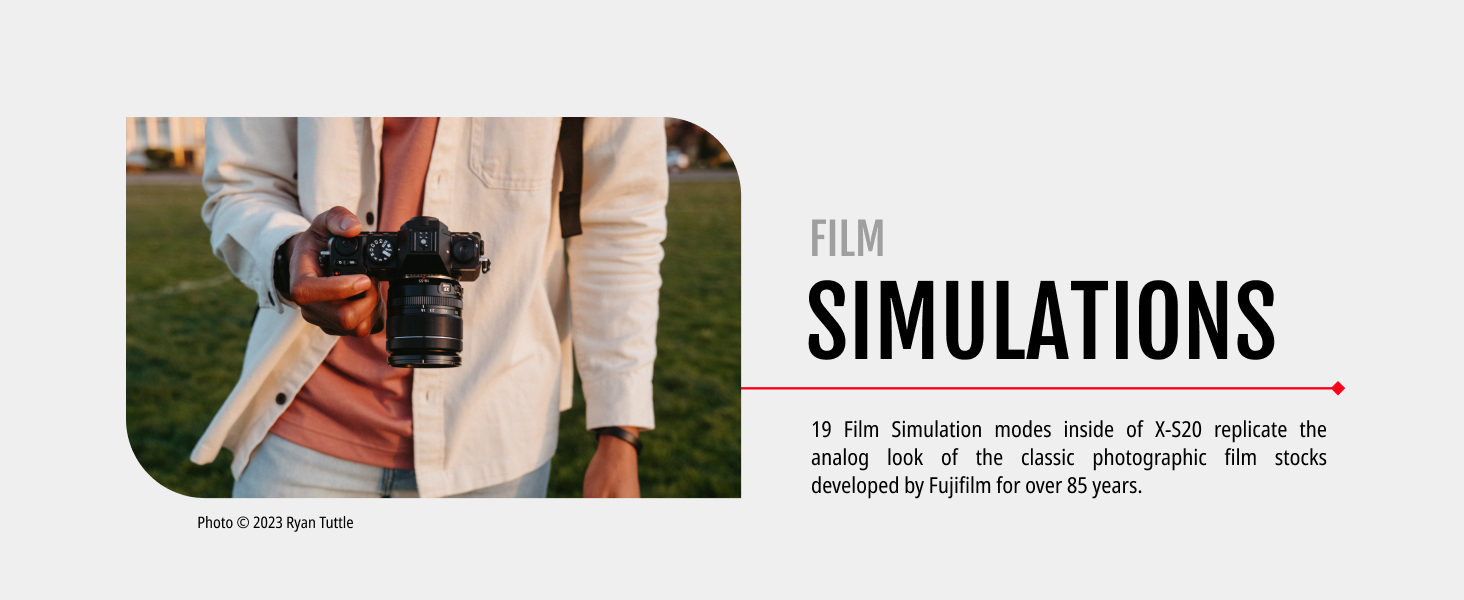
Figure 4.6.1: Film Simulations Feature
The camera offers 19 unique Film Simulation modes, which replicate the look of classic photographic film stocks developed by Fujifilm. These modes allow for creative color and tonal expression directly in-camera.
4.7. Connectivity

Figure 4.7.1: Camera Ports
The X-S20 supports Bluetooth and Wi-Fi connectivity for wireless image transfer and remote control. It also includes a USB-C port for charging and data transfer, an HDMI output, and a 3.5mm microphone/headphone jack (Figure 4.7.1).
5. Maintenance
5.1. Cleaning
- Camera Body: Wipe with a soft, dry cloth. For stubborn dirt, use a slightly damp cloth and then dry thoroughly. Avoid harsh chemicals.
- Lens: Use a lens brush to remove dust, then gently wipe with a microfiber lens cloth. For smudges, use a specialized lens cleaning solution.
- Sensor: Sensor cleaning should be performed with extreme care. If dust spots appear on images, it is recommended to have the sensor professionally cleaned by an authorized service center.
5.2. Storage
When not in use for extended periods, store the camera in a cool, dry, and well-ventilated place, away from direct sunlight and extreme temperatures. Remove the battery before storage. Use desiccant packets to prevent mold and mildew in humid environments.
6. Troubleshooting
- Camera Not Powering On/Charging: Ensure the battery is correctly inserted and fully charged. Check the battery charger connection. If using a third-party battery, ensure compatibility.
- Autofocus Issues: If autofocus seems inconsistent, ensure sufficient light and contrast in the scene. Check that the correct AF mode is selected for your subject. Firmware updates can sometimes improve AF performance.
- Overheating During Video Recording: High-resolution video recording (e.g., 6.2K, 4K/60P) can generate significant heat. If the camera shuts down due to overheating, allow it to cool down. Consider recording at lower resolutions or frame rates, or in cooler environments. An optional cooling fan accessory may be available for extended recording.
- Screen/Viewfinder Dimness: Adjust the brightness settings for the LCD and EVF in the camera's menu. Ensure you are not in a power-saving mode that reduces display brightness.
- Image Quality Concerns: Ensure lens elements are clean. Check ISO settings for excessive noise in low light. Verify correct exposure and white balance settings.
7. Specifications
| Feature | Specification |
|---|---|
| Model Name | X-S20 Body, Black with XF16-50mmF2.8-4.8 R LM WR |
| Sensor Type | 26.1 MP X-Trans CMOS 4 |
| Image Processor | X-Processor 5 |
| Image Stabilization | Sensor-shift (IBIS), up to 7 stops |
| Video Resolution | Up to 6.2K/30P, 4K/60P 4:2:2 10-bit internal recording |
| Continuous Shooting | Up to 20 fps |
| Lens Mount | Fujifilm X Mount |
| Included Lens | Fujinon XF16-50mmF2.8-4.8 R LM WR |
| LCD Screen | 3-inch Tilting Touch Screen LCD, 921,600 dots |
| Viewfinder | LCD |
| Connectivity | Bluetooth, Wi-Fi, USB-C, HDMI, 3.5mm Mic/Headphone Jack |
| Battery Type | Lithium Ion (nonstandard_battery) |
| Weight | 0.92 Pounds (camera body) |
| Dimensions (D x W x H) | 3.4"D x 2.6"W x 5"H |
| UPC | 074101210477 |
| Model Number | 16843155 |
8. Warranty and Support
8.1. Manufacturer's Warranty
The Fujifilm X-S20 Mirrorless Digital Camera comes with a 1-year manufacturer's limited warranty. This warranty covers defects in materials and workmanship under normal use. Please retain your proof of purchase for warranty claims.
8.2. Product Support
For further assistance, technical support, or service inquiries, please visit the official Fujifilm support website or contact their customer service. You can find detailed support information and FAQs on the Fujifilm Global Support Page.