
Introduction
The YOOYIST 4-Channel Commercial Kitchen Timer is designed for professional kitchen environments, offering precise timing for multiple cooking tasks simultaneously. Constructed from durable stainless steel, this timer features an ultra-loud alarm and clear LED displays, ensuring efficient operation even in busy settings. It operates via plug-in power, eliminating the need for batteries and providing uninterrupted functionality.
Video: An overview of the YOOYIST Commercial Kitchen Timer, highlighting its features and use in a professional kitchen environment.
Setup
Unboxing and Initial Inspection
Carefully remove the timer from its packaging. Inspect the unit for any signs of damage. Ensure all components, including the power cord and mounting accessories, are present.
Placement Options
The timer offers versatile placement options:
- Freestanding: Use the integrated stand for countertop placement. Adjust the stand to your preferred viewing angle.
- Wall-Mounted: Utilize the provided mounting brackets and screws to securely attach the timer to a wall for optimal visibility in a busy kitchen.
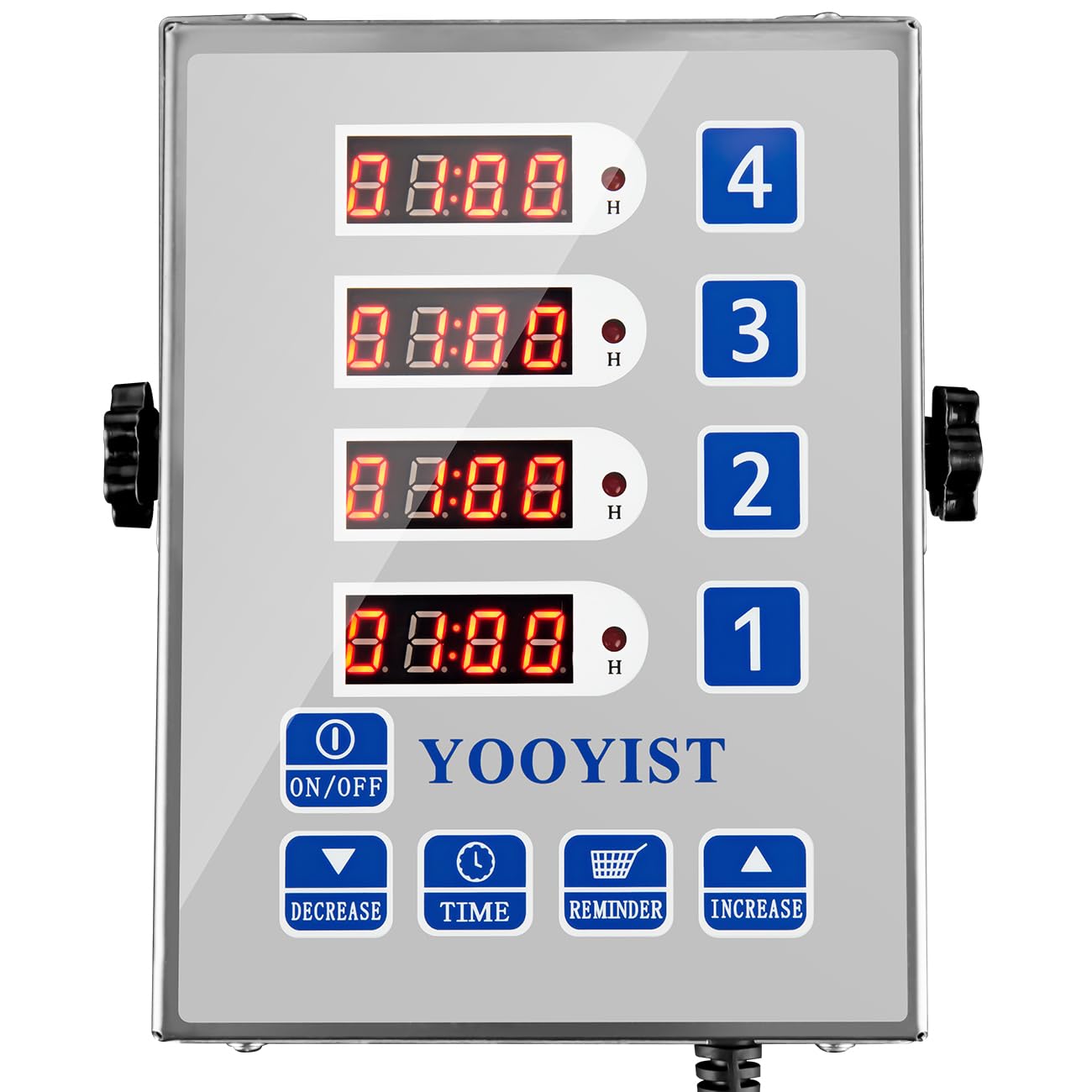
Image: The YOOYIST 4-Channel Commercial Kitchen Timer shown with its adjustable stand, suitable for countertop use.

Image: The YOOYIST 4-Channel Commercial Kitchen Timer securely mounted on a wall, demonstrating its wall-mount capability.
Power Connection
Connect the power cord to the timer and plug it into a standard 110V or 220V AC outlet. The timer does not use batteries, ensuring continuous operation.
Operating Instructions
The YOOYIST timer features four independent channels, each with its own display and controls, allowing for simultaneous tracking of multiple tasks.
Setting a Timer
- Select Channel: Press the corresponding channel button (1, 2, 3, or 4) to select the timer you wish to set.
- Set Time: Use the TIME button to cycle through hours, minutes, and seconds. Use the INCREASE and DECREASE buttons to adjust the values.
- Start Timer: Once the desired time is set, press the selected channel button again to start the countdown. The display will show the remaining time.
- Pause/Stop Timer: Press the active channel button to pause or stop the timer. Press it again to resume or reset.

Image: A detailed view of the YOOYIST 4-Channel Commercial Kitchen Timer's control panel, showing the individual channel displays and setting buttons.
Reminder Function
The timer includes a reminder function. While a timer is running, you can set an intermediate reminder. Press the REMINDER button and use INCREASE/DECREASE to set a specific time for an alert before the main timer expires. This is useful for tasks requiring mid-process attention, such as turning food.
Adjusting Alarm Volume
The timer features an ultra-loud alarm. To adjust the volume, press the INCREASE or DECREASE buttons when the timer is idle or when an alarm is actively sounding. This allows you to set the appropriate volume for your kitchen environment.
Memory Function
The timer includes a built-in memory function that recalls your last settings for each channel. This saves time and reduces errors for frequently used timings.
Maintenance
Cleaning
The stainless steel construction of the timer makes it easy to clean. Wipe the surface with a damp cloth and mild detergent. Avoid abrasive cleaners or harsh chemicals that could damage the finish or electronic components. Ensure the unit is unplugged before cleaning.
Storage
When not in use for extended periods, store the timer in a clean, dry place away from extreme temperatures and direct sunlight.
Troubleshooting
| Problem | Possible Cause | Solution |
|---|---|---|
| Timer does not power on. | Not properly plugged in; power outlet issue. | Ensure the power cord is securely connected to both the timer and a working electrical outlet. Test the outlet with another device. |
| Alarm is too quiet or too loud. | Volume setting needs adjustment. | Press the INCREASE or DECREASE buttons when the timer is idle or alarming to adjust the volume. |
| Timer not counting down after setting. | Timer not started; incorrect setting. | After setting the time, press the corresponding channel button again to start the countdown. Verify the time is set correctly. |
| Display is dim or unreadable. | Environmental lighting; unit malfunction. | Ensure the timer is not in direct glare. If the issue persists, contact customer support. |
Specifications
- Brand: YOOYIST
- Model Number: JSQ04SL
- Color: Silver
- Material: Stainless Steel
- Product Dimensions (D x W x H): 1.38" x 5.1" x 6.7"
- Number of Channels: 4
- Power Source: 110V/220V AC (Plug-in)
- Display Type: Digital LED
- Features: Loud Alarm, Reminder Function, Memory Function, Multiple Placement Types
Warranty & Support
For warranty information and customer support, please refer to the documentation included with your product or visit the official YOOYIST website. If you encounter any issues not covered in this manual, please contact YOOYIST customer service for assistance.
YOOYIST Store: Visit the YOOYIST Store on Amazon