
1. Introduction and Overview
This manual provides essential information for the proper use and care of your Fujifilm Fujinon XF16-50mmF2.8-4.8 R LM WR lens. Designed for Fujifilm X Series cameras, this versatile zoom lens offers a focal range equivalent to 24-76mm in 35mm format, making it suitable for a wide array of photographic subjects.
Key features include:
- Versatile 24-76mm equivalent focal length, ideal for various scenes and subjects.
- Optimized for the latest 40-megapixel high-resolution Fujifilm sensors.
- Minimum focus distance of 0.24m (9.44in) for excellent close-up capabilities.
- Compact and lightweight design, measuring 7.14cm (2.8in) long and weighing 240g (0.53lb).
- Internal zoom mechanism maintains consistent lens length during operation.
- Weather-resistant construction for reliable performance in challenging conditions.
2. Product Components
The Fujifilm Fujinon XF16-50mmF2.8-4.8 R LM WR lens package typically includes:
- Fujifilm Fujinon XF16-50mmF2.8-4.8 R LM WR Lens
- Front Lens Cap
- Rear Lens Cap
- Lens Hood
- Lens Pouch/Wrap (may vary by region/package)
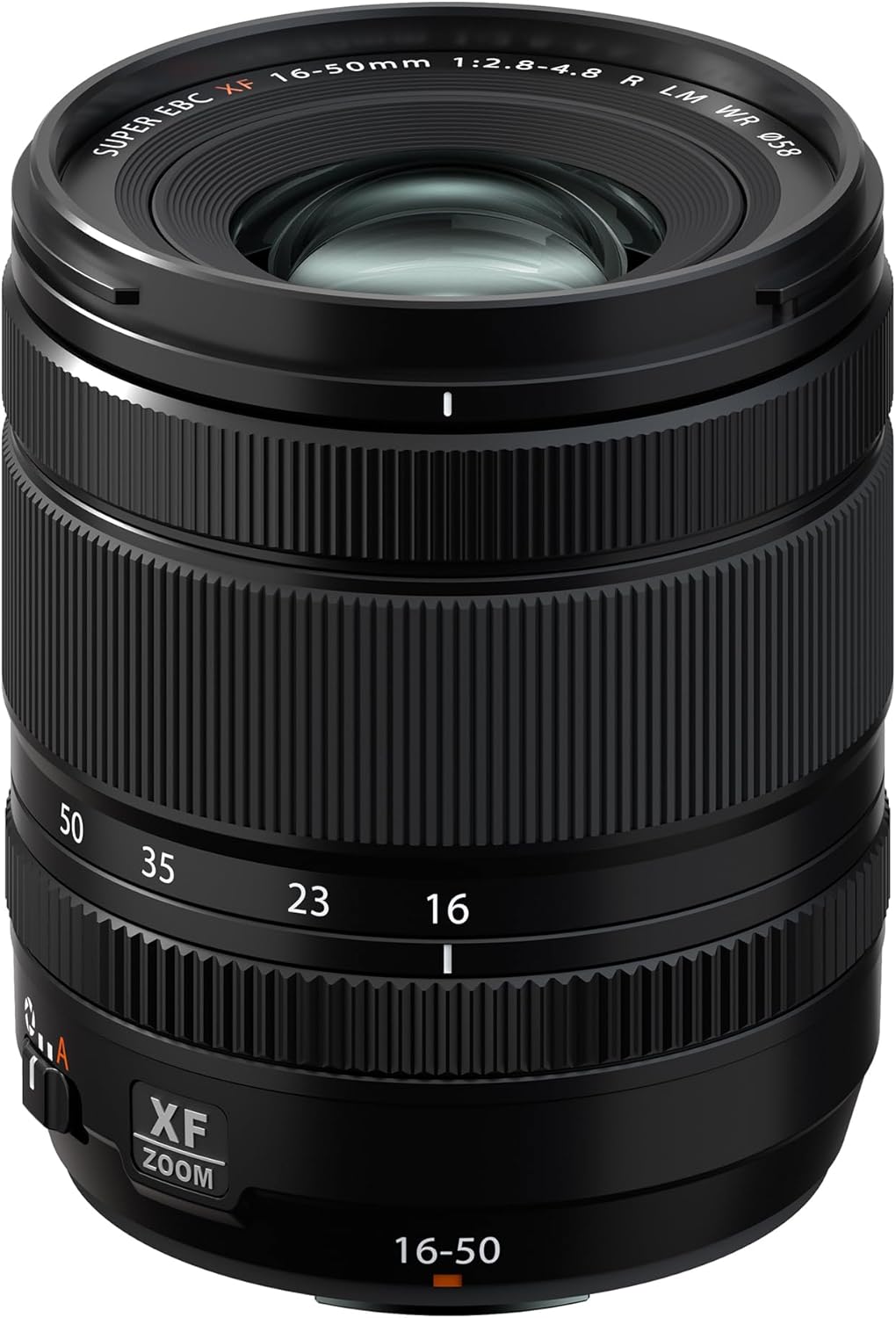
Figure 1: Front view of the Fujifilm Fujinon XF16-50mmF2.8-4.8 R LM WR lens with lens cap attached.

Figure 2: Side view of the Fujifilm Fujinon XF16-50mmF2.8-4.8 R LM WR lens, showing the zoom and aperture rings.
3. Setup
3.1 Attaching the Lens
- Ensure both the camera and the lens are clean and free of dust.
- Align the mounting marks (usually a white dot or line) on the lens with the corresponding mark on the camera body.
- Gently insert the lens into the camera's lens mount.
- Rotate the lens clockwise (or counter-clockwise, depending on the camera model) until it clicks into place, indicating it is securely locked.
- Remove the front lens cap.
3.2 Detaching the Lens
- Turn off the camera.
- Attach the front lens cap to protect the front element.
- While pressing the lens release button on the camera body, rotate the lens counter-clockwise (or clockwise) until it detaches from the camera.
- Immediately attach the rear lens cap to the detached lens and the body cap to the camera to prevent dust from entering.
4. Operating the Lens
4.1 Zooming
To adjust the focal length, rotate the zoom ring on the lens. The XF16-50mmF2.8-4.8 R LM WR features an internal zoom mechanism, meaning the physical length of the lens does not change as you zoom, which is beneficial for balancing on gimbals or using filters.
4.2 Aperture Control
The lens features an aperture ring for direct control over the aperture setting. Rotate the aperture ring to select your desired f-stop. The lens offers a variable maximum aperture of F2.8 at 16mm and F4.8 at 50mm.
4.3 Focusing
This lens is equipped with a rapid linear autofocus motor, providing fast and accurate focusing. You can switch between autofocus (AF) and manual focus (MF) modes using the switch on the lens barrel or via your camera's settings. In manual focus mode, rotate the focus ring to achieve sharp focus.
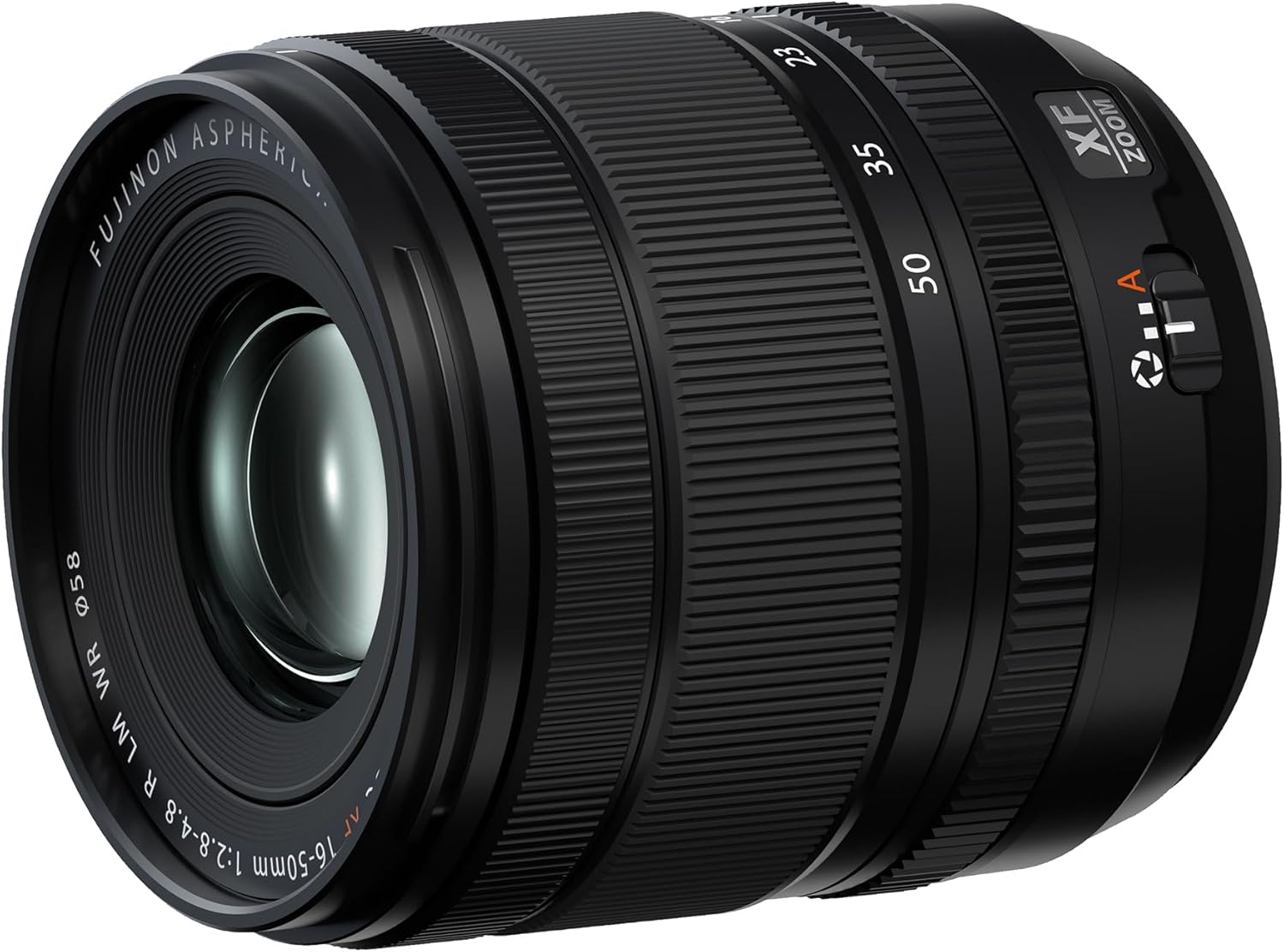
Figure 3: The Fujifilm Fujinon XF16-50mmF2.8-4.8 R LM WR lens with its included lens hood, ready for use.
5. Maintenance and Care
- Cleaning the Lens: Use a soft, lint-free cloth specifically designed for optical surfaces. For stubborn smudges, use a lens cleaning solution applied to the cloth, not directly to the lens.
- Protecting from Dust and Moisture: Always keep lens caps on when the lens is not in use. The lens is weather-resistant, but it is recommended to avoid prolonged exposure to heavy rain or extreme dust.
- Storage: Store the lens in a cool, dry place, away from direct sunlight and extreme temperatures. Use the provided lens pouch for added protection during transport.
- Handling: Avoid dropping or subjecting the lens to strong impacts. Handle the zoom and focus rings gently.
6. Troubleshooting
- Lens not attaching securely: Ensure the mounting marks are correctly aligned and the lens is rotated until it clicks. Check for any obstructions on the mount.
- Autofocus not working: Verify that the lens is set to AF mode and not MF. Check camera settings to ensure autofocus is enabled. Ensure there is sufficient light and contrast for the autofocus system to operate effectively.
- Dust on images: If dust spots appear in your photos, first check the front and rear elements of the lens for dust and clean them carefully. If the problem persists, dust may be on the camera sensor, which requires professional cleaning or careful cleaning according to your camera's manual.
- Image quality issues (softness, aberrations): Ensure the lens is clean and properly attached. Check your camera's settings (e.g., ISO, shutter speed, aperture) to ensure they are appropriate for your shooting conditions.
7. Specifications
| Feature | Detail |
|---|---|
| Brand | Fujifilm |
| Model Number | 16814817 |
| Focal Length Description | XF16-50mmF2.8-4.8 R LM WR |
| Lens Type | Standard Zoom |
| Compatible Mountings | Fujifilm X |
| Product Dimensions | 2.81 x 2.56 x 2.56 inches |
| Item Weight | 8.5 ounces |
| Weather Resistance | Yes (WR) |
| Minimum Focus Distance | 0.24m (9.44in) |
8. Warranty and Support
This Fujifilm product is covered by the manufacturer's warranty. For specific warranty details, please refer to the warranty card included with your product or visit the official Fujifilm website. Keep your proof of purchase for warranty claims.
For technical support, service, or additional inquiries, please contact Fujifilm customer service through their official channels. Information regarding product registration and support resources can often be found in the owner's manual or on the Fujifilm website.
Optional protection plans may be available for purchase separately to extend coverage beyond the standard manufacturer's warranty. Please check with your retailer for details.
9. Product Overview Video
Video 1: An official product overview of the Fujifilm Fujinon XF16-50mmF2.8-4.8 R LM WR lens, highlighting its features and design.


