
Introduction
The Simmons PRO Hunter 4-12X40MM Riflescope is designed for precision and durability in various outdoor conditions. Featuring an all-glass optical system with fully coated lenses, it delivers crisp images even in low light. Its robust construction is IPX7 waterproof, fog-proof, and shockproof, ensuring reliable performance. The aggressive design includes textured knurling on the magnification ring and turret caps for easy adjustments, even with gloved hands. This riflescope comes ready for use with included lens covers and one-inch aluminum weaver-style rings.
Product Overview
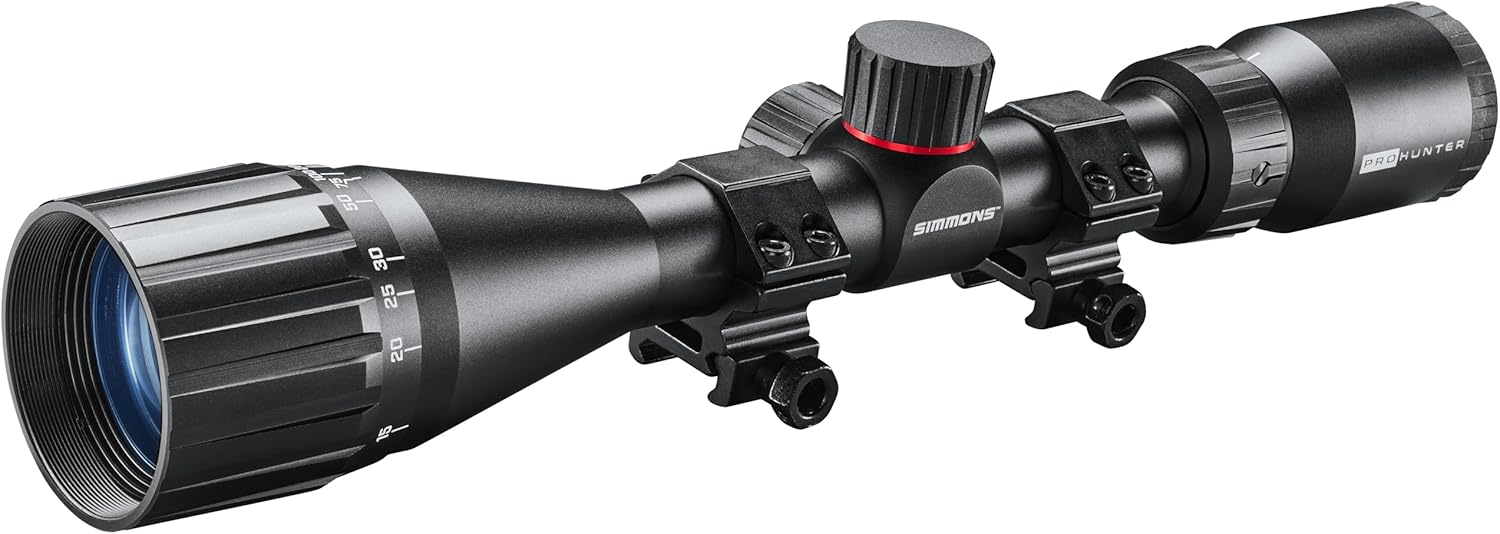
Figure 1: The Simmons PRO Hunter 4-12X40MM Riflescope, showcasing its main body, objective lens, ocular lens, and adjustment turrets.

Figure 2: Front view of the riflescope, highlighting the objective lens and the "PRO HUNTER" branding.

Figure 3: Side profile of the riflescope, showing the windage and elevation adjustment turrets with their protective caps.

Figure 4: Rear view of the riflescope, displaying the ocular lens and the magnification adjustment ring.
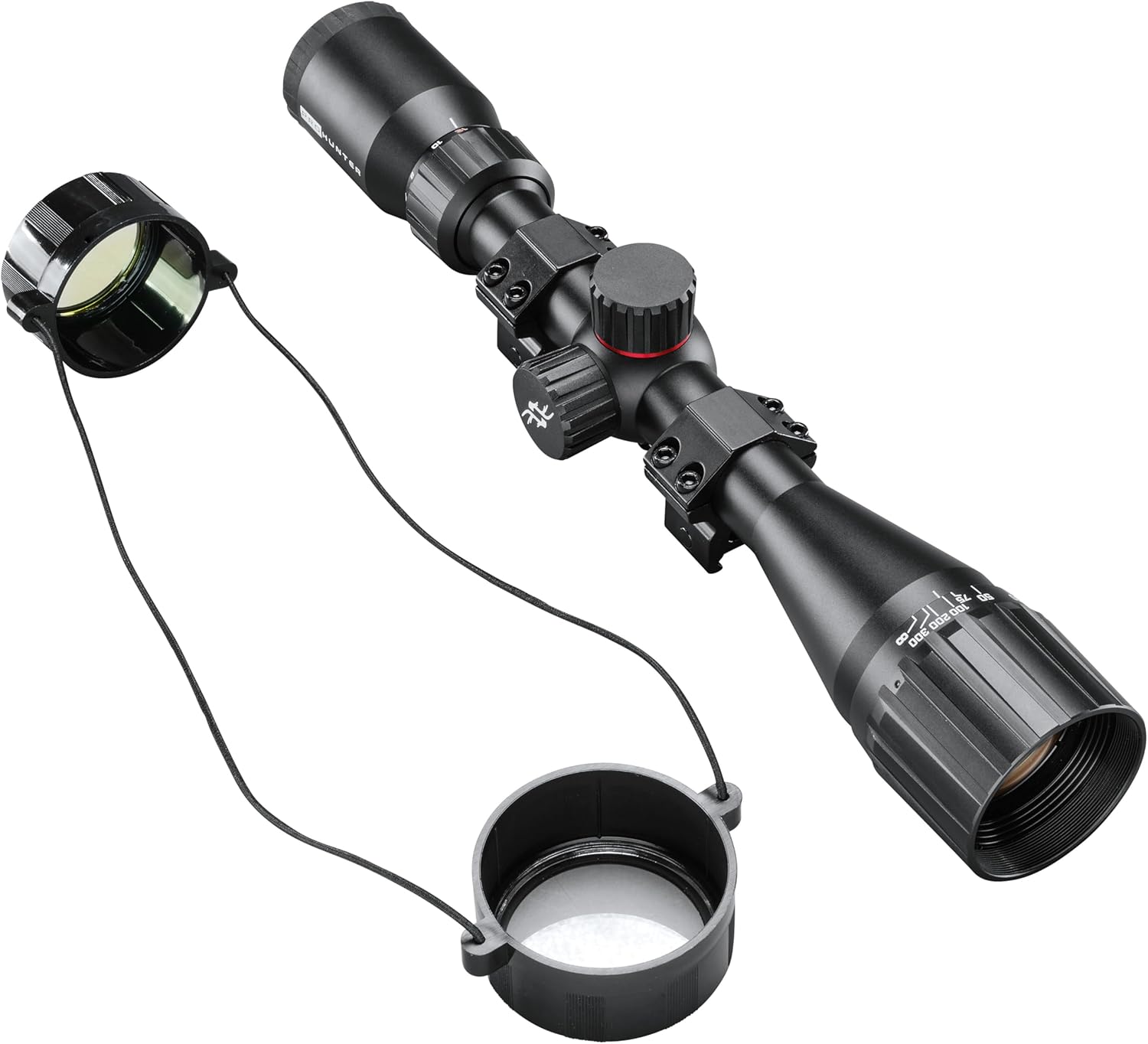
Figure 5: The riflescope shown with its included protective lens covers, designed to shield the objective and ocular lenses.
Setup
1. Mounting the Riflescope
The Simmons PRO Hunter riflescope comes with one-inch aluminum weaver-style rings. Ensure your firearm has a compatible Weaver or Picatinny rail. Loosely attach the rings to the rail, then place the riflescope into the rings. Adjust the scope's position forward or backward to achieve proper eye relief. Rotate the scope until the vertical reticle line is perfectly plumb. Once aligned, tighten the ring screws evenly and securely, but do not overtighten.
2. Bore Sighting
Bore sighting is a preliminary step to get your scope close to zero before live firing. This can be done using a bore sighter or by visually aligning the bore with a target at a known distance (e.g., 25 yards). Adjust the scope's windage and elevation turrets until the reticle aligns with the bore-sighted point of aim.
3. Zeroing the Riflescope
For precise zeroing, fire a group of shots at your desired zeroing distance (e.g., 100 yards). Observe the point of impact relative to your point of aim. Use the windage and elevation turrets to adjust the reticle. Each click of the turret will move the point of impact by a specified amount (e.g., 1/4 MOA). Adjust until your shots consistently hit the bullseye. Remember to replace the turret caps after zeroing to protect the mechanisms.
Operating the Riflescope
1. Magnification Adjustment
The Simmons PRO Hunter features a 4-12x magnification range. To adjust magnification, rotate the textured knurled ring located near the ocular lens. Turn clockwise to increase magnification and counter-clockwise to decrease it. Select the appropriate magnification for your target distance and environmental conditions.
2. Focusing the Reticle
To ensure a sharp reticle image, look through the scope at a plain, bright background (like the sky). Rotate the ocular lens (the part closest to your eye) until the reticle appears crisp and clear. This adjustment is for the reticle itself, not the target image.
3. Windage and Elevation Adjustments
The riflescope is equipped with capped finger-adjustable windage and elevation turrets. Remove the caps to access the adjustment dials. The elevation turret is typically on top, and the windage turret is on the right side. Turn the turrets to make fine adjustments to your point of impact. Refer to the markings on the turrets for direction (e.g., "UP" for elevation, "R" for right windage). Replace caps after adjustment.
4. Truplex Reticle
The Simmons PRO Hunter utilizes a simple, easy-to-use Simmons Truplex Reticle. This reticle provides clear aiming points without unnecessary clutter, suitable for various hunting and shooting scenarios.
Maintenance
1. Cleaning the Lenses
Use a soft, lint-free cloth or a lens brush to gently remove dust and loose debris from the lenses. For smudges or fingerprints, use a specialized lens cleaning solution and a clean microfiber cloth. Avoid using harsh chemicals or abrasive materials, as they can damage the lens coatings. Always replace lens covers when the scope is not in use.
2. Cleaning the Body
Wipe down the riflescope body with a damp cloth to remove dirt or grime. For stubborn dirt, a mild soap solution can be used, followed by wiping with a clean, damp cloth and then drying thoroughly. Ensure all moisture is removed, especially from crevices.
3. Storage
Store the riflescope in a cool, dry place, away from direct sunlight and extreme temperatures. It is recommended to store it in a protective case to prevent accidental damage. Ensure lens caps are on during storage.
4. Inspection
Periodically inspect the riflescope for any signs of damage, loose screws, or wear. Check the mounting rings for tightness. Address any issues promptly to maintain optimal performance.
Troubleshooting
Common Issues and Solutions
- Problem: Blurry image or reticle.
Solution: Adjust the ocular lens for reticle clarity. For target image clarity, ensure proper eye relief and adjust magnification as needed. - Problem: Point of impact shifts or does not hold zero.
Solution: Check that the mounting rings are securely tightened. Ensure the scope is properly mounted and not moving. Verify that the turret caps are replaced after adjustments. If using on a high-recoil firearm, ensure the scope is rated for such use. - Problem: Fogging inside the scope.
Solution: The scope is IPX7 fog-proof. If internal fogging occurs, it may indicate a seal compromise. Contact customer support for assistance. External fogging can be wiped away with a clean cloth. - Problem: Turrets are stiff or difficult to turn.
Solution: Ensure turret caps are fully removed. The textured knurling is designed for grip; however, if excessively stiff, ensure no debris is obstructing the mechanism. Do not force adjustments.
Specifications
| Feature | Detail |
|---|---|
| Brand | Simmons |
| Model Name | PRO HUNTER 4-12X40MM RIFLESCOPE |
| Magnification | 4-12x |
| Objective Lens Diameter | 40 Millimeters |
| Reticle Type | Truplex |
| Material | Aluminum |
| Color | Black |
| Item Weight | 16 Ounces |
| Mounting Type | Weaver Mount |
| Compatible Devices | Handgun, Rifle, Shotgun |
| Waterproof Rating | IPX7 |
| Fog-proof | Yes |
| Shockproof | Yes |
| Included Components | Riflescope, Lens Covers, 1-inch Aluminum Weaver-style Rings |
| Manufacturer | Simmons |
| Part Number | SPH41240 |
| UPC | 045618011116 |
| Item Package Dimensions | 15.2 x 3.58 x 3.03 inches |
Warranty and Support
The Simmons PRO Hunter 4-12X40MM Riflescope comes with a 2-Year Manufacturer Warranty. This warranty covers defects in materials and workmanship under normal use. Please retain your proof of purchase for warranty claims.
For technical support, warranty service, or inquiries regarding your product, please contact Simmons customer service. Visit the official Simmons website for the most current contact information and support resources.
Additional protection plans may be available for purchase from authorized retailers. These plans typically offer extended coverage beyond the manufacturer's warranty. Please review the terms and conditions of any extended protection plan before purchase.


