
Introduction
This manual provides detailed instructions for the safe installation, operation, and maintenance of your Barrina 5568 Remote Series LED Linear Light Fixture. This is a 2nd-Generation product designed for various indoor applications, offering remote control, seamless connection, and adjustable color temperature (3000K-6000K) and brightness (0%-100%). Please read this manual thoroughly before installation and retain it for future reference.
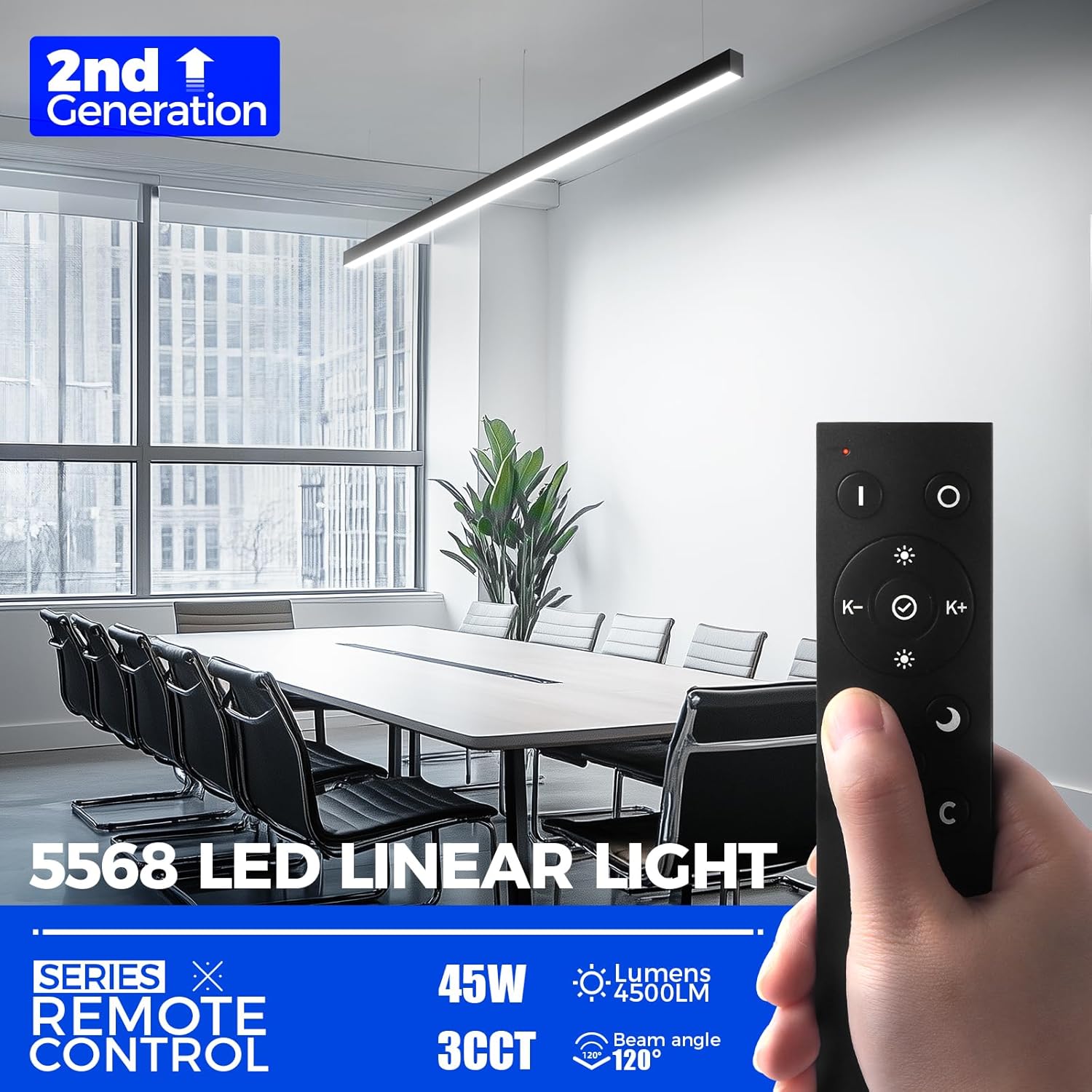
Image: Barrina 5568 LED Linear Light Fixture with its remote control, showcasing its modern design in an office setting.
Safety Information
- Electrical Safety: Always disconnect power at the circuit breaker before installation or maintenance.
- Qualified Personnel: Installation should be performed by a qualified electrician or in accordance with local electrical codes.
- Indoor Use Only: This fixture is designed for indoor use in dry locations. Do not expose to moisture or extreme temperatures.
- Compatibility: This 2nd-Generation 5568 Remote Series is compatible only with other 2nd-Generation 5568 Remote Series lights. It is not compatible with Old Generation 5568 Remote Light Series, 5568-0-10V Series, or other 5568/5566 Series linear LED light fixtures.
- No External Dimmers: These lamps do not support external dimmers. Adjustments to color temperature and brightness are made via the included remote control.
Package Contents
Verify that all components are present and undamaged before proceeding with installation.
- LED Linear Light Fixtures (4 units)
- Remote Control (1 unit)
- Mounting Clips (4 sets for each light)
- Suspension Cables (4 sets for each light)
- Instruction Manual (This document)
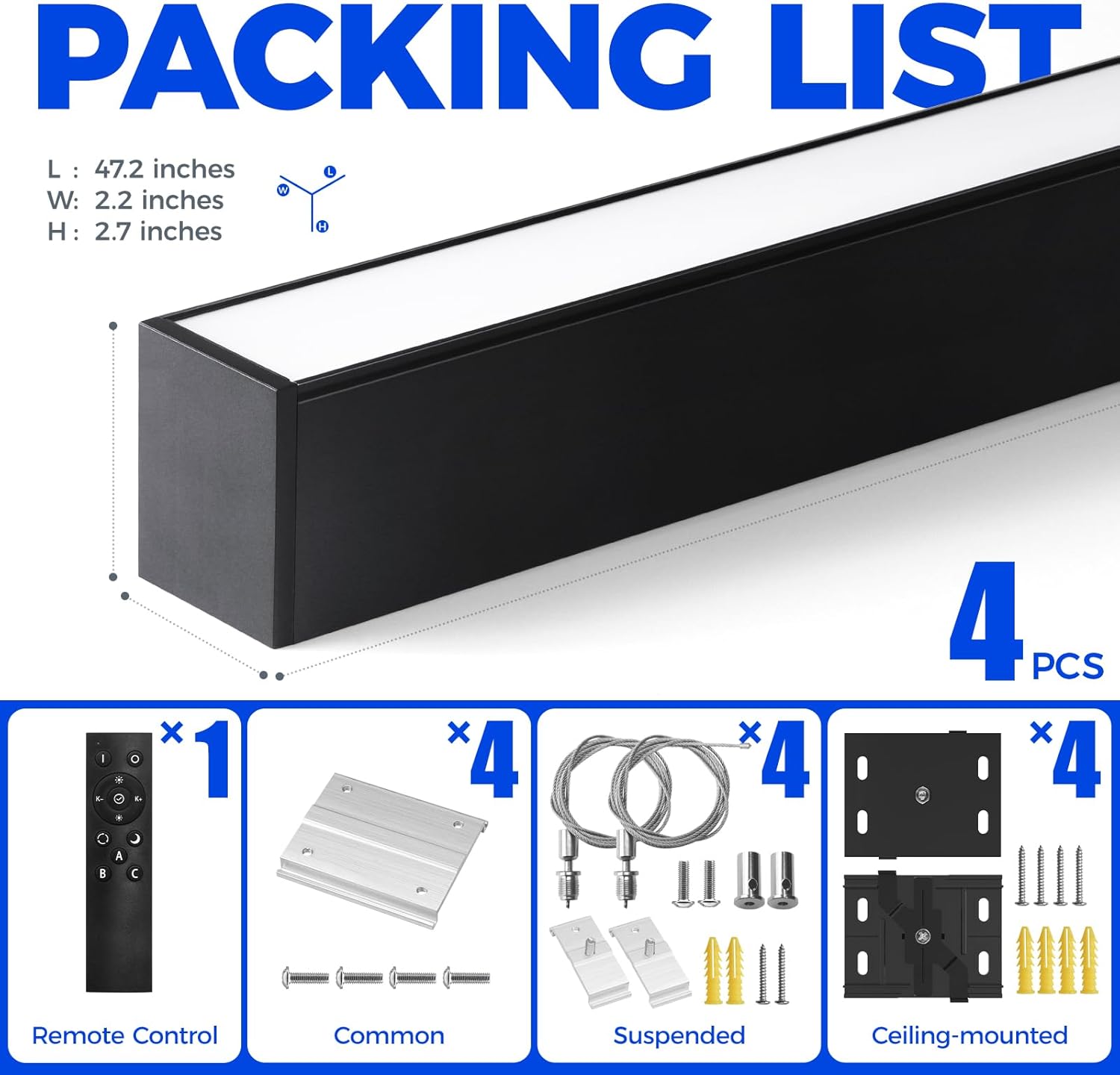
Image: Visual representation of the Barrina 5568 LED Linear Light Fixture package contents, including lights, remote, and mounting hardware.
Product Features
- 2nd-Generation Remote Series: Advanced control for personalized lighting.
- Adjustable Color Temperature: Seamlessly switch between 3000K (Warm White), 4000K (Neutral White), and 6000K (Cool White).
- Dimmable Brightness: Adjust light intensity from 0% to 100% using the remote control.
- Memory Function: Saves your last preferred settings (color temperature and brightness).
- Seamless Connection: Link up to 10 lights in a series for extended illumination without visible gaps.
- Multiple Mounting Options: Supports both ceiling-mounted and pendant-mounted installations.
- High Lumen Output: 4500 lumens at 45W, providing effective illumination with a 120° beam angle.
- Durable Construction: Made from extra-thick aluminum and polycarbonate for commercial and industrial environments.
Setup & Installation
Before beginning installation, ensure the power supply is turned off at the circuit breaker.
Mounting Options
The Barrina 5568 LED Linear Light Fixture can be installed using two methods: suspended (pendant) or ceiling-mounted.
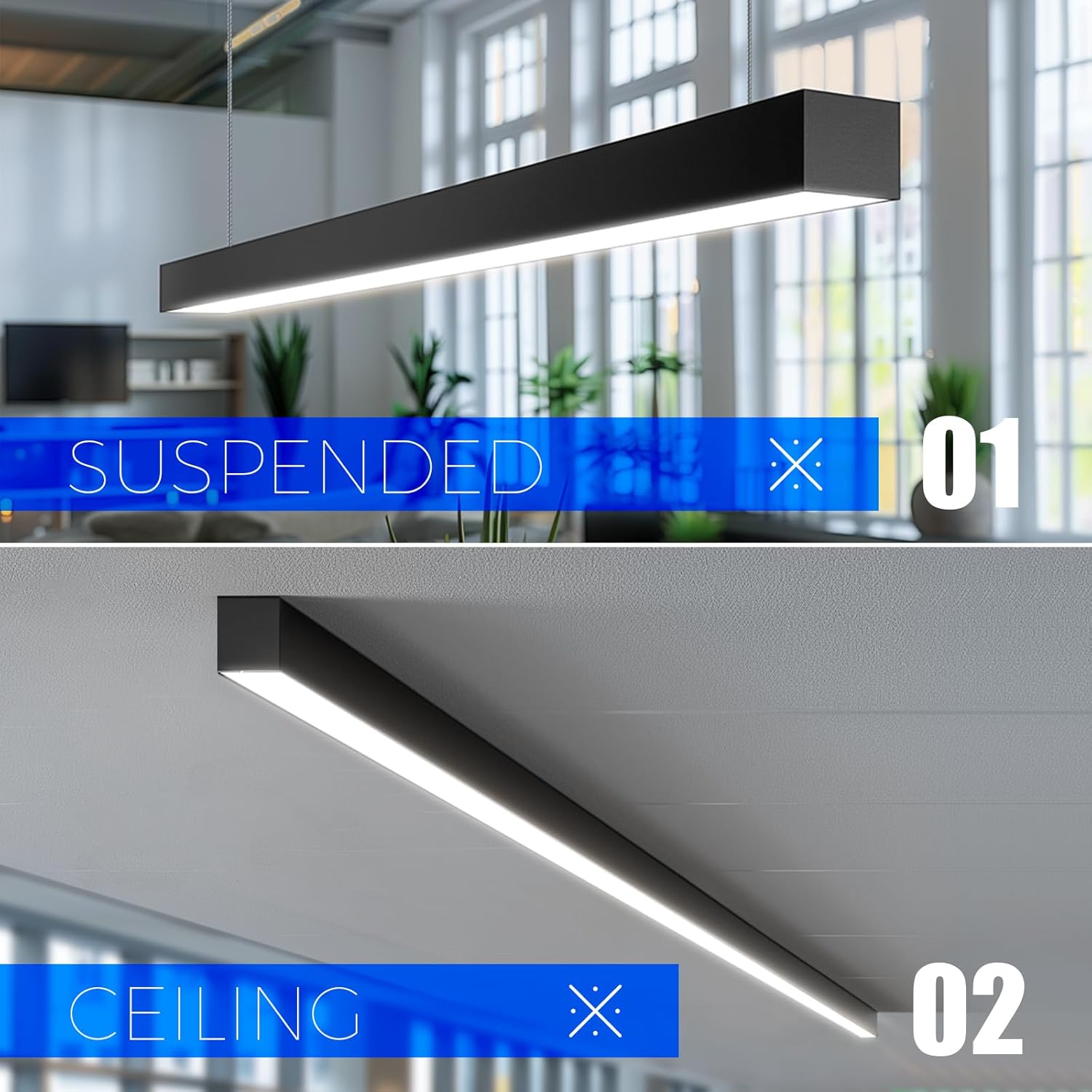
Image: Illustration showing both suspended and ceiling-mounted installation methods for the linear light fixture.
Ceiling Mounting
- Step 1: Screw the mounting bracket to the ceiling. Ensure it is securely fastened and turn it to the "unlock" position.
- Step 2: Secure the light fixture into the brackets.
- Step 3: Hold the light fixture and turn the brackets to the "lock" position to secure it in place.
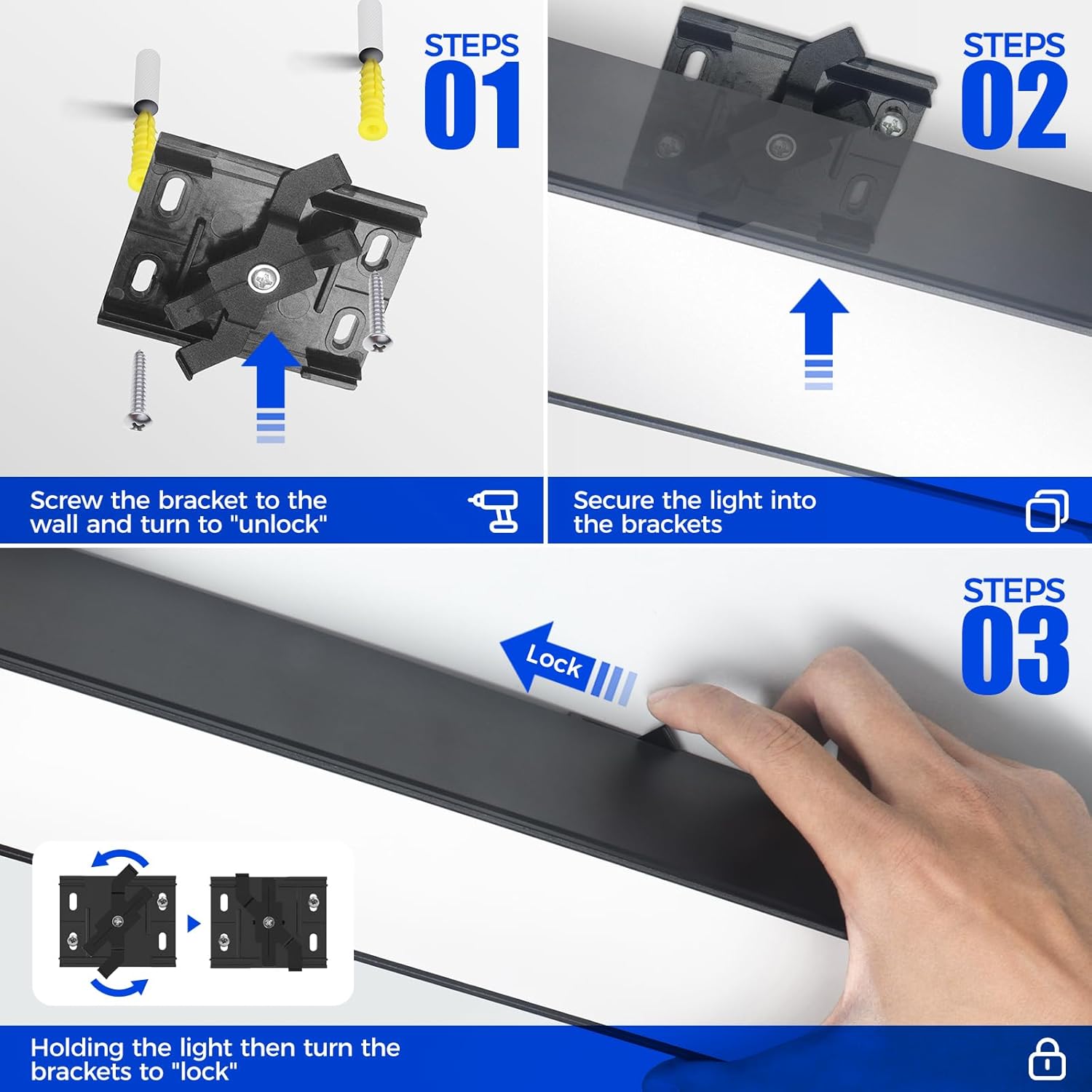
Image: Step-by-step visual guide for ceiling mounting the Barrina 5568 LED Linear Light Fixture.
Video: Demonstrates the ceiling installation process for the 5568 Remote Series 2nd-Generation Linear Light.
Pendant Mounting
For pendant mounting, use the provided suspension cables. The adjustable hanging chain allows for height adjustment from 0" to 59".
Video: Demonstrates the hanging installation process for the 5568 Remote Series 2nd-Generation Linear Light.
Wiring
Connect the electrical wires according to standard wiring practices. If lights are connected in series, only one fixture needs to be powered.
- Black/Brown: Live wire
- White/Blue: Neutral wire
- Green & Yellow: Earth wire
Video: Illustrates the wiring connections for the linear light fixture. Note: This is a short preview video, but it clearly shows the wiring color codes and connection process.
Seamless Connection
The linear light fixtures are designed for seamless connection, allowing you to link multiple units together for a continuous lighting effect. Up to 10 lights can be connected in a series.
- Step 1: Remove the end cap from one fixture.
- Step 2: Link the light without wire to another fixture.
- Step 3: Connect up to 10 lights in a series.
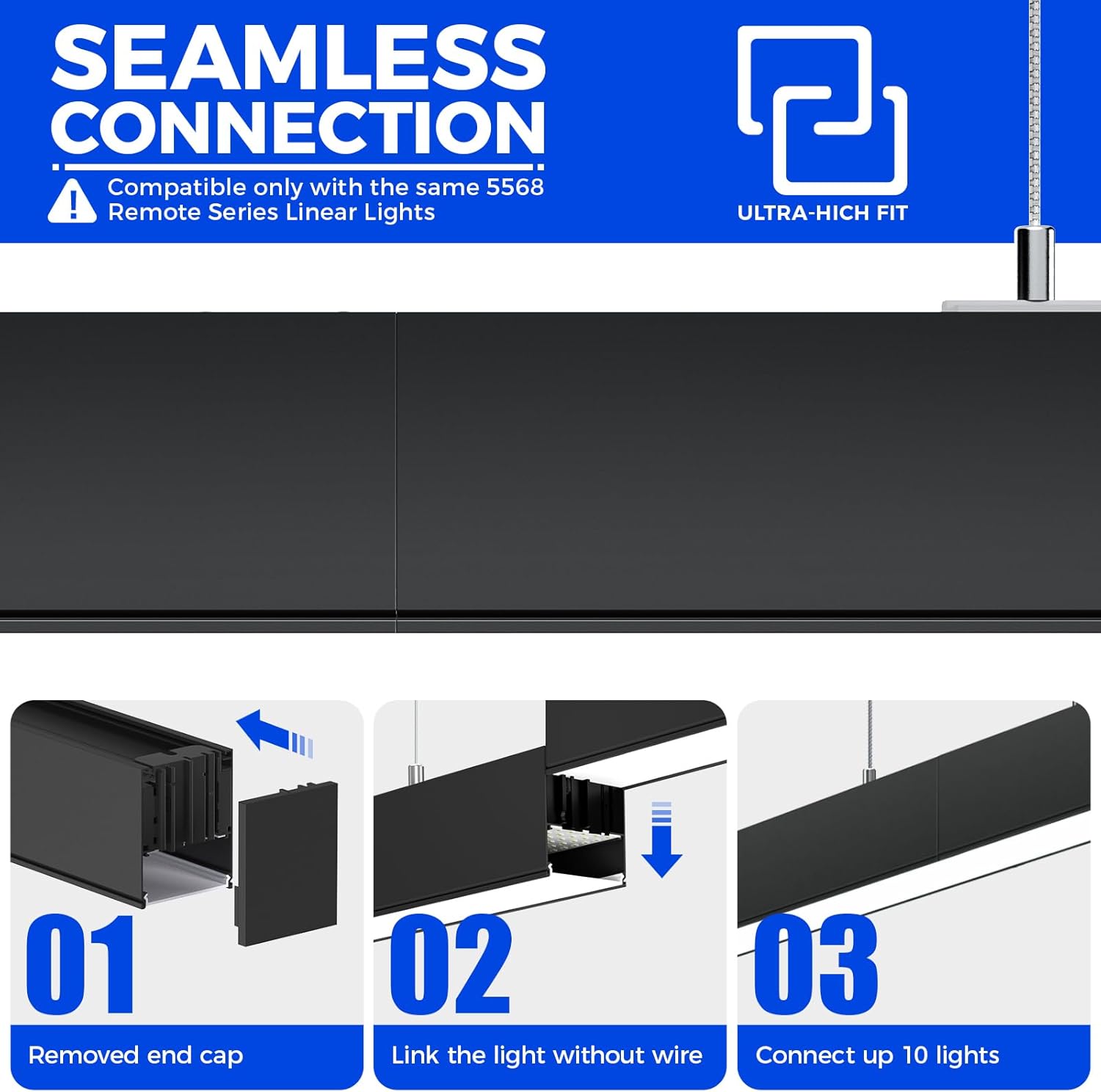
Image: Visual guide demonstrating the three steps for seamlessly connecting multiple linear light fixtures.
Video: Shows the clear connection process for the 5568 Remote Series 2nd-Generation Linear Light.
Operating Instructions
The Barrina 5568 LED Linear Light Fixture is controlled using the provided multifunctional remote control.
Remote Control Functions
- ON/OFF Button: Turns all grouped lights on or off.
- Color Variator (+/-): Adjusts the color temperature.
- Dimmer (+/-): Adjusts the brightness from 0% to 100%.
- Color Change Buttons (3000K/4000K/6000K): Quick-switch between preset color temperatures.
- Night Mode Button: Activates a soft light setting (typically 4000K at 10% brightness).
- Group Buttons (A, B, C): Assigns lights to specific control groups.
- Memory Function Button: Saves current settings (long press for 5 seconds).
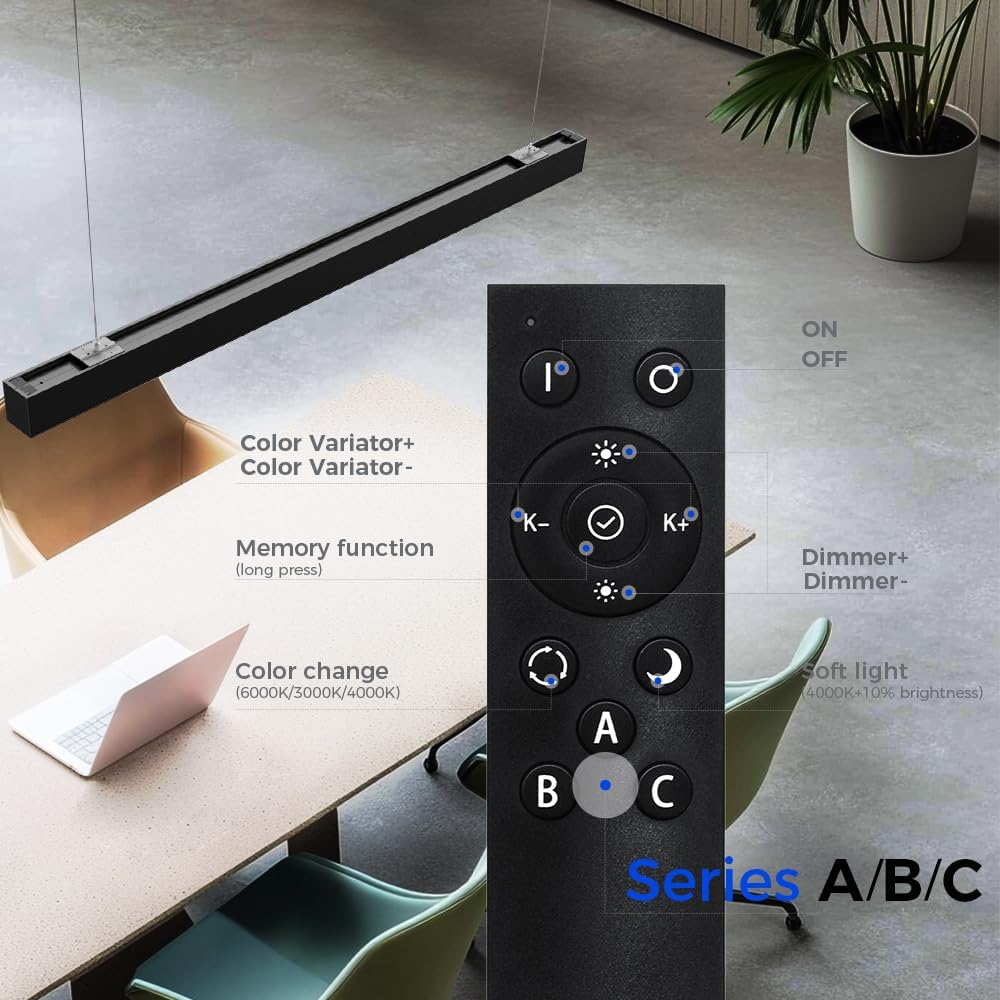
Image: Diagram illustrating the layout and functions of the remote control for the Barrina 5568 LED Linear Light Fixture.
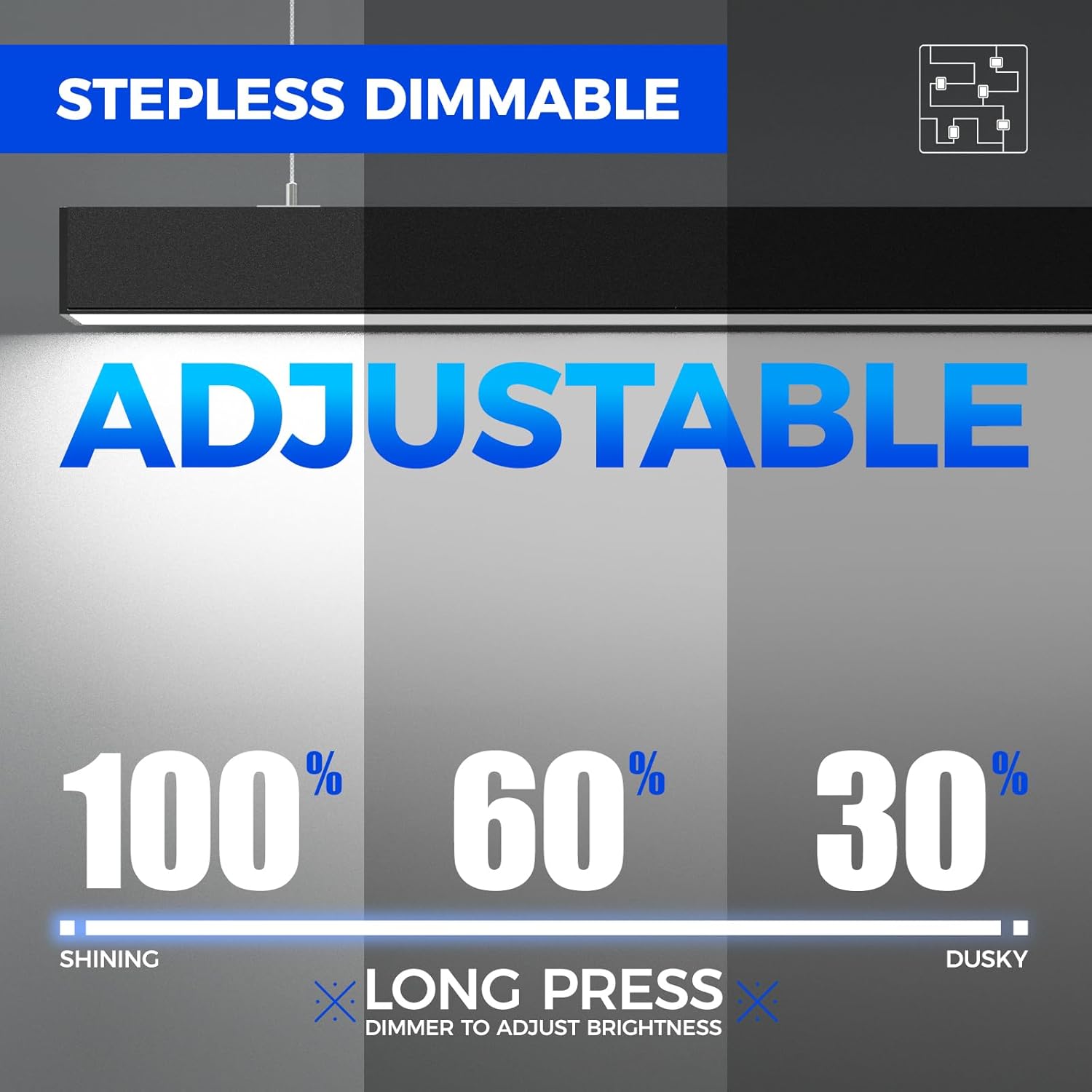
Image: Visual representation of the stepless dimming capability, showing brightness levels from 100% to 30%.
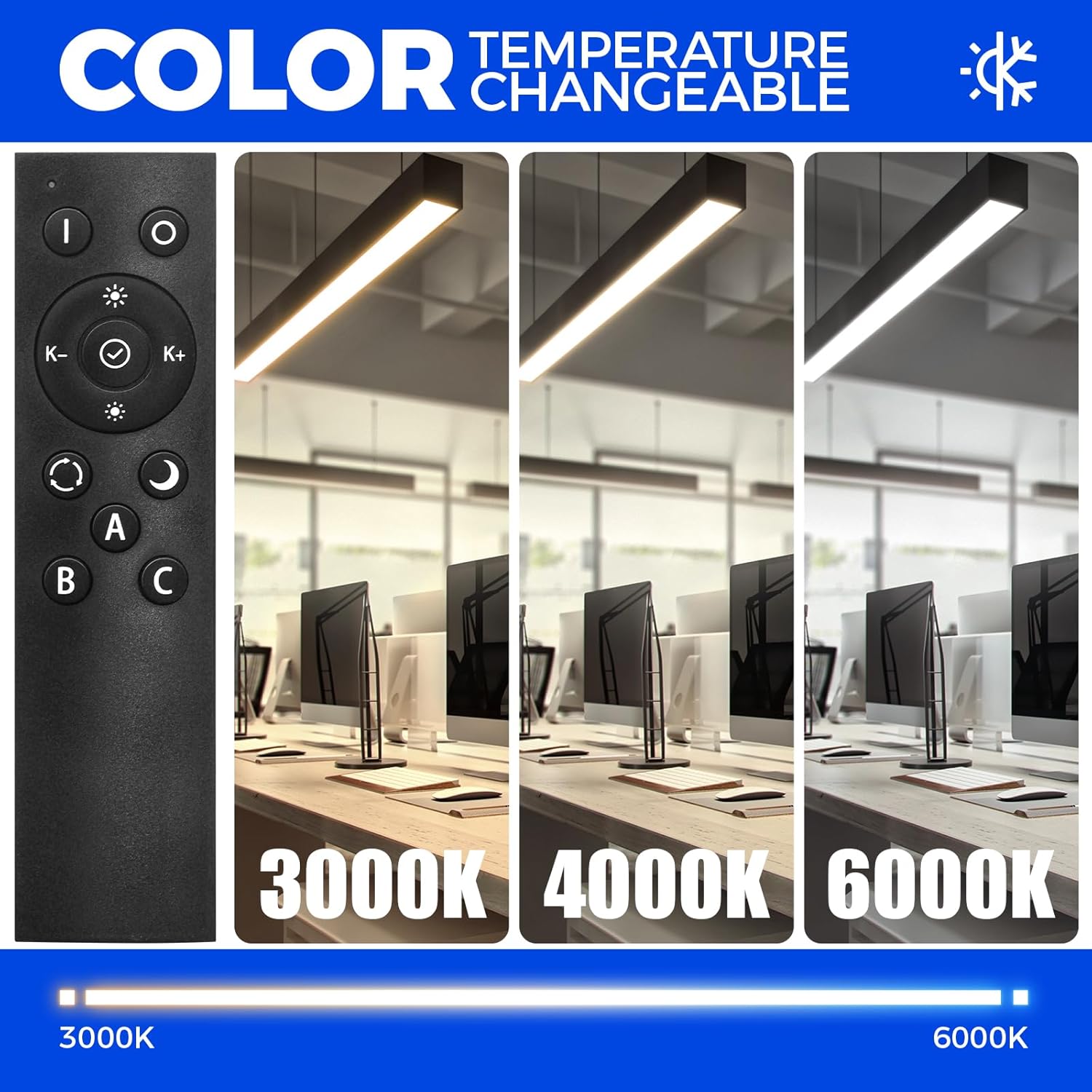
Image: Demonstrates the adjustable color temperature feature, showing light output at 3000K, 4000K, and 6000K.
Video: Illustrates the remote operation of the 5568 Remote Series 2nd-Generation Linear Light, including dimming and color changes.
Video: Provides a comprehensive guide to the Barrina Remote Series remote control operation.
Grouping Lights (A, B, C)
The remote allows you to create up to three distinct lighting groups (A, B, C) for personalized control. A single light can only be assigned to one group. Only lights within the same group can simultaneously control color temperature.
- Ensure the light(s) you wish to group are powered on.
- Press and hold the desired group button (A, B, or C) on the remote control for 5 seconds.
- The light(s) will flash to indicate successful grouping. Release the button.
Video: This short preview video demonstrates the grouping functionality of the remote control, showing how to assign lights to groups A, B, or C.
Memory Function
The memory function automatically restores your last used brightness and color temperature settings when the light is turned back on.
- Adjust the light to your desired brightness and color temperature.
- Press and hold the Memory Function button (often marked with a checkmark or 'M') on the remote for 5 seconds.
- The light will flash once, indicating that the settings have been saved.
Video: Explains and demonstrates the memory function of the 5568 Remote Series 2nd-Generation Linear Light.
Maintenance
- Cleaning: Ensure the power is off before cleaning. Use a soft, dry cloth to wipe the fixture. Do not use abrasive cleaners or solvents.
- Inspection: Periodically check for any loose connections or damage to the fixture or wiring.
- LED Lifespan: The LED light source is designed for long-term use and does not require replacement under normal operating conditions.
Troubleshooting
| Problem | Possible Cause | Solution |
|---|---|---|
| Light does not turn on. | No power supply; loose wiring; remote control battery depleted; light not paired with remote. | Check circuit breaker. Verify wiring connections. Replace remote battery. Re-pair light with remote (refer to remote control instructions). |
| Remote control not responding. | Remote battery depleted; remote out of range; interference. | Replace remote battery. Ensure remote is within operating range of the light. Remove any obstructions or sources of interference. |
| Lights in a group do not respond uniformly. | Lights not correctly assigned to the same group. | Re-group the lights according to the "Grouping Lights" section. Ensure each light is assigned to only one group. |
| Flickering or inconsistent light output. | Loose connection; incompatible power source; faulty fixture. | Check all wiring connections. Ensure power source meets specifications. If problem persists, contact customer support. |
Specifications
| Feature | Detail |
|---|---|
| Model Number | 5568 |
| Wattage | 45W |
| Lumen Output | 4500 lm |
| Color Temperature | 3000K-6000K (Adjustable) |
| Dimmability | 0%-100% (Remote Controlled) |
| Beam Angle | 120° |
| Input Voltage | AC (Standard) |
| Material | Aluminum, Polycarbonate |
| Mounting Type | Hanging / Ceiling Mount |
| Indoor/Outdoor Usage | Indoor Only |
| Max Linkable Units | Up to 10 lights |
Warranty & Support
This Barrina 5568 Remote Series LED Linear Light Fixture comes with a 3-year warranty from the date of purchase, covering defects in materials and workmanship.
For technical assistance, warranty claims, or any questions regarding your product, please contact Barrina customer support through the retailer's platform or visit the official Barrina website.
Manufacturer: Barrina