
1. Introduction
The ESSAGER Bluetooth 5.1 Aux Adapter is a versatile 2-in-1 device designed to enhance your audio experience by providing seamless wireless connectivity. It functions as both a Bluetooth receiver (RX) and a Bluetooth transmitter (TX), allowing you to convert traditional wired audio systems into wireless ones or enable non-Bluetooth devices to transmit audio to Bluetooth headphones or speakers. This manual provides detailed instructions for setup, operation, and maintenance of your device.

Figure 1: The ESSAGER Bluetooth 5.1 Aux Adapter, a compact and versatile audio device.
2. Key Features
- Dual-Functionality: Seamlessly switch between Receiver (RX) and Transmitter (TX) modes to suit various audio needs.
- Easy Setup: Simple pairing process with a 3-second button press for quick device connection.
- Enhanced Connectivity: Transforms non-Bluetooth devices into wireless audio hubs, supporting older speakers, car stereos, TVs, and MP3 players.
- Long-Lasting Battery: Equipped with a 140 mAh polymer battery, offering up to 5 hours of continuous use on a 1.5-hour charge. Supports charging while in operation.
- High-Fidelity Sound: Features a built-in HD noise-canceling microphone for clear calls and superior audio transmission.
- Durable Design: Incorporates a flexible connector crafted from high-rebound TPU material, allowing for easy navigation in narrow spaces.
- Extended Range: Provides reliable Bluetooth connectivity with a transmission distance of up to 10 meters.
3. Product Overview
Familiarize yourself with the components and indicators of your ESSAGER Bluetooth adapter.

Figure 2: Front view of the ESSAGER Bluetooth adapter, highlighting the power button, indicator light, and mode switch.
- Power Button: Used for powering on/off and initiating pairing.
- Indicator Light: Displays device status (e.g., pairing mode, connected, charging).
- RX/TX Switch: Toggles between Receiver and Transmitter modes.
- 3.5mm Audio Jack: Connects to audio input/output ports of external devices.
- USB-C Charging Port: For charging the internal battery.

Figure 3: The flexible 3.5mm audio jack of the ESSAGER adapter, designed for easy connection in tight spaces.
4. Setup and Operation
4.1 Charging the Device
Before first use, fully charge the adapter. Connect the provided USB-C charging cable to the adapter's charging port and the other end to a USB power source (e.g., computer USB port, wall adapter). The indicator light will show charging status and turn off or change color when fully charged. A full charge takes approximately 1.5 hours and provides up to 5 hours of continuous use.
4.2 Powering On/Off
- To Power On: Press and hold the Power Button for approximately 3 seconds until the indicator light illuminates.
- To Power Off: Press and hold the Power Button for approximately 3 seconds until the indicator light turns off.
4.3 Mode Selection (Receiver / Transmitter)
Use the RX/TX switch on the side of the adapter to select the desired mode:
- RX (Receiver) Mode: For receiving audio from a Bluetooth device (e.g., smartphone) and outputting it to a non-Bluetooth audio system (e.g., car stereo, wired speakers).
- TX (Transmitter) Mode: For transmitting audio from a non-Bluetooth audio source (e.g., TV, MP3 player, airplane entertainment system) to Bluetooth headphones or speakers.
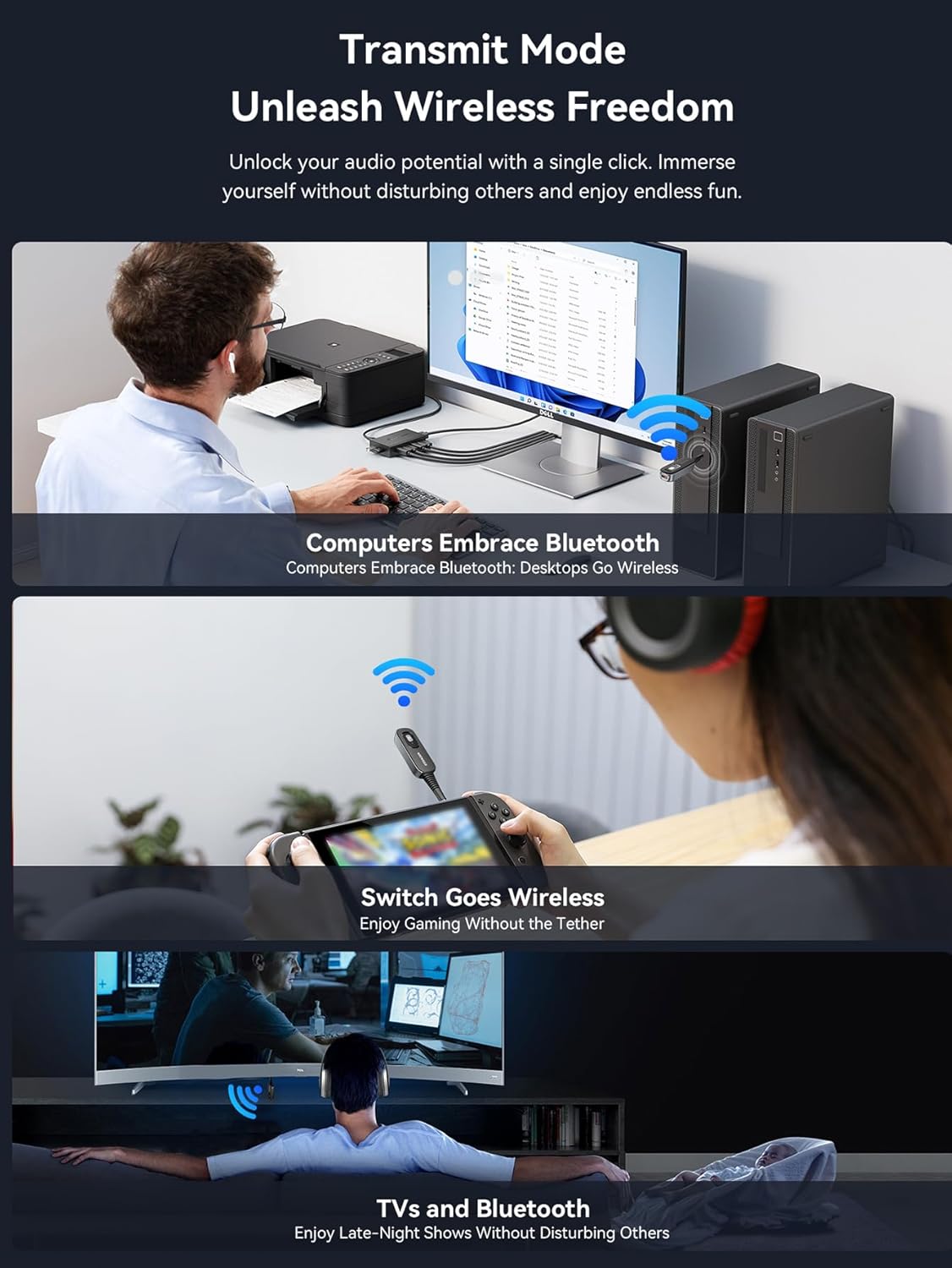
Figure 4: Visual guide for connecting the ESSAGER adapter in both Transmitter (TX) and Receiver (RX) modes.
4.4 Operating in Receiver (RX) Mode
In RX mode, the adapter receives audio from your Bluetooth-enabled device and sends it to a wired audio system.
- Switch the adapter to RX mode.
- Connect the 3.5mm audio jack of the adapter into the AUX input port of your non-Bluetooth audio system (e.g., car stereo, home speaker, amplifier).
- Power on the adapter. The indicator light will flash, indicating it's in pairing mode.
- On your Bluetooth-enabled device (e.g., smartphone, tablet), go to Bluetooth settings and search for new devices. Select "ESSAGER B0D3V55J9M" (or similar name) from the list.
- Once paired, the indicator light will become solid, and you can now stream audio wirelessly to your connected audio system.

Figure 5: The ESSAGER adapter integrated into a car's audio system for wireless music and hands-free calls.

Figure 6: The ESSAGER adapter enabling wireless audio streaming to a home stereo system in Receiver mode.
4.5 Operating in Transmitter (TX) Mode
In TX mode, the adapter transmits audio from a wired source to your Bluetooth headphones or speakers.
- Switch the adapter to TX mode.
- Connect the 3.5mm audio jack of the adapter into the audio output port of your non-Bluetooth audio source (e.g., TV, MP3 player, airplane entertainment system).
- Power on the adapter. The indicator light will flash, indicating it's in pairing mode.
- Put your Bluetooth headphones or speakers into pairing mode.
- The adapter will automatically search for and connect to nearby Bluetooth audio devices. Once paired, the indicator light will become solid, and audio from your source will be transmitted wirelessly.
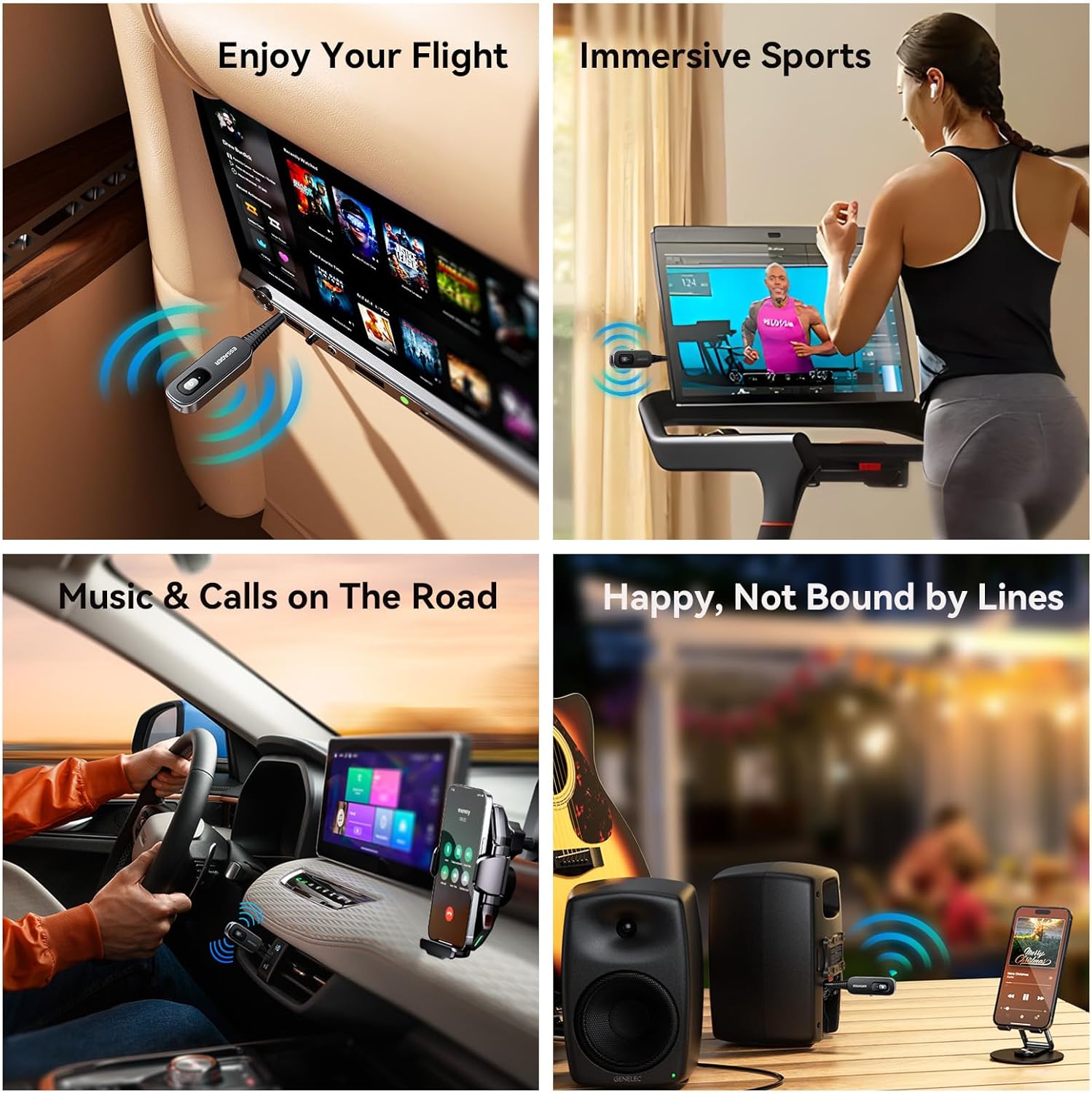
Figure 7: Using the ESSAGER adapter to enjoy wireless audio from an airplane's entertainment system.

Figure 8: The ESSAGER adapter providing wireless audio for immersive sports experiences on a treadmill.
4.6 Hands-Free Calling (RX Mode Only)
When in RX mode and connected to your smartphone, the built-in HD noise-canceling microphone allows for clear hands-free calls. Press the power button once to answer or end a call. Press and hold to reject a call.
5. Specifications
| Feature | Detail |
|---|---|
| Product Dimensions | 2.36 x 2.36 x 0.79 inches (60 x 60 x 20 mm) |
| Item Weight | 1.41 ounces (40 grams) |
| Bluetooth Version | 5.1 |
| Connectivity Technology | AUX |
| Power Source | Battery Powered (140 mAh polymer battery) |
| Charging Time | Approx. 1.5 hours |
| Usage Time | Up to 5 hours |
| Transmission Distance | Up to 10 meters (33 feet) |
| Special Feature | Low Latency, HD Noise-Canceling Microphone |

Figure 9: The ESSAGER adapter offers a stable 10-meter Bluetooth transmission range.
6. Troubleshooting
- Device won't power on: Ensure the device is fully charged. Connect it to a power source using the USB-C cable.
- Cannot pair with a Bluetooth device:
- Ensure the adapter is in the correct mode (RX for receiving, TX for transmitting).
- Make sure both the adapter and the target Bluetooth device are in pairing mode (indicator light flashing).
- Ensure devices are within the 10-meter transmission range.
- Turn off and on both devices, then try pairing again.
- No sound or poor audio quality:
- Check all cable connections (3.5mm jack) are secure.
- Adjust volume levels on both the adapter and the connected audio device/source.
- Ensure the adapter is correctly paired and connected.
- Move devices closer to each other to improve signal strength.
- Check if there is interference from other wireless devices.
- Short battery life: Ensure the device is fully charged before use. Battery performance may degrade over time with extensive use.
7. Maintenance
- Clean the device with a soft, dry cloth. Do not use liquid cleaners or aerosols.
- Store the adapter in a cool, dry place away from direct sunlight and extreme temperatures.
- Avoid dropping or subjecting the device to strong impacts.
- Do not attempt to disassemble or repair the device yourself, as this will void the warranty and may cause damage.
8. Safety Information
Please read and adhere to the following safety guidelines:
- Ensure proper handling of the 140 mAh polymer battery. Avoid exposure to extreme temperatures and humidity.
- This device may cause interference with other wireless devices. Use in various environments may require caution.
- Keep the device away from water and other liquids.
- Do not use the device while driving if it distracts you from operating the vehicle safely.
- Dispose of the device and its battery responsibly according to local regulations.
9. Warranty and Support
ESSAGER products are designed for reliability and performance. For warranty information or technical support, please refer to the product packaging or contact your retailer. You can also visit the official ESSAGER store on Amazon for more information: ESSAGER Store.