
Introduction
The RHM X7 Podcast Equipment is an advanced audio mixer interface designed to enhance your podcasting, streaming, and recording experiences. Featuring 48V phantom power, an XLR microphone interface, and a range of sound customization options, the X7 delivers clear and professional audio quality. Its compact design and long-lasting battery make it ideal for both studio and on-the-go use.
Product Overview
The RHM X7 is crafted from durable metal material, ensuring robust performance and accurate audio reproduction. It integrates essential podcasting functions such as Reverb, Treble & Bass control, Noise Reduction, and various voice-changing modes, all accessible via an intuitive LCD display and independent faders.
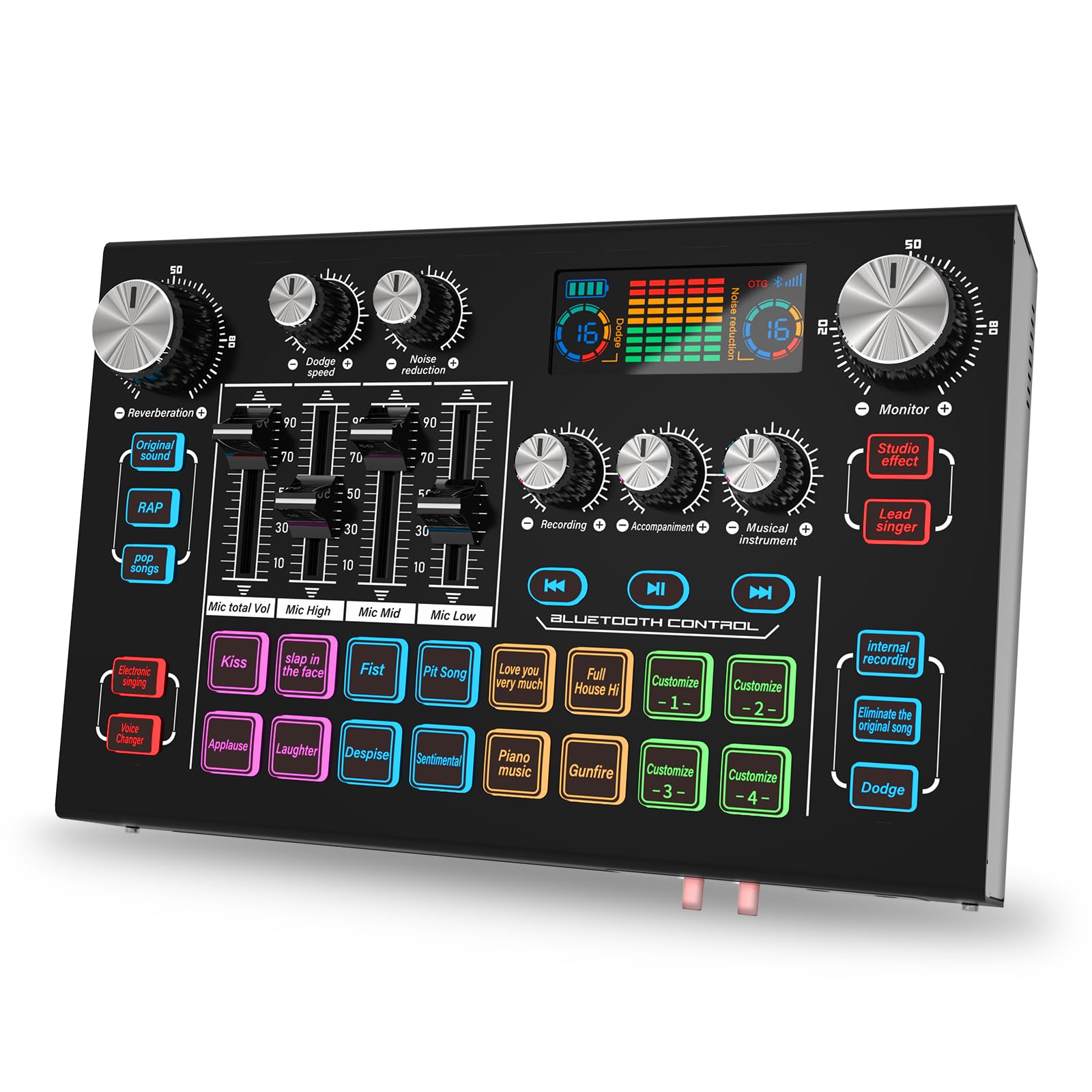
Figure 1: RHM X7 Podcast Equipment Audio Mixer Interface (Model TY01)
Setup Instructions
1. Powering On/Off
- To power on the device, press and hold the power button located on the unit.
- To power off, press and hold the power button again.
2. Connecting Microphones
The X7 supports both XLR and 3.5mm microphones. For condenser microphones requiring additional power, utilize the built-in 48V phantom power feature.

Figure 2: Connecting XLR and 3.5mm Microphones with 48V Phantom Power
3. Device Connectivity
Connect the X7 to your mobile phone, computer, or iPad via Bluetooth or the provided USB-A to USB-C cable and 3.5mm TRRS Audio Cable. The device is compatible with iOS, Windows, Mac OS, and Android operating systems.

Figure 3: Connecting the RHM X7 to a computer and phone
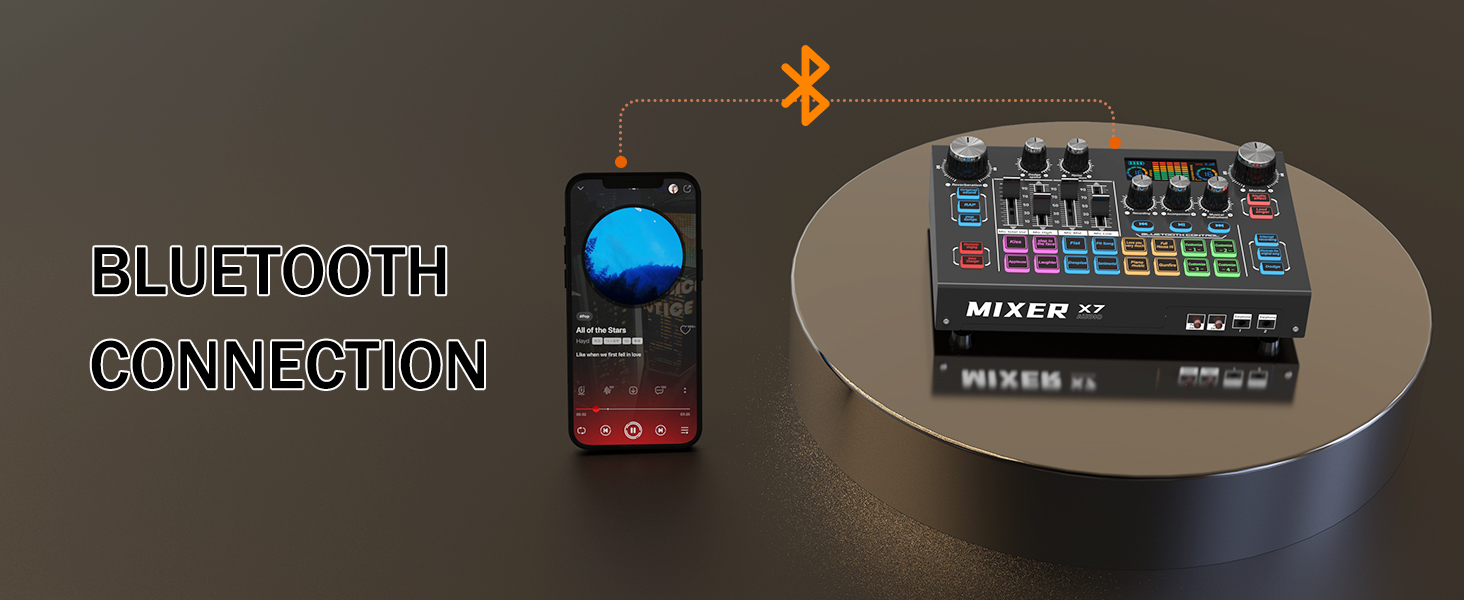
Figure 4: Establishing a Bluetooth connection with the RHM X7
Operating Instructions
1. Individual Channel Control
The X7 features 5 independent volume faders, allowing you to separately adjust the volume for microphones, accompanying music, monitor output, and musical instruments. This provides precise control over your audio mix.
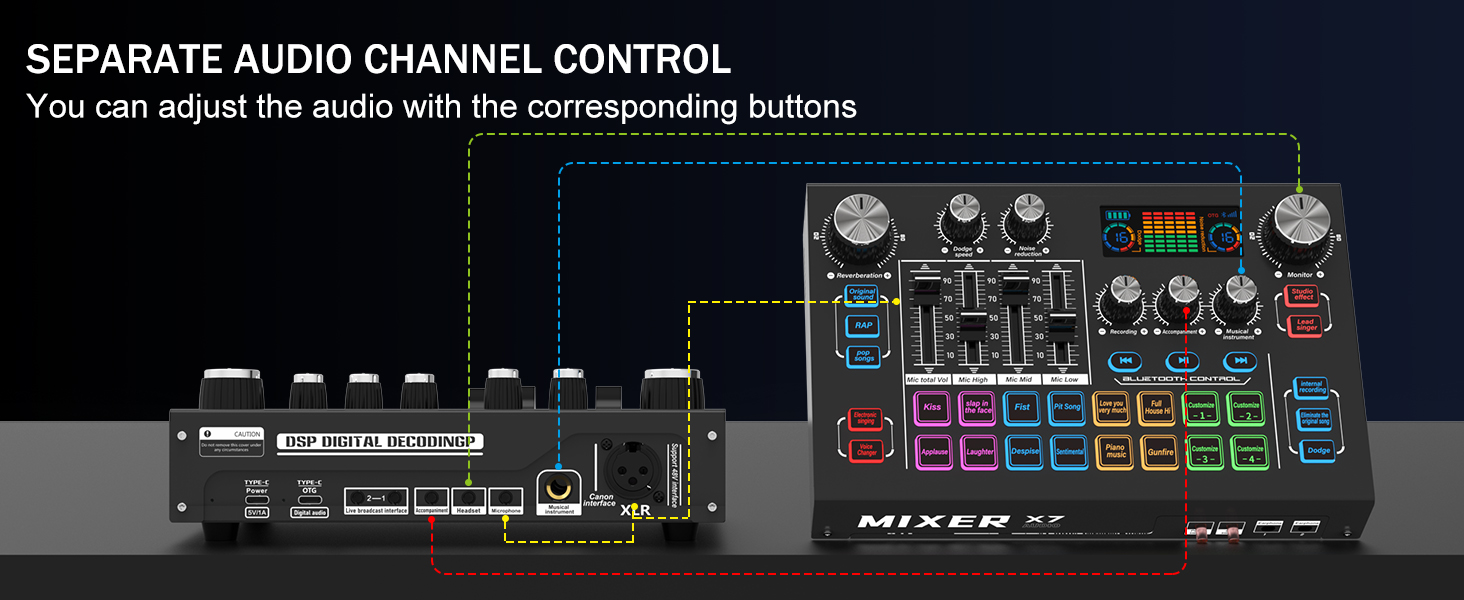
Figure 5: Diagram illustrating separate audio channel control on the RHM X7
2. Sound Effects and Voice Changing
Access 12 preset sound effects and customize 4 additional buttons with your desired sound effects. The 4 voice-changing modes allow you to alter your voice for engaging content. Utilize lead singer or accompaniment modes for singing applications.

Figure 6: Overview of soundpads and internal sound effects on the RHM X7
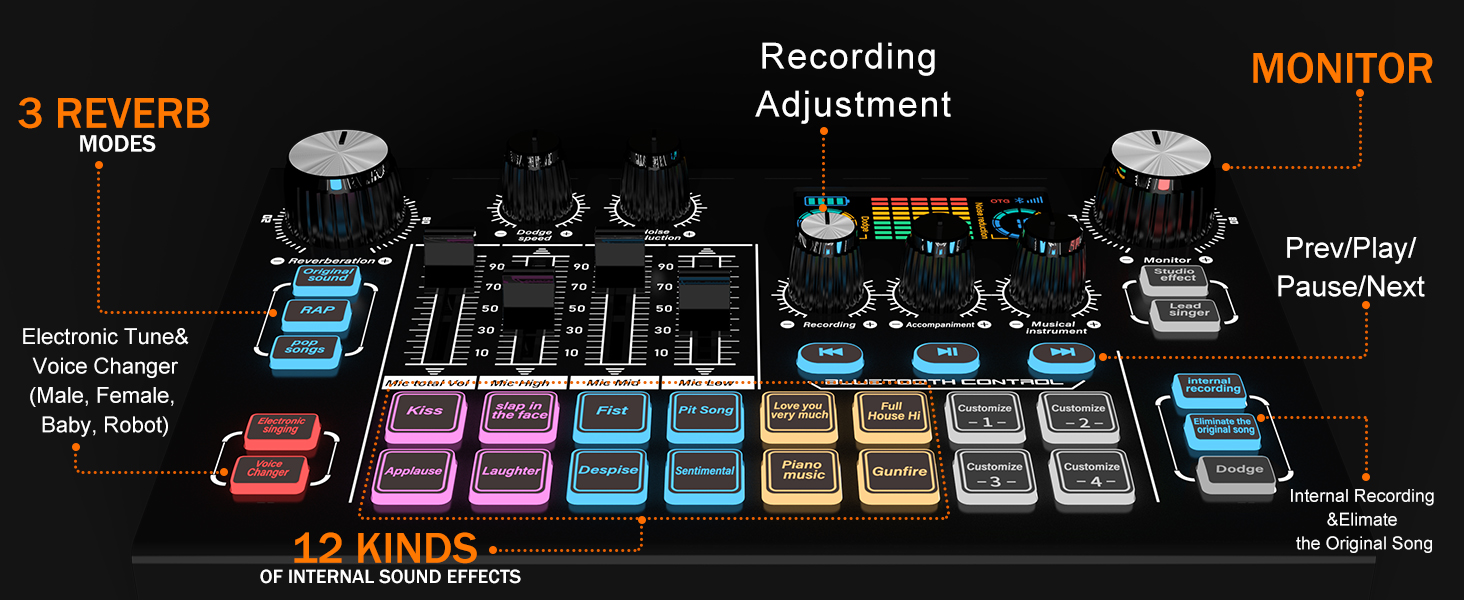
Figure 7: Detailed view of reverb modes and sound effects controls
3. Noise Reduction and Dodge Speed
Adjust noise reduction and dodge speed with 16 available levels, displayed on the LCD. The noise reduction button filters background noise, while dodge speed automatically mutes background music when you speak, resuming playback when you stop.

Figure 8: Adjusting noise reduction levels on the RHM X7

Figure 9: Adjusting the dodge speed feature on the RHM X7
4. LCD Display
The integrated LCD display provides real-time feedback on settings such as reverb, noise reduction levels, and other audio parameters.
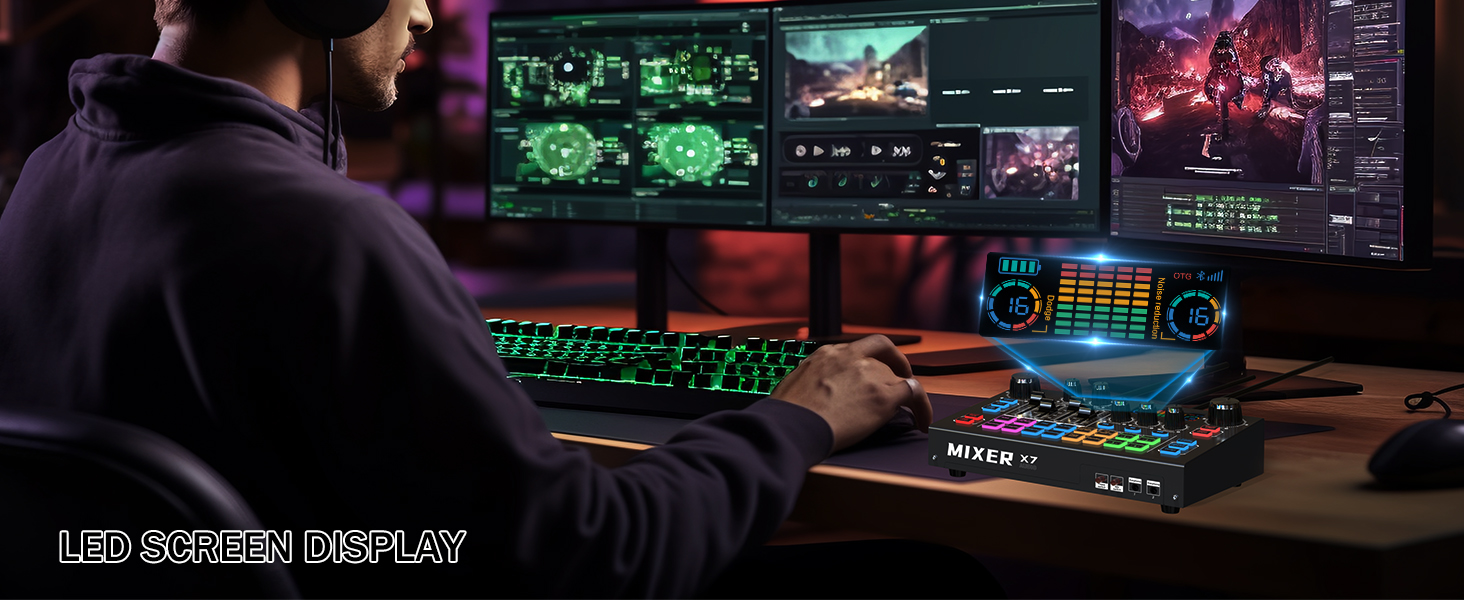
Figure 10: The RHM X7's LED screen displaying various settings
5. Official Product Video
Video 1: A detailed feature overview of the RHM X7 Mixer, demonstrating its various functions and controls.
Maintenance
To ensure the longevity and optimal performance of your RHM X7 Podcast Equipment, follow these maintenance guidelines:
- Cleaning: Use a soft, dry cloth to wipe down the surface of the mixer. Avoid using liquid cleaners or abrasive materials, as they may damage the finish or internal components.
- Storage: Store the device in a cool, dry place away from direct sunlight and extreme temperatures. When not in use for extended periods, ensure it is powered off and disconnected from power sources.
- Battery Care: For optimal battery life, avoid fully discharging the 3000mAh rechargeable battery frequently. Charge the device regularly, even if not in constant use.
- Cable Management: Handle all cables with care. Avoid sharp bends or excessive pulling, which can damage the connectors or internal wiring.
Troubleshooting
If you encounter any issues with your RHM X7, please refer to the following common troubleshooting steps:
- No Power: Ensure the device is fully charged or connected to a power source. Check the USB-C cable connection.
- No Microphone Input: Verify that the microphone is correctly plugged into the XLR or 3.5mm input. If using a condenser microphone, ensure 48V phantom power is activated. Check microphone volume faders.
- No Audio Output: Check all output connections (headphones, speakers). Ensure volume faders for main output and monitor are set appropriately.
- Bluetooth Connectivity Issues: Ensure Bluetooth is enabled on both the X7 and your device. Try unpairing and re-pairing the devices.
- Excessive Noise/Feedback: Adjust the noise reduction levels. Ensure microphones are not too close to speakers or other audio sources.
- Sound Effects Not Working: Verify that the sound effect buttons are correctly configured and not muted.
For further assistance, please contact RHM customer support.
Specifications
| Brand | RHM |
| Model Number | TY01 |
| Item Weight | 1.84 LB (0.83 kg) |
| Product Dimensions | 8.27 x 5.43 x 2.36 inches (21 x 13.8 x 6 cm) |
| Batteries | 1 Lithium Ion battery required (included) |
| Battery Type | Lithium Ion |
| Operating System | Windows, iOS, Mac OS, Android |
| Power Source | Battery Powered |
| Number of Channels | 2 |
| Connectivity Technology | Bluetooth, AUX, USB Type-C |
Package Contents
The RHM X7 Podcast Equipment package includes:
- 1 x RHM X7 Live Sound Card (Audio Mixer Interface)
- 1 x 3.5mm TRRS Audio Cable
- 1 x USB-A to USB-C Cable
- 1 x User Manual
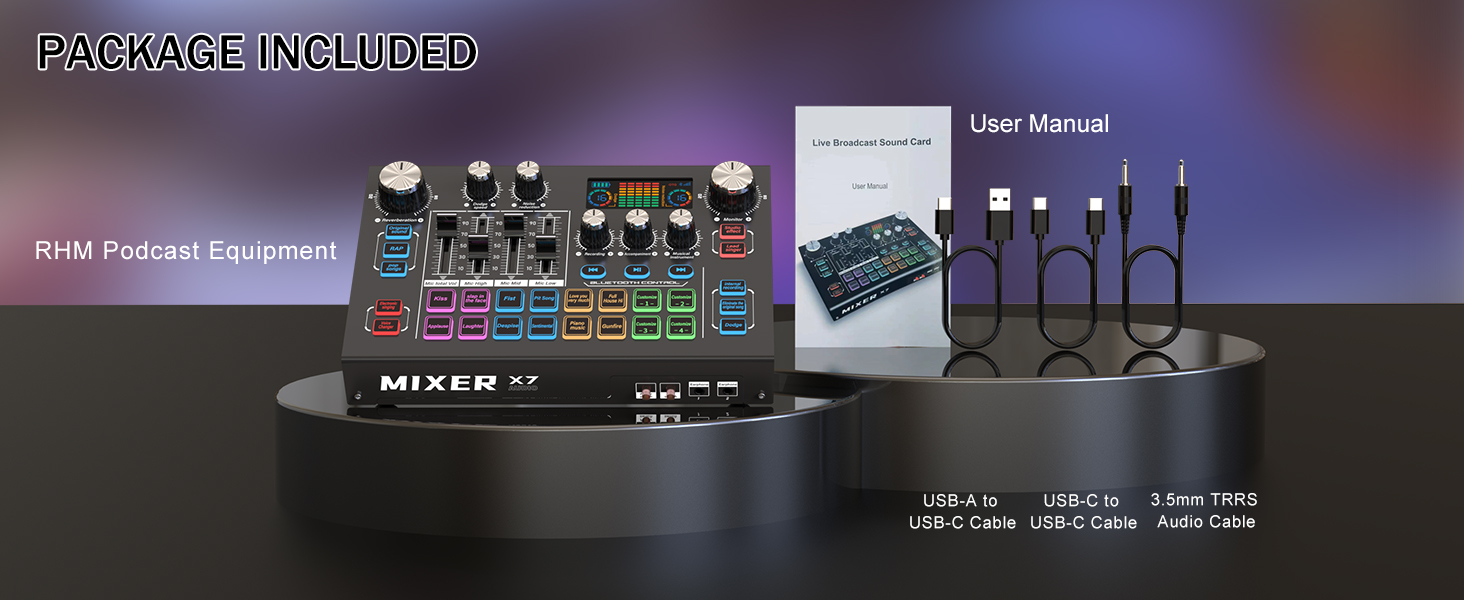
Figure 11: Contents included in the RHM X7 package
Warranty and Support
RHM products are designed for reliability and performance. For specific warranty details and to register your product, please refer to the warranty information provided in the included User Manual or visit the official RHM website.
For technical support, troubleshooting, or any inquiries regarding your RHM X7 Podcast Equipment, please contact RHM customer service through the contact information provided in your User Manual or on the RHM official website. Our support team is available to assist you with any questions or concerns.
