Introduction
The BAOFENG K5PLUS is an advanced tri-band ham radio designed for reliable long-range communication. It features a 1.77-inch LCD display, a 2500mAh rechargeable battery, 999 channels, and supports various functions including NOAA weather alerts, FM/AM receiver, and frequency copy. This manual provides comprehensive instructions for setting up, operating, and maintaining your K5PLUS radio.
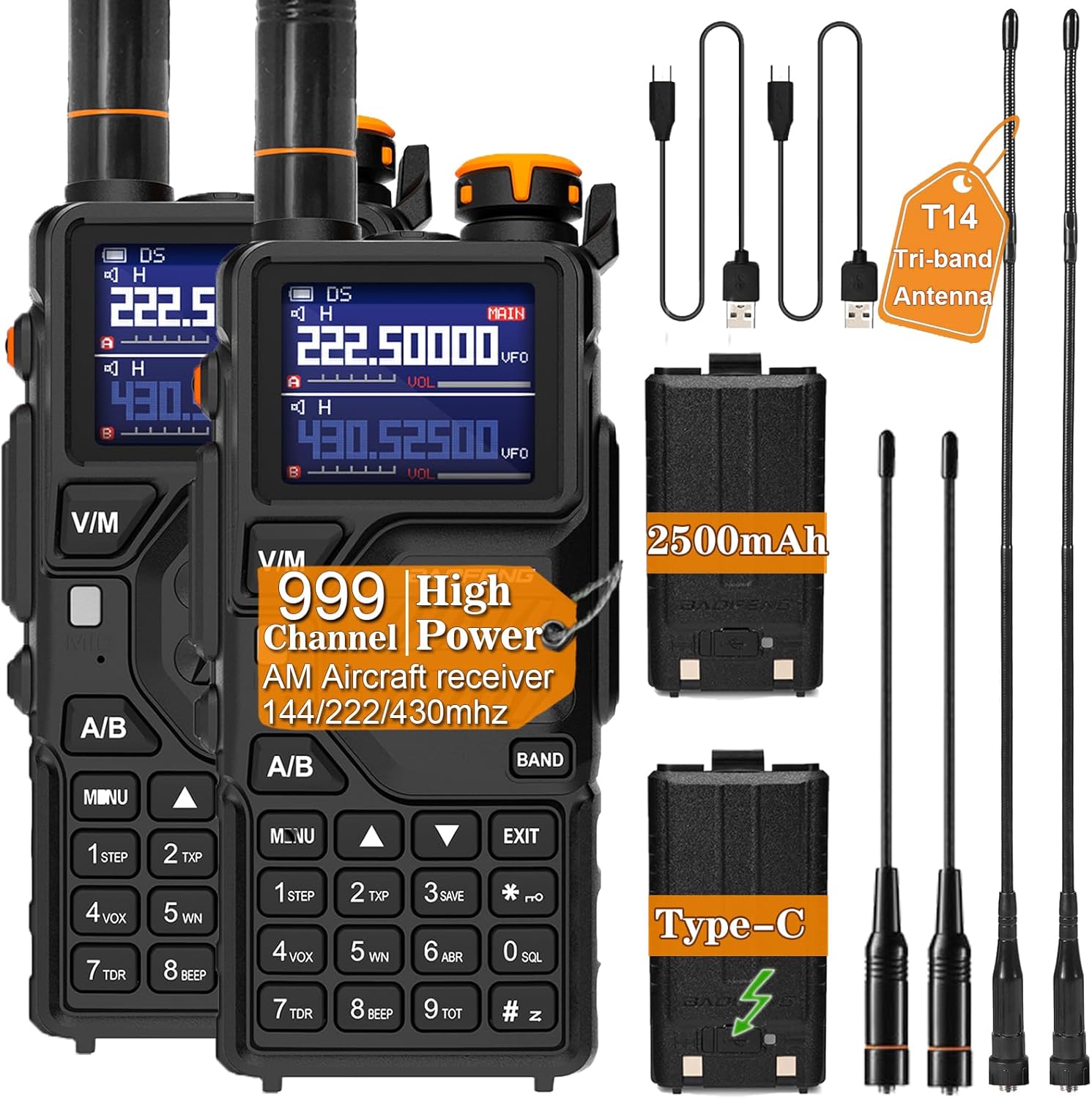
Image: BAOFENG K5PLUS Tri Band Ham Radio and included accessories.
What's in the Box
- BAOFENG K5PLUS Tri-band Ham Radio (x2)
- Original Antenna (x2)
- 2500mAh Rechargeable Battery (x2)
- T14 Tri-band Antenna (x2)
- Type-C Data Cable (x2)
- Earphone (x2)
- Desktop Charger (x2)
- Belt Clip (x2)
- Hand Strap (x2)
- User's Manual (x1)
Features Overview
The K5PLUS radio is equipped with a range of features to enhance your communication experience:
- Tri-Band Operation: Supports VHF (136-174 MHz), VHF2 (220-225 MHz), and UHF (400-520 MHz) for wider coverage and stronger signal penetration.
- NOAA Weather Alert: Scans 10 NOAA weather channels and alerts you to severe weather risks, providing crucial time for preparation.
- One Key Frequency Match: Easily deciphers and copies frequencies from other walkie-talkies, including CTCSS/DCS tones.
- Type-C Charging: Conveniently charge your radio using any USB-C compatible device, ensuring ultra-long battery life.
- High/Medium/Low Power Selectable: Adjust transmit power to conserve battery or extend range as needed.
- 1.77-inch Color LCD Display: Provides clear visibility and easy navigation of settings, even in low light conditions.
- High Brightness Flashlight: Integrated LED flashlight for illumination in dark environments or emergencies.

Image: Visual representation of key features including One Touch Frequency Finder, 999 Channels, High Power, 2500mAh Battery, Tri-Band, NOAA Weather, High Gain Antenna, Type-C Fast Charging, LED Flashlight, Vox Function, FM Radio, and 1.77" Color Large Screen.

Image: Illustration of Tri-Power (High, Middle, Low) and Tri-Band (108-136MHz, 136-174MHz, 220-260MHz, 350-390MHz, 400-520MHz) frequency ranges.
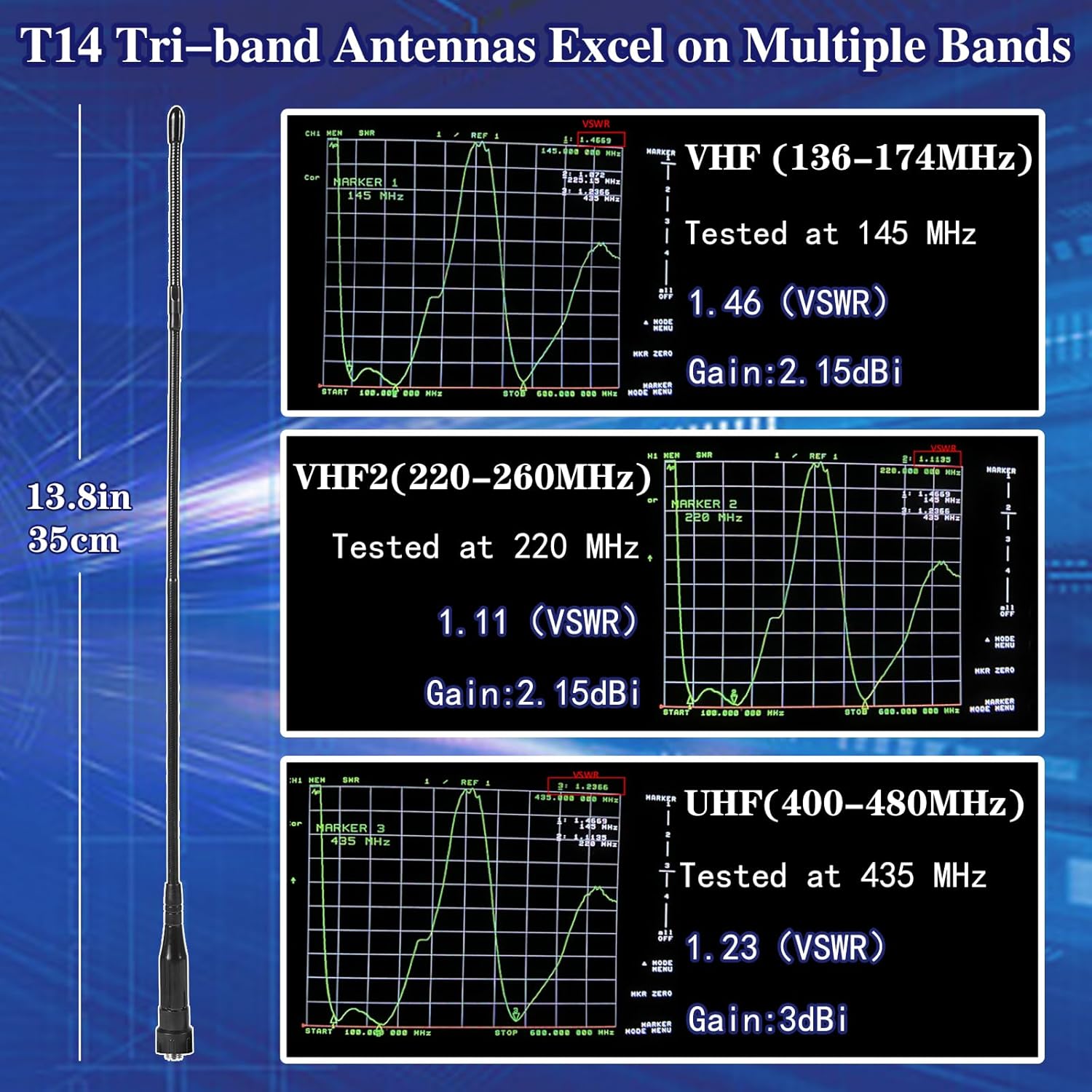
Image: Performance charts for the T14 Tri-band Antenna across VHF (136-174MHz), VHF2 (220-260MHz), and UHF (400-480MHz) bands, showing VSWR and Gain values.
Setup Guide
1. Battery Installation
- Ensure the radio is powered off.
- Locate the battery release latch on the bottom rear of the radio.
- Slide the battery pack into the compartment until it clicks securely into place.
2. Antenna Attachment
- Align the antenna connector with the antenna port on top of the radio.
- Gently screw the antenna clockwise until it is finger-tight. Do not overtighten.
3. Charging the Battery
The K5PLUS supports two charging methods: desktop charger and direct Type-C charging.
- Using Desktop Charger: Place the radio into the desktop charging cradle. Ensure the charging contacts align. The indicator light will show charging status.
- Using Type-C Cable: Connect the Type-C data cable to the Type-C charging port on the side of the radio and plug the other end into a USB power source (e.g., wall adapter, power bank, car charger).
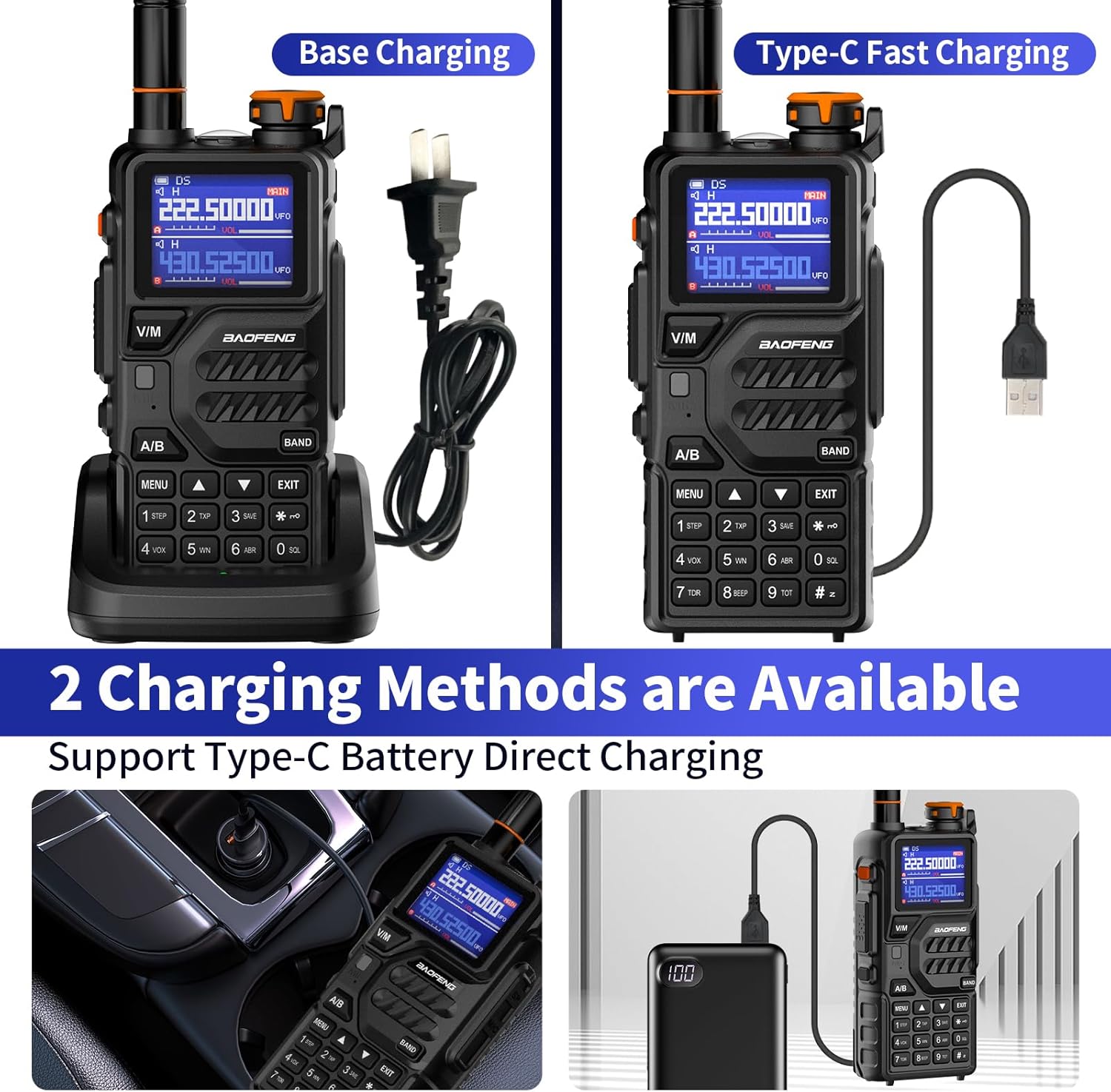
Image: Depiction of both base charging with a desktop charger and direct Type-C fast charging methods.
Operating Instructions
1. Power On/Off and Volume Control
- To power on, rotate the Power/Volume knob (1) clockwise until you hear a click.
- To power off, rotate the knob counter-clockwise until it clicks.
- Adjust volume by rotating the same knob.
2. Channel Selection and Frequency Mode
- Press the V/M key (4) to switch between Frequency (VFO) mode and Channel (MR) mode.
- In Frequency mode, use the numeric keypad to enter desired frequencies or the Up/Down arrow keys (17) to scan.
- In Channel mode, use the Up/Down arrow keys (17) to select a stored channel.
- Press the A/B key (7) to switch between the upper (A) and lower (B) display bands.
3. Transmitting (PTT)
- Press and hold the PTT (Push-To-Talk) key (3) on the side of the radio to transmit.
- Speak clearly into the microphone (14).
- Release the PTT key to receive.
4. NOAA Weather Alert
- To activate NOAA weather scanning, navigate to the NOAA weather function in the menu.
- The radio will scan 10 NOAA weather channels and alert you to severe weather conditions.

Image: The K5PLUS radio displaying the NOAA weather alert feature, with icons representing various weather conditions.
5. One Key Frequency Match (Copy Frequency)
This feature allows you to quickly copy the frequency and tone from another radio.
- Press and hold the BAND key (15) to enter the scanning mode. The display will show "Scanning SEARCH...".
- Press and hold the PTT key on the other walkie-talkie to transmit. The K5PLUS will search for its frequency.
- Once the frequency is found, press MENU to confirm and store it.
- Switch to channel mode, and the display will show the other person's frequency, allowing you to communicate.

Image: Visual guide demonstrating the '2 Seconds Copy Frequency' function between two radios.

Image: Detailed diagram of the K5PLUS radio with numbered components and their corresponding functions (e.g., Power/Volume knob, PTT key, MENU key, Antenna jack, Color LCD).
Maintenance
1. Battery Care
- Fully charge the battery before first use.
- Avoid overcharging or completely draining the battery to prolong its lifespan.
- Store the battery in a cool, dry place when not in use for extended periods.
2. Cleaning
- Use a soft, damp cloth to clean the radio's exterior.
- Do not use harsh chemicals or abrasive cleaners.
- Ensure the radio is dry before use or charging.
Troubleshooting
| Problem | Possible Cause | Solution |
|---|---|---|
| Radio does not power on | Low battery; Battery not installed correctly | Charge battery; Reinstall battery securely |
| Cannot transmit or receive | Incorrect frequency/channel; Antenna loose; Out of range | Verify frequency/channel; Re-attach antenna; Move closer to other radio |
| Poor audio quality | Low signal strength; Volume too low/high; Obstructions | Adjust squelch level; Adjust volume; Move to an open area |
| NOAA weather alert not working | Feature not enabled; Out of NOAA broadcast range | Enable NOAA alert in menu; Check local NOAA coverage |
Specifications
| Feature | Detail |
|---|---|
| Model Number | K5-PLUS |
| Frequency Range | 136-174 MHz (VHF), 220-225 MHz (VHF2), 400-520 MHz (UHF) |
| Number of Channels | 999 |
| Battery | 2500mAh Lithium Ion (included) |
| Item Weight | 2.61 pounds |
| Package Dimensions | 8.74 x 8.07 x 4.13 inches |
| Talking Range Maximum | 8 Kilometer |
| Tuner Technology | UHF |
| Voltage | 3.7 Volts |
| Water Resistance Level | Not Water Resistant |
| Country of Origin | China |
Warranty and Support
BAOFENG provides a 30-day return policy and a 12-month warranty for the K5PLUS Tri Band Ham Radio. For any questions or support regarding your walkie-talkie, please contact BAOFENG customer service.


