
1. Product Overview
The DEPOW AE2260-CU Surge Protector Power Strip is designed to provide extensive power and charging capabilities for your electronic devices. Featuring 22 AC outlets and 6 USB ports (including 3 USB-C), it offers versatile connectivity while safeguarding your equipment with 2100 Joules of surge protection. Its thoughtful design includes widely spaced outlets, a 6.5-foot flat plug extension cord, and wall-mountable options for optimal space utilization.
Key Features:
- Extensive Connectivity: 22 AC outlets (1875W/15A) and 6 USB ports (3 USB-A, 3 USB-C) for a total of 28 ports.
- Smart Charging: USB ports provide a combined output of 4.8A/24W, allowing simultaneous charging of multiple devices.
- Optimized Design: Widely spaced outlets (1.2-2.1 inches) accommodate larger power adapters without blocking adjacent sockets.
- Flexible Placement: 6.5-foot long flat plug extension cord with a 45° angled design for easy access to distant outlets and furniture placement.
- Advanced Protection: 2100 Joules surge protection shields valuable electronics from voltage fluctuations, surges, and spikes.
- Space-Saving: Wall-mountable design with four mounting holes helps conserve desk or floor space.

Figure 1: DEPOW Surge Protector Power Strip, showcasing its 22 AC outlets and 6 USB ports, designed for extensive connectivity.
2. Safety Information
- Do not exceed the maximum power rating of 1875W (15A) to prevent overheating and potential damage.
- This device is designed for indoor use only. Do not expose to moisture or wet conditions.
- Do not use in conjunction with aquariums or other water-related products.
- Ensure the power strip is plugged into a properly grounded 3-prong outlet.
- Do not disassemble or modify the unit. Refer all servicing to qualified personnel.
- Keep away from children and pets.
- Avoid plugging in high-power consumption appliances such as space heaters, microwaves, or hair dryers directly into the power strip. Plug these directly into a wall outlet.
- The surge protection feature is designed to protect against power surges. It is not a substitute for proper grounding or safe electrical practices.
3. Setup
3.1 Unpacking
Carefully remove the DEPOW Surge Protector Power Strip from its packaging. Inspect the unit for any signs of damage. Retain packaging for future storage or transport.
3.2 Placement Options
The DEPOW Surge Protector offers flexible placement options:
- Desktop/Floor Placement: Simply place the unit on a flat, stable surface.
- Wall Mounting: The unit features four mounting holes on its side flanges, allowing for secure vertical or horizontal installation.
Wall Mounting Instructions:
- Choose a suitable location on a wall or workbench where the power strip will be easily accessible and its cord can reach a grounded outlet.
- Mark the positions for the four mounting screws using the holes on the side flanges of the power strip as a template.
- Drill pilot holes at the marked positions (if necessary, depending on wall material).
- Insert screws into the pilot holes, leaving a small gap for the power strip to slide onto.
- Align the mounting holes on the power strip with the screws and slide the unit down to secure it.

Figure 2: The DEPOW Surge Protector Power Strip demonstrating its wall-mountable design, allowing for secure installation to save space.
3.3 Connecting to Power
Plug the 6.5-foot flat plug extension cord into a standard 125V grounded 3-prong wall outlet. The flat, 45° angled plug design allows furniture to be placed closer to the wall.

Figure 3: The 6.5-foot flat plug extension cord of the DEPOW Surge Protector, designed for convenient and space-saving connection to a wall outlet.
4. Operating Instructions
4.1 Powering On/Off
Locate the ON/OFF switch on the unit. Flip the switch to the "ON" position to supply power to the outlets and USB ports. Flip to "OFF" to cut power.
4.2 Indicator Lights
The power strip features three indicator lights to confirm its status:
- Grounded (Green): Illuminates when the power strip is properly grounded.
- Protected (Red): Illuminates when the surge protection is active and functioning.
- Fault (Yellow): Illuminates if there is a wiring fault or improper grounding in the wall outlet. If this light is on, discontinue use and consult a qualified electrician.
4.3 Using AC Outlets
Plug your AC-powered devices into any of the 22 available AC outlets. The wide spacing (1.2-2.1 inches) between outlets is designed to accommodate larger power adapters without obstructing adjacent sockets.
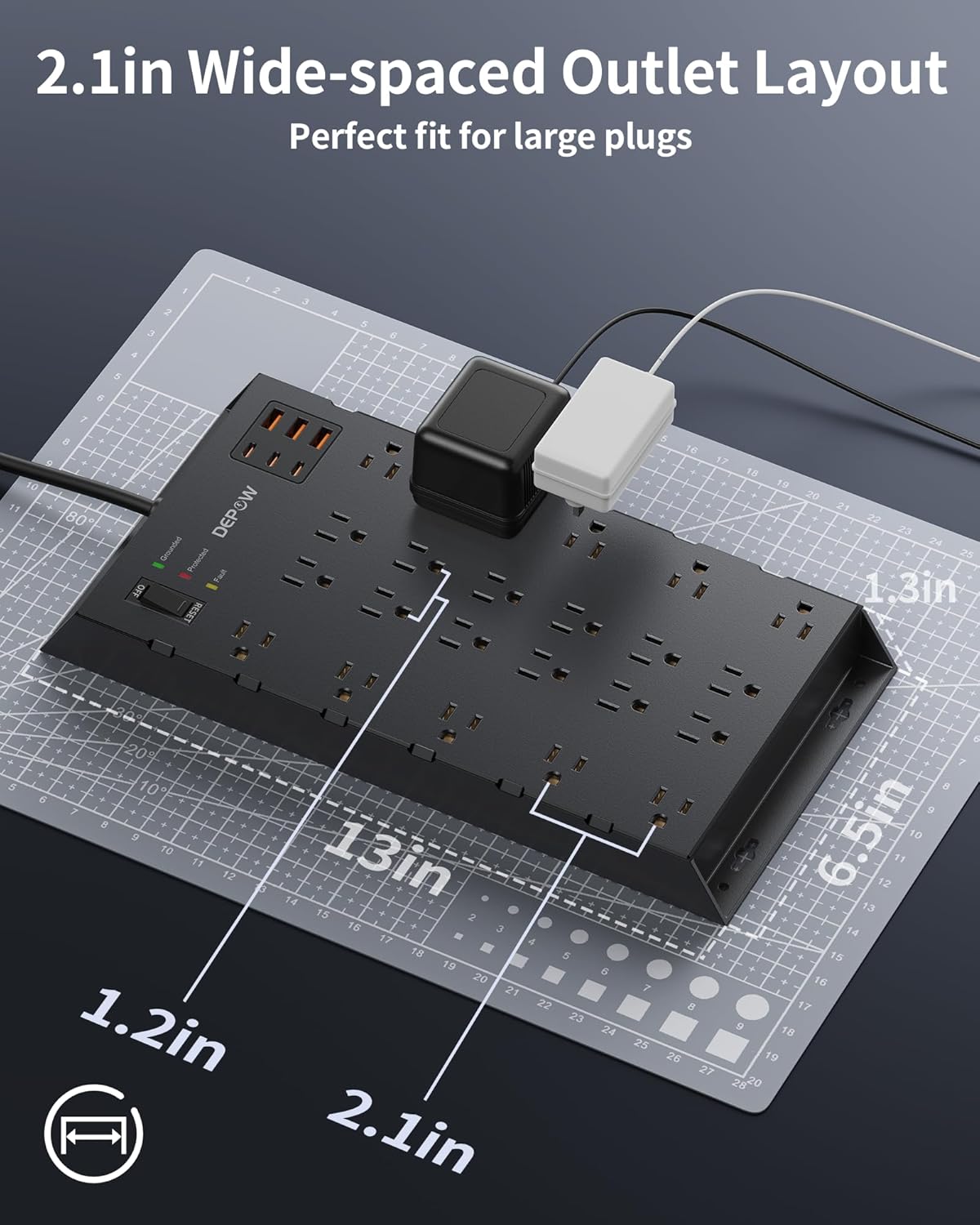
Figure 4: The wide-spaced outlet layout of the DEPOW Surge Protector, designed to fit various plug sizes without interference.
4.4 Using USB Charging Ports
Connect your USB-powered devices to the 3 USB-A or 3 USB-C ports. The combined output of 4.8A/24W allows for efficient charging of smartphones, tablets, and other compatible devices.

Figure 5: The versatile USB charging station of the DEPOW Surge Protector, featuring both USB-A and USB-C ports for various devices.
4.5 Surge Protection
The unit provides 2100 Joules of surge protection. In the event of a power surge, the surge protector will absorb excess voltage to protect connected devices. If the "Protected" indicator light turns off, the surge protection has been compromised and the unit should be replaced.
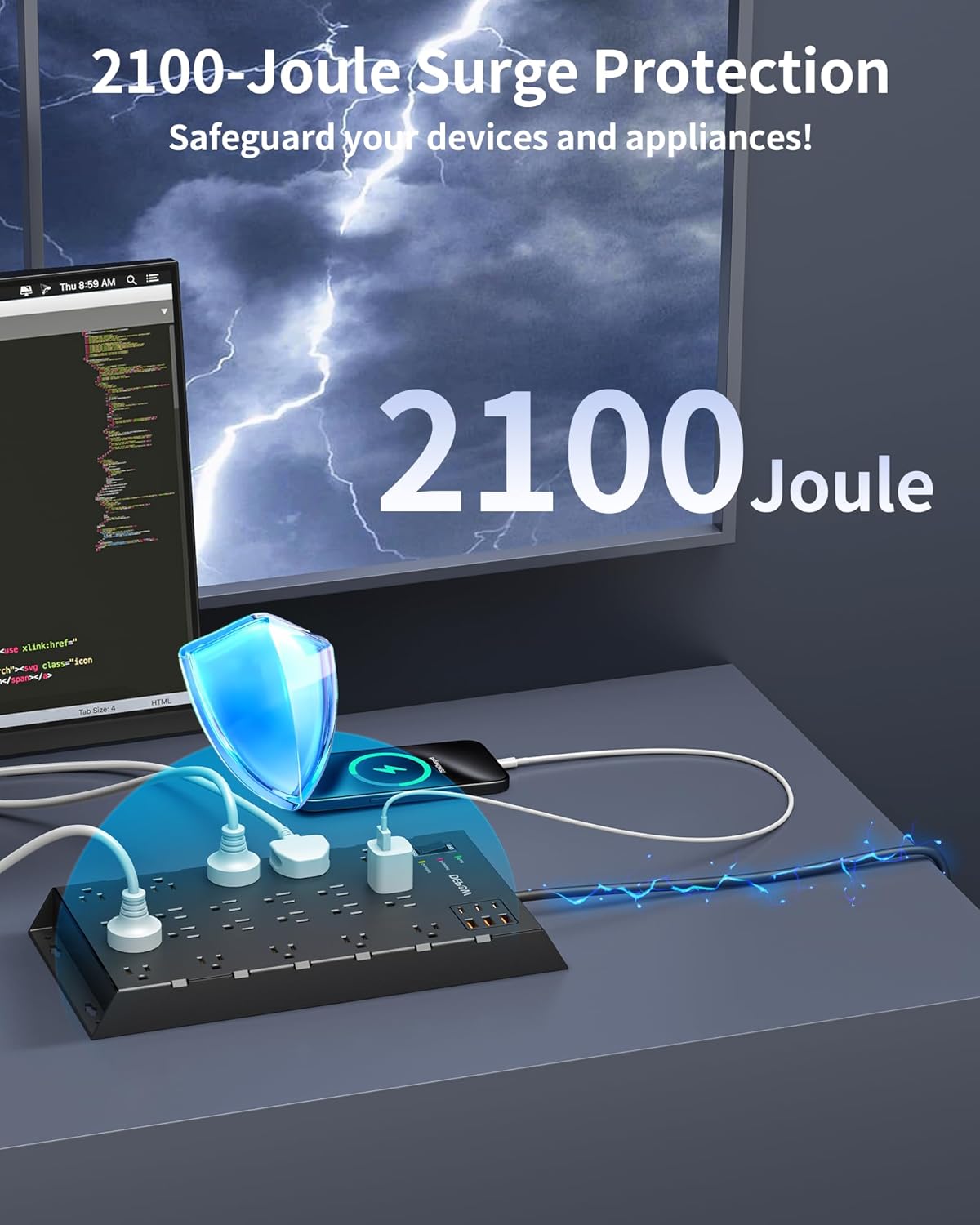
Figure 6: Visual representation of the 2100-Joule surge protection feature, safeguarding connected devices from electrical spikes.
5. Maintenance
- Keep the power strip clean and free from dust. Use a dry, soft cloth for cleaning.
- Do not use liquid cleaners or aerosol sprays directly on the unit.
- Regularly check the power cord for any signs of damage, fraying, or overheating.
- Ensure all plugs are securely inserted into the outlets.
- If the "Protected" indicator light is off, the surge protection is no longer active. Replace the unit to ensure continued protection for your devices.
6. Troubleshooting
6.1 No Power to Devices
- Ensure the power strip's ON/OFF switch is in the "ON" position.
- Verify that the power strip is securely plugged into a functioning wall outlet.
- Check if the wall outlet itself is receiving power by plugging in another device.
- If the "Protected" light is off, the surge protection may have expired. Replace the unit.
6.2 "Fault" Indicator Light is On
- This indicates a wiring fault or improper grounding in the wall outlet.
- Unplug the power strip immediately.
- Do not use the power strip with this outlet. Consult a qualified electrician to inspect the wiring.
6.3 Devices Not Charging via USB
- Ensure the power strip is powered on.
- Verify that your USB cable is not damaged and is properly connected to both the device and the USB port.
- Test with a different USB cable or device to rule out device-specific issues.
7. Specifications
| Feature | Detail |
|---|---|
| Brand | DEPOW |
| Model Number | AE2260-CU |
| Color | Black |
| Total Power Outlets | 22 AC Outlets |
| Total USB Ports | 6 (3 USB-A, 3 USB-C) |
| Total Ports | 28 |
| Voltage | 125 Volts |
| Maximum Current | 15 Amps |
| Power Rating | 1875 Watts |
| Surge Protection Rating | 2100 Joules |
| Power Plug Type | Type B - 3 pin (North American), Flat 45° Angled |
| Cord Length | 6.5 Feet |
| Enclosure Material | Polycarbonate |
| Item Dimensions (L x W) | 13.03"L x 6.5"W |
| Special Features | Mountable, On/Off Switch, Surge Protection, USB Slots, Widely Spaced Outlets |
8. Warranty & Support
The DEPOW AE2260-CU Surge Protector Power Strip comes with a One-year warranty from the manufacturer.
For technical support, warranty claims, or further assistance, please contact DEPOW customer service through their official website or the retailer where the product was purchased.
9. Product Videos
DEPOW Large Surge Protector with 22 AC Outlets and 6USBs
Video 1: An official product video from DEPOW showcasing the large surge protector with its numerous AC outlets and USB ports, highlighting its design and features.
22 Plugs PLUS USB/USB-C
Video 2: A demonstration video highlighting the extensive number of AC outlets and the integrated USB-A and USB-C charging capabilities of the power strip.