
Yakry Y13
2-Kids Baby Car Camera for Seat Instruction Manual
Model: Y13
Introduction
The Yakry 2-Kids Baby Car Camera System is designed to provide parents with a clear and continuous view of their children in the backseat while driving. Featuring a 6.9-inch ultrawide display and two HD 1080P cameras, this system allows simultaneous monitoring of two children. Its eye-safe night vision ensures visibility in low light conditions without disturbing your baby. The system is easy to install and offers flexible mounting options, making it a valuable tool for safe family travel.

Package Contents
Please verify that all items listed below are included in your package:
- 1 x 6.9 Inch Monitor
- 2 x Baby Car Camera
- 1 x Monitor Bracket
- 1 x Lighter Adapter
- 1 x USB Power Cord
- 1 x Video Cable
- 4 x Straps
- 1 x User Manual

Setup and Installation
The Yakry Baby Car Camera System is designed for quick and easy installation, typically taking less than 5 minutes.
Installation Steps:
- Attach Camera: Secure each baby car camera to the front or rear headrest using the provided elastic bands with Velcro. Ensure the camera is firmly attached and positioned to capture the desired view of your child.
- Connect Cables: Connect the camera cables to the dash-mounted car baby monitor. Ensure all connections are secure.
- Power On: Power the system by plugging it into your vehicle's cigarette lighter or via a USB power cable. The monitor will automatically turn on.

Monitor Mounting Options:
The monitor comes with a versatile suction cup bracket that allows for flexible placement without obstructing your view.
- Windshield Mount: Attach the suction cup to your vehicle's windshield for an elevated view.
- Dashboard Mount: Secure the suction cup to a flat, clean surface on your dashboard.
The bracket offers 360° rotation, allowing you to adjust the monitor to your preferred viewing angle.

Operating Instructions
Dual Camera and Ultrawide Display:
The system features a 6.9-inch ultrawide display that shows live feeds from both cameras simultaneously in a split-screen view. This allows you to monitor two children without needing to switch views.

The 24:9 aspect ratio ensures crisp, undistorted AHD images, providing a wider field of view compared to smaller screens.

Vivid AHD 1080P Image:
The monitor features a high-quality IPS screen with genuine AHD 1080P resolution, delivering clearer and more vibrant full-color images. This technology minimizes glare and provides an enhanced viewing angle.

Infant Eye-Safe No-Light Night Vision:
Equipped with the latest 940nm technology, the cameras provide clear night vision without emitting visible infrared light, ensuring no glare or disturbance to your baby's eyes. This prevents potential harm and discomfort often associated with traditional infrared cameras.

Brightness Auto Adjustment:
The monitor features automatic brightness adjustment to adapt to varying light conditions, ensuring optimal visibility throughout the day and night. You can also manually adjust the brightness to Low, Medium, or High settings.

Switchable Mirror/Normal Image Mode:
The baby back seat camera supports both mirror and normal image modes. This allows you to easily switch the display based on your child's position in the car seat (e.g., forward-facing or rear-facing) for the most intuitive view.

360° Rotating Camera:
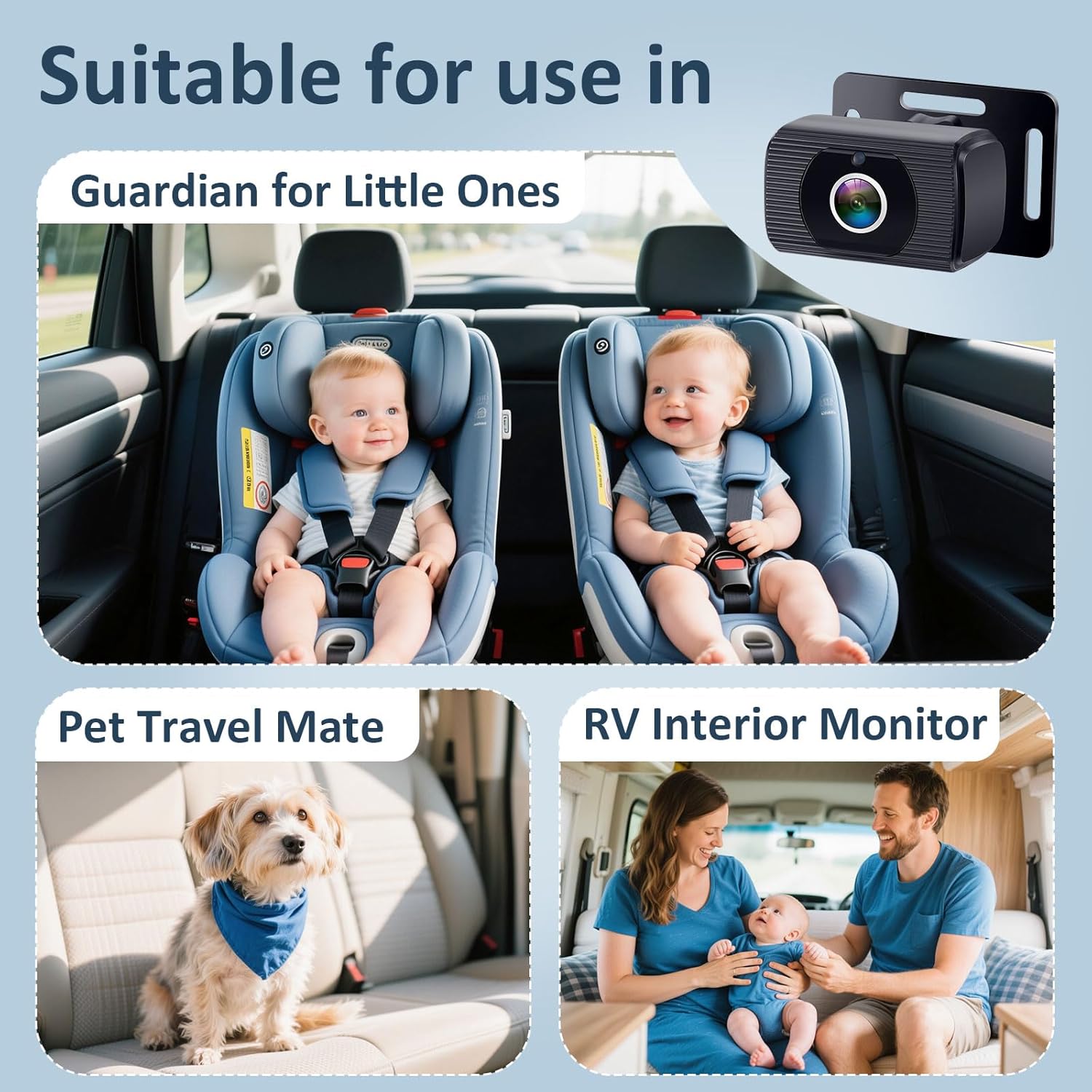
Each camera can be rotated 360°, allowing you to adjust the angle for the optimal view of your child, regardless of their position or the car seat type. This wide-angle view (150°) can monitor up to three babies in the backseat at once.
This system is suitable for various vehicle types, including cars, vans, pickups, trucks, and SUVs with three rows of seats.
Maintenance
- Cleaning: Use a soft, dry cloth to clean the monitor screen and camera lenses. Avoid using abrasive cleaners or solvents that could damage the surfaces.
- Cable Management: Ensure all cables are neatly tucked away and not interfering with vehicle operation or passenger movement. Use the provided straps if necessary.
- Storage: If storing the system for an extended period, disconnect it from power and store it in a cool, dry place away from direct sunlight.
Troubleshooting
| Problem | Possible Cause | Solution |
|---|---|---|
| No image on screen |
|
|
| Image is blurry or distorted |
|
|
| Night vision not working |
|
|
If you encounter issues not listed here, please refer to the warranty and support section for assistance.
Specifications
- Brand: Yakry
- Model Number: Y13
- Screen Size: 6.9 Inches
- Display Technology: LCD, IPS
- Video Capture Resolution: 1080p AHD
- Lens Type: Wide Angle
- Real Angle of View: 150 Degrees
- Special Features: 6.9" UltraWide Display, Adjustable, Dual Camera, Infant Eye-Safe No-Light Night Vision (940nm), 360° Rotation, USB/Cigarette Lighter Power
- Connectivity: USB
- Voltage: 5 Volts
- Product Dimensions: 8 x 6 x 4 inches (packaging), 7.7"L x 5.3"W x 3.4"H (product)
- Item Weight: 1.83 pounds
- Color: Black
Warranty and Support
Yakry offers a 2-Year Warranty and a 30-day money-back guarantee for the 2-Kids Baby Car Camera System. Lifetime technical support is also provided.
For any product issues or technical assistance, please contact the seller, Yakry-US, directly through Amazon. You can typically find the "Ask a question" or "Contact Seller" option on the product page or in your order history.
Ask a question about this manual
Ask about setup, troubleshooting, compatibility, parts, safety, or missing instructions. Manuals+ will review the question and use this page’s manual context to help answer it.