
Introduction
Thank you for choosing the MHW-3BOMBER ES6029B-OS Mini Coffee Scale. This precision digital scale is designed to enhance your coffee brewing experience, offering accurate measurements and intelligent features for both espresso and pour-over methods. Its compact size and advanced functionalities make it an essential tool for any coffee enthusiast.
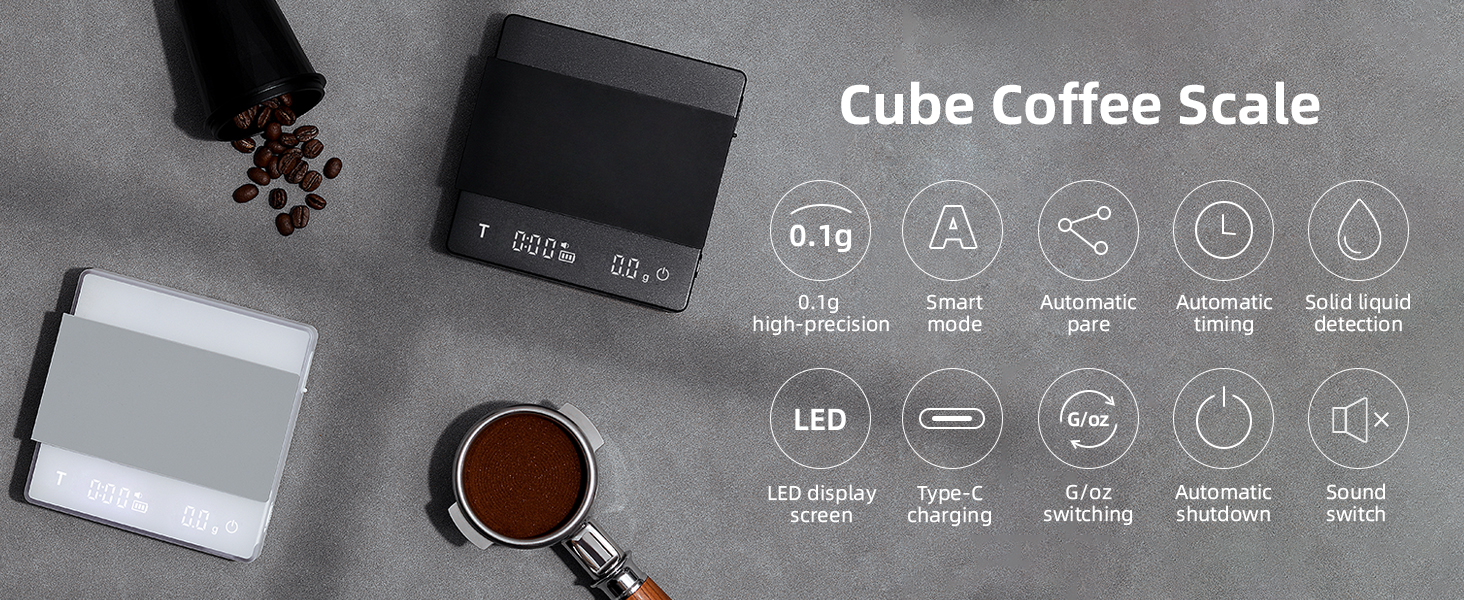
Image: The MHW-3BOMBER Mini Coffee Scale, showcasing its sleek design and compact form factor.
What's Included
Upon unboxing your MHW-3BOMBER ES6029B-OS Mini Coffee Scale, please ensure all the following items are present:
- MHW-3BOMBER ES6029B-OS Mini Coffee Scale
- User Manual
- Type-C Charging Cable
- Silicone Mat
Video: An instructional video demonstrating the unboxing process and initial setup of the MHW-3BOMBER Coffee Scale.
Setup
- Initial Inspection: Carefully remove the protective surface film from the scale's display and weighing platform.
- Charging:
- Connect the provided Type-C charging cable to the scale's charging port.
- It is recommended to use a 5V, 1A/2A adapter for charging. Avoid using fast or high-power chargers to prolong battery life.
- The display light will flash while charging.
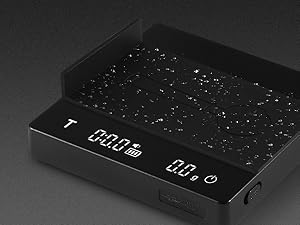
Image: A close-up view of the Type-C charging port, highlighting the recommended charging method.
- Power On/Off:
- Push the physical ON/OFF button located on the side of the scale forward to turn it on.
- Push the button again to toggle the sound mode (beeps on/off).
- Long press the power button on the display to turn off the scale.

Image: A hand demonstrating the use of the physical ON/OFF switch and the power button on the display.
- Silicone Mat Placement: Place the provided silicone mat on the weighing platform. This mat insulates against heat and prevents coffee utensils from slipping.
Operating Modes
The MHW-3BOMBER ES6029B-OS Mini Coffee Scale offers both Normal and Smart modes to cater to various brewing preferences.

Image: The coffee scale display showing different smart modes for espresso and pour-over coffee.
Normal Mode
- Reset (Tare): Click the power button on the display to reset the weight to zero.
- Start/Pause Timer: Click the 'T' button to start or pause the timer.
- Reset Timer: Long press the 'T' button to reset the timer to zero.
- Switch Units (g/oz): Double-click the 'T' button to switch between grams (g) and ounces (oz).
Smart Mode (Gravity Sensing)
When the physical switch is on, placing an item weighing over 100g on the scale will automatically turn it on and tare the weight after 2 seconds. This feature streamlines your workflow by eliminating manual power-on and tare steps.

Image: The coffee scale illustrating the gravity sensing feature, where placing an item automatically turns on and tares the scale.
Smart Mode (Pour-Over Coffee)
This mode is ideal for pour-over brewing, offering automatic timing and ratio calculations:
- Double-click the power button to enter Smart Mode (indicated by a water drop icon on the screen).
- Place your filter cup and server on the scale and click the power button to tare.
- Pour in your coffee powder and click the 'T' button to record the powder weight. The water drop icon will flash to confirm recording.
- Begin pouring water. The timer will automatically start once liquid is detected.
- Once brewing is finished, remove the coffee server. The scale will automatically stop timing and alternate between displaying the brewing time, the amount of water injected, the powder-to-water ratio, and the powder weight. It will then automatically reset to zero after a short period.
Image: The coffee scale actively measuring and timing a pour-over coffee preparation.
Smart Mode (Espresso)
For espresso preparation, the Smart Mode provides precise control:
- Double-click the power button to enter Smart Mode.
- Turn over the silicone mat and place your portafilter on it. Click the power button to tare.
- Weigh your coffee powder in the portafilter and click the 'T' button to record the powder weight.
- Place your espresso cup on the scale. The scale will automatically tare.
- Begin extraction. The timer will automatically start once liquid enters the cup.
- After extraction, remove the cup. The scale will automatically stop timing and alternate between displaying the extraction time, liquid weight, liquid-to-powder ratio, and powder weight. It will then automatically reset to zero.

Image: The coffee scale precisely measuring the weight and timing of an espresso shot.
Video: A demonstration of the automatic time and weight features of the scale, including its fit on a Breville espresso machine drip tray.
Video: A quick review of the MHW-3BOMBER scale, highlighting its features and ease of use in a coffee preparation setting.
Features
- High Precision Sensors: Equipped with a high-accuracy sensor, providing 0.1g precision with a weighing range of 0.3g to 2000g.
- Compact Mini Size: Measures 4.1 x 4.1 x 0.7 inches and weighs only 0.6 pounds, making it portable and suitable for most coffee makers.
- Rechargeable Battery: Features a 700mAh lithium battery with a Type-C charging port for convenience.
- LED Display: Clear and easy-to-read LED screen.
- Mute Function: Option to turn off sound alerts.
- Automatic Shut-off: The scale will automatically shut down after 5 minutes of no weight change to conserve battery.
- Durable Materials: Surface made of ABS plastic for abrasion resistance and easy cleaning, matched with waterproof and heat-resistant silicone pads.
- Non-slip Pad: Ensures stability during use.

Image: The coffee scale highlighting its high precision sensors for accurate weighing.

Image: A hand holding the mini coffee scale, illustrating its small and portable design.
Maintenance
To ensure the longevity and optimal performance of your MHW-3BOMBER ES6029B-OS Mini Coffee Scale, follow these maintenance guidelines:
- Cleaning: The scale's surface is made of ABS plastic, which is easy to clean. Wipe it with a soft, damp cloth. Avoid abrasive cleaners or submerging the scale in water.
- Silicone Mat: The waterproof and heat-resistant silicone mat can be removed and cleaned separately.
- Charging Port: Ensure the silicone-protected charging port is closed when not in use to prevent dust and liquid entry.
Troubleshooting
If you encounter any issues with your MHW-3BOMBER ES6029B-OS Mini Coffee Scale, please consider the following general troubleshooting tips:
- Inaccurate Readings: Ensure the scale is placed on a flat, stable surface. Avoid placing it near vibrating appliances or in direct drafts.
- Scale Not Turning On: Check the physical ON/OFF switch on the side. Ensure the battery is charged.
- Display Issues: If the display is dim or unresponsive, try charging the scale.
- Smart Mode Malfunction: Ensure the scale is on a stable surface and that items are placed gently. Recalibrate if necessary (refer to specific instructions in the included user manual for calibration steps).
For more detailed troubleshooting or persistent issues, please refer to the comprehensive user manual included with your product or contact customer support.
Specifications
| Feature | Specification |
|---|---|
| Brand | MHW-3BOMBER |
| Model | ES6029B-OS |
| Color | Mini-Black |
| Weight Capacity Maximum | 2000 Grams |
| Readout Accuracy | 0.1 Grams |
| Minimum Weighing Range | 0.3 Grams |
| Dimensions | 4.1 x 4.1 x 0.7 inches |
| Item Weight | 0.6 Pounds |
| Battery | 700mAh Lithium Battery |
| Charging Port | Type-C |
| Display Type | LED |
| Material Type | Acrylonitrile Butadiene Styrene, Aluminum, Silicone, Stainless Steel |
| Special Features | 0.1g high-precision, Automatic tare, Automatic timing, Smart mode, Solid liquid detection, Mute function, Auto shut-off |
Warranty and Support
The MHW-3BOMBER ES6029B-OS Mini Coffee Scale comes with a one-year after-service warranty. If you encounter any quality problems with your product within this period, please contact us for assistance.
For any inquiries or support, please refer to the contact information provided in your product packaging or visit the official MHW-3BOMBER website.
